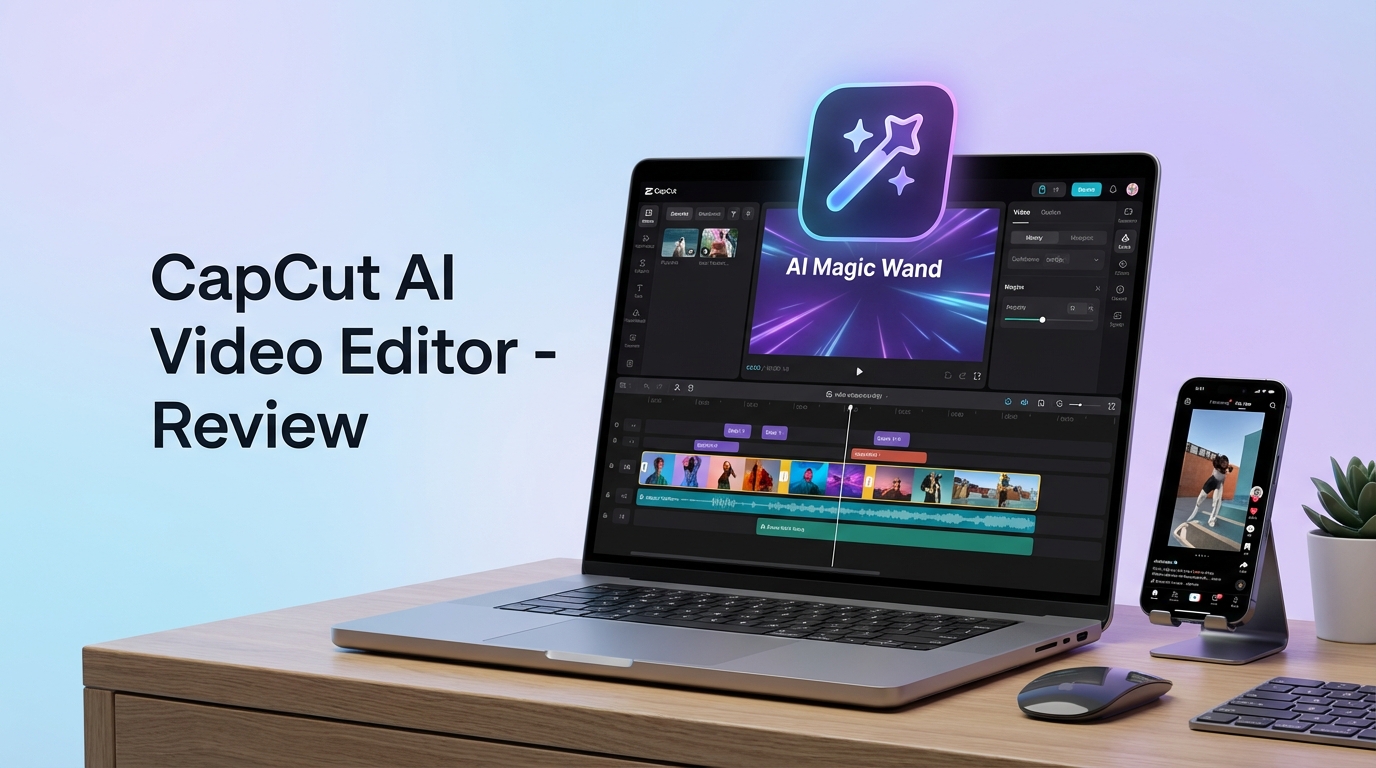
When it comes to CapCut AI Review 2026 pricing, pricing verified as of February 2026 — sourced from official pricing pages.
CapCut has rapidly evolved into one of the most popular AI-powered video editing platforms for content creators in 2026. Developed by ByteDance (the company behind TikTok), CapCut combines professional editing capabilities with intelligent AI features designed specifically for social media content creation. This comprehensive review examines CapCut’s AI tools, pricing structure, real-world performance, and whether it deserves a place in your content creation workflow.
What Makes CapCut AI Stand Out in 2026
CapCut positions itself as an all-in-one video editor that bridges the gap between basic mobile editing apps and professional desktop software. The platform’s AI capabilities have matured significantly, offering features that automate time-consuming tasks while maintaining creative control. Unlike standalone AI video generators, CapCut integrates AI tools directly into a full-featured editing workflow, eliminating the need to jump between multiple applications.
The platform is available across desktop (Windows and Mac), web browsers, and mobile devices (iOS and Android), with seamless project syncing between platforms. This cross-platform flexibility makes CapCut particularly attractive for creators who start projects on their phones and finish them on desktop, or vice versa.
Core AI Features and Capabilities
AI Video Generator and Storyboard Creator
CapCut’s AI Video Maker represents the most ambitious feature in their 2026 toolkit. Users can input detailed text prompts describing their desired video, select visual styles (realistic film, animated, cinematic), choose aspect ratios (16:9, 9:16, 1:1), and let the AI generate a complete video storyboard.
The technology works best with close-up and medium shots, producing surprisingly detailed results that capture mood and atmosphere effectively. However, wide-angle shots with multiple subjects tend to show AI artifacts, particularly with facial features and hair details. This makes the tool ideal for creating mood boards, TikTok drafts, and conceptual content, but less suitable for final, cinema-quality productions.
The realistic film style produces the most usable results for professional content, while animated styles work well for explainer videos and social media posts. Generation typically takes 2-5 minutes depending on video length and complexity.
Auto Captions and Subtitle Generation
CapCut’s auto caption feature leverages advanced speech recognition to generate subtitles automatically. The system supports multiple languages and offers extensive customization options for font styles, colors, animations, and positioning. The platform provides dozens of trendy caption templates that match current social media aesthetics, particularly popular on TikTok and Instagram Reels.
In real-world testing, caption accuracy ranges from 85-95%, which is fast and convenient but not entirely “set and forget.” Common words are transcribed accurately, but the system occasionally misinterprets similar-sounding phrases (for example, “shoot” becoming “shoe”). Users should always review generated captions, particularly for brand names, product names, prices, and calls to action where accuracy is critical.
The caption editing interface is intuitive, allowing quick corrections without disrupting the editing flow. Users can adjust timing, split captions, merge segments, and apply different styles to individual caption blocks. This is why CapCut AI Review 2026 pricing stands out in the market.
Template Library and Quick Creation Tools
CapCut’s template library contains thousands of pre-built video templates designed for various purposes: social media posts, product promotions, intros, outros, transitions, and seasonal content. Templates are organized by category, trending status, and platform (TikTok, Instagram, YouTube Shorts).
Templates drastically reduce production time for regular content. Users simply swap placeholder media with their own footage or images, adjust text, and export. The templates automatically handle timing, transitions, effects, and music synchronization. This makes CapCut particularly valuable for businesses and creators who need to maintain consistent posting schedules without dedicating hours to each piece of content.
One consideration: some templates include CapCut branding or end cards depending on the template and export settings. Always preview the final timeline before exporting to ensure branding aligns with your requirements.
AI Avatars and Virtual Presenters
CapCut’s AI avatar feature generates realistic digital humans that can deliver scripted content. The platform offers multiple avatar options with different appearances, ages, and styles. Users input text scripts, select voice characteristics, and the AI generates a talking-head video.
The avatars are surprisingly realistic for quick content needs like explainer videos, introductions, placeholder narration, and social media announcements. However, for high-trust brand advertising or content where human authenticity is paramount, real presenters remain the better choice. The technology works best for supplementary content rather than primary brand messaging.
Background Removal and Scene Cleanup
CapCut includes AI-powered background removal that works on both video and images without requiring green screens. The tool automatically detects subjects and creates clean cutouts, though complex scenes with hair details or transparent objects may require manual refinement.
The cleanup features focus on practical enhancements rather than heavy restoration: noise reduction, color adjustments, brightness optimization, and basic masking. These tools provide “good enough” polish for social media content without leaving the CapCut environment. For advanced compositing, VFX work, or professional restoration, dedicated tools like DaVinci Resolve or Adobe After Effects remain superior.
Note: CapCut ended free cloud storage in August 2024. Pro plan ($7.99/mo annual) includes 100GB.
CapCut Pricing and Plans in 2026
CapCut maintains a freemium business model with both free and paid tiers. The free version provides access to the core editing interface and basic features, making it genuinely usable without payment. However, AI features operate on usage limits that vary by region and platform. This is why CapCut AI Review 2026 pricing stands out in the market. For more insights, see our Waymark AI Video Tool Review 2026: Script-to-TV-Ad in Minutes.
Free Plan
The free tier includes:
- Full video editing interface (timeline, cuts, transitions, basic effects)
- Limited AI feature usage (metered monthly quotas for captions, video generation)
- Access to select templates (premium templates require paid plan)
- Standard export resolution (up to 1080p)
- Watermark on some exports depending on template and settings
For casual creators or those testing the platform, the free plan provides sufficient functionality to evaluate whether CapCut fits their workflow.
Pro/Paid Plan
Paid subscriptions (branded as “Pro” in most markets) typically cost between $7.99-$11.99 per month depending on billing cycle and region. Annual subscriptions offer discounts of 20-40% compared to monthly billing.
Pro benefits include:
- Increased or unlimited AI feature usage (more caption generations, video AI requests)
- Access to premium templates and effects library
- Advanced export options (4K resolution, custom bitrates)
- Watermark removal on all exports
- Priority rendering and faster processing times
- Cloud storage for project files
For creators producing content daily or businesses requiring consistent output, the Pro plan quickly justifies its cost through time savings and expanded capabilities.
Real-World Use Cases and Applications
Social Media Content Creators
CapCut excels for TikTok, Instagram Reels, and YouTube Shorts creators who need to produce high volumes of engaging content quickly. The template library, auto captions, and trending effects align perfectly with social media aesthetics. Creators can maintain posting consistency without spending hours on each video.
Small Business Marketing
Businesses without dedicated video production teams use CapCut to create product announcements, promotional videos, testimonial compilations, and social media ads. The template system ensures brand consistency while the AI tools compensate for limited editing expertise.
Educational Content and Tutorials
Educators and course creators leverage CapCut’s screen recording capabilities, auto captions for accessibility, and clear timeline editing to produce engaging educational videos. The AI avatar feature works well for supplementary content or placeholder narration during development.
Podcast and Long-Form Content Repurposing
Creators with podcasts or long-form YouTube content use CapCut to extract highlight clips, create teaser videos, and generate social media snippets. Auto captions and quick export presets streamline the repurposing workflow.
Pros and Cons of CapCut AI
Advantages
- Beginner-Friendly Interface: Intuitive design that doesn’t sacrifice advanced features
- Cross-Platform Flexibility: Work seamlessly across mobile, desktop, and web
- Integrated AI Tools: Everything in one platform without app-jumping
- Extensive Template Library: Thousands of options for quick content creation
- Free Tier Viability: Genuinely usable without payment for casual creators
- Regular Updates: Frequent feature additions and improvements
- Social Media Optimization: Built specifically for modern content distribution
Limitations
- AI Video Quality Inconsistency: Wide shots and group scenes show artifacts
- Caption Accuracy Not Perfect: Requires manual review for critical content
- Template Watermarks: Some templates include branding on free plan
- Limited Professional Features: Not suitable for film production or high-end VFX
- Regional Pricing Variations: Features and costs vary by location
- Cloud Dependency: Some features require consistent internet connection
How CapCut Compares to Alternatives
CapCut occupies a unique middle ground in the video editing market. Compared to Adobe Premiere Pro or DaVinci Resolve, CapCut is more accessible and faster for social content but lacks professional color grading and advanced compositing. Compared to Canva or VEED, CapCut offers more editing depth and timeline control. Compared to specialized AI video generators like Runway or Pika, CapCut provides better editing integration but less impressive generative AI quality.
The platform is best suited for creators who prioritize speed, ease of use, and social media optimization over absolute professional quality or cutting-edge AI generation capabilities.
Who Should Use CapCut AI in 2026
CapCut is ideal for:
- Social media content creators producing daily content for TikTok, Instagram, or YouTube Shorts
- Small businesses and solopreneurs handling their own video marketing
- Beginners learning video editing without overwhelming complexity
- Mobile-first creators who edit primarily on phones or tablets
- Teams needing template-based consistency across multiple content producers
CapCut may not be suitable for:
- Professional filmmakers requiring advanced color grading and VFX
- Creators needing consistently perfect AI-generated video quality
- Productions where caption accuracy cannot be manually verified
- Projects requiring frame-accurate editing or professional audio mixing
Final Verdict
CapCut AI represents one of the most practical and accessible AI-powered video editing solutions available in 2026. The platform successfully integrates useful AI features into a comprehensive editing workflow without sacrificing usability. While the AI video generation and auto captions aren’t perfect, they’re genuinely helpful tools that save time when used appropriately.
For content creators focused on social media, the combination of templates, AI assistance, and cross-platform editing makes CapCut an excellent choice. The free tier allows risk-free testing, and the Pro plan pricing is reasonable for serious creators. Just remember that CapCut excels at speed and convenience rather than absolute perfection—always review AI-generated content before publishing, and recognize the tool’s limitations for professional film production. For more insights, see our Best AI Video Tools for Product Demos in 2026: Showcase, Convert & Sell More.
If your goal is shipping engaging content consistently rather than achieving cinema-quality perfection, CapCut AI deserves serious consideration as your primary editing platform in 2026.







