Pricing verified as of February 2026 — sourced from official pricing pages.
Introduction to Luma AI Dream Machine
In the competitive landscape of AI video generation, Luma AI’s Dream Machine has carved out a distinctive position by combining photorealistic output with user-friendly accessibility. Launched in mid-2024 and powered by the advanced Ray2 and Ray3 models, Dream Machine transforms text prompts and static images into cinematic video clips that demonstrate an impressive understanding of physics, lighting, and 3D space.
For content creators, marketers, and creative professionals seeking high-quality AI-generated video without the steep learning curve of traditional video production tools, Luma AI Dream Machine offers a compelling solution. This comprehensive review explores everything you need to know about Luma AI in 2026, from its cutting-edge capabilities to pricing structures, real-world performance, and how it compares to leading competitors like Runway Gen-3 and Pika.
What is Luma AI Dream Machine?
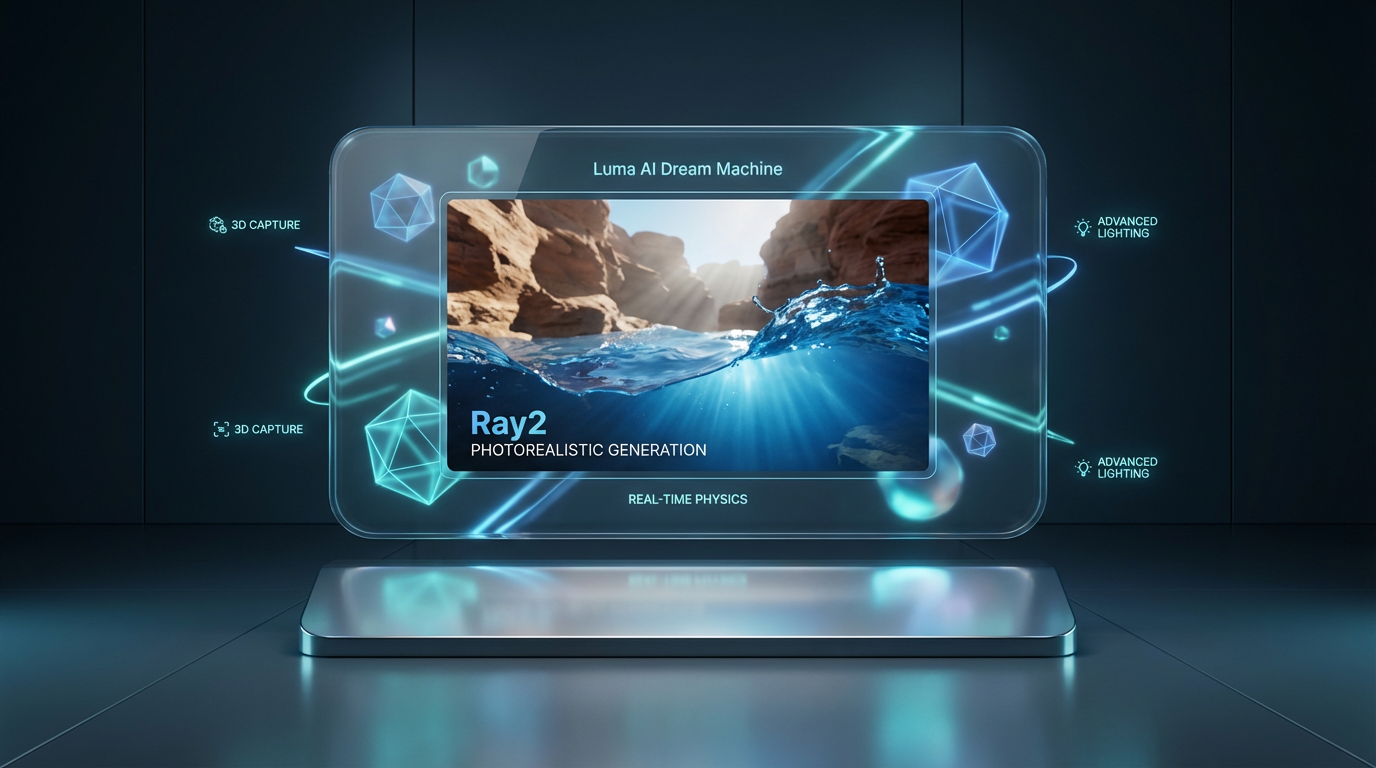
Dream Machine is Luma Labs’ flagship AI video generation platform, accessible via web browser and iOS devices. The platform leverages Luma’s background in 3D capture technology to produce videos with smooth camera movements, realistic physics, and natural motion that sets it apart from many competitors.
Built on the Ray2 foundation model with Ray3 enhancements, Dream Machine specializes in photorealistic video generation. The platform currently holds approximately 15-20% of the AI video market, positioning it strategically between experimental tools like Pika and professional-grade platforms like Runway.
What distinguishes Luma AI is its integrated ecosystem: the company also provides 3D capture tools for objects, landscapes, and scenes, which can feed directly into Dream Machine for animation and editing. This end-to-end workflow—capture, import, animate—offers unique possibilities for creators working with real-world assets.
Core Features and Capabilities
Text-to-Video Generation
Dream Machine’s text-to-video engine converts detailed text prompts into short video clips with impressive coherence. The AI demonstrates strong understanding of natural language descriptions, camera terminology, and cinematic concepts.
Prompts like “golden retriever catching a frisbee at sunset, handheld camera, gentle parallax, 24 fps” produce videos with realistic motion physics, appropriate lighting conditions, and camera movement that matches the specified style. The model excels at single-subject scenes and maintains visual consistency throughout the generated clips.
Image-to-Video Animation
One of Dream Machine’s standout capabilities is its ability to animate static images. Users can upload a photograph or illustration and add motion instructions to bring it to life. This feature proves particularly valuable for:
- Product demonstrations with 360-degree pans or zoom effects
- Portrait animation showing natural movement and expression
- Landscape shots with camera motion and atmospheric effects
- Brand assets transformed into dynamic video content
The image-to-video function maintains character consistency and preserves key details from the source image while adding realistic motion, making it ideal for maintaining brand identity across video content.
Video Editing and Extension
Dream Machine includes powerful editing capabilities that set it apart from pure generation tools:
Modify with Instructions: Introduced in 2025, this natural-language editing feature allows users to remove objects, restyle scenes, change set elements, and make refinements without complex masking or manual editing. Simply describe the desired change, and the AI implements it while preserving the overall composition.
Modify Video (Video-to-Video): Broader transformations that preserve the underlying motion while changing visual style, environment, or other elements. This capability extends to programmatic use via API for automated workflows.
Reframe and Outpainting: Expand or reframe existing videos to adapt them for different aspect ratios and platform requirements. This feature saves significant time when repurposing content for vertical (TikTok, Reels) and horizontal (YouTube) formats.
Video Extension: Clips can be extended beyond the initial 5-second generation, though Luma cautions that quality may degrade when extending past approximately 30 seconds total duration.
Camera Motion Concepts
A 2025 addition to Dream Machine, Camera Motion Concepts enables creators to apply learned camera movements consistently across different shots and styles. This feature provides more reliable execution of cinematic techniques like:
- Dolly in and dolly out movements
- Smooth orbital camera paths
- Tilt and pan movements
- Complex multi-axis camera motion
By establishing reusable motion patterns, this tool helps maintain visual consistency across projects and reduces trial-and-error iterations.
Resolution and Output Options
Dream Machine outputs natively at 1080p resolution at 24 fps, providing broadcast-quality results for most applications. The Ray3 model adds several professional-grade enhancements:
- 4K Upscaling: Optional enhancement to 4K resolution for final deliverables
- HDR Support: High dynamic range output for enhanced color depth and contrast
- EXR Export: OpenEXR sequence export for professional post-production workflows
- Keyframe Editing: Frame-level control for precise timing adjustments
One notable limitation: Dream Machine does not currently generate audio. Soundtracks, voiceovers, and sound effects must be added in post-production, though this remains on Luma’s development roadmap as “coming soon” according to their public changelog.
Luma AI Pricing and Plans
Dream Machine uses a credit-based pricing system with several subscription tiers tailored to different usage levels and requirements. Understanding the credit math is essential before committing to a plan.
Pricing Tiers
Free Plan ($0/month):
- Limited credits focused on Photon image generation
- Personal, non-commercial use only
- Watermarked outputs
- Good for testing and learning the platform
Lite Plan ($7.99/mo (annual)):
- 3,200 credits per month (approximately 40 video generations)
- Priority processing in generation queue
- Personal, non-commercial use only
- Watermark remains on outputs
- Suitable for hobbyists and personal projects
Plus Plan ($23.99/mo (annual)):
- 10,000 monthly credits (approximately 135 video generations)
- No watermarks
- Full commercial usage rights
- Fast generation pool with relaxed mode option
- Ideal for freelancers and small businesses
Unlimited Plan ($75.99/mo (annual)):
- 10,000 fast credits plus unlimited relaxed generations
- No watermarks
- Full commercial rights
- Best for high-volume content production
Enterprise Plan (Custom Pricing):
- Data privacy guarantees (no training on your content)
- Volume discounts and priority support
- Custom integration options
- Dedicated account management
Credit Consumption
Understanding how credits translate to actual output is crucial for budget planning:
- 5-second clip at 1080p: 170 credits
- 10-second clip at 1080p: 340 credits
- Extended clips: Additional credits based on final duration
- 4K upscaling: Extra credit cost beyond base generation
- Modify operations: Variable cost depending on complexity
Important Note: Dream Machine API uses a separate credit system. Subscription credits do not apply to API usage, which must be purchased separately.
Licensing and Commercial Use
Commercial usage rights are a critical consideration:
- Free and Lite plans are strictly personal, non-commercial use with watermarks
- Plus, Unlimited, and Enterprise plans include full commercial rights with no watermarks
- You own the content you create, but Luma retains a broad license to use your outputs for “service improvement and marketing”
- Your generated videos may appear in Luma’s promotional materials
Real-World Performance and Testing
Independent testing over three months reveals both Dream Machine’s strengths and limitations in practical applications.
Generation Speed
Standard 5-10 second clips typically render in 1-2 minutes, making iteration relatively quick. Draft Mode, available for concept testing, approximately halves generation time at the cost of reduced detail and fidelity. This fast turnaround enables efficient experimentation and refinement.
Quality and Consistency
Dream Machine performs best with:
- Single-subject scenes: Natural landscapes, product shots, and single-character scenarios produce highly photorealistic results
- Controlled motion: Smooth camera movements and predictable physics
- Well-lit environments: Scenes with clear lighting direction maintain better consistency
Challenges emerge with:
- Multi-character scenes: Complex interactions between multiple subjects can produce occasional artifacts
- Prompt consistency: Running identical prompts multiple times yields noticeably different results more than 50% of the time
- Spatial relationships: Complex arrangements of objects sometimes confuse the model
- Text rendering: In-video text and logos often appear distorted or unstable
Common Artifacts and Solutions
Temporal Jitter: Frame-to-frame inconsistencies in textures like water or grass.
- Solution: Simplify scene complexity, prefer steady camera moves, use shorter 5-second durations
Object Morphing: Subtle shape changes during motion or occlusions, especially with hands and small objects.
- Solution: Provide more detailed subject descriptions, use reference images, employ Modify Video for corrections
Camera Drift: Requested camera movements don’t match specifications (e.g., “dolly-in” becomes a zoom).
- Solution: Use Camera Motion Concepts, specify lens and focal length explicitly, test with short runs first
Edge Integrity: Fine lines and detailed elements wobble during motion.
- Solution: Keep detailed elements minimal, animate gently from high-resolution stills, add critical elements in post-production
Luma AI vs. Competitors
Luma AI vs. Runway Gen-3
Runway Advantages:
- Longer clip durations (up to 10 seconds per generation)
- Superior motion consistency and fewer artifacts
- More robust control for production-grade work
- 4K output available across plans
Luma Advantages:
- More intuitive interface for beginners
- Strong image-to-video capabilities
- Natural-language editing with Modify with Instructions
- Integrated 3D capture ecosystem
- Slightly lower entry-level pricing
Verdict: Runway Gen-3 remains the choice for professional production work demanding maximum consistency and control. Luma excels for social media content, product demos, and creators prioritizing ease of use over absolute precision.
Luma AI vs. Pika
Pika Advantages:
- Viral Pikaffects for social media engagement
- More experimental and playful feature set
- Budget-friendly for pure experimentation
Luma Advantages:
- Superior photorealism and motion quality
- Longer clip durations (5-10 seconds vs. 3-5 seconds)
- Professional editing and refinement tools
- Better physics understanding
Verdict: Pika suits meme creators and viral social content. Luma targets creators needing reliable, realistic output for product marketing, concept videos, and professional applications.
Quick Comparison Table
| Feature | Luma AI | Runway Gen-3 | Pika |
|---|---|---|---|
| Clip Duration | 5-10 seconds | 10 seconds | 3-5 seconds |
| Resolution | 1080p (4K upscale) | 4K native | 1080p |
| Camera Control | Good | Excellent | Moderate |
| Entry Price | $7.99/mo (annual) | $12/month | $10/month |
| Best For | Product demos, social content | Professional production | Viral effects, experiments |
Ideal Use Cases
Perfect For:
- Product Marketing: 360-degree product pans, feature demonstrations, and hero shots from still photography
- Social Media Content: Instagram Reels, TikTok videos, YouTube Shorts with realistic, engaging visuals
- Concept Development: Storyboards, mood films, pitch materials, and visual exploration
- E-Learning and Education: Instructional videos, visual demonstrations, and classroom materials
- Real Estate: Property tours, neighborhood showcases, and listing enhancements
- Agency Work: Quick concept testing, client presentations, and ideation phases
Not Ideal For:
- Long-form video content (limitations beyond 30 seconds)
- Projects requiring generated audio and sound design
- High-stakes production work demanding absolute consistency
- Complex multi-character choreography
- Text-heavy videos with on-screen captions or graphics
Professional Tips for Better Results
Prompt Engineering
Effective prompts follow a proven structure:
- Subject: Clearly define what appears in the scene
- Action: Describe the motion or activity
- Environment: Set the location and atmosphere
- Camera: Specify camera type, lens, and movement (e.g., “35mm handheld, gentle dolly-in”)
- Lighting: Define lighting conditions and mood
- Technical specs: Include frame rate if relevant (e.g., “24 fps”)
Example: “Premium leather handbag on white marble pedestal, slow 360-degree camera orbit, studio lighting with soft shadows, 50mm lens, shallow depth of field, photorealistic product photography style, 24 fps”
Workflow Best Practices
- Test at 5 seconds: Validate motion and composition with short clips before committing to longer durations
- Use reference images: Upload visual references to maintain style consistency across multiple generations
- Reserve 4K upscaling: Only upscale your best takes to conserve credits and processing time
- Draft Mode for iteration: Use lower-quality draft generations to test multiple prompt variations quickly
- Leverage Modify tools: Use Modify with Instructions for quick fixes rather than regenerating entire clips
- Reframe strategically: Adapt successful horizontal videos to vertical formats instead of generating new content
Integration and Workflow
Dream Machine integrates smoothly into professional video production workflows:
- Access: Web browser, iOS app, and beta API for programmatic generation
- Compatible software: Adobe Premiere Pro, Final Cut Pro, Unity, Unreal Engine
- Import formats: PNG, JPG, MP4
- Export formats: MP4, EXR sequences for professional post-production
- Cloud-based: No heavy local hardware requirements; all processing handled on Luma’s servers
Legal and Ethical Considerations
Content Restrictions
Dream Machine prohibits generation of:
- Real people without explicit permission
- Misleading political or news content
- Explicit, violent, or harmful material
- Trademark or copyright violations
Transparency Requirements
Best practices for responsible use:
- Label AI-generated content appropriately on social platforms
- Use platform-specific disclosure tools (YouTube’s “altered content” checkbox, TikTok’s AI tags)
- Maintain transparency about AI generation in marketing materials
- Verify you have rights to any reference images used in generation
Terms and Cancellations
According to Luma’s terms of use:
- Cancellations must be submitted at least one day before renewal date
- Payments are generally non-refundable unless Luma determines otherwise
- Unused credits do not roll over to subsequent billing periods
Strengths and Weaknesses Summary
Key Strengths
- Photorealistic output with strong physics understanding
- Intuitive interface suitable for beginners and professionals
- Powerful natural-language editing tools
- Integrated 3D capture ecosystem
- HDR and 4K upscaling capabilities
- Fast generation times (1-2 minutes for standard clips)
- Predictable credit-based pricing
Notable Weaknesses
- Maximum practical clip length around 30 seconds
- No audio generation capability
- Inconsistent results from identical prompts
- Limited camera control compared to professional tools
- Struggles with complex multi-character scenes
- Poor text and logo rendering within videos
- Cloud dependency subject to queue times during peak usage
Final Verdict
Luma AI Dream Machine occupies a sweet spot in the AI video generation market: sophisticated enough for professional applications yet accessible enough for newcomers. Its photorealistic output, intuitive editing tools, and integrated workflow make it particularly valuable for product marketers, social media creators, and agencies handling ideation and concept development.
The platform delivers strongest results for single-subject scenes with controlled motion—product demonstrations, landscape pans, portrait animations, and architectural visualizations. These use cases play to Dream Machine’s strengths in physics simulation and camera motion while avoiding its weaknesses with complex multi-character choreography.
At $23.99/mo (annual) for the Plus plan with commercial rights, Dream Machine represents solid value for creators generating 30-50 videos monthly. Higher-volume users should calculate credit consumption carefully against the Unlimited plan at $75.99/mo (annual) or consider Runway Gen-3’s unlimited generation options.
Choose Luma AI if you need: Photorealistic output for product demos and social content, natural-language editing, integrated 3D capture workflows, or an intuitive platform for team members without video editing experience.
Choose alternatives if you need: Maximum motion consistency for client deliverables (Runway Gen-3), viral social effects (Pika), or videos longer than 30 seconds (traditional video editing tools).
As AI video generation continues to mature, Luma AI Dream Machine represents a practical, production-ready tool that bridges the gap between experimental AI toys and professional video production suites. For its intended use cases, it delivers impressive results that would have required significant time, budget, and expertise just a few years ago.







