When it comes to Animaker Review 2026 review, pricing verified as of February 2026 — sourced from official pricing pages.
Introduction to Animaker
In the world of video marketing and content creation, animated videos have become essential tools for explaining complex ideas, promoting products, educating audiences, and building brand identity. However, traditional animation has always been time-consuming, expensive, and required specialized skills. Animaker has changed this equation by providing a powerful, AI-enhanced platform that enables anyone—regardless of animation experience—to create professional-quality animated videos quickly and affordably.
As we progress through 2026, Animaker continues to evolve its capabilities, combining intuitive drag-and-drop editing with AI-powered features like script-to-video generation, auto lip-sync, and intelligent character animation. With access to over 100 million stock assets, thousands of templates, and extensive customization options, Animaker serves everyone from solo entrepreneurs and educators to marketing teams and enterprise organizations.
This comprehensive review explores Animaker’s features, pricing structure, use cases, pros and cons, and how it compares to alternative animation platforms, helping you determine whether it’s the right tool for your video creation needs in 2026.
What is Animaker?
Animaker is a cloud-based DIY animation and video creation platform that enables users to produce animated and live-action videos without professional animation skills or expensive software. The platform combines traditional animation tools with AI-powered features, offering multiple creation modes to accommodate different skill levels and project requirements.
Unlike complex professional animation software like Adobe After Effects or Toon Boom that require months of training, Animaker focuses on accessibility and speed. Users can create videos in minutes using templates and pre-built assets, or spend more time customizing every element for unique, brand-specific content.
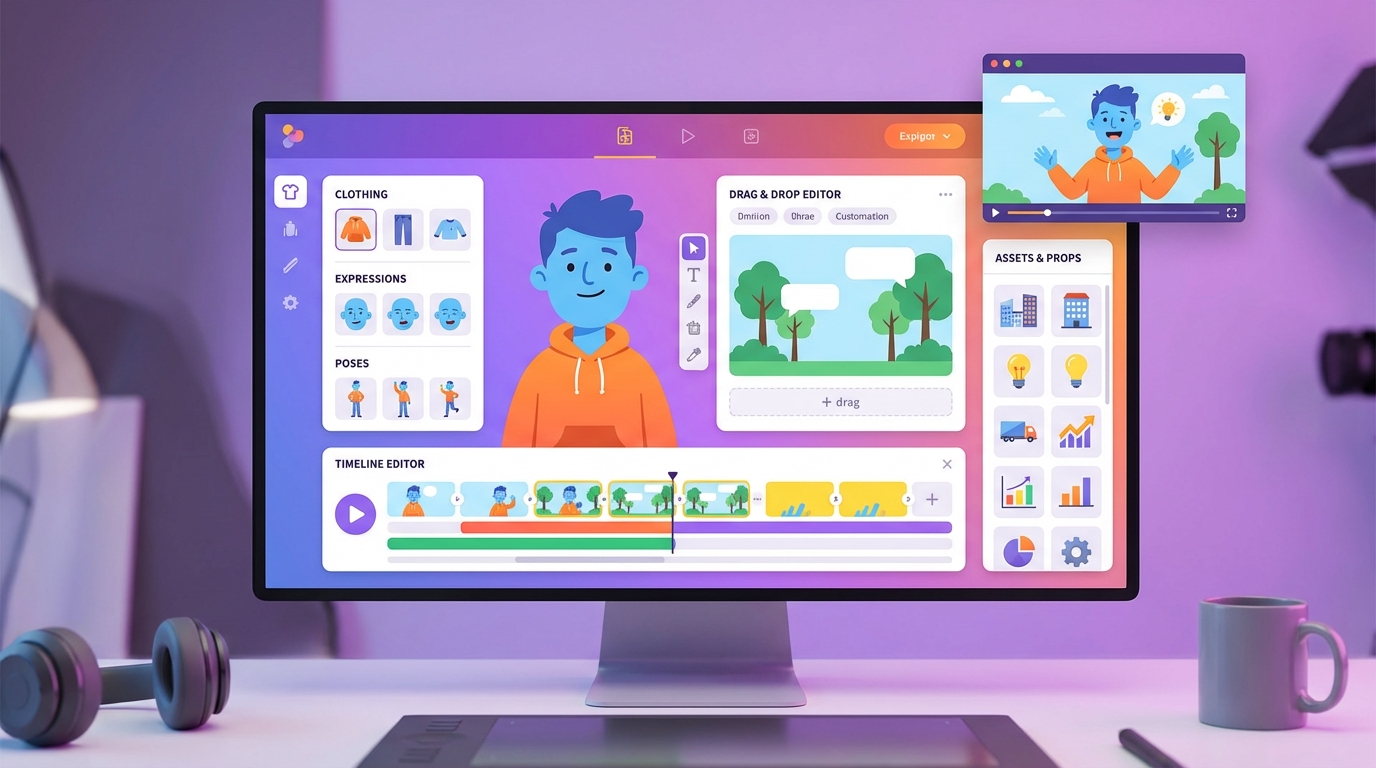
Animaker is particularly known for its character builder, which allows detailed customization of animated characters with different body types, clothing, expressions, and actions. This feature has made it popular for explainer videos, educational content, marketing animations, and social media videos where human-like characters help convey messages more engagingly than stock footage or text alone.
Key Features of Animaker
AI-Powered Video Creation
Animaker integrates artificial intelligence throughout the platform to accelerate video creation:
- Script to Video: Input a script or text, and Animaker’s AI automatically generates a complete video with relevant visuals, transitions, and timing
- Text-to-Speech: Convert written narration into natural-sounding voiceovers in multiple languages and voice styles
- Auto Lip-Sync: Characters automatically sync their mouth movements to voiceovers, eliminating tedious manual animation
- Auto-Resizing: Instantly adapt videos to different aspect ratios for various platforms (vertical for TikTok, square for Instagram, horizontal for YouTube)
- Smart Templates: AI suggests templates based on your project type and customizes them based on your content
These AI features significantly reduce production time, allowing creators to focus on messaging and creativity rather than technical animation details.
Extensive Asset Library
Animaker provides access to an enormous library of creative assets:
- 100+ Million Stock Assets: Images, video clips, audio tracks, and props from premium stock libraries
- 1000+ Pre-Built Templates: Professionally designed templates for explainers, promos, intros, social posts, and more
- 100+ Character Types: Diverse animated characters representing different ages, ethnicities, professions, and styles
- Customizable Characters: Detailed character builder for creating unique personalities
- Props and Accessories: Thousands of objects, icons, and visual elements
- Background Scenes: Varied settings from offices and homes to outdoor landscapes and abstract backgrounds
- Music and Sound Effects: Royalty-free audio library with tracks for every mood and genre
This vast asset library means users rarely need external resources, streamlining the entire production workflow within one platform.
Character Builder and Customization
One of Animaker’s standout features is its sophisticated character customization system:
- Body Customization: Adjust body type, height, build, and proportions
- Facial Features: Customize eyes, nose, mouth, eyebrows, and facial structure
- Clothing Options: Choose from hundreds of outfits, accessories, and styling options
- Expressions and Actions: Select from dozens of pre-animated expressions (happy, sad, surprised, etc.) and actions (walking, pointing, presenting, etc.)
- Brand Character Creation: Build consistent brand mascots that appear across all your videos
- Save Custom Characters: Create and save character templates for reuse in future projects
This level of customization allows businesses to create distinctive brand characters and enables educators to design relatable characters for their audience demographics.
Drag-and-Drop Editor
Animaker’s intuitive editor makes animation accessible to non-animators:
- Simple drag-and-drop interface for adding elements to scenes
- Timeline-based editing for precise control over animation timing
- Enter and exit effects for smooth element transitions
- Camera movements (pans, zooms) for dynamic storytelling
- Multi-layer composition for complex scenes
- Easy text addition with animation effects
- Color picker and theme customization
The editor strikes a balance between simplicity and power, allowing quick edits for beginners while providing depth for advanced users who want frame-level control.
Multiple Video Styles
Animaker supports various animation and video styles to match different content needs:
- 2D Animation: Traditional cartoon-style animated videos
- 2.5D Animation: Layered animations with depth effects
- Whiteboard Animation: Hand-drawn style videos popular for explanations and tutorials
- Typography Videos: Text-based animations for quotes, stats, and key messages
- Infographic Videos: Data visualization and information graphics
- Live-Action + Animation: Combine real footage with animated elements
- GIF Creation: Short looping animations for social media
This versatility allows creators to choose the style that best communicates their message and resonates with their target audience.
Voiceover and Audio Tools
Professional audio capabilities enhance video quality:
- Text-to-Speech: AI voices in 50+ languages with multiple accent and tone options
- Voice Recording: Record voiceovers directly within the platform
- Audio Upload: Import existing audio files
- Music Library: Thousands of royalty-free background music tracks
- Sound Effects: Extensive sound effect library for actions, transitions, and emphasis
- Auto Lip-Sync: Automatic character mouth movement synchronization
- Audio Trimming and Mixing: Edit audio timing and adjust volume levels
Quality audio transforms good videos into great ones, and Animaker provides all necessary tools without requiring additional software.
Collaboration Features
For teams and agencies, Animaker includes collaboration tools:
- Shared workspaces for team projects
- Role-based access control (admin, editor, viewer)
- Comment and feedback systems
- Version history and project backups
- Brand kit management for consistent styling
- Template sharing across team members
These features make Animaker suitable for marketing departments, educational institutions, and agencies managing multiple clients.
Export and Publishing Options
Animaker provides flexible output options:
- Multiple Resolutions: Export in SD, HD (720p), Full HD (1080p), or 4K quality
- Various Formats: MP4, GIF, and other common video formats
- Direct Publishing: Share directly to YouTube, Facebook, and other platforms
- Cloud Storage: Store projects in cloud for access anywhere
- Download Options: Download videos for offline editing or archival
Animaker Pricing Plans 2026
Animaker offers a freemium model with several paid tiers to accommodate different user needs and budgets.
Free Plan – $0
Animaker’s free plan allows users to explore the platform and create basic videos with limitations:
- 5 video exports per month
- 2 minutes maximum video length
- 720p (HD) quality
- Animaker watermark on videos
- Access to basic templates and assets
- Limited character customization
The free tier is suitable for testing the platform or creating occasional short videos where branding watermarks aren’t problematic.
Basic Plan ($10/mo): 5 exports/mo, 720p, 5 custom characters, 10 stock assets.
Starter Plan – $19/month
The entry-level paid plan removes major limitations for individual creators:
- 10 premium video exports per month
- Up to 10 minutes per video
- 1080p (Full HD) quality
- No watermark
- 15 custom characters
- Access to premium templates
- Basic stock asset library access
- Text-to-speech with limited voices
This plan suits freelancers, small business owners, and educators creating regular content without needing unlimited exports.
Pro Plan – $49/month
The professional tier expands capabilities for serious creators and small teams:
- 50 premium video exports per month
- Up to 30 minutes per video
- 1080p quality with priority rendering
- Unlimited custom characters
- Full access to 100M+ stock assets
- Advanced text-to-speech with all voices
- Auto lip-sync feature
- Brand kit and watermark customization
- Priority customer support
This tier is ideal for marketers, agencies, and content creators producing high volumes of client work or maintaining multiple channels.
Enterprise Plan – Custom Pricing
For large organizations, educational institutions, and agencies, Animaker offers enterprise solutions with:
- Unlimited video exports
- Extended video duration limits
- 4K export quality
- Dedicated account management
- Custom branding and white-label options
- API access for workflow integration
- Advanced team collaboration features
- Training and onboarding support
- Volume licensing discounts
Enterprise pricing is customized based on organization size, feature requirements, and usage volume. For more insights, see our Waymark AI Video Tool Review 2026: Script-to-TV-Ad in Minutes.
Annual Billing Discounts
All paid plans offer substantial discounts (typically 20-30%) when billed annually instead of monthly, making long-term commitments more economical.
Use Cases: Who Benefits from Animaker?
Marketing Teams and Businesses
Marketers use Animaker to create engaging promotional content, product explainers, social media videos, and ad campaigns. Animated videos typically generate higher engagement than static images or text, and Animaker makes production fast and affordable enough to test multiple creative approaches.
Educators and E-Learning Creators
Teachers, online course creators, and training professionals leverage Animaker to create educational videos, concept explanations, tutorials, and interactive learning content. Animated characters and visual metaphors help simplify complex topics and maintain student attention.
Content Creators and YouTubers
Video creators use Animaker for channel intros, animated segments within longer videos, explainer content, and storytelling. The platform enables adding professional animation elements without outsourcing to expensive animators.
Startups and Entrepreneurs
Resource-constrained startups benefit from Animaker’s ability to produce professional explainer videos, pitch deck videos, and marketing content without hiring animation studios. A compelling animated explainer can be crucial for explaining new products or services.
Non-Profits and Advocacy Groups
Organizations with limited budgets use Animaker to create awareness campaigns, donor communications, and educational content. Animation allows creative storytelling without expensive video production.
HR and Internal Communications
Human resources departments create onboarding videos, training materials, policy explanations, and company culture content using Animaker. Animated videos make often-dry HR content more engaging and digestible.
Social Media Managers
Social media professionals use Animaker to create scroll-stopping content for feeds and stories. The platform’s quick production time and format versatility support the high-volume, multi-platform posting schedules social media demands.
Pros and Cons of Animaker
Advantages
- User-Friendly Interface: Intuitive design requires no animation experience
- Extensive Asset Library: 100M+ assets reduce need for external resources
- Powerful Character Customization: Create unique, branded characters easily
- AI-Powered Features: Script-to-video and auto lip-sync save significant time
- Multiple Animation Styles: Versatility for different content types and audiences
- Affordable Pricing: Accessible entry point at $19/month with generous free tier
- No Software Installation: Cloud-based platform works on any device with browser
- Quick Production Time: Create videos in minutes instead of hours or days
- Templates for Every Need: 1000+ templates accelerate production
- Collaboration Features: Team-friendly workflows for agencies and departments
- Regular Updates: Platform continuously adds features and assets
Limitations
- Learning Curve for Advanced Features: While basics are easy, mastering all tools takes time
- Template-Based Aesthetic: Videos can look similar to other Animaker content without heavy customization
- Export Limits on Lower Tiers: Monthly export caps may frustrate high-volume creators
- Performance with Complex Projects: Large, multi-layer projects can slow down in browser
- Limited Frame-by-Frame Control: Not suitable for highly precise, custom animation needs
- Internet Dependency: Requires stable connection; no offline mode
- Character Movement Constraints: While extensive, character actions are limited to pre-built options
- Watermark on Free Tier: Free users must accept branding on exports
- Asset Search Can Be Overwhelming: Massive library sometimes makes finding specific assets challenging
Animaker vs. Competitors
Animaker vs. Vyond
Vyond (formerly GoAnimate) is Animaker’s closest competitor, targeting similar business and education markets. Vyond typically costs more ($49+/month minimum) but offers slightly more sophisticated character animation and professional templates. Animaker provides better value for budget-conscious users and offers a more generous free tier. Both are excellent; choice often depends on specific style preferences and budget.
Animaker vs. Powtoon
Powtoon focuses more on presentation-style animated videos and slides, while Animaker emphasizes traditional animation and character-driven content. Powtoon excels for business presentations and slide decks, while Animaker is stronger for storytelling and character-based explanations. Many users find Animaker’s interface more intuitive.
Animaker vs. Renderforest
Renderforest offers animation tools alongside branding services like logo design and website building. While versatile, Renderforest’s animation capabilities are less robust than Animaker’s dedicated animation features. Animaker is the better choice for animation-focused projects, while Renderforest suits users needing multiple branding services.
Animaker vs. Canva Video
Canva has expanded into video creation with strong template-based tools, but its animation capabilities are more basic than Animaker’s. Canva excels for simple social media videos and graphics, while Animaker provides deeper animation control and character customization. Users already invested in Canva’s ecosystem might find its video tools sufficient for simple needs, but animation-heavy projects benefit from Animaker’s specialized tools.
Animaker vs. Professional Software (After Effects, Blender)
Professional animation software offers unlimited creative control but requires months of learning and expensive subscriptions. Animaker sacrifices some precision for accessibility and speed. Most users choose based on their priority: complete control (professional software) or fast, easy production (Animaker). Many professionals use both—Animaker for quick projects, professional software for hero animations.
Getting Started with Animaker
Step 1: Sign Up and Choose a Plan
Create an account at Animaker.com. Start with the free plan to explore features before committing to paid options. The platform offers guided tours for new users. This is why Animaker Review 2026 review stands out in the market.
Step 2: Select a Template or Start From Scratch
Choose a template matching your project type (explainer, promo, social media, etc.) or select a blank canvas for complete creative freedom. Templates provide structure while remaining fully customizable.
Step 3: Customize Characters and Scenes
Use the character builder to create or customize characters. Select backgrounds, add props, and arrange elements to build your scenes. The drag-and-drop interface makes this intuitive.
Step 4: Add Text and Graphics
Insert text elements for titles, explanations, or emphasis. Apply animated text effects to increase engagement. Add icons, shapes, and graphics as needed to support your message.
Step 5: Create Animation and Transitions
Apply enter and exit effects to elements. Set timing on the timeline. Add camera movements for dynamic scenes. Preview frequently to ensure smooth flow.
Step 6: Add Voiceover and Music
Record narration, use text-to-speech, or upload existing audio. Select background music from the library. Add sound effects for actions and transitions. Ensure audio levels are balanced.
Step 7: Review and Refine
Watch your complete video multiple times. Check for timing issues, typos, or visual inconsistencies. Make adjustments as needed. Get feedback from colleagues if possible.
Step 8: Export and Share
Choose your export quality and format based on intended platform. Download or publish directly to social media. Save your project for future editing or template creation.
Tips for Maximizing Animaker
- Start with Templates: Even if customizing heavily, templates provide structure and save time
- Create Brand Characters: Develop consistent characters for brand recognition across videos
- Keep It Simple: Avoid cluttering scenes; clean visuals communicate better
- Use Voiceover Strategically: Professional narration significantly improves perceived quality
- Leverage Keyboard Shortcuts: Learn shortcuts to speed up editing workflow
- Save Custom Assets: Build a library of branded elements for reuse
- Test Different Styles: Experiment with whiteboard, 2D, and infographic styles to find what resonates
- Pay Attention to Timing: Proper pacing keeps viewers engaged; too fast or too slow both hurt retention
- Use the Community: Animaker’s user community and tutorials provide valuable tips and inspiration
- Plan Before Creating: Script and storyboard first to avoid aimless editing
Final Verdict: Is Animaker Worth It?
Animaker represents an excellent solution for individuals and organizations needing professional animated video content without the cost, time, or complexity of traditional animation production. The platform successfully balances ease of use with creative flexibility, making animation accessible to non-animators while providing enough depth to satisfy users who want detailed customization.
The AI-powered features like script-to-video and auto lip-sync significantly accelerate production, while the massive asset library ensures users rarely need external resources. The character customization capabilities stand out as particularly strong, enabling creation of distinctive brand mascots and relatable educational content.
At $19/month for the Starter plan and $49/month for Pro, Animaker offers strong value compared to hiring animators (hundreds to thousands per video) or purchasing professional software subscriptions plus training. The generous free tier allows meaningful evaluation before commitment, reducing purchase risk.
That said, Animaker isn’t perfect for everyone. Users seeking frame-by-frame precision, highly unique animation styles, or unlimited creative control may find the template-based approach limiting. Additionally, the pre-built nature of character actions means certain specific movements or expressions might not be available. High-volume creators on lower tiers may feel constrained by monthly export limits.
The ideal Animaker user is someone who:
- Needs regular animated video content for marketing, education, or communication
- Values production speed and ease of use over unlimited creative control
- Works with limited budgets compared to hiring professional animators
- Appreciates template-based workflows that can be customized
- Doesn’t require niche animation styles or movements
For businesses explaining products, educators creating lessons, marketers building campaigns, and content creators adding professional animation to their work, Animaker delivers exceptional value. The platform has democratized animation, making what once required specialized skills and expensive tools accessible to anyone with ideas to share.
In the competitive 2026 landscape of animation tools, Animaker stands out for its combination of accessibility, affordability, and capability. While alternatives like Vyond offer more sophisticated features and Canva provides simpler tools, Animaker strikes an ideal balance for most users. The continuous platform updates and growing asset library suggest Animaker will remain a leading choice for accessible animation creation. For more insights, see our Best AI Video Tools for Product Demos in 2026: Showcase, Convert & Sell More.
Start with the free plan to test whether Animaker’s style and workflow suit your needs. If you find yourself creating videos regularly and hitting the free tier’s limitations, the paid plans represent excellent investments in your content quality and production efficiency.







