Pricing verified as of February 2026 — sourced from official pricing pages.
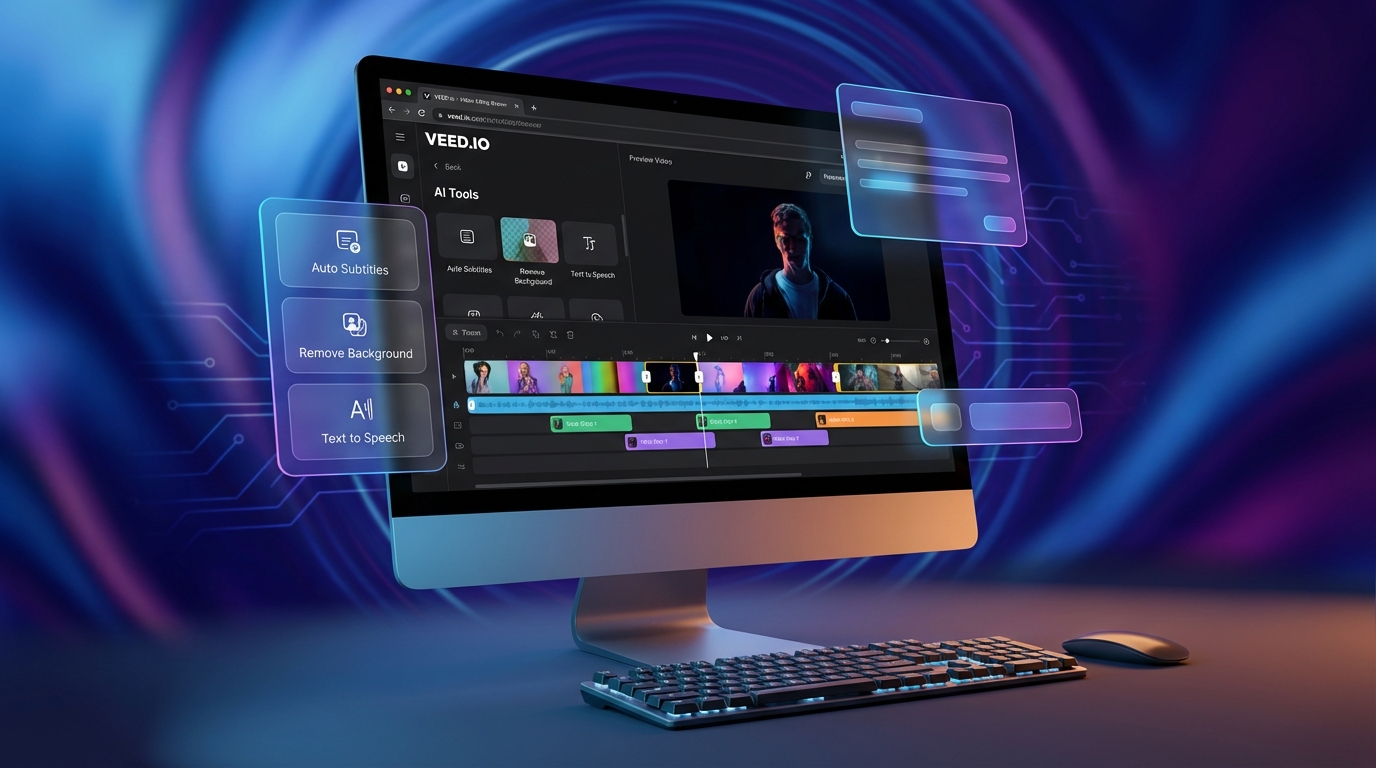
If you’ve ever felt overwhelmed trying to edit videos for social media, you’re not alone. Traditional video editing software can be clunky, expensive, and requires hours just to figure out the basics. VEED.io takes a completely different approach—it’s a browser-based video editor packed with AI features that lets you create professional content without downloading anything or spending weeks learning complicated tools.
Whether you’re a content creator rushing to publish your next TikTok, a marketer building out a campaign, or a small business owner trying to keep up with video demands, VEED.io streamlines the entire process. From auto-subtitles and background removal to AI avatars and voice cloning, this platform brings studio-quality tools right into your web browser.
What Makes VEED.io Different
VEED.io isn’t trying to replace professional video editing suites like Adobe Premiere—it’s designed for speed, simplicity, and accessibility. Here’s what sets it apart from other online editors:
First, everything runs in your browser. No downloads, no installations, no waiting for software updates. You can jump from your phone to your laptop and pick up exactly where you left off. Your projects live in the cloud, and all the heavy processing happens on VEED’s servers, so even older computers can handle 4K exports without breaking a sweat.
Second, the AI features aren’t just add-ons—they’re built into the core workflow. You’re not paying extra for each AI tool or juggling multiple platforms. Auto-subtitles, clean audio, eye contact correction, filler word removal, and background removal are all part of the editing experience. It’s like having a production assistant handling the tedious stuff while you focus on the creative decisions.
Third, VEED.io has embraced the latest AI video generation models. In early 2026, they integrated Google Veo 3, OpenAI Sora 2, Kling 3, and over 20 other cutting-edge models directly into their Gen-AI Studio. You can generate clips from text prompts, turn static images into animated sequences, and even create talking head videos with realistic lip-sync—all without leaving the platform.
Key Features and AI Tools
Auto-Subtitles and Translation
VEED’s auto-subtitle generator is one of the most accurate on the market. It transcribes your video in minutes, and you can customize the style with dozens of animated templates. Need to reach a global audience? The translation feature supports over 50 languages, so you can repurpose one video for multiple markets. The Pro plan includes 144 hours per year of subtitling and 4 hours of translation, which is more than enough for most creators.
AI Video Editing Suite
The AI editing tools save hours of manual work. Clean Audio removes background noise and balances levels automatically. Remove Filler Words scans your video for “um,” “uh,” and awkward pauses, then cuts them out instantly. Eye Contact uses AI to adjust your gaze so it looks like you’re looking directly at the camera, even if you were reading from a script. Background Removal works on both images and video, giving you a clean green-screen effect without the actual green screen.
Gen-AI Studio and Video Generation
This is where VEED.io really flexes. The Gen-AI Studio lets you generate video clips using text or image prompts. You can choose from over 20 AI models depending on your needs—Kling 3 for high-quality cinematic shots, Google Veo 3 for lifelike motion and sound, OpenAI Sora 2 for premium quality, or faster models like Lightricks LTX and MiniMax Hailuo for quick social clips.
Each model uses credits based on the duration and complexity. For example, generating a 5-second clip with VEED Fabric 1.0 costs 70 credits (14 per second), while Google Veo 3 costs 250 credits for 5 seconds. The Lite plan includes credit add-ons, and Pro users get additional credits monthly to experiment with different models.
AI Avatars and Talking Characters
VEED’s AI avatar feature (called Fabric 1.0) lets you turn anyone into a speaking character with realistic lip-sync. Upload a photo, type your script, and the AI generates a talking head video. It’s perfect for explainer videos, e-learning content, or personalized messages. Pro users get 4 hours per year of avatar generation, and you can also access premium social media characters for short-form content.
Voice Clone and Text-to-Speech
Record a short voice sample, and VEED will clone your voice for future projects. This is a game-changer for creators who need consistent voiceovers but don’t want to record every time. The text-to-speech feature includes dozens of natural-sounding voices in multiple languages, and Pro users get 144 hours per year to work with.
Clips – Automatic Highlight Extraction
Got a long video and need to pull out the best moments for social media? The Clips feature uses AI to analyze your content and suggest the most engaging segments. It’s like having an editor scan through your footage and create a shortlist of viral-worthy clips.
Pricing Breakdown (2026)
VEED.io offers four tiers: Free, Lite, Pro, and Enterprise. Here’s what each plan includes:
Free Plan ($0/month)
- Watermarked exports up to 10 minutes long
- 720p video quality
- 2GB storage
- 1GB file upload limit
- Limited stock audio and video
- 2 minutes per month of auto-subtitles
- Try AI tools once (clean audio, eye contact, background removal, etc.)
- 2 videos per day in Gen-AI Studio
The Free plan is solid for testing the platform or creating occasional content where a watermark isn’t a dealbreaker. It gives you a real feel for the interface and AI capabilities without spending a dime.
Lite Plan ($12/month or $144/year)
- No watermark on exports
- Full HD 1080p quality
- 5GB storage
- Unlimited file uploads
- Full stock audio and video library
- 144 hours per year of auto-subtitles
- 5 videos per day in Gen-AI Studio
- Brand Kit with styled assets
- Add AI credits for video generation models
Lite is perfect for solo creators and small businesses who need clean, professional videos without breaking the bank. At $12/month (when paid annually), it’s one of the most affordable watermark-free options on the market.
Pro Plan ($29/month or $348/year) – Recommended
- Everything in Lite, plus:
- Unlimited videos in Gen-AI Studio
- 15+ AI tools (clean audio, eye contact, filler word removal, background removal, etc.)
- Brand assets and templates
- Translate videos to 50+ languages
- AI Clips for automatic highlight extraction
- 144 hours per year of text-to-speech
- 4 hours per year of AI avatars
- 4 hours per year of subtitle translation
- AI dubbing and script upload features
- 4K export quality
Pro is the sweet spot for serious content creators and marketing teams. The unlimited Gen-AI Studio access alone is worth the price if you’re experimenting with AI-generated clips. The full suite of AI editing tools means you can produce high-quality videos in a fraction of the time.
Enterprise Plan (Custom Pricing)
- Everything in Pro, plus:
- Custom AI credit packages
- Custom templates
- Central team and data management
- Review mode for collaborative feedback
- Custom AI avatars
- Multiple brand kits
- Privacy controls and SSO
- Dedicated customer success and priority support
- Video analytics
Enterprise is built for agencies, production companies, and large organizations that need advanced controls, team collaboration, and custom branding. Contact VEED’s sales team for pricing tailored to your needs.
Who Should Use VEED.io
Social Media Managers and Content Creators
If you’re publishing multiple videos per week across Instagram, TikTok, YouTube Shorts, and LinkedIn, VEED.io is a lifesaver. The auto-subtitle templates are optimized for social platforms, the resizing tools make it easy to repurpose one video for multiple aspect ratios, and the AI Clips feature helps you extract shareable moments from longer content. You can batch-edit videos, apply your brand kit across all projects, and export everything in minutes.
Marketing Teams and Agencies
VEED.io streamlines campaign production. Use templates for ad creatives, generate product videos from text prompts, add professional voiceovers with text-to-speech, and collaborate in real-time with team members. The Pro plan supports up to 3 editors, and Enterprise offers unlimited reviewers for client feedback workflows. The time savings on repetitive tasks like subtitling and audio cleanup add up fast.
Educators and Course Creators
Online educators love VEED for its simplicity and AI avatars. You can record lessons, add auto-captions for accessibility, use AI dubbing to translate courses into multiple languages, and create talking head intros with avatars. The clean audio tool fixes microphone issues automatically, and the screen recorder makes tutorial creation seamless.
Small Business Owners
You don’t need a video production team to create ads, product demos, or testimonials anymore. VEED’s templates and AI tools let you produce professional content on your own. The Lite plan is affordable, and the learning curve is minimal—most users are editing confidently within an hour.
Podcasters and Video Podcasters
Turn your podcast episodes into video clips for social media promotion. The Clips feature identifies the best moments, auto-subtitles add context for viewers watching on mute, and the filler word removal keeps your content tight and engaging. You can even generate promotional clips with AI-generated visuals to complement your audio.
Pros and Cons
Pros
- No downloads required: Works entirely in your browser, on any device
- Fast AI processing: Auto-subtitles, clean audio, and background removal work in seconds
- Access to 20+ AI video models: Experiment with Google Veo, Sora, Kling, and more in one platform
- Affordable pricing: Lite plan at $12/month beats most competitors
- Generous free plan: Actually usable for testing and light projects
- Huge template library: Jump-start projects with ready-made designs
- Real-time collaboration: Work with teammates without version control headaches
- Regular updates: New AI models and features added frequently
Cons
- Credit system can get pricey: Generating lots of AI videos with premium models requires purchasing additional credits
- Limited advanced editing: Not a replacement for Premiere Pro or Final Cut if you need complex timelines and effects
- Free plan has watermark: You’ll need to upgrade to share professional content
- Storage caps on lower tiers: Lite plan only includes 5GB, which fills up quickly with video files
- Internet dependency: Requires a stable connection; offline editing isn’t possible
Real-World Use Cases
Repurposing Long-Form Content
Sarah runs a YouTube channel and publishes 20-minute videos weekly. She uses VEED’s Clips feature to scan each video and automatically identify the top 5 engaging moments. She exports these as 30-second clips with auto-subtitles and custom branding, then posts them to Instagram Reels and TikTok. What used to take her 3 hours of manual editing now takes 20 minutes.
Creating Multilingual Training Videos
A SaaS company needed to train international customers on their platform. They recorded one tutorial in English, then used VEED’s auto-subtitle and translation features to create versions in Spanish, French, German, and Portuguese. The AI dubbing feature even recreated the voiceover in each language with natural-sounding speech. Total time: 2 hours for 5 fully localized videos.
Generating Product Promo Videos
An e-commerce brand wanted quick product videos for Facebook ads. They uploaded product photos, wrote simple text prompts describing the vibe they wanted (modern, energetic, colorful), and used VEED’s Gen-AI Studio with the Kling 3 model to generate 5-second animated clips. They added text overlays, background music from the stock library, and exported in 1080p—all in under 30 minutes per ad.
Podcast Clip Creation
A business podcast uses VEED to turn hour-long episodes into bite-sized clips for LinkedIn and Twitter. They upload the full video, use Remove Filler Words to tighten the pacing, run Clips to find quotable moments, add animated subtitles, and resize for each platform. The host estimates VEED saves them 10+ hours per week compared to their old editing workflow.
Tips for Getting the Most Out of VEED.io
Use keyboard shortcuts. VEED has shortcuts for splitting clips, adding text, and navigating the timeline. Learning just a few will speed up your workflow significantly.
Save brand kits. Upload your logo, set your brand colors and fonts, and save it as a kit. Now every video you create can match your branding with one click.
Experiment with AI models. Different models have different strengths. Google Veo 3 excels at realistic motion and sound, Kling 3 is great for cinematic quality, and faster models like Lightricks LTX are perfect for quick social clips. Test a few to see what works best for your content style.
Batch your work. If you’re creating multiple videos, set up your brand kit, templates, and settings once, then duplicate projects. This way you’re not starting from scratch every time.
Leverage stock assets. VEED’s library has over 5 million stock videos, photos, and audio tracks. Instead of filming every B-roll shot yourself, search the library and drop in professional footage.
Start with templates. Don’t reinvent the wheel. VEED offers hundreds of templates for intros, outros, social ads, tutorials, and more. Customize one instead of building from zero.
How VEED.io Compares to Competitors
Compared to Kapwing, VEED offers more advanced AI video generation with access to 20+ models, while Kapwing focuses more on collaborative editing and resizing tools. VEED’s Gen-AI Studio is more robust, but Kapwing’s Smart Cut and dubbing features are also strong.
Compared to Descript, VEED is faster for quick social content, while Descript excels at long-form podcast editing with its text-based timeline. If you need to edit by deleting words from a transcript, Descript wins. If you want AI-generated video clips and avatars, VEED has the edge.
Compared to Pictory, both platforms do well with auto-subtitles and repurposing content, but VEED’s interface is more intuitive and the AI video generation options are more extensive. Pictory is more focused on turning blog posts into videos.
Compared to InVideo AI, VEED offers more control and customization in the editing process, while InVideo AI leans heavily on automation and script-to-video workflows. VEED is better for creators who want hands-on editing; InVideo AI is better for those who want the AI to do everything.
Bottom Line: Is VEED.io Worth It?
If you create video content regularly and need to move fast, VEED.io is absolutely worth it. The combination of browser-based convenience, powerful AI tools, and access to cutting-edge video generation models makes it one of the most versatile platforms on the market in 2026.
The Free plan is a great way to test the waters, but you’ll quickly outgrow the watermark and limited features. The Lite plan at $12/month is perfect for solo creators who need clean exports and basic AI tools. The Pro plan at $29/month is where VEED really shines—unlimited Gen-AI Studio access, the full AI editing suite, and multilingual translation make it a no-brainer for serious content creators and marketing teams.
VEED.io won’t replace high-end editing software for film production or complex projects, but that’s not what it’s designed to do. It’s built for speed, accessibility, and AI-powered creativity—and it delivers on all three fronts. If your goal is to publish more content, faster, without sacrificing quality, VEED.io is one of the smartest investments you can make.







