When it comes to Renderforest Review 2026 review, pricing verified as of February 2026 — sourced from official pricing pages.
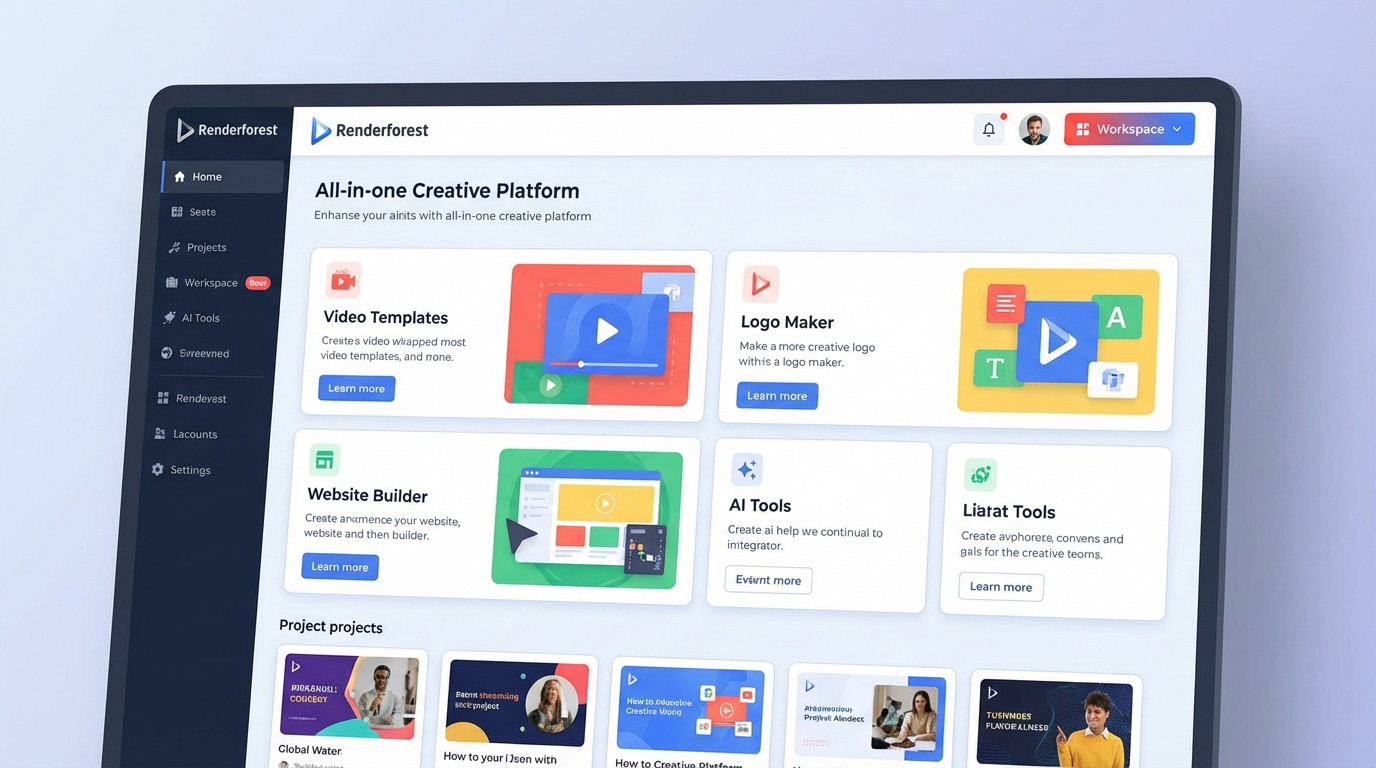
Most video editing platforms force you to choose: either you get powerful features with a steep learning curve, or you get simplicity with limited capabilities. Renderforest refuses that trade-off. It’s an all-in-one creative platform that combines video creation, AI generation, logo design, website building, and graphic design—all accessible through templates and intuitive tools that anyone can use.
What makes Renderforest stand out in 2026 is its commitment to being a complete branding solution. You’re not just making videos—you’re building a cohesive brand identity. Create your logo, design matching graphics, build a website, and produce promotional videos, all within the same platform using the same brand colors, fonts, and visual style. For small businesses, startups, and solo entrepreneurs, this eliminates the need for multiple subscriptions and disconnected tools.
The Renderforest Approach
Renderforest started as a simple template-based video maker and has evolved into a comprehensive creative suite. The platform now offers five main products: Video, AI Tools, Websites, Logos, and Graphics. Each one is designed to work seamlessly with the others, so your brand stays consistent across every touchpoint.
Here’s what sets Renderforest apart:
Template-first design. Renderforest has thousands of professionally designed templates for videos, logos, websites, and graphics. You’re not staring at a blank canvas wondering where to start—you pick a template that matches your vision, customize it with your content and branding, and export. This approach dramatically reduces production time and eliminates creative paralysis.
AI-powered creation. In 2026, Renderforest integrated cutting-edge AI models for video and image generation. You can create AI videos using models like Sora 2, Seedance 1.5 Pro, Hailuo 2.3, and Pixverse, or generate AI images with Seedream 4.5, Flux 2 Pro, and Nano Banana. The platform uses a credit system, so you can experiment with different models and find what works best for your content style.
All-in-one branding. Instead of jumping between Canva for graphics, Wix for your website, and Adobe Premiere for videos, Renderforest handles everything. Create your logo, apply it across video templates, use the same brand colors on your website, and design social graphics—all from one dashboard. This saves time, reduces costs, and ensures visual consistency.
Affordable entry point. Renderforest’s Lite plan starts at just $7/month (yearly billing), making it one of the most budget-friendly options for small businesses and creators. Even the free plan is usable for testing and low-stakes projects, though you’ll have watermarks and lower resolution.
Video Creation Features
Template Library
Renderforest offers over 1 million templates for every use case: product promos, explainer videos, social media ads, logo animations, slideshows, music visualizers, wedding invitations, and more. Each template is professionally designed with preset animations, transitions, and timing. You simply replace the placeholder text and images with your own content, tweak colors to match your brand, and render.
The templates are organized by category and industry, so you can quickly find what you need. New templates are added every week, keeping the library fresh and on-trend.
Customizable Scenes
Each video template is built from individual scenes. You can rearrange scenes, duplicate your favorites, delete ones you don’t need, and even mix scenes from different templates. This modular approach gives you creative control without requiring advanced editing skills.
Stock Library
Renderforest includes access to millions of stock videos, photos, and music tracks. The Lite plan gives you 1 million+ assets, while Pro, Pro AI, and Business plans unlock the full library of 5 million+ assets. You can search by keyword, browse by category, or let Renderforest suggest media that fits your project. All stock content is royalty-free, so you can use it in commercial projects without worrying about licensing.
Text-to-Speech
Add professional voiceovers to your videos without recording anything. Type your script, choose a voice (male or female, multiple languages), and Renderforest generates the audio. Pro users get 100 minutes per month, Pro AI users get 200 minutes, and Business users get 300 minutes. This is perfect for explainer videos, tutorials, and narrated promos.
Custom Color Palettes and Fonts
Upload your brand colors and fonts, save them as a palette, and apply them across all your projects with one click. This ensures every video you create matches your brand identity. Business users can create multiple color palettes for different clients or sub-brands. This is why Renderforest Review 2026 review stands out in the market.
AI Video and Image Generation
Renderforest’s AI tools are where the platform really shines in 2026. You get access to multiple cutting-edge AI models for video and image generation, all managed through a simple credit system.
AI Video Models
Renderforest integrates several AI video generation models, each with different strengths:
- Renderforest Lite (5 sec): The platform’s own model, optimized for speed and quality. Pro AI users get unlimited HD720 AI video creations, and Business users get unlimited HD1080.
- Renderforest Pro (5 sec): Higher-quality version with better detail and motion.
- Sora 2 (4 sec): OpenAI’s flagship model, known for cinematic quality and realistic motion.
- Seedance 1.5 Pro (5 sec): Dreamy, artistic videos with creative flair.
- Hailuo 2.3 (6 sec): Enhanced anime styles and realistic facial expressions.
- Pixverse (5 sec): Great for stylized social media content.
The number of videos you can generate depends on your plan’s monthly credits. For example, with the Lite plan (400 credits), you could generate 40 videos using Renderforest Lite, 13 videos using Renderforest Pro, or 4 videos using Sora 2. Pro users get 1,600 credits (160 Renderforest Lite videos or 16 Sora 2 videos), and Business users get 5,000 credits (500 Renderforest Lite videos or 50 Sora 2 videos).
AI Image Models
Renderforest also offers AI image generation with multiple models:
- Renderforest: The platform’s own model. Pro users get unlimited AI image generation with this model.
- Seedream 4.5: High-quality, detailed images.
- Seedream 4.0: Slightly lower credit cost, still excellent quality.
- Flux 2 Pro: Photorealistic images with fine detail.
- Nano Banana: Creative, stylized images.
- Nano Banana Pro: Premium version with enhanced quality.
With the Lite plan (400 credits), you could generate 400 images using the Renderforest model (unlimited on Pro+), 40 images using Seedream 4.5, or 10 images using Nano Banana Pro. The Pro plan gives you 1,600 credits (enough for 160 Seedream images), and Business users get 5,000 credits (500 Seedream images).
Refill Credits Anytime
If you run out of monthly credits, you can purchase additional credits at any time. This flexibility means you’re not locked into a higher plan permanently—just buy extra credits when you need them for a big project.
Logos, Websites, and Graphics
Logo Maker
Renderforest’s AI logo maker generates hundreds of logo concepts based on your business name and industry. You pick your favorites, customize colors and fonts, and download high-quality PNG and vector SVG files. Paid plans include branding guidelines, logo variations, mockups, and social media resolutions—everything you need for a complete brand identity.
Website Builder
Build a professional website without coding. Choose from hundreds of templates, customize the design and content, connect a custom domain, and publish. All paid plans include one premium website, which gives you unlimited bandwidth, SSL security, SEO and marketing tools, multilingual support (up to 6 languages), and GDPR compliance.
The Text Wizard AI feature generates content for your website components automatically. Just choose your desired tone (professional, friendly, casual), and the AI writes the copy for you.
Graphics and Mockups
Create social media graphics, posters, presentations, and promotional materials using Renderforest’s design packs. Upload your logo to mockup templates to showcase products, packaging, billboards, and more. All designs export in high-quality PNG, and Pro users can export in PDF for print.
Pricing Breakdown (2026)
Renderforest offers four main subscription plans: Lite, Pro, Pro AI, and Business. All plans include access to video, AI, websites, logos, graphics, and mockups—the difference is in export quality, AI credits, and advanced features.
Lite Plan ($7/month or $9/month)
- 400 AI credits per month (~400 AI images or ~40 AI videos)
- 5 HD720 videos with no watermark per month
- Access to premium AI models (Renderforest, Nano Banana, Seedance, Sora, Hailuo)
- Limited catalog of 1M+ stock footage, music, and photos
- 1 premium website on your own domain
- 10 GB cloud storage
- High-quality PNG exports for logos and graphics
- Text-to-speech: 50 minutes per month
Lite is perfect for individuals and small businesses just getting started. At $7/month (yearly billing), it’s incredibly affordable, and the 400 AI credits give you room to experiment with AI-generated content. The 5 watermark-free videos per month is limiting if you’re producing content regularly, but it’s enough for occasional projects.
Pro Plan ($19/month yearly, $29/month monthly) – First Year 50% Off
- 1,600 AI credits per month (~1,600 AI images or ~160 AI videos)
- Unlimited AI image processing with Renderforest model
- Unlimited Full HD1080 template exports
- Full catalog of 5M+ stock footage, music, and photos
- 50 GB cloud storage
- Vector SVG files for logos
- PDF export for graphics
- Custom color palettes and fonts (unlimited)
- Premium templates, logos, graphics, and mockups
- Text-to-speech: 100 minutes per month
Pro is the sweet spot for most users. The first year is discounted to $9.50/month (50% off the regular $19/month yearly price), making it an incredible value. Unlimited HD1080 video exports mean you can produce as much content as you need, and the 1,600 AI credits give you plenty of room for AI generation. The full stock library and premium templates significantly speed up production.
Pro AI Plan ($49/month yearly, $59/month monthly) – First Year 30% Off
- 3,000 AI credits per month (~3,000 AI images or ~300 AI videos)
- Unlimited AI image processing with Renderforest model
- Unlimited HD720 AI video creations with Renderforest Lite model
- Unlimited Full HD1080 template exports
- Full catalog of 5M+ stock footage, music, and photos
- 100 GB cloud storage
- Everything from Pro plan
- Text-to-speech: 200 minutes per month
Pro AI is designed for creators who are heavily invested in AI-generated content. The unlimited HD720 AI video creation with the Renderforest Lite model means you can generate as many clips as you want (though premium models like Sora still use credits). The 3,000 monthly credits are enough for serious experimentation, and the first-year discount brings it down to $34.30/month. This is why Renderforest Review 2026 review stands out in the market. For more insights, see our Waymark AI Video Tool Review 2026: Script-to-TV-Ad in Minutes.
Business Plan ($89/month yearly, $119/month monthly) – First Year 30% Off
- 5,000 AI credits per month (~5,000 AI images or ~500 AI videos)
- Unlimited AI image processing with Renderforest model
- Unlimited HD1080 AI video creations with Renderforest Lite model
- Unlimited Ultra HD 4K template exports
- Full catalog of 5M+ stock footage, music, and photos
- 200 GB cloud storage
- Reseller license and team management
- Add additional team members for $29 per member
- Everything from Pro AI plan
- Text-to-speech: 300 minutes per month
Business is built for agencies, production companies, and teams. The reseller license lets you sell your Renderforest creations to clients, team management allows collaboration across multiple users, and the 4K exports ensure broadcast-quality results. The 5,000 AI credits support high-volume AI generation, and the first-year discount brings it down to $62.30/month.
Pay-Per-Export Options
If you only need one project, Renderforest offers single-export pricing:
- Premium Video: $24 for HD1080 (add $10 for promo videos and presentations), $49 for 4K
- Premium Logo: $29 for vector SVG with branding guidelines
- Premium Website: $9/month for a single responsive website
- Premium Mockup: $5 per mockup
- Premium Graphic: Varies by project
This is useful if you need a one-time logo or video and don’t want to commit to a subscription.
Who Should Use Renderforest
Small Business Owners and Startups
Renderforest is a one-stop shop for building your brand from scratch. Create your logo, design a website, produce promotional videos, and make social graphics—all within one platform. The all-in-one approach saves money compared to subscribing to separate tools for each task, and the template library means you don’t need design or video editing experience.
Solopreneurs and Freelancers
If you’re running a business solo, Renderforest handles your creative workload without requiring a team. The AI tools (text-to-speech, AI video/image generation, Text Wizard for website copy) automate time-consuming tasks, and the templates ensure professional results even if you’re not a designer.
Marketing Teams on a Budget
Small marketing teams can use Renderforest to produce high volumes of content quickly. The unlimited exports on Pro and higher plans mean you can create as many videos, graphics, and social posts as you need. The team management features on the Business plan support collaboration, and the reseller license is perfect for agencies creating content for clients.
Content Creators and YouTubers
Renderforest’s video templates make it easy to create intros, outros, channel art, and promotional videos. The AI video generation tools let you create unique B-roll and visual content, and the text-to-speech feature is great for voiceovers. The Pro plan offers unlimited HD1080 exports, which is more than enough for YouTube content.
E-Learning and Course Creators
Online educators can use Renderforest to create course videos, explainer animations, and promotional content. The text-to-speech feature saves time on narration, and the slideshow templates are perfect for presenting information visually. The website builder is also useful for creating a landing page to promote your courses.
Event Planners and Photographers
Create wedding videos, event highlight reels, photo slideshows, and promotional videos using Renderforest’s templates. The music visualizers and animation styles add a professional touch, and the quick turnaround means you can deliver finished videos to clients faster.
Pros and Cons
Pros
- All-in-one platform: Video, logos, websites, graphics, and AI tools in one place
- Huge template library: Over 1 million templates for every use case
- Affordable entry point: Lite plan at $7/month is budget-friendly
- Access to premium AI models: Sora 2, Seedance, Hailuo, Flux, and more
- Unlimited exports on Pro plans: Create as many videos as you need without per-export fees
- 5M+ stock library: Royalty-free videos, photos, and music included
- Reseller license on Business plan: Sell your creations to clients
- First-year discounts: Pro and higher plans offer significant savings in year one
- Easy to learn: Template-first approach removes the learning curve
Cons
- Template-dependent: If you want full creative control, templates can feel limiting
- AI credit costs add up: Heavy users of premium AI models may need to purchase extra credits
- Lite plan video limit: Only 5 watermark-free videos per month is restrictive
- Less advanced editing: Not a replacement for Premiere Pro or After Effects for complex projects
- Watermark on free plan: You’ll need to upgrade to remove branding from exports
- Price increases after first year: Discounted rates only apply for the first 12 months
Real-World Use Cases
Launching a New Brand
Emily is starting a skincare business and needs a complete brand identity. She uses Renderforest to create her logo, builds a website on her custom domain, designs social media graphics for Instagram and Facebook, and produces a product promo video. Total cost: $19/month on the Pro plan (first year). Total time: 3 days from zero to fully branded online presence.
Creating Social Media Ads
A digital marketing agency needs to produce 20 Facebook ad variations for a client’s campaign. They use Renderforest’s ad templates, swap in the client’s product images and copy, customize colors to match the brand, and export all 20 videos in HD1080. The unlimited exports on the Pro plan mean no per-video fees, and the entire batch is completed in 4 hours.
Generating AI B-Roll for YouTube Videos
A tech YouTuber wants unique B-roll footage for his channel. He uses Renderforest’s AI video generation with the Seedance and Hailuo models to create stylized clips based on text prompts. He generates 50 clips over the month using his 1,600 credits on the Pro plan, giving his videos a distinctive visual style without filming or licensing stock footage.
Building an Event Highlight Reel
A wedding videographer uploads client photos and video clips to Renderforest, selects a wedding slideshow template, customizes the music and text, and renders a 5-minute highlight reel in HD1080. The entire process takes 2 hours, and the client receives a polished, professional video. The photographer uses the Business plan’s reseller license to deliver branded videos to multiple clients each month.
Tips for Getting the Most Out of Renderforest
Start with templates, customize heavily. Don’t just swap text and images—change colors, rearrange scenes, mix elements from different templates, and make it your own.
Save your brand palette. Upload your brand colors and fonts once, save them, and apply them to every project. This ensures consistency across all your content.
Experiment with AI models. Each AI model has a different style and credit cost. Test a few to see which ones match your vision before committing credits to bulk generation.
Use the stock library strategically. Instead of creating everything from scratch, search the 5M+ stock library for videos, photos, and music that fit your project. It’s a massive time-saver.
Leverage text-to-speech. If you hate recording voiceovers or don’t have a good microphone, use the text-to-speech feature. It’s fast, sounds natural, and is included in your plan.
Take advantage of first-year discounts. If you’re considering Pro or higher, the 30-50% first-year discount makes it a great time to commit to an annual plan.
How Renderforest Compares to Competitors
Compared to Canva, Renderforest offers more advanced video templates and better AI video generation, while Canva has a stronger focus on graphic design and social media templates. If you need video creation, Renderforest wins. If you’re mostly creating static graphics, Canva might be simpler.
Compared to InVideo AI, Renderforest has a larger template library and more AI model options, while InVideo AI focuses on script-to-video automation. Renderforest gives you more control over the editing process.
Compared to Animoto, Renderforest offers more customization options, AI tools, and a broader range of templates. Animoto is simpler and faster for basic slideshows, but Renderforest is more versatile.
Compared to VEED.io and Kapwing, Renderforest is more template-focused and includes non-video tools (logos, websites, graphics), while VEED and Kapwing are stronger for hands-on video editing and collaboration. If you want an all-in-one branding platform, Renderforest is the better choice.
Bottom Line: Is Renderforest Worth It?
If you’re a small business owner, startup founder, or solo creator who needs a complete branding solution, Renderforest is one of the best values on the market. The all-in-one approach means you can create your logo, build your website, produce videos, design graphics, and generate AI content—all from one dashboard with one subscription.
The Lite plan at $7/month is perfect for testing the platform and producing occasional content, but the Pro plan at $19/month (first year $9.50/month) is where Renderforest really delivers. Unlimited HD1080 video exports, 1,600 AI credits, the full 5M+ stock library, and premium templates across all categories make it a no-brainer for anyone producing content regularly. For more insights, see our Best AI Video Tools for Product Demos in 2026: Showcase, Convert & Sell More.
Renderforest won’t replace advanced editing tools like Premiere Pro or After Effects, but that’s not what it’s built for. It’s designed for speed, ease of use, and comprehensive branding—and it excels at all three. If you want to move fast, maintain visual consistency, and avoid juggling multiple subscriptions, Renderforest is exactly what you need.







