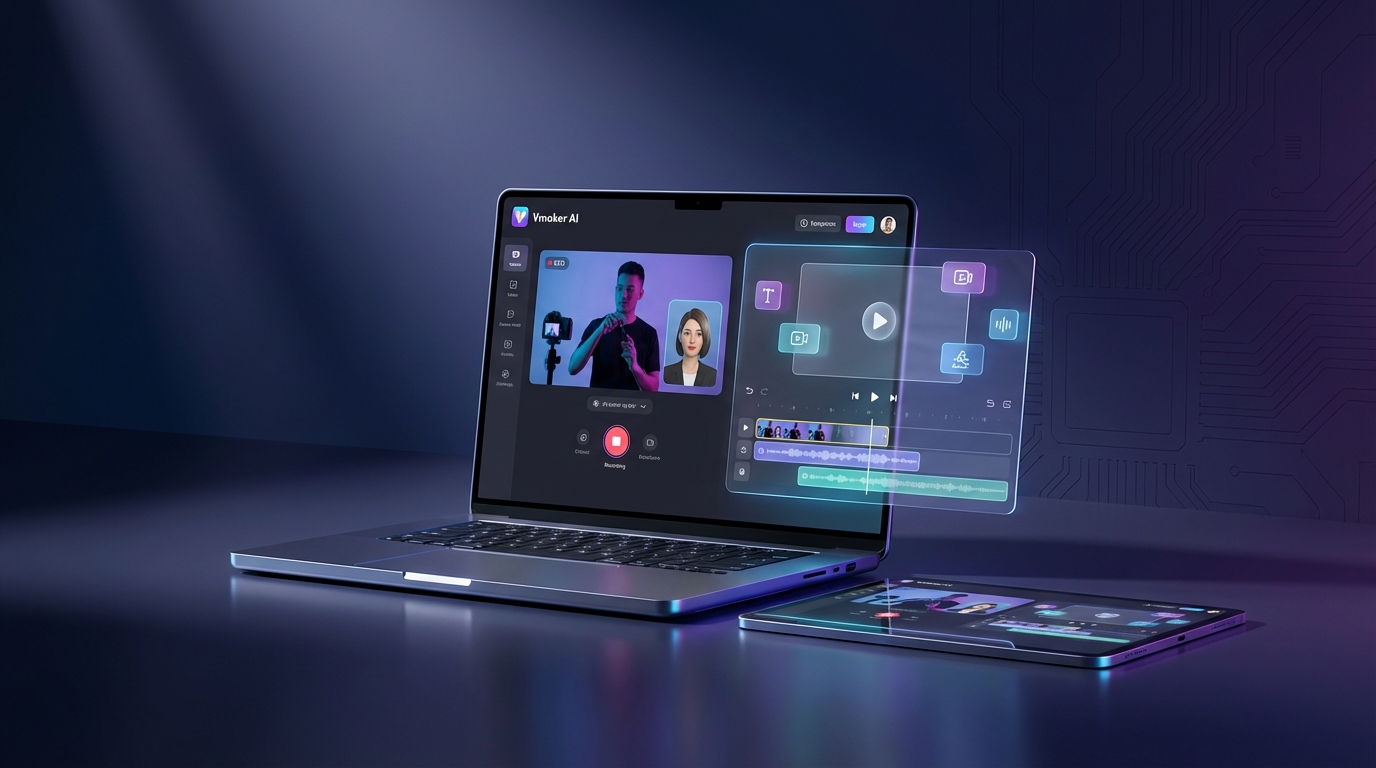
Vmaker Review 2026: The All-in-One Screen Recording and AI Video Platform
When it comes to Vmaker Review 2026 review, creating professional video content has traditionally required expensive software, technical expertise, and hours of editing time. Whether you’re recording tutorials, creating marketing videos, or producing educational content, the complexity of traditional video production tools has been a significant barrier for many creators. Enter Vmaker AI, an all-in-one platform that combines screen recording, AI-powered video editing, and avatar-based video creation into a single, user-friendly solution. With over 25 million users worldwide and recognition as the AI Startup of the Year at the MSME National Awards, Vmaker is transforming how individuals and teams create video content in 2026.
What is Vmaker?
Vmaker is a comprehensive AI-powered video creation platform that serves three primary functions: professional screen recording, intelligent video editing, and AI avatar video generation. Unlike traditional video tools that focus on just one aspect of video production, Vmaker provides an end-to-end workflow from capture to final export.
The platform enables users to record their screen and webcam in up to 4K resolution, edit footage with AI-powered automation that adds subtitles, B-roll, music, and transitions automatically, and create talking head videos using over 100 AI avatars with accurate lip-sync capabilities. This versatility makes it particularly valuable for content creators, educators, marketing teams, and businesses looking to produce high-quality video content without the learning curve of professional editing software.
What distinguishes Vmaker from competitors is its freemium model that offers genuinely useful functionality in the free tier, combined with affordable paid plans that unlock advanced features. The platform’s browser-based architecture means no heavy software installation is required, making it accessible from any device with an internet connection.
Key Features and Capabilities
Professional Screen Recording
Vmaker’s screen recording functionality rivals dedicated recording software, offering flexibility that adapts to different content creation needs. Users can record their entire screen, specific sections, or both screen and webcam simultaneously in picture-in-picture mode. The recording quality extends up to 4K resolution in enterprise plans, with 1080p and 2K options available in lower tiers.
During recording, creators can add annotations, enable mouse emphasis to highlight cursor movements, apply virtual backgrounds, and use the blur tool to hide sensitive information in real-time. The noise cancellation feature ensures audio clarity even in less-than-ideal recording environments. For tutorial creators and educators, these tools eliminate the need for post-production fixes that would otherwise consume significant editing time.
Recording limits scale with plan tiers: the free plan allows 1-minute recordings, Starter plan users get 30 minutes, Teams plan offers 4 hours, and Enterprise users enjoy unlimited recording time. All recordings are saved to the cloud automatically, with storage limits ranging from 5GB on the free plan to 50GB+ for enterprise customers.
AI-Powered Video Editing
The platform’s AI video editor transforms raw footage into polished content with minimal manual intervention. After uploading a video, Vmaker’s AI analyzes the content and can automatically generate subtitles with timing accuracy, add relevant B-roll footage from its premium asset library, insert background music that matches the video’s mood, and apply transitions between scenes.
The “Edit with AI” feature uses credits that are unlimited on paid plans, with the free plan offering 5 credits per month. This automation dramatically reduces editing time for creators who produce regular content, such as weekly tutorial series or daily social media updates.
For creators who need more control, Vmaker provides a full-featured manual editor with timeline-based editing, support for multiple video and audio tracks, text overlay and title creation, customizable transitions and effects, and color correction tools. The interface is designed to be intuitive for beginners while offering enough depth for more experienced editors.
AI Avatar Video Generation
One of Vmaker’s most innovative features is its AI avatar system, which allows users to create professional talking-head videos without appearing on camera. The platform offers over 100 AI avatars with diverse appearances, ages, and ethnicities, all featuring accurate lip-sync technology that matches mouth movements to the audio.
Users can generate videos in several ways: text-to-video by simply typing a script, voice-to-video by recording or uploading audio, video-to-avatar by replacing yourself with an AI presenter, or document-to-video by converting PDFs, PowerPoints, or Word documents into narrated presentations.
Generative credits determine how much avatar video you can create: the free plan includes 60 seconds, Starter plan provides 36 minutes annually (3 minutes monthly), Teams plan offers 144 minutes annually (12 minutes monthly), and Enterprise plans have custom limits. These credits operate on a 1:1 ratio, where 1 minute of credit equals 1 minute of video output.
Long-Form to Short-Form Conversion
Recognizing the demand for social media content, Vmaker includes an AI-powered tool that automatically extracts highlights from long-form videos and reformats them for platforms like TikTok, Instagram Reels, and YouTube Shorts. The AI identifies the most engaging moments, applies vertical formatting, and adds captions automatically.
This feature alone can save hours of manual editing for content repurposing. The free plan allows 3 exports per month, Starter offers unlimited credits with 5 exports monthly, Teams provides unlimited credits with 10 exports monthly, and Enterprise customers get 75 exports per month.
Collaboration and Team Features
Vmaker supports real-time collaboration across all plan tiers, enabling team members to work on projects simultaneously. The Teams and Enterprise plans add branded video player pages, custom subdomains, and company-wide shared libraries for assets and templates. This is why Vmaker Review 2026 review stands out in the market.
Enterprise customers gain access to advanced features like single sign-on (SSO), editor brand kits for consistent visual identity, dedicated account managers, personal onboarding sessions, and advanced analytics to track video performance across the organization.
Pricing and Plans
Vmaker employs a freemium pricing model with four tiers designed to accommodate different user needs and budgets.
Free Plan – $0/month
The free plan provides genuine value for casual users and those testing the platform. It includes 720p export quality, 5-minute maximum export length, 1-minute screen recording limit, 5GB upload storage, 3 social media publishes monthly, 20 minutes of auto subtitles per month, 4 AI avatars, and 60 seconds of generative credits for avatar videos.
While limited, this tier is suitable for creating short tutorial clips, quick product demos, or occasional social media content. The presence of watermarks on exported videos is the primary limitation for professional use.
Starter Plan – $18/month (Annual) or $24/month (Monthly)
The Starter plan removes watermarks and significantly expands capabilities. It offers 1080p export quality, 30-minute export length, 10 video downloads per month, 10 social media publishes monthly, 30-minute screen recording limit, 10GB upload storage, 400 premium assets from the media library, 60 minutes of auto subtitles monthly, 40 minutes of subtitle translation monthly, 80 AI avatars, and 36 minutes of generative credits annually (3 minutes per month).
This tier is ideal for individual content creators, small business owners, and educators who need professional-quality output without breaking the bank. The $15 fee for additional downloads beyond the monthly limit provides flexibility for creators with variable output.
Teams Plan – $25/month (Annual) or $39/month (Monthly)
The Teams plan is designed for collaborative environments and offers substantial upgrades. Features include 2K export quality, 45-minute export length, 30 video downloads per month, 30 social media publishes monthly, 4-hour screen recording limit, 30GB upload storage with multi-project support, 1,200 premium assets monthly, 15 minutes of video background removal, green screen removal capability, 120 minutes of auto subtitles monthly, 60 minutes of subtitle translation monthly, 99 AI avatars, 144 minutes of generative credits annually (12 minutes monthly), 200+ premium AI voices for voiceovers, branded video player pages, and custom subdomain support.
This tier represents the best value for marketing teams, agencies, and organizations producing regular video content. The $10 fee for additional downloads is lower than the Starter plan, making it more economical for high-volume users.
Enterprise Plan – Custom Pricing
The Enterprise plan provides tailored solutions for large organizations with specific needs. It includes 4K export quality, 3-hour maximum export length, custom number of downloads, unlimited social media publishing, unlimited screen recording, 50GB+ storage, elite assets (premium media unavailable in lower tiers), custom video background removal limits, 2,000 minutes of auto subtitles annually, video dubbing for multilingual content, editor brand kits for visual consistency, single sign-on (SSO) for security, custom CNAME for white-labeling, custom CTAs on video players, advanced analytics and reporting, dedicated account manager, comprehensive training and onboarding, and 24/7 priority support.
Organizations requiring HIPAA compliance, advanced security protocols, or integration with existing enterprise systems should contact Vmaker’s sales team to discuss custom configurations.
Pros and Cons
Pros
- All-in-One Solution: Combining screen recording, video editing, and avatar creation eliminates the need for multiple tools, streamlining workflows and reducing software costs.
- Generous Free Tier: Unlike many competitors that offer essentially unusable free plans, Vmaker provides genuine functionality for free users, making it accessible for testing and light usage.
- AI Automation: The platform’s AI features dramatically reduce editing time by automating subtitle generation, content highlighting, and video enhancement.
- Browser-Based: No installation required means users can access projects from any device, facilitating remote collaboration and eliminating compatibility issues.
- Affordable Pricing: Starting at $18/month annually, Vmaker undercuts many competitors while offering comparable or superior functionality.
- High-Quality Output: Support for up to 4K recording and export ensures professional results suitable for any platform or use case.
- Extensive Avatar Library: With over 100 AI avatars featuring realistic lip-sync, creators have flexibility in presenter selection without appearing on camera.
- Direct Publishing: Integration with YouTube, Instagram, and TikTok enables one-click publishing without manual downloads and uploads.
Cons
- Credit System Complexity: Multiple types of credits (generative, premium assets, edit with AI) can be confusing for new users trying to understand what their plan includes.
- Export Limits: Monthly download caps on paid plans may frustrate high-volume creators, though additional downloads can be purchased.
- Free Plan Watermarks: While the free tier is functional, watermarks on exports limit professional application.
- Browser Dependence: The platform’s browser-based nature means performance depends on internet connection quality, which can be problematic for users with unstable connectivity.
- Learning Curve for Advanced Features: While basic functions are intuitive, mastering the full feature set requires time investment.
- Limited Offline Capability: Unlike desktop software, Vmaker requires internet access for all operations, including editing previously downloaded files.
Ideal Use Cases
Educational Content Creation
Teachers and online course instructors can use Vmaker to record lectures with screen sharing, add automatic subtitles for accessibility, create engaging presentations using AI avatars, and convert course materials (PDFs, PowerPoints) into video format. The platform’s ease of use means educators can focus on content rather than technical video production.
Software Training and Tutorials
Technical writers and product trainers benefit from Vmaker’s annotation tools during screen recording, ability to blur sensitive information in real-time, highlight mouse movements for clarity, and add voiceover narration with professional AI voices. The platform’s editing features help create polished tutorials without requiring video editing expertise.
Marketing and Social Media Content
Marketing teams can leverage Vmaker to repurpose long-form content into social media clips, create consistent branded video content using templates, produce product demo videos with avatars, and schedule direct publishing to multiple platforms. The viral styles library helps maintain engagement with trending video formats.
Customer Support and Onboarding
Support teams find Vmaker valuable for creating walkthrough videos for common issues, building a video knowledge base, producing multilingual support content via dubbing, and personalizing onboarding videos with customer names and details. These videos reduce support ticket volume by providing self-service resources.
Internal Communications
HR departments and team leaders use Vmaker for recording company announcements with AI presenters, creating training materials for new employees, documenting processes and procedures, and sharing updates via branded video pages. The self-destruction video feature ensures sensitive internal content doesn’t persist indefinitely. This is why Vmaker Review 2026 review stands out in the market.
Comparison with Alternatives
Vmaker vs. Loom
Loom focuses primarily on screen recording and quick sharing, making it excellent for async communication but limited in editing capabilities. Vmaker offers more comprehensive editing tools, AI avatar creation, and content repurposing features that Loom lacks. However, Loom’s simpler interface may be preferable for users who only need basic recording and sharing without editing. For more insights, see our Waymark AI Video Tool Review 2026: Script-to-TV-Ad in Minutes.
Vmaker vs. Descript
Descript is known for its text-based editing approach and superior transcription accuracy. It offers more advanced audio editing and podcast production features than Vmaker. However, Vmaker’s screen recording capabilities are more robust, and its pricing is more accessible for individual creators. Descript is better for audio-centric projects, while Vmaker excels at video-first workflows.
Vmaker vs. Camtasia
Camtasia is a traditional desktop application with powerful editing features and no recurring subscription (one-time purchase). However, it lacks AI automation, avatar creation, and cloud collaboration features that Vmaker provides. Camtasia suits users who prefer one-time payments and offline editing, while Vmaker appeals to those valuing AI assistance and team collaboration.
Vmaker vs. Synthesia
Synthesia specializes in AI avatar videos and offers high-quality, customizable avatars. While its avatars are generally considered more realistic than Vmaker’s, Synthesia doesn’t include screen recording or general video editing. Vmaker’s all-in-one approach makes it more versatile, though Synthesia remains the better choice for organizations focused exclusively on avatar-based content at enterprise scale.
Getting Started with Vmaker
New users can begin with Vmaker’s free plan without providing payment information. After signing up, the intuitive dashboard presents three main options: record a video using the screen recorder, edit an existing video by uploading files, or create an AI avatar video from text or documents.
For screen recording, users install a lightweight browser extension (available for Chrome, Firefox, and Edge) that enables capture functionality. The recording interface allows selection of screen region, webcam positioning, audio sources, and quality settings before starting. After recording, the video automatically appears in the Vmaker editor.
The editor uses a timeline-based interface familiar to anyone who has used video editing software. AI features are accessible via buttons in the toolbar: “Auto Subtitle” analyzes the audio and adds captions, “Edit with AI” enhances the entire video automatically, and “Long to Short” extracts highlight clips. Manual editing tools are available in the left sidebar, including text, transitions, effects, and asset libraries.
For AI avatar videos, the “Create Video” option presents templates for different use cases (product demo, tutorial, presentation, etc.). Users type or paste their script, select an avatar and voice, customize background and branding, and generate the video. Processing typically takes 1-2 minutes per minute of video, with the final result available for preview and download.
Performance and Reliability
Vmaker’s performance depends on browser and internet connection quality, but the platform is generally responsive even on modest hardware. Video processing times are competitive with other cloud-based editors, with AI subtitle generation completing in approximately 10-15% of the video’s runtime (a 10-minute video takes about 1-1.5 minutes to subtitle).
The platform’s uptime has been reliable based on user reports, with few service interruptions reported in 2026. Cloud storage synchronization is seamless, with projects accessible across devices without manual saving. The autosave feature prevents work loss if the browser crashes or connection drops.
Export speeds vary by video length and quality settings, but generally compete with desktop alternatives. A 5-minute 1080p video typically exports in 2-3 minutes. Direct publishing to social platforms takes slightly longer as the video must be processed by both Vmaker and the destination platform.
Privacy and Security Considerations
Vmaker implements industry-standard security measures including SSL encryption for data transmission, two-factor authentication (available on Starter and above plans), and SOC 2 Type II compliance for enterprise customers. Videos are stored on secure cloud servers with redundancy to prevent data loss.
Users concerned about sensitive content can utilize Vmaker’s self-destruction video feature (Teams and Enterprise plans) that automatically deletes videos after a specified time period. This is particularly valuable for confidential client presentations or internal communications.
The platform’s privacy policy indicates that video content is not used for AI training without explicit consent, addressing concerns some creators have about their work being used to improve AI models. Enterprise plans can include data processing agreements (DPAs) for GDPR compliance.
Customer Support and Resources
Vmaker provides tiered support based on plan level. Free and Starter users access email support and an extensive knowledge base with tutorials and FAQ articles. Teams plan users receive priority email support with faster response times. Enterprise customers get dedicated account managers, 24/7 priority support, and personal onboarding sessions.
The platform’s resource library includes video tutorials, written guides, webinars (available to all users), and a community forum where users share tips and templates. The blog regularly publishes content about video marketing trends, editing techniques, and platform updates.
Response times for support queries vary: Enterprise (typically within 2-4 hours), Teams (24-48 hours), Starter and Free (48-72 hours). The platform also maintains an active presence on social media for quick questions and updates about new features.
Recent Updates and Roadmap
In early 2026, Vmaker introduced several significant updates including enhanced AI subtitle accuracy with support for 50+ languages, improved avatar lip-sync technology reducing the uncanny valley effect, viral styles library with trending video templates, and video dubbing for multilingual content creation (Teams and Enterprise).
The platform’s roadmap for 2026 includes planned features such as custom avatar creation allowing users to create AI versions of themselves, advanced analytics dashboard tracking video performance across platforms, workflow automation for scheduled video generation and publishing, and AI-powered video script writing to help users create compelling narratives.
Frequently Asked Questions
Can I use Vmaker offline?
No, Vmaker is a cloud-based platform that requires an internet connection for all functions including editing, recording, and rendering. While the screen recorder extension can initiate recording offline, the footage must be uploaded to Vmaker’s servers for editing and export.
Does the free plan really not expire?
Yes, Vmaker’s free plan is genuinely free forever with no time limit. However, it does include watermarks on exported videos and has usage limitations (5-minute exports, 1-minute recordings). You won’t be forced to upgrade, though many users eventually choose paid plans for additional features.
Can I remove the Vmaker branding from videos?
Vmaker branding (watermarks) are removed on all paid plans starting with Starter. Additionally, the “Remove Vmaker AI Branding” feature on Starter and above plans allows you to eliminate branded intros/outros and player branding for a fully white-label experience.
How realistic are the AI avatars?
Vmaker’s AI avatars have improved significantly with recent updates to lip-sync technology. While they’re not yet indistinguishable from real humans, they’re convincing enough for professional applications like training videos, presentations, and marketing content. The quality is comparable to other mid-tier avatar platforms, though premium services like Synthesia still lead in ultra-realistic rendering.
What happens if I exceed my monthly export limit?
If you reach your monthly download limit, you can purchase additional exports at $15 per download (Starter) or $10 per download (Teams). Alternatively, you can wait until your limit resets at the start of the next billing cycle. Videos remain accessible for editing and preview even after reaching the limit; only downloading/exporting is restricted.
Can I collaborate with team members on different plans?
Yes, Vmaker supports collaboration across all plan tiers. However, project capabilities are limited by the owner’s plan. For example, if a Teams plan user shares a project with a Free plan user, the Free plan user can contribute to editing but won’t be able to export without watermarks unless the Teams plan owner does the final export.
Final Verdict
Vmaker AI positions itself as a comprehensive video creation solution that successfully balances powerful features with accessibility. For content creators, educators, and businesses seeking an all-in-one platform that handles screen recording, editing, and AI-enhanced video production, Vmaker delivers excellent value, particularly at its Starter and Teams pricing tiers.
The platform’s greatest strength is its versatility. Rather than forcing users to cobble together separate tools for recording, editing, and avatar creation, Vmaker provides an integrated workflow that saves time and reduces friction. The AI automation features genuinely accelerate production, making it realistic for individual creators to maintain consistent publishing schedules that would otherwise require a team.
However, Vmaker is not perfect for everyone. High-volume creators may find the monthly export limits restrictive, though the ability to purchase additional downloads provides a safety valve. Users requiring advanced color grading, motion graphics, or professional-grade audio mixing should consider more specialized tools like DaVinci Resolve or Adobe Premiere Pro, accepting the significantly steeper learning curve and cost.
For the target audience of solopreneurs, small marketing teams, educators, and growing businesses, Vmaker hits the sweet spot between functionality and usability. The free plan genuinely allows for meaningful testing before commitment, and the paid tiers are priced competitively enough that the investment is justified even if Vmaker becomes just one tool in a larger content creation arsenal.
If you’re currently spending hours on video editing tasks that could be automated, struggling with complex professional software, or paying for multiple tools to handle different aspects of video production, Vmaker deserves serious consideration. Start with the free plan to evaluate whether the workflow suits your needs, and upgrade when the limitations become constraints rather than minor inconveniences. For more insights, see our Best AI Video Tools for Product Demos in 2026: Showcase, Convert & Sell More.
Visit Vmaker’s website to create your free account and begin exploring how AI-powered video creation can streamline your content production workflow in 2026.







