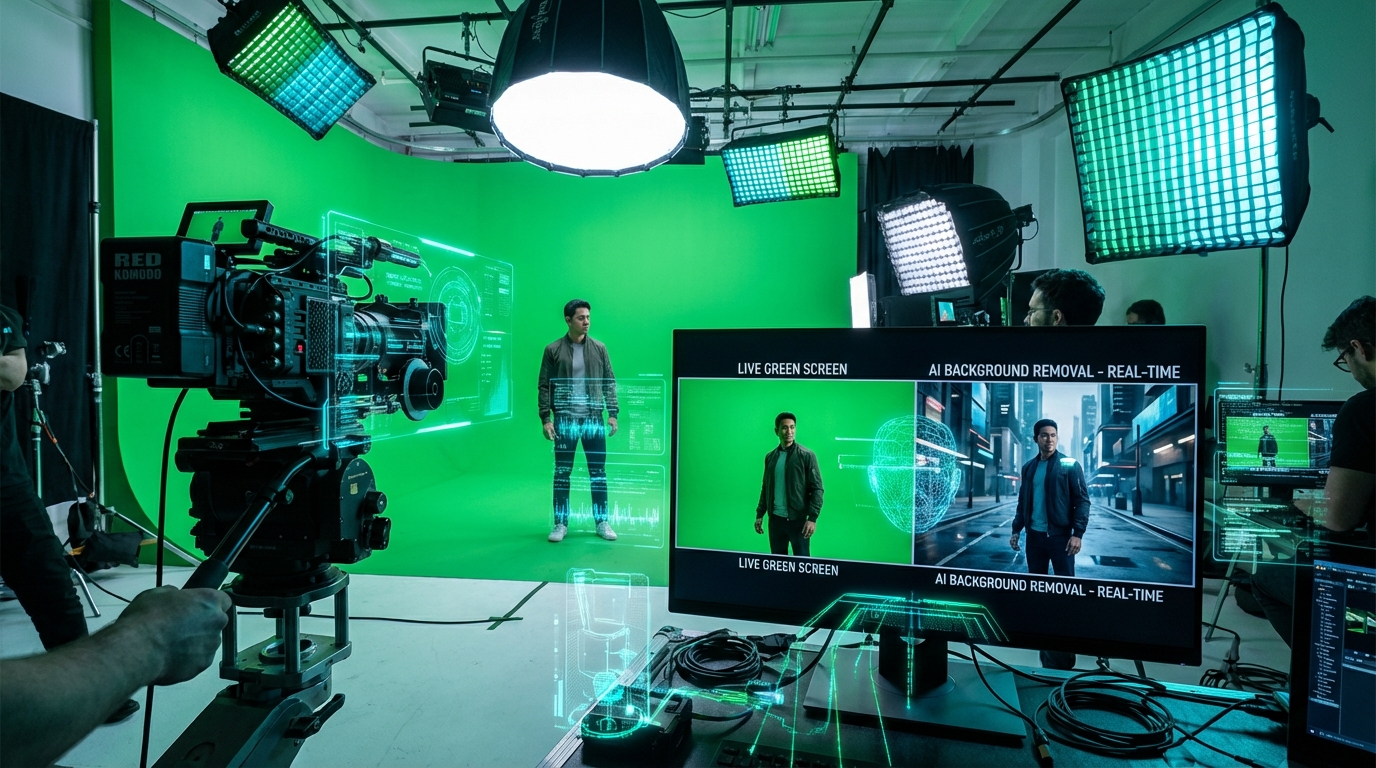
When it comes to best ai video background removal & green screen tools 2026, professional video creators, content marketers, and social media managers in 2026 rely on AI-powered background removal tools to eliminate the need for physical green screens and manual frame-by-frame editing. Modern AI technology can accurately remove backgrounds from any video, handling complex scenarios like moving hair, transparent objects, and motion blur with impressive precision.
This comprehensive guide evaluates the best AI video background removal and green screen tools available in 2026, comparing pricing, features, accuracy, and use cases to help you select the perfect solution for your workflow.
Why AI Background Removal Beats Traditional Green Screens
Traditional green screen (chroma key) technology requires specific equipment, lighting setups, and controlled environments. AI background removal eliminates these constraints:
- No green screen required – film anywhere with any background
- Better edge detection – AI handles hair and fine details more accurately than chroma key
- No green spill – eliminates the green color bleeding onto subjects
- Works with existing footage – process videos already filmed without green screens
- Handles imperfect lighting – AI compensates for shadows and uneven lighting
- Cost-effective – no need for expensive green screen equipment or studio space
Top AI Video Background Removal Tools
1. VideoBGRemover – Best Value with Pay-As-You-Go Pricing
VideoBGRemover emerged as the leading alternative after Unscreen shut down in December 2025. It offers advanced AI quality at significantly lower costs with a simple pay-as-you-go model that never expires.
Key Features:
- Advanced AI model trained specifically for video background removal
- Supports videos up to 120 minutes in length
- 9 export formats: MP4, WebM, ProRes, PNG sequence, GIF, WebP, Lottie, dotLottie
- Transparent backgrounds plus custom image/video replacement
- Batch processing for multiple videos
- Free preview before purchasing
- API access for developers
- Up to 4K video processing
Pricing (February 2026):
- Basic: $6 for 180 credits (3 minutes processing) – $2.00/minute
- Standard: $20 for 900 credits (15 minutes) – $1.33/minute – Save 33%
- Pro: $45 for 3,600 credits (60 minutes) – $0.75/minute – Save 63%
- Business: $90 for 9,000 credits (150 minutes) – $0.60/minute – Save 70%
- Enterprise: $180 for 21,600 credits (360 minutes) – $0.50/minute – Save 75%
Note: High frame rate videos (>30 FPS) consume more credits. Credits never expire.
Comparison to Competitors: VideoBGRemover costs $0.50-$2.00/minute compared to Unscreen’s previous $4.99/minute pay-as-you-go pricing – up to 2x cheaper with better AI quality.
Best For: Creators who want professional results without subscription commitments, especially those processing varied video volumes monthly.
Source: VideoBGRemover.com pricing page and comparison documents
2. VEED.IO Video Background Remover – Best for All-in-One Editing
VEED.IO provides a comprehensive online video editor with AI background removal as one of many features. It excels for teams who need background removal plus subtitles, effects, and multi-platform formatting in a single platform.
Key Features:
- One-click background removal with AI
- Green screen removal with dedicated toggle
- Replace backgrounds with custom images, colors, or AI-generated scenes
- Background Expand feature to change aspect ratios without cropping
- Integrated with full video editing suite (captions, effects, transitions)
- Webcam recorder with built-in green screen removal
- Auto subtitles and background noise removal
Pricing (February 2026):
- Free: One-time background removal for testing
- Pro Plan: Subscription required for continued use (pricing varies by plan)
- Exact pricing available on VEED.IO website
Best For: Content creators and marketing teams who need background removal as part of a complete video editing workflow.
Source: VEED.IO tools/video-background-remover
3. Runway Gen-3 Green Screen – Best for Creative Control
Runway offers advanced AI tools for creative video production, including sophisticated background removal with granular control. While more complex than simpler tools, it provides professional-grade results for demanding projects.
Key Features:
- Professional-grade green screen removal
- Advanced edge refinement and color correction
- Integration with full creative suite (Gen-3 video generation, upscaling, effects)
- Workflow automation for complex projects
- 4K export capabilities
- Team collaboration features
Pricing (February 2026):
- Free Plan: Limited credits for testing
- Standard: Starting at $12/user/month (billed annually) with increased credits
- Pro and Unlimited: Higher tiers for professional production
Best For: Professional video creators and agencies who need advanced creative control and are working on high-end productions.
Source: RunwayML.com and AITopTools Runway Green Screen review
4. Unscreen Alternative Comparison
Since Unscreen shut down in December 2025, many creators searched for alternatives. Here’s how the leading options compare to the former market leader:
| Feature | VideoBGRemover | Unscreen (Shut Down) |
|---|---|---|
| Service Status | ✅ Active & Growing | ❌ Shut down Dec 2025 |
| AI Quality | Advanced AI model | Basic AI model |
| Cost per HD minute | $0.50 – $2.00 | $4.99 |
| Pricing Model | Pay once, never expires | Subscription or pay-per-use |
| Max Video Length | Up to 120 minutes | Plan-limited |
| Export Formats | 9 formats including ProRes | Limited options |
| API Available | ✅ Yes | ✅ Was available |
AI vs Traditional Green Screen: Technical Comparison
Understanding the differences helps you choose the right approach for your projects:
AI Automatic Removal
Advantages: For more insights, see our Waymark AI Video Tool Review 2026: Script-to-TV-Ad in Minutes.
- ✅ Works on any background (no green screen setup needed)
- ✅ Automatic subject detection without manual masking
- ✅ Handles complex scenarios (hair, motion, shadows)
- ✅ No special skills or training required
- ✅ Consistent results across all frames
- ✅ Fast processing (minutes for most videos)
Considerations:
- Requires clear distinction between subject and background
- Processing costs based on video length
- May need minor touch-ups for extreme scenarios
Traditional Green Screen (Chroma Key)
Advantages:
- ✅ Cleanest edges with perfect lighting setup
- ✅ Real-time processing capability
- ✅ No per-video processing costs after equipment purchase
Challenges:
- ❌ Requires filming with green/blue screen backdrop
- ❌ Professional lighting setup essential
- ❌ Cannot be added to existing footage after filming
- ❌ Struggles with similar colors (green clothing issues)
- ❌ Green spill on subject edges
- ❌ Expensive equipment and dedicated space
Manual Rotoscoping/Masking
When Used:
- High-budget professional productions
- When AI and chroma key both fail
- Feature films and VFX-heavy content
Reality:
- ❌ Requires frame-by-frame manual editing
- ❌ Hours or days of manual labor per video
- ❌ Requires professional skills and expensive software
- ❌ Very expensive (time or outsourcing costs)
Use Cases and Best Practices
Content Creator Workflows
YouTubers & Vloggers:
- Use AI background removal to film anywhere without studio setup
- Replace backgrounds with branded visuals for consistent channel identity
- Process talking-head segments for tutorials and reviews
- Recommended: VideoBGRemover or VEED.IO for cost-effectiveness
Social Media Marketers:
- Create scroll-stopping content with custom backgrounds
- Batch process multiple videos for different campaigns
- Export in multiple aspect ratios (9:16, 1:1, 16:9) from single source
- Recommended: VEED.IO for integrated editing and format conversion
Corporate Training & Education:
- Film instructors anywhere, replace background with professional setting
- Add branded backgrounds consistently across courses
- Process long-form webinars and presentations
- Recommended: VideoBGRemover for long videos (up to 120 minutes)
Product Demo Videos:
- Showcase products with clean, distraction-free backgrounds
- Create multiple variations with different background styles
- Professional presentation without studio costs
- Recommended: VideoBGRemover or Runway for professional quality
Technical Best Practices
Maximize AI background removal quality with these tips:
- Lighting: Even lighting on subject improves AI accuracy (doesn’t need to be perfect)
- Contrast: Ensure subject is visually distinct from background
- Clothing: Avoid subject wearing colors that match background completely
- Video Quality: Higher resolution input yields better results (1080p minimum recommended)
- Motion: AI handles motion well, but extreme blur may need adjustment
- Test First: Use free previews to verify quality before processing full videos
- Frame Rate: Be aware that high FPS videos (60+) consume more processing credits
Pricing Comparison: Finding the Best Value
| Tool | Pricing Model | Cost Per Minute | Best Value For |
|---|---|---|---|
| VideoBGRemover | Pay-as-you-go | $0.50 – $2.00 | Variable volume |
| VEED.IO | Subscription | Varies by plan | Full editing suite |
| Runway | Credit-based subscription | From $12/month | Creative professionals |
| Unscreen (Shut down) | N/A | Was $4.99 | N/A – discontinued |
How AI Background Removal Actually Works
Understanding the technology helps set realistic expectations:
- Subject Detection: AI analyzes each frame to identify foreground subjects (people, pets, objects)
- Frame-by-Frame Analysis: Processes every frame individually, not just color matching
- Background Separation: Intelligently removes background while preserving subject details
- Motion Tracking: Tracks subject movement across frames for consistent results
- Edge Refinement: Preserves fine details like hair, fur, transparent objects, and motion blur
What AI Handles Well:
- ✅ 95%+ accuracy on people with clear distinction from background
- ✅ Fine hair details (including wind and movement)
- ✅ Motion blur and camera movement
- ✅ Shadows (can keep realistic shadows or remove them)
- ✅ Transparent objects (glasses, water)
- ✅ Complex backgrounds
Challenging Scenarios:
- Very similar subject/background colors (white shirt on white wall)
- Extreme motion blur
- Very low resolution footage
- Heavy compression artifacts
Migration Guide for Former Unscreen Users
If you previously used Unscreen (shut down December 2025), here’s how to migrate:
Switching to VideoBGRemover
- Same Workflow: Upload video → AI processes → Download result
- Better Quality: More accurate edge detection, especially with motion and hair
- Lower Cost: Up to 2x cheaper than Unscreen’s pay-as-you-go pricing
- No Subscription Lock-In: Buy credits once, use anytime
- API Support: API available for developers who used Unscreen’s API
For Unscreen API users, VideoBGRemover provides migration support and API documentation. Contact paul@videobgremover.com for personalized migration assistance.
Future of AI Video Background Technology
The technology continues to evolve rapidly in 2026:
- Real-time processing: Live background replacement during streaming
- 3D depth understanding: AI that understands spatial relationships for more realistic compositing
- Semantic background generation: AI that generates contextually appropriate backgrounds
- Multi-subject tracking: Improved handling of multiple people and objects
- Edge case improvements: Better handling of transparent objects and extreme motion
Conclusion
AI video background removal has matured into a reliable, cost-effective alternative to traditional green screens and manual editing. Whether you’re a solo content creator filming in your home office or a professional video production team, modern AI tools deliver professional results without expensive equipment or technical expertise.
Quick Recommendations:
- Best Value Overall: VideoBGRemover ($0.50-$2.00/minute, pay-as-you-go)
- Best All-in-One Editor: VEED.IO (includes full editing suite)
- Best for Professionals: Runway (advanced creative control)
Start with free previews to test AI quality on your specific footage. Most creators find that AI background removal now matches or exceeds green screen quality at a fraction of the cost and complexity. For more insights, see our Best AI Video Tools for Product Demos in 2026: Showcase, Convert & Sell More.
Pricing and features verified February 2026. Tool capabilities and pricing are subject to change. Always verify current pricing on vendor websites before purchasing.







