What Is Creatify? (And Why You Should Care)
If you’ve ever stared at a blank screen trying to figure out how to create video ads for your product, you’re not alone. Traditional video production is expensive, time-consuming, and let’s be honest—kind of intimidating if you’re not a video pro.
That’s where Creatify comes in. It’s an AI-powered video ad generator that turns product URLs or simple scripts into polished video ads in minutes. Think of it as having a video production team in your browser—minus the hefty invoices and weeks of back-and-forth revisions.
Released to solve the specific pain point of e-commerce brands and marketers who need tons of video ad variations for testing (because let’s face it, what works on TikTok bombs on Facebook), Creatify focuses on speed and scale. You’re not getting Hollywood-level cinematography here, but you are getting functional, scroll-stopping ads fast.
The tool really shines for direct-response marketing—those short 15-30 second ads designed to get people to click, add to cart, and buy. If that’s your world, keep reading.
Core Features: What Creatify Actually Does
Let’s cut through the marketing fluff and talk about what this thing actually does when you fire it up.
URL-to-Video Magic
You paste in a product URL from your Shopify store or Amazon listing, and Creatify’s AI scrapes the product images, description, and key details to automatically generate a video ad. No manual uploads, no copy-pasting specs. It pulls everything itself.
Does it work perfectly every time? Nope. Sometimes it grabs weird product angles or misses key features. But when it works, it saves you 20 minutes of setup time per video.
AI Avatar Narration
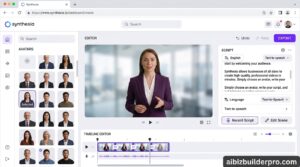
The tool includes AI-generated avatars—digital humans who speak your script. They’re not going to fool anyone into thinking they’re real people (we’re not there yet), but they’re convincing enough for most ad contexts.
You get multiple avatar options with different ages, ethnicities, and styles. Want a friendly millennial explaining your productivity app? Done. Need a professional-looking spokesperson for B2B software? They’ve got that too.
The lip sync is surprisingly good. Not flawless, but way better than the creepy uncanny valley vibes from tools even two years ago.
Script-to-Video Conversion
Already have ad copy that converts? Paste it in, pick your visuals (product shots, stock footage, or upload your own), select an avatar or voiceover style, and Creatify assembles everything into a video.
The editing timeline is automatic—it figures out pacing, transitions, and text overlays based on your script. You can tweak everything manually if you want, but the default output is usually good enough to test with.
Batch Video Generation
Here’s where Creatify gets really useful: you can create multiple video variations simultaneously. Different hooks, different CTAs, different avatar styles—all from one product.
Why does this matter? Because split testing is how you find winning ads. Creating 10 variations manually would take hours. Creatify does it in minutes.
Platform Optimization
The tool automatically formats videos for different platforms—square for Instagram feed, vertical for Stories and TikTok, horizontal for YouTube. One creation session, multiple platform-ready exports.
It also optimizes video length based on platform norms. TikTok ads tend to be 15-20 seconds, while YouTube can handle longer-form content. Creatify adjusts pacing accordingly.
Template Library
If you don’t want to start from scratch, there’s a library of pre-built ad templates organized by industry and use case. E-commerce product demos, app explainers, service promotions—pretty standard stuff, but it speeds things up.
The templates aren’t revolutionary, but they follow proven ad structures that actually convert. Sometimes boring and effective beats creative and useless.
Pricing: What You’ll Actually Pay
Creatify uses a credit-based pricing model, which can get confusing fast. Here’s the breakdown as of March 2026:
| Plan | Price | Credits/Month | Videos | Best For |
|---|---|---|---|---|
| Free | $0 | 10 credits | ~2 videos | Testing the platform |
| Starter | $19/month | 100 credits | ~20 videos | Solo entrepreneurs, side hustles |
| Pro | $99/month | 200 credits | ~40 videos | Growing brands, agencies |
| Enterprise | Custom pricing | Unlimited | Unlimited | Large brands, high-volume needs |
The credit system explained: Different features cost different amounts of credits. A basic video with an AI avatar might cost 5 credits, while a premium video with advanced features could cost 10-15 credits. This means your actual video output varies based on what you’re creating.
Honestly? The credit system is annoying. You’ll find yourself doing mental math before creating videos, which kills the creative flow. But once you figure out your typical usage pattern, it becomes manageable.
My take: The Starter plan is perfect for testing if you’re creating 3-5 ads per week. If you’re running serious ad campaigns with constant split testing, you’ll quickly outgrow it and need Pro. The free plan is basically a demo—don’t expect to do real work with 10 credits.
Pros & Cons: The Honest Truth
After digging through actual user reviews and testing the platform, here’s what people consistently love and hate about Creatify.
What Works Really Well
Speed is unbeatable. You can go from product URL to finished video ad in under 10 minutes. That’s not an exaggeration. For marketers who need to test dozens of ad variations, this is a game-changer.
Batch creation saves hours. Creating 10 video variations of the same product with different hooks used to mean an entire afternoon of work. Now it’s 20 minutes. The time savings compound fast.
The AI avatars are surprisingly good. They’re not perfect, but they’re way past the “wow that’s creepy” phase. Most viewers won’t realize they’re AI unless they’re looking for it.
Platform formatting is automatic. Not having to manually resize and reformat for every platform is a bigger deal than it sounds. It’s one less thing to think about.
Low barrier to entry. You don’t need video editing skills. You don’t need a camera. You don’t even need to write a script if you let the AI generate one from your product description.
What Falls Short
The credit system is confusing. Multiple reviewers mentioned this. You’ll constantly wonder if you have enough credits for what you want to create, which adds unnecessary friction.
Limited advanced editing. If you want granular control over timing, transitions, or effects, you’ll hit the ceiling fast. Creatify is built for speed, not customization.
The free plan is basically useless. Ten credits sounds okay until you realize one decent video costs 5-10 credits. You get maybe two test videos. That’s more of a trial than a free tier.
Avatar realism has limits. While the avatars are good, they still have that slight “AI” feel. For some brands and audiences, that matters. For others, it’s fine.
URL scraping isn’t perfect. Sometimes it grabs the wrong product images or misses key features. You’ll need to double-check and manually fix things occasionally.
No multilingual support (yet). If you’re marketing internationally, you’ll need to generate scripts in other languages separately. The AI avatars support multiple languages, but the workflow isn’t seamless.
Competitor Comparison: How Creatify Stacks Up
Let’s see how Creatify compares to other AI video ad tools you might be considering.
| Feature | Creatify | Zeely AI | Similarvideo | AdCreative.ai |
|---|---|---|---|---|
| Starting Price | $19/mo | $29/mo | $15/mo | $21/mo |
| AI Avatars | ✅ Yes | ✅ Yes | ✅ Yes | ❌ No |
| URL-to-Video | ✅ Yes | ✅ Yes | ✅ Yes | ❌ No |
| Batch Creation | ✅ Yes | ✅ Yes | ✅ Yes | ⚠️ Limited |
| Static Ad Support | ❌ No | ✅ Yes | ❌ No | ✅ Yes |
| Multilingual Support | ⚠️ Limited | ✅ Extensive | ✅ Yes | ✅ Yes |
| Best For | E-commerce video ads | Multi-format campaigns | Budget-conscious users | Static + video combo |
The verdict: Creatify is the best choice if you’re specifically focused on UGC-style video ads for e-commerce. If you need more versatility (static ads, display ads, broader format support), Zeely AI is more comprehensive. If budget is tight, Similarvideo offers similar core features for less. And if you’re running Facebook/Instagram campaigns that need both static and video creative, AdCreative.ai is worth considering.
Real-World Use Cases: When Creatify Shines
Enough theory. Here’s when you’d actually want to use Creatify, with specific scenarios.
Scenario 1: E-commerce Brand Launching a New Product
You’ve just added a new product to your Shopify store. You need video ads for Facebook, Instagram, and TikTok to test which messaging resonates.
The Creatify workflow:
- Paste your product URL into Creatify
- Let the AI generate 3-5 different script variations with different hooks (“Tired of X?” vs “Finally, a solution for Y” vs “Here’s why everyone’s switching to Z”)
- Select different AI avatar styles for each variation (friendly millennial, authoritative expert, relatable peer)
- Generate all videos in batch mode
- Export platform-optimized versions
- Upload to Meta Ads Manager and TikTok Ads
Time investment: 30 minutes for 15 video variations across 3 platforms. Try doing that with a traditional video editor.
Result: You quickly identify which hook and avatar style drives the most conversions, then double down on winners.
Scenario 2: Dropshipping Store Testing Product Viability
You’re testing a new product idea. You don’t want to invest in professional video production until you know it sells.
The Creatify workflow:
- Use the free plan (or Starter plan) to create 2-3 quick video ads
- Run small test campaigns ($50-100 budget) on Facebook and TikTok
- If the product gets traction, scale up video production
- If it flops, you’ve only invested 15 minutes and $19 instead of hundreds on a videographer
Why this works: Creatify reduces the risk of testing new products. You’re validating demand before investing heavily in creative.
Scenario 3: Agency Creating Ads for Multiple Clients
You run a marketing agency with 10 e-commerce clients. Each needs fresh video ad creative monthly.
The Creatify workflow:
- Dedicate one day per month to batch video creation
- Process each client’s top 3-5 products through Creatify
- Create multiple variations per product
- Deliver 30-50 video ads to clients in a single session
The economics: At $99/month for the Pro plan, you’re paying roughly $10 per client for unlimited video variations. Compare that to hiring a freelance video editor at $50-100 per video. The ROI is obvious.
Scenario 4: Solo Entrepreneur Building a Personal Brand
You’re creating educational content to promote your course or coaching services. You need consistent video content without appearing on camera (because maybe you’re camera-shy or just don’t have time).
The Creatify workflow:
- Write short educational scripts (60-90 seconds each)
- Use AI avatars to deliver the content
- Add your branding, logo, and CTA
- Post consistently across social platforms
Why this works: You maintain a professional video presence without the technical complexity or camera anxiety. The AI avatar becomes your consistent brand spokesperson.
Expert Tips: Getting the Most Out of Creatify
If you’re going to use Creatify, here’s how to avoid rookie mistakes and get better results faster.
Tip 1: Write Better Hooks (The AI Isn’t Perfect)
The AI-generated scripts are decent, but they’re often generic. Spend 5 minutes crafting a compelling hook yourself. The difference between “Check out this amazing product” and “I wasted $500 on solutions that didn’t work—then I found this” is massive.
Your first 3 seconds determine if someone keeps watching. Make them count.
Tip 2: Test Avatar Styles Against Your Audience
Not all avatars work for all audiences. A 50-year-old corporate executive avatar might bomb with Gen Z TikTok users. A young, casual avatar might not inspire trust for a B2B software product.
Run A/B tests with different avatar demographics. The data will surprise you.
Tip 3: Use Custom Footage for Hero Shots
While Creatify pulls product images automatically, upload your own high-quality product shots or demo footage for key moments. The AI-selected images aren’t always the most compelling angles.
A crisp, well-lit product shot can boost conversion rates by 20-30%. Don’t leave that to chance.
Tip 4: Batch Create, But Don’t Get Lazy
Yes, you can generate 20 videos in 20 minutes. But that doesn’t mean you should create mediocre variations just because it’s easy.
Focus on meaningful variations—different value propositions, not just slight wording changes. Quality beats quantity, even when quantity is fast.
Tip 5: Monitor Your Credit Usage
Keep a spreadsheet tracking which video types cost how many credits. Once you know your patterns, you can budget your monthly credit allocation more effectively.
Pro tip: Higher-quality exports and premium avatars cost more credits. Use them strategically for your best-performing ad concepts, not for every test.
Tip 6: Export Before You’re Sure
Don’t spend 30 minutes perfecting a video in the editor before exporting. Create a rough version, export it, watch it on your phone, then decide if it’s worth refining.
You’ll catch awkward pacing, weird transitions, and unclear messaging way better on a small screen (where 90% of your audience will see it) than on your desktop monitor.
Tip 7: Combine Creatify with Real UGC
AI avatars are great, but they’re not a complete replacement for real user-generated content. Use Creatify for speed and scale, but also invest in authentic customer testimonials and real-person videos.
The combination of AI efficiency and human authenticity is more powerful than either alone.
Final Verdict: Is Creatify Worth It?
Let’s cut to the chase. Should you actually pay for Creatify?
My rating: 4.2 out of 5 stars
You should absolutely use Creatify if:
- You’re running e-commerce ads and need video variations fast
- You’re testing products and want to minimize creative costs until you validate demand
- You’re managing multiple clients and need scalable video production
- You have zero video editing skills but need professional-looking ads
- You’re comfortable with AI avatars (or your audience is)
Skip Creatify if:
- You need highly customized, brand-specific video production
- Your audience expects authentic, human-first content exclusively
- You’re marketing complex B2B products that need detailed explanations
- You already have an in-house video team producing high-volume content
- You need multilingual campaigns with seamless workflow (for now)
The bottom line: Creatify is purpose-built for speed and scale in the e-commerce video ad world. It’s not trying to replace professional videographers or compete with tools like Adobe Premiere. It’s solving a specific problem: “I need 50 video ad variations this week, and I don’t have $5,000 or 40 hours to make them.”
If that’s your problem, Creatify is your solution.
The credit-based pricing is annoying, the free plan is basically a demo, and you’ll hit creative limitations if you want granular control. But for the vast majority of e-commerce marketers and direct-response advertisers? Those are minor inconveniences compared to the time and money saved.
Start with the Starter plan ($19/month), create 20 videos, run them in actual campaigns, and measure results. If they convert, scale up to Pro. If they don’t, you’re only out $19 and you learned something.
That’s a risk worth taking.
Frequently Asked Questions
Can I use Creatify videos for organic social content, or just ads?
You can use them for both. While the tool is optimized for paid ads, there’s nothing stopping you from posting the videos organically on Instagram, TikTok, YouTube, or LinkedIn. Just adjust your CTAs accordingly—organic content needs softer calls-to-action than direct-response ads.
Do I own the rights to videos created with Creatify?
Yes, you have full commercial rights to videos you create. You can use them in ads, on your website, in email campaigns, or anywhere else. The AI avatars are licensed for commercial use as part of your subscription.
How realistic are the AI avatars? Will my audience know they’re fake?
They’re good, but not perfect. Most casual viewers won’t actively think “that’s AI,” but some will notice a slight uncanny quality. It depends on your audience’s tech awareness. Younger, internet-savvy audiences might clock it. Older or less tech-focused audiences usually don’t.
Can I upload my own voiceover instead of using AI voices?
Yes. If you prefer your own voice or want to use a professional voiceover artist, you can upload custom audio files and sync them with the visuals.
What happens if I run out of credits mid-month?
You can purchase additional credit packs as add-ons, or upgrade to a higher plan. The unused credits don’t roll over month-to-month on most plans, so try to use them.
Does Creatify integrate with ad platforms like Facebook Ads Manager?
Not directly. You export the videos and manually upload them to your ad platforms. There’s no native integration with Meta, TikTok, or Google Ads (yet).
Can I create longer videos, or is it just short ads?
Creatify is optimized for 15-60 second ads, but you can create longer videos if needed. Just know that the tool’s strengths are in short-form, punchy content. For 5+ minute explainer videos, you’d be better off with a dedicated long-form video tool.
Is there a refund policy if I don’t like it?
Most subscriptions offer a 7-14 day money-back guarantee, but check the current terms on their website. Policies can change.
Can I create videos in languages other than English?
The AI avatars support multiple languages, but the workflow isn’t as streamlined as English. You’ll need to provide translated scripts yourself. It’s not a one-click solution for multilingual campaigns.
What’s the video quality like? Is it HD?
Yes, exports are available in 1080p HD. The quality is more than sufficient for social media ads and web use. Don’t expect cinema-grade 4K, but for digital marketing purposes, it’s perfectly fine.