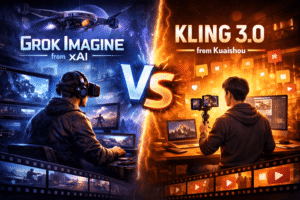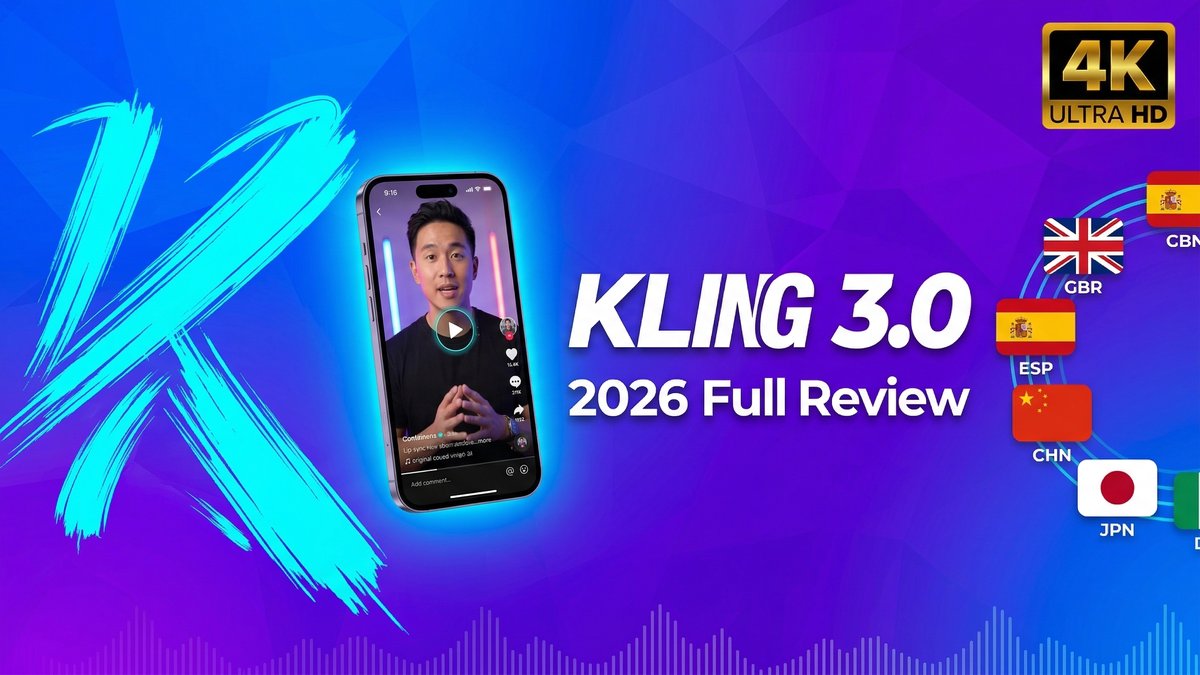
In the fiercely competitive AI video generation space, Kling 3.0 emerged in February 2026 as a serious contender for the performance crown. Just days before ByteDance launched Seedance 2.0, Kuaishou dropped Kling 3.0 with native 4K output, built-in multilingual audio, and a multi-shot storyboard tool that changes how creators approach AI video workflows. After rigorous testing and side-by-side benchmarks against every major competitor, here’s the honest verdict on whether Kling 3.0 lives up to the hype.
What Makes Kling 3.0 Different?
Kling 3.0 is built on a Multi-modal Visual Language (MVL) architecture, meaning text, images, audio, and video are processed in a single unified system. This isn’t just another incremental update—it’s a fundamental redesign that addresses the three biggest pain points in AI video: motion realism, character consistency, and production-ready output quality.
Unlike earlier models that treated audio as an afterthought, Kling 3.0 generates native multilingual audio with lip-sync directly from text prompts. No external audio files required. The multi-shot storyboard tool gives creators unprecedented control over narrative pacing, camera movements, and scene transitions—all within one interface.
Released February 5, 2026, Kling 3.0 scored 8.1/10 in independent R&D evaluations, making it the highest-rated AI video model to date. But ratings don’t tell the whole story. Let’s break down what actually works and what still needs improvement.
Core Features: What You Get
1. Native Multi-Language Audio Generation
This is the killer feature. Kling 3.0 generates lip-synced audio in five languages (English, Chinese, Japanese, Korean, Spanish) and multiple dialects directly from text prompts. The lip-sync accuracy is remarkably good—Spanish-language tests showed convincing mouth movements synchronized with dialogue cadence.
Compared to Seedance 2.0, which still requires external audio file uploads, Kling’s integrated approach saves hours of workflow time. For creators producing multilingual content, this single feature justifies the platform switch.
2. Multi-Shot Storyboard Tool
The Video 3.0 Omni version includes a storyboard interface that lets you control duration, size, angle, pacing, and camera movement per shot. You can define narrative arc across multiple scenes, and the model weaves them into a complete sequence.
Reality check: Transitions between shots can feel clunky, and the system doesn’t always nail emotional nuance. But as a pre-visualization tool or rapid storyboard creator, it’s genuinely useful for production planning.
3. True 4K Ultra-High-Definition Output
Kling 3.0’s Image 3.0 model renders stills at 2K and 4K resolution. The quality is broadcast-ready—texture detail, lighting fidelity, and color accuracy are significant steps up from previous generations. For production teams needing print or broadcast assets, this eliminates the upscaling bottleneck entirely.
4. Improved Character Consistency
Character coherence has always been AI video’s Achilles heel. Kling 3.0 makes measurable progress here. Testing a single character across five different clips showed much better frame-to-frame consistency than earlier versions. It’s not flawless—you’ll still see occasional drift—but it’s coherent enough for short-form narrative work.
5. Motion Brush Tool
This is genuinely innovative. The Motion Brush lets you draw motion paths directly on frames. Need a dog to run left-to-right? Draw the path. Want leaves to blow in a specific direction? Draw it. No other major model offers equivalent functionality, and it provides creative control that text prompts simply can’t match.
6. Text Preservation in Generated Videos
Kling 3.0 leads the field in rendering legible text within generated videos. Signs, brand logos, and price tags remain readable—critical for e-commerce and marketing content. Anyone who’s battled Sora 2’s text rendering knows how valuable this capability is.
7. Extended Video Duration (5-15 Seconds)
Generate clips up to 15 seconds in Pro mode, with both 30fps (standard) and 60fps (Ultra) frame rates. Longer durations enable more complete storytelling without stitching multiple clips together.
Pricing Breakdown: Understanding the Tiers
| Plan | Monthly Price | Credits/Month | Video Output | Key Features |
|---|---|---|---|---|
| Free | $0 | 66 daily (no rollover) | 3-6 videos/day | 720p, watermarked, single queue |
| Standard | $6.99 | 660 + 66 daily | ~35 videos | 1080p, no watermark |
| Pro | $29.99 | 3,000 + 66 daily | ~150 videos | Priority queue, professional mode, 15s videos |
| Ultra | $59.99 | 8,000 + 66 daily | ~400 videos | Ultra HD, all features, 60fps support |
Credit Consumption Reality:
- 10s Pro video = 50 credits (1 video/day on free tier)
- 5s Pro video = 25 credits (2 videos/day on free tier)
- 10s Standard video = 20 credits (3 videos/day on free tier)
- 5s Standard video = 10 credits (6 videos/day on free tier)
Critical Limitation: Failed generations still consume credits. During peak hours (tested Tuesday afternoon), queue times exceeded 30 minutes, with some sessions hitting 47 minutes. Free tier users cannot batch process—you must wait for each generation to complete before starting another.
Commercial Use: Requires Standard plan minimum. Free tier prohibits commercial use, making it unsuitable for client work or monetized content.
Pros: Where Kling 3.0 Dominates
- Natural Motion Quality: Side-by-side benchmarks show Kling 3.0 consistently outperforms Sora 2 and Veo 3.1 in motion realism. Fabric dynamics, walking gait, and environmental interactions feel genuinely lifelike.
- Most Generous Free Tier: 66 daily credits without requiring a credit card beats every major competitor. Seedance 2.0’s free tier is extremely limited; Sora 2 requires ChatGPT Plus subscription ($20/month).
- Integrated Multilingual Audio: Native audio generation in 5 languages eliminates external audio workflow dependencies entirely.
- Motion Brush Innovation: Draw motion paths for creative control impossible with text-only prompts. No competitor offers equivalent functionality.
- Text Rendering Accuracy: Legible text in generated videos is critical for e-commerce and marketing—Kling 3.0 leads the field here.
- 4K Native Output: Broadcast and print-ready assets without upscaling on Ultra tier.
- Strong Camera Control: Cinematic camera movements with smooth panning, tilting, and tracking feel directed rather than random.
- Character Consistency Improvements: Measurable progress over earlier versions makes narrative storytelling viable.
Cons: What Still Falls Short
- Inconsistent Lip-Sync Quality: While native audio is a killer feature, lip-sync accuracy varies significantly. It works well enough for concepting but isn’t reliably client-ready.
- Omni VFX Editing Unreliable: The video editing features (era swaps, character replacement, weather effects) produce inconsistent results. Tested rain effects looked fake; character swaps showed distortion.
- Image Generation Lags Competitors: For base image creation, Midjourney and Nano Banana Pro consistently outperform Kling 3.0 in photorealism and detail rendering. Skin textures often look plastic; macro shots lack sharpness.
- Failed Generations Burn Credits: Frustrating for experimentation—unsuccessful renders still deduct full credits from your account.
- Extended Queue Times: Free and Standard tier users face 30+ minute waits during peak hours, making rapid iteration impossible.
- No Credit Rollover on Free Tier: Daily 66 credits disappear if unused—you can’t accumulate credits for larger projects.
- Storyboard Transitions Clunky: Multi-shot sequences often show jarring transitions and color grading shifts between cuts.
- Subscription Complaints: User reviews cite difficulty canceling subscriptions and confusion around credit expiration policies.
Real-World Use Case Scenarios
Use Case 1: Multilingual Marketing Campaign
Scenario: SaaS company needs product demo videos in English, Spanish, and Japanese for regional launches.
Workflow:
- Write English script with dialogue in quotation marks
- Use Kling 3.0’s native audio to generate English version with lip-sync
- Duplicate project and change language prompt to Spanish—audio regenerates with synchronized lip movements
- Repeat for Japanese version
- Export all three versions at 1080p without watermarks (Standard tier minimum)
- Total time: 4-6 hours vs. weeks for traditional localization
Use Case 2: Social Media Content at Scale
Scenario: Influencer needs 20 TikTok videos weekly with consistent visual style.
Workflow:
- Use Motion Brush to define signature movement patterns
- Generate 5s Standard videos (10 credits each = 200 credits total)
- Pro plan provides 3,000 credits monthly—enough for 150+ videos
- Maintain character consistency across clips using reference images
- Export vertical format (9:16) optimized for TikTok/Reels
Use Case 3: Film Pre-Visualization
Scenario: Director needs to visualize complex action sequence for investor pitch.
Workflow:
- Use multi-shot storyboard tool to plan 6-shot sequence
- Define camera movements, angles, and pacing per shot
- Generate 15-second Pro quality sequence
- Iterate based on feedback using Motion Brush for specific choreography adjustments
- Present 4K output to investors and cinematographer
Expert Tips for Best Results
- Leverage the Motion Brush: For any scene requiring specific motion direction, draw it—don’t describe it. Visual input produces far more accurate results.
- Start with Standard Tier for Commercial Work: Free tier watermarks and commercial restrictions make it unsuitable for client deliverables.
- Use Native Audio Strategically: While convenient, lip-sync quality varies. Generate multiple versions and select the best result.
- Avoid Omni for Critical Edits: The VFX editing features work for experimentation but aren’t reliable enough for final production yet.
- Monitor Credit Burn Rate: Pro mode videos consume 2.5x more credits than Standard—plan accordingly based on your monthly allocation.
- Batch Similar Requests Off-Peak: Generate during off-peak hours to minimize queue times and maximize credit efficiency.
- Use External Tools for Base Images: Generate character images in Midjourney or Nano Banana Pro, then import to Kling for animation—better quality baseline.
- Test Multi-Shot Transitions: Always preview full storyboard sequences—color grading often shifts between cuts and requires adjustment.
Kling 3.0 vs. The Competition
| Feature | Kling 3.0 | Runway Gen-4 | Sora 2 | Seedance 2.0 |
|---|---|---|---|---|
| Motion Realism | ⭐⭐⭐⭐⭐ | ⭐⭐⭐⭐ | ⭐⭐⭐⭐ | ⭐⭐⭐⭐⭐ |
| Native Audio | ✅ 5 languages | ❌ | ❌ | ✅ Requires upload |
| Free Tier | 66 daily credits | 125 monthly | Requires $20/mo | Limited |
| Max Resolution | 4K (Ultra tier) | 1080p | 1080p | 2K |
| Editing Flexibility | Medium | ⭐⭐⭐⭐⭐ | Medium | High |
| Entry Price (Commercial) | $6.99/mo | $15/mo | $20-200/mo | $18/mo |
Verdict: Kling 3.0 wins on motion realism, native audio integration, and value pricing. Runway leads in editing flexibility. Sora offers better photorealism. Seedance 2.0 excels at multi-modal input flexibility. Choose based on your primary workflow needs.
Final Verdict: Is Kling 3.0 Worth It in 2026?
Rating: 4.3/5 Stars
Highly Recommended For:
- Content creators producing multilingual video content at scale
- Marketing teams needing cinematic motion quality for brand storytelling
- Social media managers creating high-volume short-form content
- Filmmakers using AI for pre-visualization and storyboarding
- Agencies requiring cost-effective commercial video production
- Anyone prioritizing motion realism over absolute photorealism
Not Ideal For:
- Projects requiring flawless lip-sync (quality still inconsistent)
- Teams needing extensive post-production editing (Runway better suited)
- Creators prioritizing base image generation (Midjourney/Nano Banana superior)
- Users requiring guaranteed queue times (free tier unreliable during peaks)
- Workflows dependent on credit rollover (free tier doesn’t accumulate)
Bottom Line: Kling 3.0 has legitimately claimed the crown as the best AI video generator for cinematic realism in 2026. The combination of natural motion quality, native multilingual audio, innovative Motion Brush control, and aggressive pricing creates genuine production value.
Yes, there are limitations—lip-sync needs refinement, Omni VFX editing remains unreliable, and the subscription model has frustrated some users. But for the core use case of generating realistic, motion-rich video content at scale, Kling 3.0 delivers.
The Pro tier at $29.99/month offers the best balance of credits, features, and output quality for professional creators. The Ultra tier’s 4K support justifies the $59.99/month price for broadcast and premium digital work. Even the Standard tier at $6.99/month provides commercial usage rights and solid 1080p output.
If you’re serious about AI video in 2026, Kling 3.0 deserves a place in your production stack. It won’t replace every tool, but for motion-forward storytelling with multilingual reach, it’s become the new benchmark.
The king of AI video has arrived—and it speaks five languages.