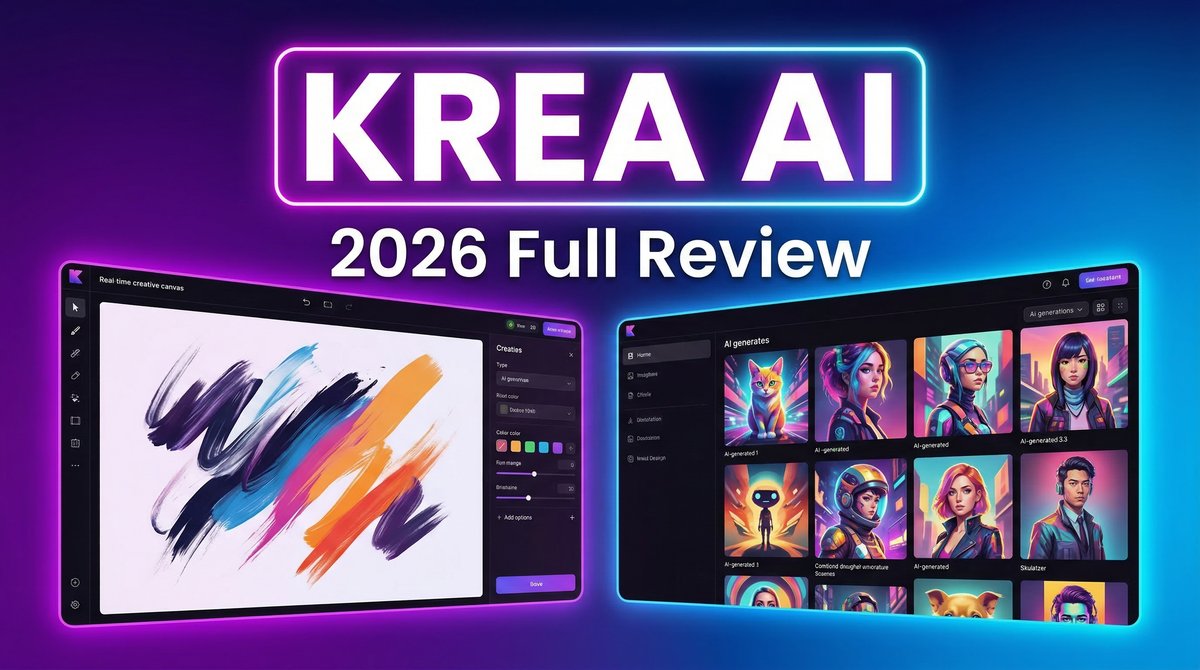
When it comes to Krea AI Review 2026 pricing, in the crowded landscape of AI creative tools, Krea AI has carved out a unique position as an all-in-one platform that combines image generation, video creation, and real-time editing capabilities. But does this Swiss Army knife approach deliver genuine value, or does it spread itself too thin? After deep research into pricing, features, and real user experiences, here’s everything you need to know about Krea AI in 2026.
What Makes Krea AI Different
Krea AI isn’t just another image generator with video features bolted on. The platform aggregates access to over 20 leading AI models including Flux, Veo 3, Runway, Luma, and Ideogram, while adding its own proprietary Krea 1 model engineered for ultra-realistic outputs. This unified approach means you’re not juggling subscriptions to multiple tools or learning different interfaces.
The standout feature is real-time generation – as you type prompts or adjust parameters, images update in under 50 milliseconds. This fundamentally changes the creative workflow from “submit and wait” to genuine interactive design. For architects, designers, and content creators who need rapid iteration, this live feedback loop saves hours of regeneration time.
Core Features That Actually Matter
Image Generation at Scale
Krea provides access to 20+ models with native 4K resolution support and over 1,000 preset styles. The platform supports text-to-image, image-to-image transformations, and custom model training through LoRA fine-tuning. You can train a model on just a few images of a face, product, or visual style to ensure brand consistency across all outputs.
Video Generation Suite
Rather than building its own video model, Krea aggregates all major market models for text-to-video generation, image animation, and video style transfer. This means you get access to Veo 3, Sora, Kling, and more through a single subscription. The video module handles clips up to 10 seconds on basic plans, with longer durations available on higher tiers.
AI Upscaler and Enhancer
The upscaling technology enhances images up to 22K resolution and videos to 8K, with frame interpolation up to 120fps. However, recent user reports indicate quality concerns – long-time users note that updates have introduced yellow tinting, increased graininess, and distortion artifacts that weren’t present in earlier versions.
Generative Editor
Ten editing models allow precise modifications – adding or removing objects, changing expressions, adjusting lighting, and transforming scenes. This goes beyond simple filters to genuine AI-powered image manipulation that maintains photorealistic quality.
Real-World Pricing Analysis
Krea offers five pricing tiers, and the value equation changes dramatically depending on your use case: This is why Krea AI Review 2026 pricing stands out in the market.
Free Plan
100 compute units daily with limited model access. Good for testing but restrictive for production work. No credit card required.
Basic – $9/month
5,000 monthly credits, commercial license, full access to image and 3D models, LoRA training with up to 50 images, and 4K upscaling. Limited video model access. Best for content creators focused primarily on images.
Pro – $35/month (Most Popular)
20,000 credits monthly, access to ALL video models including Veo 3, Sora, and Kling, workflow automation with Nodes, AI-powered agents, bulk discounts on additional credits, and 8K upscaling. This tier makes sense for video-heavy workflows.
Max – $105/month
60,000 credits, unlimited LoRA fine-tunings, unlimited concurrency (run multiple generations simultaneously), unlimited relaxed generations after credits run out, and premium 22K upscaling. For production studios and agencies with high volume needs.
Business – $200/month
80,000 credits shared across up to 50 team members, business terms of service with no-training clauses, custom user roles, private Node App sharing, and fine-grained model access controls. Enterprise-grade security and collaboration.
The Value Problem
Community research comparing Krea to competitors revealed a concerning reality: at the $30-35/month tier, Krea delivers approximately 37 Kling videos while competitor Higgsfield delivers 120 for the same price. That’s paying the same amount for one-third the output. For pure video generation volume, platforms like Freepik AI (255 Minimax videos) and Higgsfield represent significantly better value.
Who Should Use Krea AI
Architecture Professionals
Architects consistently praise Krea for converting 3D renders into photorealistic visualizations. The real-time feedback and high-resolution outputs make it invaluable for client presentations and design iterations. This is why Krea AI Review 2026 pricing stands out in the market.
Designers Needing Multi-Model Access
If your workflow requires testing different AI models to find the right aesthetic, Krea’s unified platform saves you from managing multiple subscriptions. Access 20+ image models and all major video generators through one interface. For more insights, see our Waymark AI Video Tool Review 2026: Script-to-TV-Ad in Minutes.
Content Creators Focused on Speed
The real-time generation capability is genuinely revolutionary for social media visuals, marketing assets, and rapid concept testing. When you need to produce dozens of variations quickly, the live canvas beats traditional generation cycles.
Who Should Look Elsewhere
High-Volume Video Producers
The credit-to-output ratio for video generation makes Krea expensive compared to dedicated platforms. If you’re producing primarily video content, Higgsfield or Freepik AI deliver 3x more output for the same cost.
Users Needing Reliable Support
Multiple users report “zero customer service support” with no contact form, email, or phone number – only Discord. Billing issues go unresolved, and some describe the experience as “unprofessional and borderline fraudulent.” If support matters to you, this is a serious red flag.
Budget-Conscious Creators
At $35/month for Pro, Krea isn’t cheap. If you only need occasional AI generation, pay-per-use platforms like GStory.ai (50 free credits, no subscription) provide better economics.
Honest Pros and Cons
Strengths
- Real-time generation changes the creative workflow fundamentally
- Multi-model access eliminates subscription juggling
- Native 4K output with upscaling to 22K on Max plans
- LoRA training enables brand consistency and custom styles
- Clean interface that’s accessible to beginners and pros
- Commercial license included on all paid plans
Weaknesses
- Poor value for video generation compared to competitors (1/3 the output)
- Quality degradation reported after recent updates (tinting, graininess, artifacts)
- No customer support beyond Discord – billing issues unresolved
- Credits don’t roll over on individual plans (Business/Enterprise have rollover options)
- Server reliability issues with 2-3 hour generation times during peak loads
- Hardware requirements for local real-time generation are steep (B200 GPU)
How Krea Compares to Alternatives
Krea vs Midjourney
Midjourney delivers superior artistic quality and consistency for pure image generation. Krea offers broader functionality (video, upscaling, editing) but doesn’t match Midjourney’s aesthetic refinement. Choose Midjourney for artistic work, Krea for multi-format production workflows.
Krea vs Runway
Runway Gen-4.5 provides more creative control and better scene consistency for video work, but costs more and generates slower. Krea aggregates multiple video models including Runway’s, making it more versatile but less specialized.
Krea vs Higgsfield
For pure volume at the same price point, Higgsfield crushes Krea on video output (120 vs 37 Kling videos monthly). Krea wins on feature breadth and image capabilities. Choose based on whether you need versatility or volume.
Real User Experiences
User feedback reveals a platform with genuine innovation marred by execution issues. The real-time canvas receives universal praise, with users describing it as “mind-blowing” and “revolutionary.” Architecture professionals report dramatic time savings on visualization work.
However, quality concerns dominate recent reviews. The enhancer that once attracted users has “significantly decreased after recent updates” with outputs showing yellow tinting, grunge, and blur. One long-time user stated: “It used to be mind blowing… Since the updates, it seems to distort, add grunge.”
Support issues create frustration: “No contact form, no email, no phone number – nothing.” Users report being charged after account deletion with no recourse. These aren’t isolated complaints – they represent a pattern across G2, Reddit, and community forums.
Expert Tips for Getting Value
- Start with the free tier to test real-time generation with your actual workflows before committing
- Focus on image work if subscribing – that’s where Krea delivers best value
- Use LoRA training (Pro and above) to create consistent brand assets
- Avoid peak hours to minimize server reliability issues
- Consider annual billing only after confirming quality meets your needs (no refund policy)
- Test competitors like Higgsfield for video-heavy work to compare output per dollar
Final Verdict: 3.5 out of 5 Stars
Krea AI represents genuinely innovative technology with real-time generation that changes how creatives work. The multi-model access and unified platform solve real workflow problems. However, declining quality, poor support, and weak video value-for-money prevent a strong recommendation.
Best for: Architects, designers needing multi-model access, and content creators who prioritize speed over volume. The real-time canvas justifies the subscription if image generation is your primary need.
Skip if:You’re producing primarily video content (better value elsewhere), need reliable customer support, or require consistent quality (recent updates introduced artifacts). The Business plan makes sense for teams, but individual creators should carefully calculate cost-per-output. For more insights, see our Best AI Video Tools for Product Demos in 2026: Showcase, Convert & Sell More.
Krea AI is a platform with immense potential hampered by execution issues. The technology is there, but quality control and customer experience need dramatic improvement before it can compete with more established alternatives at this price point.







