Pricing verified as of February 2026 — sourced from official pricing pages.
Note: Munch has rebranded as Munch Studio (munchstudio.com). Visit their website for current pricing – they offer a free tier to get started.
Introduction to Munch AI
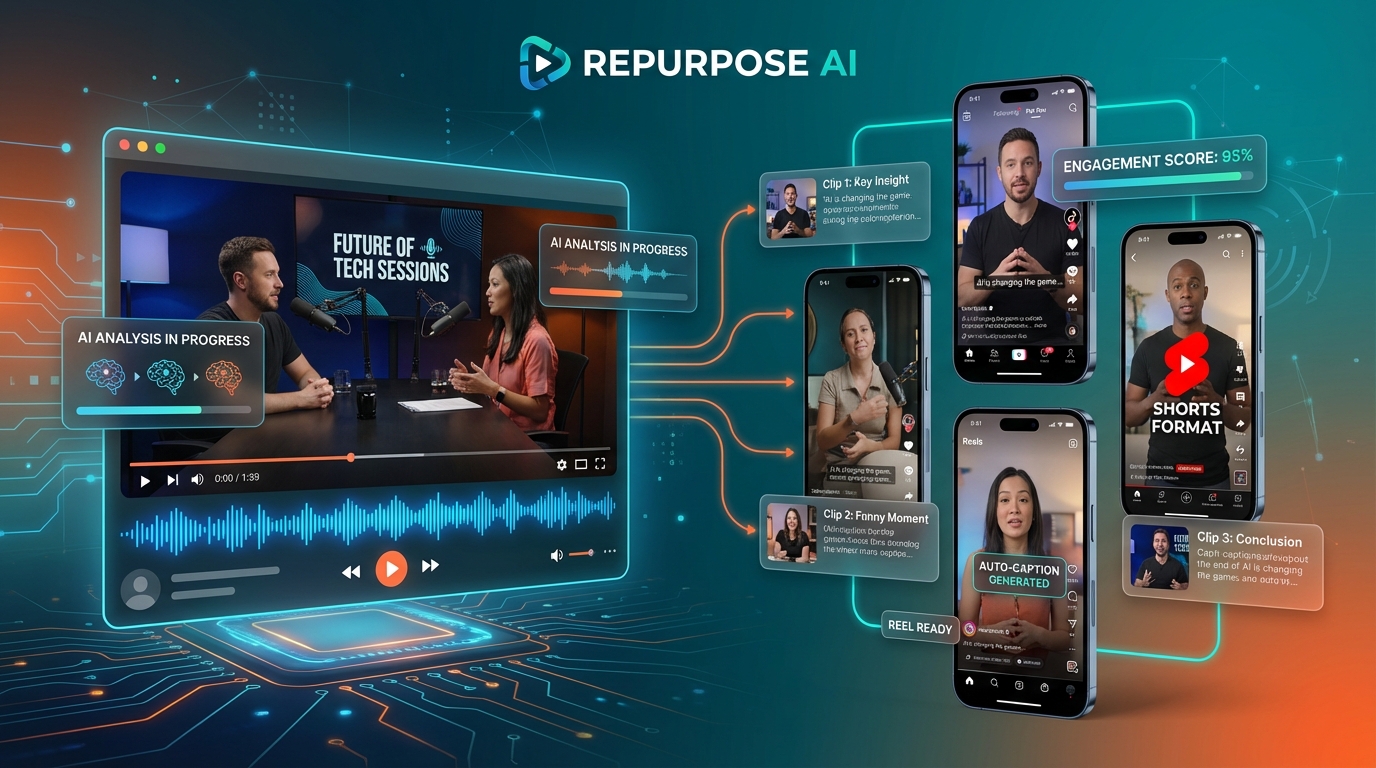
In the era of short-form video dominance, content creators face a constant challenge: how to efficiently repurpose long-form content into platform-optimized clips that capture attention and drive engagement. Munch AI has emerged as a powerful solution to this challenge, offering an AI-powered platform that automatically transforms lengthy videos into bite-sized, social media-ready clips perfectly tailored for TikTok, Instagram Reels, YouTube Shorts, and other platforms.
As we progress through 2026, Munch continues to refine its capabilities, leveraging advanced technologies including GPT, OCR (Optical Character Recognition), and NLP (Natural Language Processing) to not just clip videos randomly, but to intelligently identify the most engaging moments, add professional captions, and optimize content based on current social media trends. For creators producing podcasts, webinars, long YouTube videos, or any long-form content, Munch represents a significant time-saver and engagement multiplier.
This comprehensive review explores everything you need to know about Munch in 2026, from its AI-powered features and pricing structure to real-world use cases, performance analysis, and how it compares to competing video repurposing tools.
What is Munch AI?
Munch AI (also known as GetMunch or Munch Studio in its latest iteration) is an AI-powered video repurposing platform designed specifically to extract the most engaging segments from long-form video content and transform them into short, social media-optimized clips. Unlike simple video editors that require manual selection and editing, Munch uses artificial intelligence to analyze your content, understand context, identify high-value moments, and automatically generate clips complete with captions, framing, and platform-specific formatting.
The platform addresses a critical pain point for modern content creators: the time-intensive process of manually creating multiple versions of content for different social media platforms. A single hour-long podcast or YouTube video that might take weeks to manually repurpose into dozens of short clips can be processed by Munch in minutes, generating a library of ready-to-publish content.
Munch is particularly valuable for content creators who understand that different platforms require different approaches. What works on YouTube doesn’t necessarily work on TikTok, and Instagram Reels have their own unique engagement patterns. Munch’s AI understands these nuances and optimizes clips accordingly, going beyond simple cropping to consider pacing, hook strength, and trending topics.
Key Features of Munch AI
AI-Powered Content Analysis
At the core of Munch is its sophisticated content analysis engine. When you upload a video, Munch doesn’t just look at visual elements—it processes the entire content experience:
- GPT Integration: Munch leverages GPT technology to understand the semantic meaning and context of your content, identifying key moments, compelling quotes, and engaging segments
- OCR Technology: The platform reads any text visible in your video, including slides, graphics, and overlays, incorporating this information into its analysis
- NLP Processing: Natural Language Processing analyzes spoken content to understand topics, sentiment, and engagement potential
- Engagement Prediction: The AI predicts which segments are most likely to perform well based on current social media trends and engagement patterns
This multi-layered analysis means Munch doesn’t just randomly cut your video into shorter segments—it intelligently identifies the moments most likely to stop scrollers and generate engagement.
Automatic Clip Extraction
Munch’s clip extraction goes far beyond simple trimming. The platform automatically:
- Identifies compelling hooks and opening statements
- Recognizes complete thoughts and self-contained segments
- Extracts clips of optimal length for each platform (typically 15-60 seconds)
- Preserves context so clips make sense as standalone content
- Generates multiple clip variations from the same source video
Users report that a 30-minute video can yield anywhere from 10 to 30+ usable clips, each optimized for maximum engagement potential.
Auto-Caption Generation
Captions are no longer optional in social media video—they’re essential. Studies show that over 85% of video views happen with sound off, making captions critical for engagement. Munch automatically generates accurate captions with several valuable features:
- High Accuracy: Advanced speech recognition ensures captions accurately reflect spoken content
- Style Customization: Choose from various caption styles, fonts, colors, and positioning options
- Emphasis Highlighting: Munch can automatically highlight key words or phrases to increase engagement
- Multi-Language Support: Generate captions in multiple languages, expanding your content’s global reach
- Easy Editing: Fine-tune automatically generated captions with intuitive editing tools
The caption quality rivals or exceeds manual captioning, saving creators hours of tedious work while maintaining professional standards.
Trend Analysis and Optimization
One of Munch’s most powerful differentiators is its trend analysis capability. The platform doesn’t work in isolation—it’s constantly analyzing social media trends to inform its content decisions:
- Trending Topics: Munch identifies when your content touches on trending topics and prioritizes those segments
- Format Trends: The platform adapts to current format preferences on each platform (e.g., text overlay styles, pacing preferences)
- Hashtag Suggestions: Receive AI-generated hashtag recommendations based on trending topics and your content
- Performance Predictions: Get engagement score predictions for each clip before you publish
This trend integration means your repurposed content doesn’t just look professional—it’s strategically optimized to perform well in the current social media landscape.
Platform-Specific Optimization
Different social platforms have different technical requirements and audience expectations. Munch handles these automatically:
- Aspect Ratio Adjustment: Automatically formats clips for vertical (9:16), square (1:1), or horizontal (16:9) layouts based on platform
- Duration Optimization: Adjusts clip length to match platform preferences (TikTok favors 15-30 seconds, while YouTube Shorts can go longer)
- Visual Framing: Intelligently crops and frames content to keep important elements visible in different aspect ratios
- Quality Settings: Exports at optimal resolution and bitrate for each platform
This means you’re not just getting generic clips—you’re getting platform-optimized content ready to perform well wherever you publish it.
Batch Processing
For creators managing multiple videos or building content libraries, Munch’s batch processing capabilities are invaluable:
- Upload multiple videos simultaneously
- Process entire content libraries in one session
- Generate hundreds of clips from a single upload batch
- Apply consistent branding and styling across all clips
- Export all clips with organized naming conventions
This feature is particularly valuable for agencies, teams, and high-volume creators who need to maintain consistent content output.
Analytics and Performance Tracking
Munch doesn’t just help you create clips—it helps you understand what works. The platform includes analytics features that track:
- Predicted engagement scores for each clip
- Which segments of your long-form content generate the most clips
- Performance comparisons between different clip styles
- Trend alignment scores showing how well clips match current trends
These insights help you refine your content strategy over time, understanding not just what to create but which moments to emphasize in your long-form content to maximize short-form potential.
Editing and Customization Tools
While Munch’s automated approach is its primary strength, the platform also provides editing tools for fine-tuning:
- Trim and adjust clip start/end points
- Modify caption text, styling, and timing
- Add custom branding elements (logos, watermarks)
- Adjust colors, filters, and visual effects
- Rearrange clip sequences
- Add custom intros or outros
This balance between automation and control gives creators the best of both worlds—speed when you need it, precision when you want it.
Munch AI Pricing Plans 2026
Munch offers a tiered pricing structure designed to accommodate creators at different scales, from individual hobbyists to enterprise teams.
Free Trial/Freemium Option
Munch provides a free trial or limited free version that allows users to test the platform’s capabilities before committing to a paid plan. This typically includes a limited number of minutes of video processing and access to core features, giving creators a meaningful opportunity to evaluate whether Munch fits their workflow.
Candy Bar Plan – Visit munchstudio.com for pricing
The entry-level paid plan, often promoted as the Candy Bar Plan, starts at approximately Visit munchstudio.com for pricing. This plan is designed for individual creators and small-scale users who need regular access to Munch’s features without enterprise-level volume requirements. Features typically include:
- Limited monthly video processing minutes (varies by promotion)
- Access to core clip extraction features
- Automatic caption generation
- Basic trend analysis
- Standard export quality
- Limited platform optimizations
This tier is ideal for creators experimenting with repurposing or those producing 1-4 long-form videos per month.
Mid-Tier Plans – $49-Visit munchstudio.com for pricing (estimated)
While specific plan names and prices vary, Munch typically offers mid-tier options for growing creators and small teams. These plans expand on the basic offering with:
- Increased monthly video processing allowance
- Advanced trend analysis and hashtag suggestions
- Priority processing speeds
- Enhanced customization options
- Higher export quality options
- Batch processing capabilities
- Analytics and performance tracking
These tiers suit creators producing weekly content or small teams managing multiple channels.
Enterprise Plans – Custom Pricing
For agencies, large teams, and high-volume creators, Munch offers custom enterprise solutions with:
- Unlimited or very high processing limits
- Custom branding and white-label options
- API access for workflow integration
- Dedicated support and training
- Custom feature development
- Team collaboration tools
- Advanced analytics and reporting
Enterprise pricing is determined based on specific needs and usage volumes.
Annual Discounts
Like most SaaS platforms, Munch typically offers significant discounts for annual commitments, often saving 20-30% compared to monthly billing. This makes the platform more accessible for committed users and provides better long-term value.
Use Cases: Who Benefits from Munch?
Podcast Creators
Podcasters represent one of Munch’s primary user bases. Long podcast episodes (60-120 minutes) can yield dozens of short audiogram clips perfect for promoting episodes across social media. Munch automatically identifies compelling quotes, entertaining exchanges, and valuable insights, creating promotional content that drives listeners back to full episodes.
YouTube Creators
YouTubers producing long-form content (10+ minutes) can use Munch to create Shorts from their videos, extending content reach without additional production work. The platform helps creators maintain consistent Shorts output even when focused on main channel content production.
Webinar Hosts and Educators
Educational content and webinars often contain numerous valuable teaching moments. Munch extracts these moments into standalone tips, tutorials, and insights that work perfectly as social media content, helping educators build authority and attract students to longer courses or webinars.
Marketing Teams
Corporate marketing teams producing thought leadership content, product demos, or event coverage can use Munch to maximize content ROI. A single product launch video or panel discussion can generate weeks of social content across multiple platforms.
Social Media Managers
Social media professionals managing multiple clients or brands benefit from Munch’s batch processing and consistent output quality. The platform enables one person to maintain high-volume posting schedules across numerous accounts without overwhelming workload.
Course Creators and Coaches
Online course creators can repurpose course content into promotional clips, free value content, and engagement-driving posts. This helps market courses while providing ongoing value to followers, building authority and trust.
Live Streamers
Twitch streamers, live shoppers, and other live content creators can upload streams to Munch and automatically generate highlight reels and best moment clips for YouTube, TikTok, and Instagram, extending the lifespan and reach of live content.
Pros and Cons of Munch AI
Advantages
- Massive Time Savings: What takes hours manually takes minutes with Munch
- Intelligent Selection: AI identifies engaging moments better than random clipping
- Platform Optimization: Automatically formats for each social platform’s requirements
- Professional Captions: High-quality auto-captions eliminate tedious manual work
- Trend Integration: Content optimization based on current social media trends
- Batch Processing: Handle multiple videos efficiently
- Consistent Quality: Reliable output across all clips
- Low Learning Curve: Intuitive interface requires minimal training
- Affordable Entry Point: Visit munchstudio.com for pricing starter plan accessible for most creators
- Multi-Language Support: Expand content reach globally
Limitations
- AI Not Perfect: Occasionally misses context or selects less-than-ideal moments
- Requires Good Source Content: AI can’t make engaging clips from disengaging source material
- Limited Creative Control: Automation means less frame-by-frame precision than manual editing
- Processing Time Limits: Lower tiers have monthly minute restrictions that may limit high-volume creators
- Internet Dependent: Cloud-based platform requires stable connectivity and uploads
- Caption Editing Can Be Fiddly: While auto-captions are good, fine-tuning can sometimes feel clunky
- Style Limitations: Automated styling may feel generic without customization effort
- Not Ideal for Highly Visual Content: Works best with talking-head content rather than complex visual storytelling
Munch vs. Competitors
Munch vs. OpusClip
OpusClip is Munch’s most direct competitor, offering similar AI-powered repurposing. OpusClip tends to be slightly more expensive but offers more advanced facial detection and speaker focus features. Munch typically provides better trend analysis and hashtag suggestions. Both are excellent choices; the decision often comes down to specific workflow preferences and budget.
Munch vs. Vizard.ai
Vizard (reviewed earlier in this series) focuses heavily on meeting and webinar content repurposing with features like speaker detection and automatic chapter generation. Munch is more generalized, working well with podcasts, YouTube videos, and various content types. Vizard may be better for corporate content, while Munch excels with creator content.
Munch vs. Pictory
Pictory offers text-to-video creation alongside repurposing, making it more versatile but potentially more complex. Munch focuses exclusively on repurposing and does it exceptionally well with less complexity. Creators who only need repurposing often find Munch more straightforward, while those wanting text-to-video capability might prefer Pictory’s broader feature set.
Munch vs. Manual Editing (Descript, Premiere)
Traditional editing software like Descript or Adobe Premiere offers unlimited creative control but requires significant time investment and skill. Munch sacrifices some precision for speed and ease of use. Many creators use both—Munch for volume and quick turnaround, manual editing for hero content requiring perfect execution.
Getting Started with Munch AI
Step 1: Sign Up and Choose a Plan
Visit Munch’s website and create an account. Start with the free trial if available to test the platform with your actual content before committing to a paid plan.
Step 2: Upload Your First Video
Upload a video file directly or provide a URL to content hosted on YouTube or other platforms. Choose a video with clear speaking, good audio quality, and engaging content for best results.
Step 3: Configure Clip Settings
Select your target platforms (TikTok, Instagram, YouTube Shorts, etc.) and any preferences for clip length, caption style, or specific topics to emphasize.
Step 4: Let AI Work Its Magic
Munch will process your video, typically taking a few minutes depending on video length and current platform load. The AI analyzes content, identifies clips, generates captions, and creates platform-optimized versions.
Step 5: Review and Refine Generated Clips
Browse through the generated clips, each with a predicted engagement score. Preview clips to ensure they make sense as standalone content and edit captions or trim points as needed.
Step 6: Customize Branding
Add your logo, adjust colors to match your brand, and apply any custom styling to ensure clips feel consistent with your overall brand identity.
Step 7: Export and Publish
Download clips for manual uploading or use Munch’s platform integrations (if available on your plan) to publish directly to social media. Organize exported clips with clear naming conventions for easy management.
Step 8: Track Performance
Monitor which clips perform best on each platform. Use these insights to inform future content creation, understanding which topics, formats, and moments resonate most with your audience.
Tips for Maximizing Munch Results
- Start with Quality Source Content: Clear audio, good lighting, and engaging delivery improve clip quality significantly
- Structure Long-Form Content with Clips in Mind: Include clear soundbites, memorable quotes, and self-contained segments
- Review Engagement Scores: Prioritize publishing high-scoring clips first to maximize ROI
- Test Different Caption Styles: Experiment to find which caption approaches resonate with your audience
- Maintain Consistent Branding: Set up your brand kit once and apply it to all clips for cohesive presence
- Don’t Publish Everything: Quality over quantity—select the best clips rather than overwhelming followers
- Add Platform-Specific Hooks: Customize the first frame or add text overlays to improve stop-scroll effectiveness
- Batch Process for Efficiency: Upload multiple videos at once during content planning sessions
- Use Trend Insights: Pay attention to Munch’s trend analysis and adjust content strategy accordingly
- Create a Publishing Schedule: Space out clip releases to maintain consistent presence without overwhelming audiences
Common Questions About Munch
Does Munch work with any video type?
Munch works best with talking-head content, interviews, podcasts, webinars, and educational videos where spoken content drives the narrative. It’s less effective with music videos, highly visual content, or videos relying heavily on complex graphics and motion.
How accurate are the AI-selected clips?
Munch’s AI is impressively accurate, typically identifying 70-85% of the clips a human editor would choose. However, it’s not perfect—expect to skip some clips and occasionally wish the AI had caught a moment it missed. The accuracy improves over time as AI models are trained on more data.
Can I edit clips after generation?
Yes, Munch provides editing tools to adjust clip boundaries, modify captions, customize styling, and add branding elements. While not as comprehensive as dedicated editing software, the tools cover essential modifications.
What file formats does Munch support?
Munch supports common video formats including MP4, MOV, and AVI. You can also provide URLs to YouTube videos, Vimeo content, and other hosted videos rather than uploading files directly.
Does Munch post directly to social media?
Depending on your plan level, Munch may offer direct publishing integrations with various social platforms. Lower tiers typically require manual download and upload, while higher tiers provide scheduling and direct publishing capabilities.
How long does processing take?
Processing time varies based on video length and current platform load. Generally, expect 5-15 minutes for a 30-minute video, though this can be faster or slower depending on circumstances. Batch processing multiple videos runs in parallel but may take longer overall.
Final Verdict: Is Munch Worth It?
For content creators producing long-form video content—podcasters, YouTubers, webinar hosts, educators—Munch AI represents exceptional value in 2026. The platform successfully solves one of content creation’s most time-consuming challenges: repurposing long content into engaging short-form clips that perform well across multiple social platforms.
The AI’s ability to identify engaging moments, generate professional captions, and optimize for platform-specific requirements saves creators dozens of hours monthly while maintaining quality standards that meet or exceed manual efforts for most use cases. The trend analysis and engagement prediction features add strategic value beyond simple automation, helping creators make data-informed decisions about what to publish.
At Visit munchstudio.com for pricing for the entry-level plan, Munch is accessible to virtually any creator serious about social media presence. The time saved typically pays for the subscription many times over, and the consistent output enables posting frequency that would be impossible with manual repurposing.
That said, Munch isn’t perfect. Creators who demand absolute precision, work with highly visual non-verbal content, or prefer complete creative control may find the automation limiting. Additionally, the AI occasionally misses context or selects suboptimal clips, requiring human review before publishing.
The ideal user is a creator producing regular long-form content who understands that social media success requires platform-specific short-form presence but lacks the time or resources to manually create that content. If that describes your situation, Munch is absolutely worth trying. Start with the free trial using your actual content to assess whether the AI’s selections align with your quality standards and creative vision.
In the competitive 2026 landscape of video repurposing tools, Munch stands out for its balance of automation quality, ease of use, and affordability. While alternatives like OpusClip and Vizard have their strengths, Munch’s trend integration and consistent performance make it a top choice for creators prioritizing efficiency without sacrificing engagement potential.







