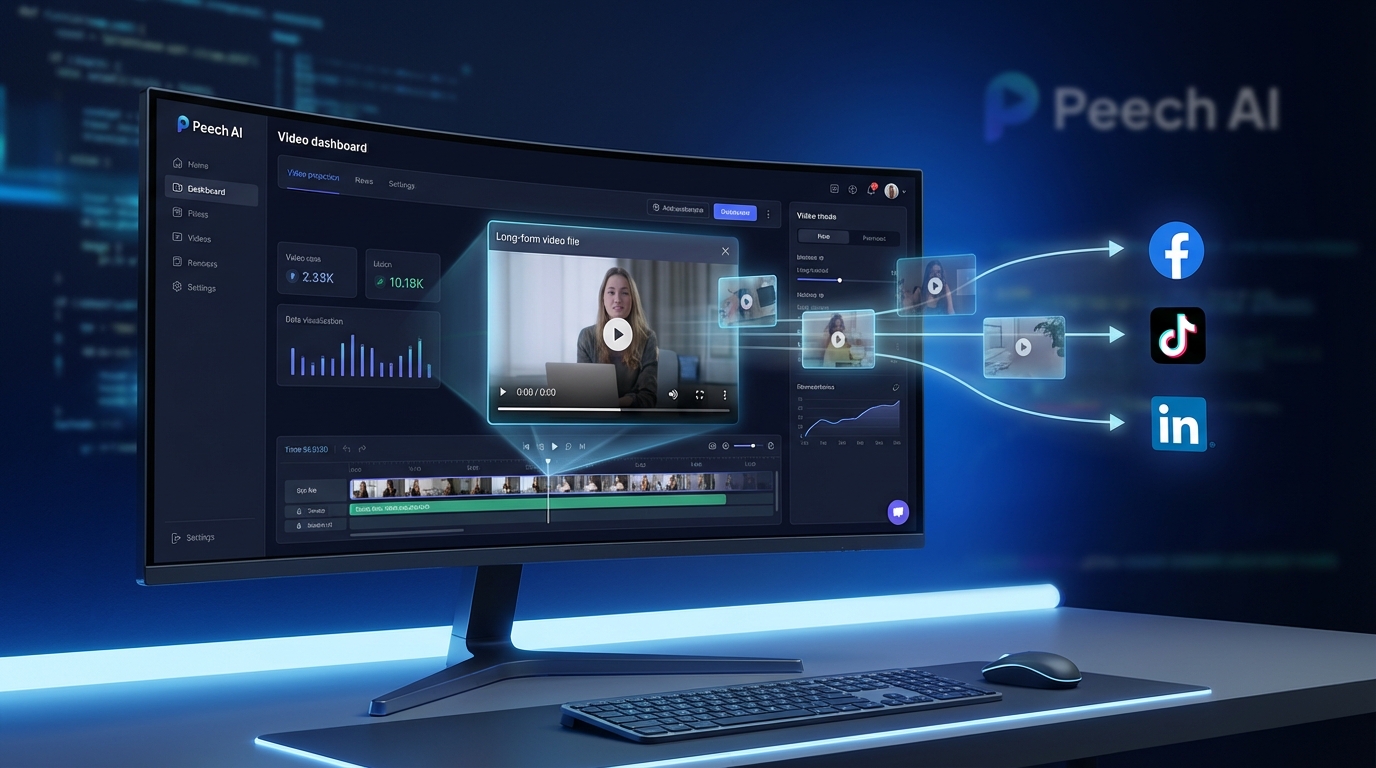
Peech Review 2026: AI-Powered Video Repurposing for Marketing Teams
Marketing teams face a constant challenge: creating enough video content to maintain presence across multiple social media platforms while managing limited budgets and resources. A single webinar, podcast episode, or product demo contains dozens of potential social media clips, but manually extracting and editing them is prohibitively time-consuming. Peech addresses this bottleneck with AI-powered automation that transforms long-form video content into a continuous stream of branded, platform-optimized short clips. For content marketing teams, agencies, and businesses producing regular video content, Peech offers a scalable solution to multiply content output without multiplying headcount.
What is Peech?
Peech is an AI video editing platform specifically designed for marketing teams that need to repurpose long-form video content into multiple short-form clips for social media distribution. Unlike general-purpose video editors, Peech focuses on the specific workflow challenges faced by content marketers: turning a single piece of source content (webinar, podcast, interview, presentation) into dozens of platform-specific clips optimized for Instagram, TikTok, LinkedIn, YouTube Shorts, and other social channels.
The platform uses advanced natural language processing (NLP) and AI to analyze video transcripts, identify key moments with high engagement potential, automatically extract relevant segments, apply branded visual elements consistently, generate captions and subtitles, and format clips for each target platform’s specifications. This automation dramatically reduces the manual work involved in content repurposing, allowing a single content marketer to achieve output levels that would traditionally require a full production team.
What distinguishes Peech from competitors is its focus on team workflows and brand consistency. Rather than being a tool for individual creators, Peech is architected for marketing departments where multiple team members need to maintain consistent branding across all output, collaborate on projects, and scale content production systematically.
Key Features and Capabilities
Automated Content Repurposing
Peech’s core functionality centers on intelligent content extraction from long-form videos. Users upload source content such as hour-long webinars, 30-minute podcast episodes, extended interviews, or product demonstrations. The AI analyzes the transcript using NLP to identify segments with high viral potential based on factors like topical relevance, emotional peaks, information density, and structural completeness (segments that make sense as standalone clips).
The platform then automatically extracts these highlight segments, typically generating 10-30 clips from a single hour of source content. Each clip includes context markers that help maintain narrative coherence even when divorced from the full video. The AI avoids cutting mid-sentence or mid-thought, ensuring every extracted clip has a clear beginning and ending.
This automation eliminates the most tedious aspect of content repurposing: watching hours of footage to manually identify the few minutes worth extracting. Teams report that Peech reduces content repurposing time by 80-90% compared to manual editing workflows.
Brand Kit and Visual Consistency
One of Peech’s strongest features for marketing teams is its brand kit system. Administrators can configure comprehensive brand guidelines including logo placement and sizing, color schemes and gradients, font families and hierarchies, intro/outro templates, caption styles and animations, and watermark positioning. Once configured, every video generated by any team member automatically inherits these brand elements.
This solves a common problem in scaling content production: maintaining visual consistency when multiple people create content. Without a system like Peech’s brand kit, achieving consistent branding requires either centralized editing (which creates bottlenecks) or detailed style guides that team members must manually apply (which leads to errors and inconsistency).
The brand kit also includes template variations for different content types (thought leadership, product demos, customer testimonials, educational content), allowing teams to maintain consistency while adapting visual treatment to content purpose.
Platform-Specific Optimization
Peech understands that a clip optimized for LinkedIn performs differently than the same content formatted for TikTok. The platform provides automatic optimization for each target platform including aspect ratio conversion (16:9 for YouTube, 9:16 for TikTok/Instagram Reels, 1:1 for Instagram feed), duration optimization (recommending ideal clip lengths for each platform), caption placement (ensuring text doesn’t get cut off by UI elements), and preview frame selection (choosing thumbnail moments likely to drive clicks).
Users can configure platform-specific rules so that, for example, TikTok versions automatically use a more casual caption style while LinkedIn versions adopt a professional tone. This intelligence prevents the “one size fits all” approach that undermines engagement when content is posted identically across platforms with different audience expectations.
Automated Transcription and Subtitles
Peech includes AI-powered transcription that converts audio to text with high accuracy, supporting 35 languages including English, Spanish, French, German, Italian, Portuguese, Dutch, Polish, Turkish, Arabic, Chinese, Japanese, Korean, and many others. The transcription accuracy rivals dedicated services, with proper noun recognition, speaker identification, and punctuation that creates readable text rather than raw word sequences.
More importantly, Peech automatically generates and synchronizes subtitles for every extracted clip. Subtitles are essential for social media video performance because most social feeds autoplay videos with sound muted, meaning users won’t engage with soundless content. Peech’s subtitle system includes word-level timing for smooth animations, customizable visual styling matching brand guidelines, highlight effects that emphasize keywords, and emoji insertion at relevant moments.
The subtitle generation happens automatically as part of the repurposing workflow, eliminating another time-consuming manual task that traditionally blocks rapid content publication.
Team Collaboration Features
Peech is designed for team environments with features that facilitate collaboration without creating bottlenecks. Multiple team members can access the same project workspace, with role-based permissions determining who can upload source content, approve final outputs, modify brand settings, and download finished clips.
The commenting and approval workflow allows team members to leave timestamped feedback on clips, request revisions, and mark content as approved for publication. This creates an audit trail and prevents the version control chaos that emerges when multiple people edit content via email attachments.
For larger organizations, Peech offers workspace segmentation where different teams or clients can have separate brand kits and content libraries while sharing the same account infrastructure. This is particularly valuable for agencies managing content for multiple clients or large companies with distinct brand identities across different product lines.
Content Library and Asset Management
As teams use Peech over time, they accumulate libraries of extracted clips, source videos, and branded elements. Peech provides organizational tools to manage this growing asset library including tagging and categorization, search by transcript content, filtering by creation date, project, or team member, and bulk operations for applying updates across multiple clips.
This asset management becomes increasingly valuable as the library grows. Teams can search past content to find clips related to specific topics, re-export previously created clips with updated branding, or identify source videos that should be repurposed with new angles to capitalize on trending topics.
Analytics and Performance Tracking
While Peech itself doesn’t host published videos, it integrates with social media platforms and provides analytics on which clips perform best. This feedback loop helps teams understand what content resonates, informing future source video production and clip selection strategies.
The analytics identify patterns such as optimal clip length for each platform, which topics generate highest engagement, whether interview-style or presentation-style content performs better, and how caption style affects completion rates. This data-driven approach transforms content repurposing from an art into a systematic, improvable process.
Pricing and Plans
Peech employs a subscription pricing model with tiers designed for different team sizes and content volumes.
Free Plan
The free tier allows teams to test Peech’s capabilities with limitations including watermarks on exported videos, up to 10 minutes of source video upload per month, limited AI-generated clips, and basic brand kit features. This tier is suitable for evaluation but not for ongoing production use, as the watermarks prevent professional publication and the upload limits restrict serious testing.
Starter Plan – $39/month
The Starter plan removes watermarks and provides functionality adequate for small teams or individuals with light content repurposing needs. Features include watermark-free exports, up to 5 video downloads per month, 120 minutes of source video upload monthly, automated transcription and subtitle generation, basic brand kit configuration, and access to all platform optimization features.
This tier works for teams publishing a few clips weekly or solo content marketers managing a single social presence. The 5-download-per-month limit means users must be selective about which AI-generated clips they actually download and publish, rather than bulk-exporting everything Peech generates.
Professional Plan – Pricing on Request
The Professional tier is designed for active marketing teams producing regular content across multiple channels. While exact pricing varies based on volume, it typically starts around $200-400/month and includes increased download limits (30-50 per month), higher source video upload allowances (500+ minutes monthly), advanced brand kit features including multiple templates, team collaboration with role-based access, priority processing for faster clip generation, and integration with social media scheduling tools.
This tier suits small to mid-sized marketing teams, agencies managing a handful of clients, or creators maintaining multiple brand identities. The increased limits enable systematic content repurposing workflows rather than occasional use.
Enterprise Plan – Custom Pricing
Enterprise customers work with Peech’s team to configure custom solutions based on specific needs. Enterprise features include unlimited downloads and uploads, dedicated account management, custom integrations with existing marketing stacks, SSO (single sign-on) for security compliance, multi-workspace setup for agency or multi-brand environments, white-label options for agencies reselling to clients, SLA guarantees for processing times, and custom AI training on company-specific terminology.
Enterprise pricing typically starts around $1,000+/month and scales with usage volume. This tier is appropriate for large marketing teams, agencies with dozens of clients, or organizations where video content is a primary marketing channel requiring industrial-scale repurposing.
Pros and Cons
Pros
- Dramatic Time Savings: Teams consistently report 80-90% reduction in content repurposing time compared to manual editing, allowing one person to achieve output previously requiring a team.
- Brand Consistency: The brand kit system ensures every output maintains visual consistency without requiring manual application of guidelines, crucial for professional brand presentation.
- Intelligent Clip Selection: Peech’s AI reliably identifies engaging segments rather than requiring humans to watch hours of content looking for highlight moments.
- Platform Optimization: Automatic formatting for each social platform’s specifications prevents the engagement-killing approach of posting identical content everywhere.
- Team-Friendly: Built for collaboration rather than individual use, with permissions, approval workflows, and shared workspaces that scale with team growth.
- Multi-Language Support: With 35 supported languages, Peech enables global content strategies without requiring separate tools for different markets.
- High-Quality Transcription: The AI transcription rivals dedicated services, eliminating need for separate transcription tools in the workflow.
- Continuous Improvement: Analytics feedback helps teams refine content strategies over time based on performance data rather than guesswork.
Cons
- Learning Curve: While more intuitive than traditional editing software, Peech requires time investment to master brand kit configuration and workflow optimization.
- Limited Manual Control: Users seeking frame-by-frame editing precision will find Peech’s automation-focused approach constraining compared to professional editors like Premiere Pro.
- Download Limits: The per-month download caps on lower tiers force selective publishing rather than exploring all AI-generated options, potentially causing teams to miss viral opportunities.
- Pricing Opacity: Professional and Enterprise tiers don’t publish standard pricing, requiring sales conversations to understand actual costs.
- Source Content Dependency: Peech’s effectiveness depends on quality source material; it can’t transform poorly produced original content into compelling clips.
- Platform Lock-In: Teams building extensive content libraries in Peech may face friction if migrating to alternative solutions later.
- AI Imperfection: While generally accurate, the AI occasionally misidentifies clip boundaries or selects segments that lack context, requiring human review.
Ideal Use Cases
B2B Marketing Teams
B2B companies producing thought leadership content, webinars, and product demos find Peech particularly valuable. A single hour-long webinar can be repurposed into a month’s worth of LinkedIn clips, YouTube Shorts, and blog post supporting videos. Peech’s professional aesthetic and brand consistency features align well with B2B’s emphasis on authoritative, polished content.
Podcast Content Repurposing
Podcast producers use Peech to transform audio-first content into visual social media assets. By adding animated captions, B-roll imagery, and audiogram-style visualizations, Peech helps podcasts reach audiences on visual platforms like Instagram and TikTok who would never discover the podcast through audio-only channels.
Content Marketing Agencies
Agencies managing content for multiple clients benefit from Peech’s multi-workspace features and brand kit system. A single agency subscription can service numerous clients, with separate brand configurations ensuring each client’s content maintains its distinct identity while the agency achieves production efficiency through a unified platform.
Educational Content Creators
Online course creators and educational institutions use Peech to transform lecture recordings into digestible learning snippets. A 90-minute lecture becomes 15-20 focused clips covering individual concepts, making content more accessible for mobile learners and enabling promotion of course content across social channels.
Corporate Communications
Internal communications teams use Peech to repurpose town halls, training sessions, and leadership messages into bite-sized clips for internal social networks or email communications. This increases reach of important messages to employees who don’t engage with hour-long video recordings.
Comparison with Alternatives
Peech vs. Opus Clip
Opus Clip also focuses on AI-powered clip extraction from long-form content. However, Opus Clip targets individual creators more than teams, lacking Peech’s collaborative features, brand kit system, and multi-workspace capabilities. Opus Clip offers a simpler interface suitable for solo creators, while Peech provides the team coordination features marketing departments require. Pricing-wise, Opus Clip’s individual plans are more affordable, but lack the enterprise features that justify Peech’s higher cost for team use.
Peech vs. Descript
Descript is a text-based video editor that also supports clip extraction and repurposing. Descript offers more granular manual editing control, with frame-by-frame precision and advanced audio editing features Peech lacks. However, Peech’s AI clip selection is more sophisticated, and its brand consistency features are superior for team environments. Descript suits users who want editing power, while Peech suits teams prioritizing automation and workflow efficiency over manual control.
Peech vs. Repurpose.io
Repurpose.io focuses on distribution automation more than content creation, automatically publishing existing content to multiple platforms. Peech focuses on the creation side, transforming source content into platform-specific variations. The two tools are somewhat complementary: Peech creates the clips, Repurpose.io distributes them. Teams serious about content repurposing might use both, with Peech handling creation and Repurpose.io managing cross-platform publishing automation.
Peech vs. Traditional Editors (Premiere Pro, Final Cut Pro)
Professional editing software offers unlimited creative control but requires significant skill and time investment. A clip that Peech generates in seconds might take 20-30 minutes to create manually in Premiere Pro. For teams where brand-consistent repurposing at scale matters more than creative differentiation, Peech’s automation advantage far outweighs the loss of granular control. However, for hero content pieces requiring unique creative treatment, traditional editors remain superior.
Getting Started with Peech
New users should begin by configuring their brand kit before uploading content, as retroactively changing branding across previously created clips is time-consuming. The brand kit setup wizard guides users through uploading logos, selecting color schemes, choosing fonts, and designing caption styles. Investing an hour in thorough brand kit configuration pays dividends in consistent output.
For the first content upload, choose a representative piece of long-form content (30-60 minutes) rather than an outlier. This helps calibrate expectations for how the AI interprets your content style. Review all AI-generated clips from this first upload, even if you don’t plan to publish all of them, to understand how Peech identifies highlights.
Based on the first batch of clips, adjust clip selection preferences. Peech allows configuration of preferred clip lengths, topics to prioritize or avoid, and stylistic preferences. These refinements improve future AI selections to better match your goals.
Establish a review workflow where generated clips go through human quality control before publication. While Peech’s AI is sophisticated, occasional misses occur. A quick 5-10 second review of each clip before downloading prevents publishing segments that lack context or misrepresent intended messages.
Performance and Reliability
Peech’s processing speeds are competitive with other AI video platforms. A 60-minute source video typically processes in 5-15 minutes, generating transcripts, identifying highlights, and rendering clips. Higher-tier plans receive priority processing, reducing wait times during peak usage periods.
The platform’s uptime has been reliable, with few reported outages. Video files are stored securely with redundancy, preventing data loss. However, users should maintain local backups of source files rather than relying on Peech as the sole repository for valuable video assets.
The AI’s clip selection accuracy improves over time as it learns from user feedback. When users consistently skip certain types of AI-suggested clips or always download specific styles, Peech’s algorithms adapt future recommendations accordingly. This means Peech becomes more aligned with team preferences the longer it’s used.
Privacy and Security Considerations
For marketing teams handling confidential product information or unreleased announcements, Peech’s security practices matter. The platform employs industry-standard encryption for data transmission and storage, and videos aren’t used to train AI models without explicit consent. Enterprise customers can negotiate data processing agreements (DPAs) for GDPR and CCPA compliance.
Access controls allow administrators to restrict which team members can view or download specific projects, important when agencies handle competing clients or companies manage content under NDA restrictions. The activity log provides audit trails showing who accessed what content and when.
However, because Peech is a cloud service, users who cannot upload video content to third-party servers for regulatory reasons (certain healthcare, financial, or government contexts) will find Peech unsuitable. These organizations should consider on-premise video editing solutions despite the efficiency sacrifices.
Customer Support and Resources
Peech provides tiered support based on plan level. Free users access help documentation and email support with 48-72 hour response times. Starter plan users receive priority email support (24-48 hours). Professional plans add live chat support during business hours. Enterprise customers receive dedicated account managers, phone support, and SLA-guaranteed response times (typically 2-4 hours for critical issues).
The help center includes written guides, video tutorials, and workflow templates for common use cases (repurposing webinars, creating podcast clips, generating product demo snippets). The blog publishes content marketing strategy articles that help users think beyond tool operation to content strategy.
Peech also offers onboarding sessions for Professional and Enterprise customers, where specialists review the team’s content goals and configure brand kits and workflows tailored to specific needs. These sessions significantly accelerate time-to-value compared to self-guided exploration.
Recent Updates and Roadmap
In 2026, Peech has introduced several enhancements including improved speaker identification in multi-person videos, AI-powered thumbnail generation selecting the most engaging frame, direct publishing to YouTube, LinkedIn, and Instagram from within Peech, and expanded language support adding 10 additional languages.
The planned roadmap includes features such as AI-generated video descriptions and hashtags tailored to each platform, automated A/B testing where Peech generates multiple caption style variations and tracks performance, custom AI training where enterprise customers can fine-tune clip selection for their specific content style, and integration with marketing automation platforms like HubSpot and Marketo.
Frequently Asked Questions
Can Peech work with audio-only content like podcasts?
Yes, Peech accepts audio-only uploads and can generate audiogram-style videos with animated subtitles and visual elements. While it won’t extract B-roll (since none exists), it creates visually engaging videos from audio content suitable for platforms like Instagram and TikTok where audio-only posts have poor reach.
Does Peech support vertical video for TikTok and Reels?
Absolutely. Peech automatically reformats clips to 9:16 aspect ratio for TikTok, Instagram Reels, and YouTube Shorts. It intelligently reframes the video to keep important visual elements centered even when converting from horizontal source footage.
Can multiple team members work on the same project simultaneously?
Yes, Peech supports real-time collaboration. Multiple users can access the same project workspace simultaneously, leave comments, and approve clips. However, only one person can actively edit a specific clip at any moment to prevent conflicts.
What happens to my source videos after processing?
Source videos remain stored in your Peech library and can be reprocessed with different settings or brand kits at any time. You can delete source files manually if storage becomes a concern, though extracted clips remain available even after deleting source videos.
How accurate is the AI at selecting good clips?
Accuracy varies by content type but generally falls in the 70-80% range, meaning most AI-selected clips are genuinely worth considering for publication. Peech performs best with content that has clear topical structure (distinct discussion points) and worst with rambling conversations that lack clear segmentation. User feedback improves accuracy over time as the AI learns team preferences.
Can I edit the clips Peech generates, or are they fixed?
Peech provides basic editing capabilities including trimming clip start/end points, adjusting subtitle timing and styling, changing background colors or imagery, and modifying text overlays. However, it’s not a full-featured editor like Premiere Pro. For clips requiring significant creative modification, most teams export from Peech and finish editing in traditional software.
Final Verdict
Peech delivers on its core promise: dramatically reducing the time and skill required to repurpose long-form video content into platform-optimized social media clips. For marketing teams producing regular webinars, podcasts, interviews, or presentations, Peech represents a force multiplier that enables one or two people to maintain content cadences that would traditionally require a larger production team.
The platform’s greatest strength is its focus on team workflows and brand consistency rather than individual creative expression. Teams struggling to maintain visual consistency across content created by multiple people will find immediate value in the brand kit system. Organizations where bottlenecks emerge from the manual tedium of clip identification and extraction will appreciate the AI automation that handles these tasks in minutes rather than hours.
However, Peech is not a universal solution for all video needs. Creative teams requiring frame-by-frame control or unique visual treatments for each piece of content will find Peech’s automation constraining. Solo creators with light repurposing needs may find the pricing steep compared to simpler alternatives. Organizations unable to upload video content to cloud services for compliance reasons cannot use Peech at all.
The ideal Peech customer is a B2B marketing team, content marketing agency, or brand with consistent video production producing long-form content that should be repurposed across social channels. If your organization creates 2+ hours of source video content monthly and struggles to extract and publish the dozens of potential clips hidden within, Peech will likely deliver positive ROI within the first month.
Start with the free trial to test whether Peech’s AI selections align with your content style and quality standards. If the first batch of generated clips shows promise, upgrade to Starter to remove watermarks and evaluate whether the workflow integrates smoothly with your team’s processes. For teams that validate the approach, Professional or Enterprise tiers provide the volume capacity and collaboration features needed for sustained, scaled content repurposing.
In a content landscape where consistent presence across multiple platforms increasingly determines brand visibility, Peech provides a practical path to achieving that presence without proportionally increasing production resources. For the right organizations, that capability justifies the platform’s position as a core component of the content marketing technology stack.







