Pricing verified as of February 2026 — sourced from official pricing pages.
Introduction to Pika Labs
In the rapidly evolving world of AI video generation, Pika Labs has emerged as a powerful platform that’s democratizing video creation for content creators, marketers, and businesses alike. With its latest Pika 2.5 model, this AI-powered video generator is making waves by enabling anyone to transform text prompts and images into engaging short-form videos in seconds.
Whether you’re a social media creator looking to produce viral TikTok content, a marketer seeking quick product demonstrations, or a creative professional exploring AI-assisted storytelling, Pika Labs offers an accessible entry point into AI video generation. This comprehensive review examines everything you need to know about Pika Labs in 2026, from its cutting-edge features to pricing, real-world performance, and how it stacks up against competitors.
What is Pika Labs?
Pika Labs (available at Pika.art) is an AI video generation platform designed for creating short, high-impact video clips quickly and efficiently. The platform specializes in producing 3-10 second clips that are perfect for social media posts, advertisements, product showcases, and creative storytelling projects.
Founded with the vision of making professional video creation accessible to everyone, Pika Labs has secured significant funding, including a $35 million Series A round led by Lightspeed Venture Partners in November 2023. The platform is now valued between $200-300 million, demonstrating strong investor confidence in its innovation and growth potential.
What sets Pika Labs apart is its user-friendly approach to AI video generation. The platform currently serves over 500,000 creators who generate millions of videos weekly, making it one of the most popular AI video tools in the market.
Key Features and Capabilities
Pika 2.5: The Core Generation Model
Pika 2.5 serves as the platform’s primary model for both text-to-video and image-to-video generation. This model has been specifically optimized for creator-style video generation, producing clips that look professionally shot rather than simply animated slideshows.
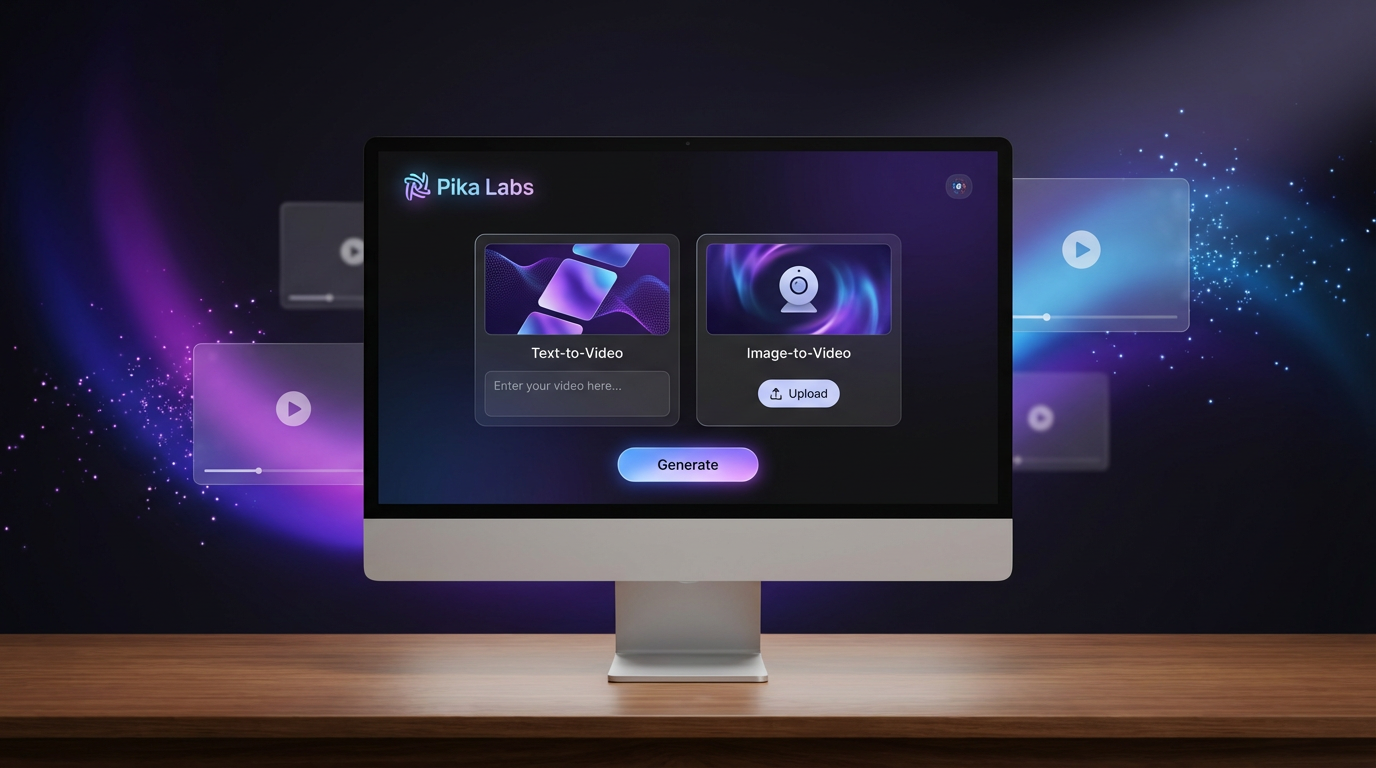
Text-to-Video Generation: Simply describe the scene you want to create, and Pika generates a short video clip based on your prompt. This feature excels at creating concept shots for ads, stylized scenes in various artistic styles (anime, 3D, cinematic), and rapid idea-to-video prototyping.
Image-to-Video Animation: Upload a still image and add a motion prompt to bring it to life. This capability is particularly valuable for maintaining character consistency, animating product mockups, and creating parallax effects from static photos or illustrations. According to real-world testing, image-to-video has an 89% success rate, making it one of Pika’s most reliable features.
Multiple Resolution Options: Pika 2.5 supports 480p, 720p, and 1080p resolution outputs, with availability depending on your subscription plan. Standard generations produce 5-10 second clips, though these can be extended using Pikaframes.
Pikaframes: Extended Duration and Control
Pikaframes is Pika’s answer to creators who need longer videos with more precise control over motion and transitions. This keyframe-based workflow allows you to:
- Extend video duration up to 20-25 seconds
- Upload first and last frames to create seamless transitions
- Guide motion changes over time with greater consistency
- Create smooth scene evolution (day to night, clean to destroyed, etc.)
- Produce controlled camera motion across longer sequences
Pikaframes is particularly valuable for product hero shots, brand motion graphics, and scenarios requiring visual continuity across extended timeframes.
Pikaffects: Viral-Ready Video Effects
One of Pika’s most distinctive features is its Pikaffects suite—preset effects that add instant visual impact to your videos. Popular effects include:
- Melt: Creates dramatic melting transitions
- Explode: Adds explosive destruction effects
- Inflate/Deflate: Makes objects expand or shrink
- Cake-ify: Transforms objects into cake textures
- Crush, Crumble, Dissolve: Various destruction effects
- Squish, Poke, Tear: Physical manipulation effects
These effects have driven viral trends on platforms like TikTok and Instagram Reels, making Pikaffects a powerful tool for social media creators seeking engagement-boosting content.
Advanced Camera Controls
Pika Labs offers sophisticated camera control options that add cinematic quality to generated videos:
- Slow dolly-in and dolly-out movements
- Pan left and right
- Smooth orbit shots
- Zoom effects
- Bullet Time slow-motion sequences
- Handheld documentary-style motion (use carefully to avoid excessive shake)
These controls enable creators to specify exactly how they want the camera to move through a scene, resulting in more professional-looking output.
Additional Creative Tools
Beyond its core features, Pika Labs offers several specialized tools:
- Modify Region: Edit specific parts of a video without regenerating the entire clip
- Pikatwists: Add unexpected twist endings to videos
- Pikaswaps: Swap elements within existing videos
- Pikadditions: Add new elements to generated videos
- PikaScenes: Build multi-scene sequences for more complex storytelling
Pika Labs Pricing Plans
Pika Labs offers a tiered pricing structure designed to accommodate everyone from casual experimenters to professional content creators:
Free Plan ($0/month)
- 150 daily credits for generation
- Access to Pika 2.5 model at 480p resolution
- 2 simultaneous tasks
- Videos include watermark
- Public generation (not private)
The free plan is excellent for testing the platform and understanding its capabilities before committing to a paid subscription.
Standard Plan ($8/month)
- 300 daily credits
- Unlimited free creation
- Private generation
- Fast generation speeds
- Hi-res video generation (up to 1080p)
- Watermark-free downloads
- AI Character premium model access
- 5 simultaneous tasks
- 5% bonus on credit packs
- 300 credits on first top-up
Pro Plan ($28/month)
- 700 daily credits
- All Standard plan features
- Video first/last frame control
- 2x AI Character long memory
- Priority support
- 700 credits on first top-up
Fancy Plan ($76/month)
The premium tier offers maximum credits, highest priority processing, and advanced features for power users and professional studios.
Important Note: Credit costs vary by tool, resolution, and duration. Higher resolutions and longer durations consume more credits per generation. Advanced features like Pikaframes and Pikaffects also have different credit requirements.
Real-World Performance: What to Expect
Independent testing involving 47 videos created over 30 days reveals valuable insights into Pika Labs’ actual performance:
Generation Speed
Most clips render in 30-60 seconds, with an average generation time of 42 seconds. This rapid turnaround makes Pika ideal for quick experimentation and iteration.
Success Rates by Feature
- Image-to-Video: 89% success rate—the most reliable feature
- Basic Text Prompts: 87% success rate with 4 out of 5 attempts producing usable results
- Overall First-Try Success: 68% work on first generation, with the remainder requiring refinement
- Cinematic-Style Prompts: 61% success rate—more complex prompts have higher failure rates
Quality Consistency
Testing showed that success rates improve significantly with experience. Users reported improvement from 58% success in week one to 82% success by week four as they learned effective prompting techniques.
Common Issues
- Character continuity averages around 67%
- Style consistency reaches approximately 78%
- Motion glitches occur in about 23% of generations
- Facial animations, particularly mouths and hands, can appear awkward and may require retries
- Text and logo rendering remain imperfect
Best Practices for Pika Labs Prompts
Crafting effective prompts is crucial to getting great results from Pika Labs. Here’s a proven prompt structure that maximizes success:
Optimal Prompt Formula
- Subject: Define who or what is in the scene
- Action: Describe what’s happening
- Scene: Specify where it takes place
- Camera: Detail how it’s being filmed
- Lighting: Set the mood and atmosphere
- Style: Choose realistic, anime, 3D, etc.
- Constraints: Add technical requirements (stable face, minimal flicker, etc.)
Example Prompts That Work
For Product Shots:
“A premium black smartwatch on a clean pedestal, slow rotating product reveal, studio lighting with soft reflections, shallow depth of field, smooth dolly-in camera move, ultra realistic, crisp details.”
For Travel Content:
“Aerial drone shot over a tropical coastline at sunset, gentle waves, warm golden light, cinematic color grading, slow forward camera motion, realistic.”
For Anime Style:
“Anime girl walking through a rainy neon street, reflections on wet pavement, soft glow, cinematic framing, slow pan, detailed background, high quality anime style.”
For Logo Reveals:
“A minimalist logo reveal, dark background with subtle fog, soft spotlight, particles drifting, slow camera push-in, sleek modern motion graphics style.”
Tips for Consistency
- Use Image-to-Video for maintaining character or product consistency
- Request “subtle motion” or “steady camera” to reduce morphing and flickering
- Describe distinctive traits clearly (colors, outfit details, materials)
- Avoid crowded scenes when consistency matters
- Use one camera movement at a time rather than combining multiple moves
Ideal Use Cases for Pika Labs
Perfect For:
- Social Media Content: TikTok, Instagram Reels, YouTube Shorts intros and transitions
- Marketing and Advertising: Product hero videos, UGC-style content overlays, ad creatives
- YouTube B-Roll: Establishing shots, concept visuals, stylized backgrounds
- Brand Motion Graphics: Logo reveals, animated posters, brand storytelling
- Meme Creation: Viral effects and humorous transformations
- Concept Development: Mood-driven cinematic shots for pitches and presentations
- Educational Content: Short explanatory clips and visual demonstrations
Not Ideal For:
- Professional filmmaking requiring broadcast-quality output
- Long-form storytelling projects (clips max out at 20-25 seconds)
- High-end brand campaigns demanding perfect realism
- Content requiring precise text or logo rendering
- Multi-character scenes with complex interactions
- Projects needing 4K resolution (currently limited to 1080p)
Pika Labs vs. Competitors
Pika Labs vs. Runway Gen-2/3
Pika Labs: Faster generation, better for viral social content, more affordable
Runway: Superior cinematic realism, better for storytelling, more professional-grade output
Pika Labs vs. OpenAI Sora
Pika Labs: Immediately accessible, established workflow, proven track record
Sora: Cutting-edge realism, but limited access and still experimental
Pika Labs vs. Luma Dream Machine
Pika Labs: More predictable results, better effects suite, clearer pricing
Luma: More creative and fluid generation, but can be inconsistent
Pika Labs vs. InVideo
Pika Labs: More creative freedom, better for original content, unique effects
InVideo: Better templates, more marketing-focused, easier for beginners with no AI experience
Strengths and Limitations
Key Strengths
- Speed: 30-60 second generation times enable rapid iteration
- Accessibility: Beginner-friendly interface requires no video editing expertise
- Viral Effects: Pikaffects are purpose-built for social media engagement
- Image-to-Video Excellence: Industry-leading performance in animating still images
- Active Development: Regular updates and new features demonstrate commitment to improvement
- Strong Community: 500,000+ creators provide support and inspiration
- Flexible Pricing: Free tier for testing, affordable paid plans for professionals
Current Limitations
- Duration Constraints: Most clips limited to 3-10 seconds (up to 25 seconds with Pikaframes)
- Resolution Ceiling: Maximum 1080p output, no 4K option
- Unpredictable Credit Costs: Advanced features and retries can burn through credits quickly
- Inconsistent Realism: Results range from photorealistic to cartoony
- Facial Animation Issues: Mouths, hands, and detailed facial features often require multiple attempts
- Character Continuity: Only 67% success rate for maintaining character consistency
- Text Rendering: Poor performance with text and logos within videos
The Future of Pika Labs
Pika Labs is positioned at the forefront of a rapidly growing market. According to the IAB’s Digital Video Ad Spend & Strategy report, 30% of digital video ads used generative AI in 2024, with projections reaching 39% by 2026. This mainstream adoption of AI video tools validates Pika’s approach and suggests strong growth potential.
Recent and Upcoming Developments
- Pika 2.5 Update: Enhanced Pikaffects, advanced camera controls including Bullet Time and Dolly Shots, and improved regional editing capabilities
- Pika 1.5 Video Model: Smoother transitions, higher resolution support, and more customization options
- API Access: Integration capabilities through partners like Fal.ai for developers building automated workflows
- Expanded Resolution Options: Ongoing improvements to output quality and resolution capabilities
With $55 million in funding secured and a rapidly growing user base, Pika Labs appears committed to long-term development and feature expansion.
Who Should Use Pika Labs?
Ideal Users
- Social media content creators producing TikTok, Reels, and Shorts
- Digital marketers creating quick ad variations and test content
- Meme creators and viral content producers
- Students and hobbyists experimenting with AI creativity
- Small business owners needing affordable video marketing
- YouTubers seeking engaging B-roll footage
- Concept artists and creative professionals prototyping ideas
Users Who Should Look Elsewhere
- Professional filmmakers requiring broadcast-quality output
- Agencies handling high-end brand campaigns
- Creators needing videos longer than 25 seconds
- Users requiring 4K resolution
- Projects demanding perfect text rendering or logo integration
Getting Started with Pika Labs
Quick Start Steps
- Sign Up: Visit Pika.art and create a free account
- Start with Free Credits: Use your 150 daily credits to experiment with different prompts
- Learn the Basics: Try both text-to-video and image-to-video to see which works best for your needs
- Experiment with Effects: Test Pikaffects to understand their impact
- Refine Your Prompts: Use the proven formula of subject + action + scene + camera + lighting + style
- Join the Community: Engage with other creators to learn tips and tricks
- Upgrade When Ready: Move to a paid plan when you need watermark-free exports and higher resolutions
Tips for Maximizing Your Credits
- Start with Image-to-Video for higher success rates
- Keep prompts specific but concise
- Avoid overly complex scenes that are likely to fail
- Use one camera movement per generation
- Generate at lower resolutions while testing, then upscale final versions
- Document successful prompts for future reference
Final Verdict
Pika Labs represents an exciting evolution in accessible AI video generation. While it doesn’t replace professional video production tools or services, it democratizes video creation in a way that was impossible just a few years ago.
The platform excels at what it’s designed for: creating short, engaging, viral-ready video clips quickly and affordably. Its 89% success rate with image-to-video generation, combined with unique Pikaffects and reasonable pricing, makes it a valuable tool for social media creators, marketers, and anyone needing quick visual content.
However, limitations in video duration, resolution caps at 1080p, and inconsistencies in photorealism mean it’s not suitable for all use cases. Professional filmmakers and high-end brand campaigns will still require more robust solutions.
Rating: 4 out of 5 stars
Pika Labs earns a solid four-star rating for delivering on its core promise: making AI video generation accessible, fast, and fun. As the platform continues to evolve with regular updates and new features, it’s positioned to remain a leading choice for creators who prioritize speed and creativity over cinema-quality production values.
Whether you’re looking to boost your social media engagement, create quick marketing assets, or simply explore the creative possibilities of AI video generation, Pika Labs offers a compelling entry point. The free plan provides ample opportunity to test the platform, and the affordable paid tiers make it accessible for creators at any level.
In the rapidly evolving landscape of AI video tools, Pika Labs has carved out a distinctive niche—and it’s one that resonates with hundreds of thousands of creators worldwide.







