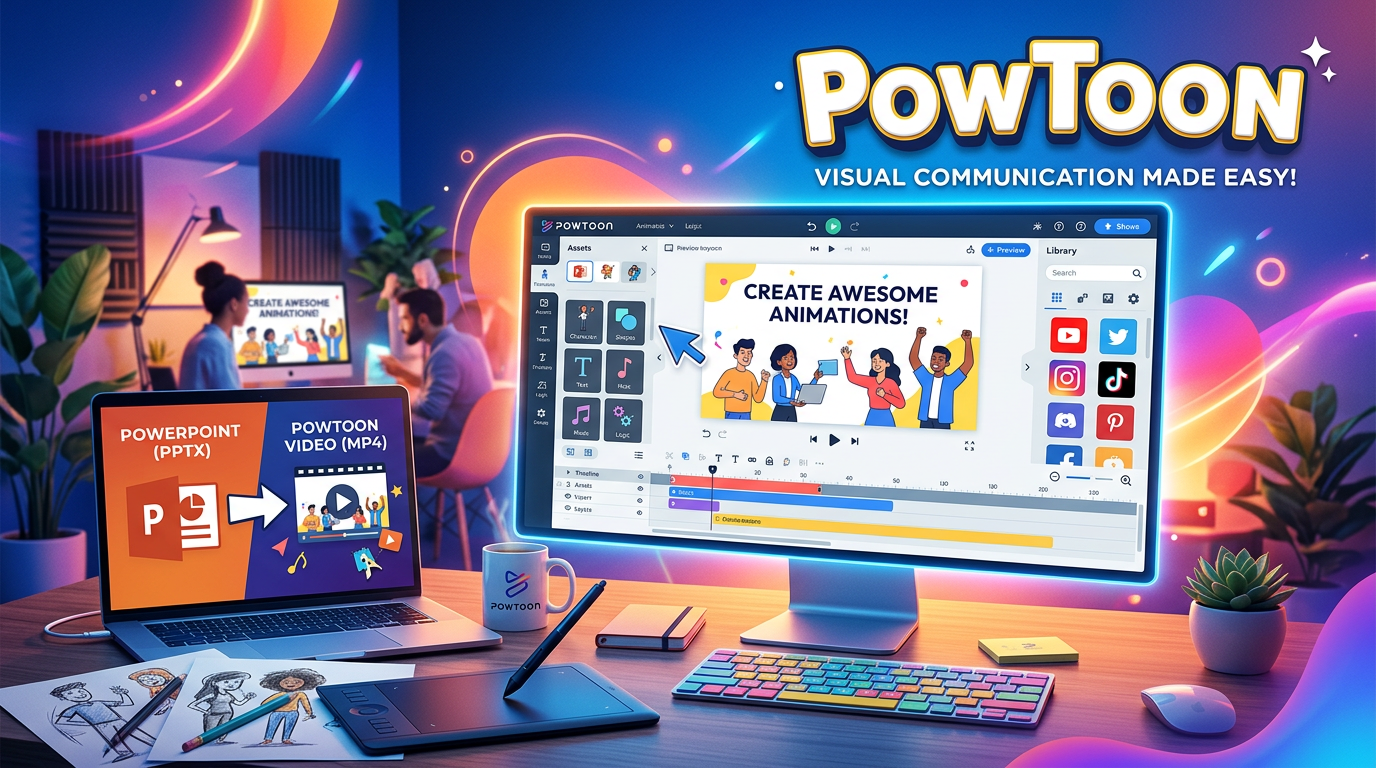
Presentations have come a long way from static PowerPoint slides that put audiences to sleep. In 2026, visual storytelling dominates—and Powtoon has positioned itself as the go-to platform for transforming boring presentations into engaging animated videos that actually hold attention.
But with so many animation tools flooding the market, is Powtoon still worth your time and money? In this comprehensive review, we’ll dissect Powtoon’s features, analyze its pricing, test its AI capabilities, and help you decide if it’s the right tool for your business or creative projects.
What is Powtoon?
Powtoon is a cloud-based visual communication platform that allows users to create animated videos and presentations without any design or technical skills. Founded in 2012 in the UK, Powtoon combines the simplicity of drag-and-drop editing with professional-grade templates and an extensive asset library of characters, graphics, and animations.
The name itself reveals Powtoon’s origin story—it’s a fusion of “PowerPoint” and “cartoon,” designed to make presentations more dynamic and engaging. Today, Powtoon is used by millions of professionals across marketing, education, HR, sales, and training departments. It’s particularly popular for creating explainer videos, social media content, and online lessons.
Core Features Deep-Dive
1. Drag-and-Drop Visual Editor
Powtoon’s editor is remarkably intuitive. The timeline-based interface lets you add characters, props, text, and animations by simply dragging elements from the sidebar onto your canvas. Each element can be customized with entrance and exit effects, timing controls, and positioning adjustments. No animation experience required—if you can use PowerPoint, you can use Powtoon.
2. AI-Powered Video Generation
Powtoon’s AI tools have evolved significantly in 2025-2026. Key AI features include:
- AI Script Generator: Input a topic and let AI write your video script
- AI Text-to-Video: Convert written content into storyboarded videos automatically
- AI Avatars: Create realistic AI-generated presenters with synchronized speech
- AI Document-to-Video: Upload PDFs, Word docs, or PowerPoints and transform them into animated videos
These AI features require credits (included in paid plans), with the Business plan offering 350 AI credits per year.
3. Extensive Template Library
Powtoon offers hundreds of professionally designed templates organized by use case:
- Marketing: Product promos, explainer videos, ads
- Education: Lesson intros, student projects, online courses
- Business: Pitch decks, internal communications, training modules
- Social Media: Instagram stories, TikTok videos, YouTube intros
- HR: Onboarding, company culture, policy explanations
Each template is fully customizable, allowing you to swap colors, characters, text, and branding to match your needs.
4. Character Builder and Animation Styles
Create custom animated characters by adjusting features, clothing, accessories, and poses. Powtoon supports multiple animation styles including contemporary, business-friendly, and whiteboard animation. You can also upload your own images and have Powtoon animate them with entrance effects.
5. Royalty-Free Music and Voiceover Tools
The platform includes a library of royalty-free music tracks you can add to videos. You can also record voiceovers directly in the editor or use Powtoon’s text-to-speech feature (available in 30 languages on Business plan) to add narration without recording.
6. Brand Management and Collaboration
Professional and Business plans include brand controls where you can upload logos, set brand colors, import custom fonts, and ensure all team members create on-brand content. The Business plan adds approval workflows and team collaboration features ideal for distributed teams.
7. Flexible Export Options
Export your creations in multiple formats:
- MP4 video: Download for use anywhere (requires paid plan)
- GIF: For social media and websites
- PDF: For static presentations
- Direct publishing: Share directly to YouTube, Facebook, LinkedIn, Slack, or Microsoft Teams
Powtoon Pricing Breakdown 2026
Powtoon offers four main pricing tiers. Prices shown are for annual billing (monthly billing costs more):
| Plan | Price | Max Video Length | Key Features |
|---|---|---|---|
| Lite | $15/month ($180/year) | 3 minutes | 25 AI credits/year, 5 premium exports/month, 720p quality, Powtoon watermark |
| Professional | $40/month ($480/year) | 10 minutes | 80 AI credits/year, unlimited exports, 1080p, no watermark, full template access |
| Business | $125/month ($1,500/year) | 20 minutes | 350 AI credits/year, full brand control, lip-sync, text-to-speech (30 languages), reseller rights |
| Education | $8/month ($96/year) | Varies by tier | Special pricing for schools and educators (includes “Powtoon for EDU” watermark unless upgraded) |
Free Plan: Powtoon offers a limited free tier with 3-minute video limit, 720p quality, mandatory watermark, and no MP4 download (publish directly to social media only).
Note on AI Credits: AI features like avatars, text-to-speech, and AI video generation consume credits. Plan accordingly based on your expected usage.
Pros and Cons Based on Real User Reviews
✅ Pros:
- Extremely beginner-friendly: Intuitive interface requires zero technical skills
- Affordable entry point: At $15/month (Lite) or $40/month (Professional), it’s accessible for individuals and small businesses
- Extensive template library: Hundreds of ready-made templates save massive time
- Cloud-based convenience: Access from any device with internet connection
- AI features streamline creation: Document-to-video and script generation reduce production time
- Direct social publishing: Share to YouTube, Facebook, LinkedIn without downloading first
- Great for education: Special Education plan makes it accessible for teachers
- Active support resources: Tutorials, webinars, and community forums
❌ Cons:
- Free plan very limited: No MP4 export, short videos, watermark makes it impractical for professional use
- Video length restrictions: Even Professional plan caps at 10 minutes (Business needed for 20 minutes)
- Premium features locked in expensive tiers: Text-to-speech, lip-sync, and advanced features require $125/month Business plan
- AI credit system can be confusing: Tracking usage and planning credits requires attention
- Limited creative flexibility: Preset assets and animations—less control than tools like After Effects
- Export can be slow: Rendering videos takes time, especially for longer content
- No offline editing: Requires internet connection (cloud-only)
Competitor Comparison: Powtoon vs. Alternatives
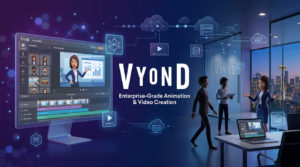
| Feature | Powtoon | Vyond | Animaker |
|---|---|---|---|
| Starting Price | $15/month (Lite) | $58/month | $20/month |
| Best For | Presentations, explainers, social media | Enterprise training, global campaigns | Small businesses, DIY animation |
| AI Features | ✅ Good (avatars, doc-to-video) | ✅ Advanced (Vyond Go) | ✅ Basic |
| Character Animation | ⚠️ Moderate | ✅ Advanced | ✅ Good |
| Max Video Length (Pro) | 10 minutes ($40/mo) | 40 minutes ($100/mo) | 30 minutes ($25/mo) |
| Education Plan | ✅ $8/month | ❌ No special pricing | ✅ Available |
Verdict: Powtoon offers the best balance of affordability and features for individuals and small teams. Vyond is superior for enterprises needing advanced capabilities. Animaker provides better value for video length and animation features at comparable pricing.
Use Case Scenarios: When to Use Powtoon
Scenario 1: Marketing Explainer Video for Product Launch
Goal: Create a 90-second explainer video for new SaaS product.
Process: Select “Product Explainer” template from Marketing category → Customize with product name, logo, and brand colors → Drag in product screenshots as props → Record voiceover explaining key features → Add background music from library → Export as 1080p MP4 → Embed on landing page.
Time Required: 45-60 minutes including customization and voiceover.
Scenario 2: Educational Lesson Video
Goal: Create engaging history lesson for 8th-grade students about World War II.
Process: Use Education template with historical theme → Add animated characters representing key figures → Include maps and timeline graphics → Use text-to-speech for narration (saves recording time) → Add quiz questions as text slides → Export and upload to Google Classroom.
Time Required: 90 minutes for 5-minute lesson video.
Scenario 3: Social Media Content Series
Goal: Create 10 Instagram story videos promoting weekly tips.
Process: Select vertical Instagram Story template → Duplicate and modify for each tip → Keep consistent character and style → Add text overlays with key messages → Export as MP4 files → Schedule via social media management tool.
Time Required: 2-3 hours for 10 videos (efficiency improves with batch creation).
Expert Tips for Maximizing Powtoon
- Start with templates, customize strategically: Don’t reinvent the wheel—find a template close to your vision and modify it rather than building from scratch.
- Create brand assets once: Upload your logo, colors, and fonts to your brand kit so they’re always available for quick insertion.
- Batch similar content: If creating a series, duplicate your first video and modify it—this maintains consistency and saves time.
- Use AI features wisely: Let AI generate script drafts and initial storyboards, then refine manually for better results than purely manual or purely AI approaches.
- Plan around video length limits: Know your plan’s maximum video length and structure content accordingly—or upgrade if you consistently need longer videos.
Final Verdict: Is Powtoon Worth It in 2026?
Rating: ⭐⭐⭐⭐ (4/5 Stars)
Powtoon excels as an accessible, affordable animation platform that democratizes video creation for non-designers. Its intuitive interface, extensive template library, and AI-powered features make it possible to produce professional-looking videos in under an hour—something that would traditionally require days and expensive software.
Who should buy Powtoon:
- Small business owners creating marketing content
- Educators and teachers building engaging lessons
- Marketing teams producing social media content at scale
- HR departments creating onboarding and training videos
- Freelancers and consultants needing presentation tools
- Individuals learning animation and video creation
Who should skip it:
- Enterprises needing advanced security and collaboration (consider Vyond)
- Creators wanting full animation control (learn After Effects instead)
- Users requiring videos longer than 20 minutes regularly
- Teams needing offline editing capability
- Professional animators seeking advanced character rigging
Bottom line: Powtoon delivers excellent value at its price point, especially for the Professional plan at $40/month. The Education plan is a steal for teachers. While power users may find limitations frustrating, the target audience—busy professionals who need engaging videos without the learning curve—will find Powtoon to be an invaluable tool in 2026. The free plan lets you test the waters risk-free, and the affordable paid tiers make it accessible for most budgets.