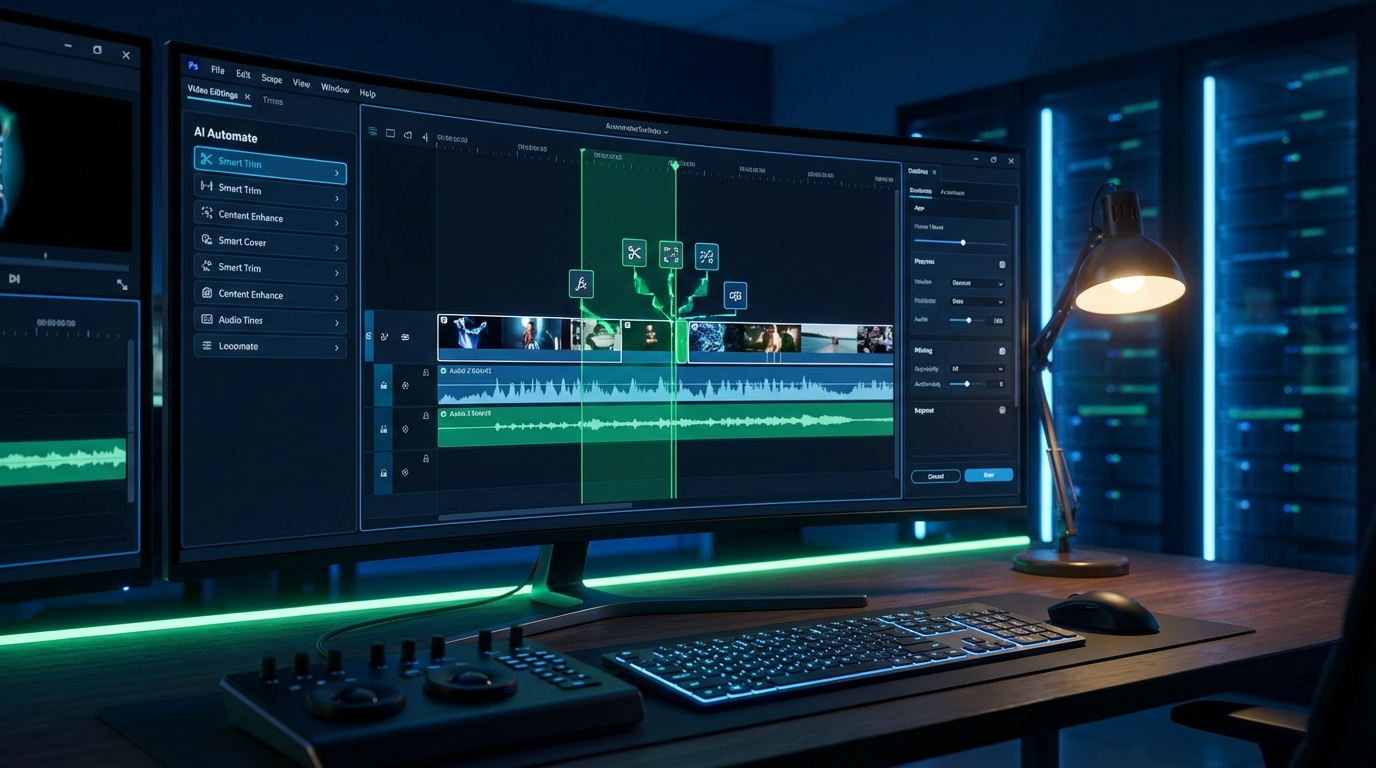
Wisecut Review 2026: AI-Powered Video Editing That Actually Saves Time
Video editing is notoriously time-consuming. Hours of footage need to be reviewed, trimmed, and polished before you have a finished product ready to publish. For content creators, marketers, and businesses producing regular video content, this editing bottleneck can slow down entire content strategies. That’s where Wisecut comes in – an AI-powered video editing tool that promises to transform long-form videos into engaging clips with just one click. But does it live up to the hype? Let’s dive deep into everything Wisecut offers in 2026.
What is Wisecut?
Wisecut is an intelligent video editing platform that uses artificial intelligence and voice recognition technology to automatically edit videos. It’s specifically designed for talking-head videos – content where someone is speaking directly to the camera – making it perfect for YouTube videos, online courses, podcasts, interviews, tutorials, vlogs, and business presentations.
The core promise is simple but powerful: upload your raw footage, and Wisecut’s AI will automatically remove pauses, create jump cuts, add background music that adapts to your speech patterns, generate subtitles, and even identify the best moments to create short-form clips for social media. What would typically take hours of manual editing can be accomplished in minutes.
Key Features That Make Wisecut Stand Out
1. Automatic Jump Cuts and Silence Removal
Wisecut’s standout feature is its ability to automatically detect and remove awkward pauses, “ums,” “ahs,” and dead space from your videos. The AI analyzes your speech patterns and creates smooth jump cuts that maintain the flow of your content while eliminating unnecessary moments.
This feature alone can save hours of tedious work. Anyone who’s edited a long interview or tutorial knows how time-consuming it is to manually identify and cut every pause. Wisecut does this automatically, and the results are impressively natural-looking.
2. AI-Powered Background Music
Wisecut doesn’t just add background music – it intelligently adjusts the volume based on when you’re speaking. The music automatically ducks (lowers volume) during dialogue and rises during pauses or transitions, creating a professional audio mix without manual audio editing.
The platform includes a library of royalty-free music tracks you can choose from, ensuring your videos have the right mood without copyright concerns.
3. Automatic Subtitle Generation
Subtitles are crucial for accessibility and engagement – videos with subtitles see significantly higher watch times and engagement rates. Wisecut automatically generates accurate subtitles using advanced speech recognition technology.
The platform currently supports 13 languages including English, Spanish, French, Italian, Portuguese, German, Dutch, Korean, and Japanese. The subtitle accuracy is impressive, though you can easily edit any errors directly in the platform.
4. Facial Recognition and Auto-Reframe
For creators producing content for multiple platforms, Wisecut’s auto-reframe feature is invaluable. The AI uses facial recognition to keep the speaker centered in frame when converting horizontal videos to vertical formats for Instagram, TikTok, or YouTube Shorts.
This eliminates the manual work of repositioning and resizing footage for different aspect ratios, enabling true multi-platform content distribution from a single recording.
5. Storyboard-Based Editing
While Wisecut automates most editing tasks, it still provides full creative control through its intuitive storyboard interface. You can see all the cuts the AI made, rearrange segments, add or remove sections, and fine-tune the pacing.
This hybrid approach – AI automation with human oversight – strikes the perfect balance between efficiency and creative control.
6. Social Media Clip Generation
Wisecut can automatically identify the most engaging moments in your long-form content and create highlight clips optimized for social media. This feature helps maximize the value of every video by automatically generating promotional clips for Instagram, TikTok, LinkedIn, and other platforms.
7. Social Hub Integration
Higher-tier plans include Wisecut’s Social Hub, which enables direct posting and scheduling to multiple social media platforms including Instagram, TikTok, YouTube, and LinkedIn. The platform also includes a Conversion Agent for automated comment management, turning your video distribution and engagement management into a streamlined workflow.
Wisecut Pricing Plans 2026
Wisecut offers multiple pricing tiers designed to accommodate different usage levels, from casual creators to professional production teams.
Free Plan
Price: $0/month
Includes:
- 30 minutes of AI video processing
- 4 GB maximum file size
- Projects expire after 7 days
The free plan is perfect for testing Wisecut’s capabilities before committing to a paid subscription. While 30 minutes may seem limiting, it’s sufficient to edit several short videos and experience the platform’s AI editing power firsthand.
Starter Plan (Annual)
Price: $15.75/month (billed annually at $189)
Savings: 17% off monthly pricing
Includes:
- 480 minutes (8 hours) of AI processing per month
- 1080p Full HD export quality
- Up to 60-minute video exports
- 4 GB maximum file size
- Unlimited downloads
- Projects expire after 30 days
This entry-level paid plan provides substantial editing capacity for individual creators, small business owners, or anyone producing weekly video content. Eight hours of processing monthly is enough for multiple long-form videos or dozens of shorter pieces.
Starter+ Plan with Social Hub (Annual)
Price: $23.25/month (billed annually at $279)
Savings: 20% off monthly pricing
Includes:
- 480 minutes (8 hours) of AI processing per month
- 1080p Full HD export quality
- Up to 60-minute video exports
- 4 GB maximum file size
- Unlimited downloads
- Projects expire after 30 days
- Social Hub features: Auto-posting to social media, content scheduling, Conversion Agent for comment automation
The Social Hub addition transforms Wisecut from purely an editing tool into a complete content distribution platform. For creators managing multiple social accounts, the additional $7.50/month is well worth the automation and time savings.
Professional Plan (Annual)
Price: $75.67/month (billed annually at $908)
Savings: 24% off monthly pricing
Includes:
- 1,800 minutes (30 hours) of AI processing per month
- 4K Ultra HD export quality
- Up to 90-minute video exports
- 5 GB maximum file size
- Unlimited downloads
- Projects expire after 30 days
The Professional plan is designed for serious content creators, marketing teams, and businesses producing high volumes of video content. The 4K export capability ensures your videos look crisp on high-resolution displays, and 30 hours of monthly processing accommodates substantial production schedules.
Professional+ Plan with Social Hub (Annual)
Price: $83.25/month (billed annually at $999)
Savings: 20% off monthly pricing
Includes:
- 1,800 minutes (30 hours) of AI processing per month
- 4K Ultra HD export quality
- Up to 90-minute video exports
- 5 GB maximum file size
- Unlimited downloads
- Projects expire after 30 days
- Social Hub features: Auto-posting, scheduling, comment automation, plus the ability to connect up to 3 accounts from each social network
This top-tier plan is ideal for agencies, media companies, or brands managing content across multiple channels and accounts. The ability to manage three accounts per platform makes it possible to handle multiple clients or brand divisions from a single subscription.
Enterprise Plan
Price: Custom pricing
Includes: Custom API access, custom processing hours, dedicated support
For organizations with unique requirements or very high processing volumes, Wisecut offers custom enterprise solutions. Contact their team directly to discuss specific needs and pricing.
Who Should Use Wisecut?
YouTube Creators and Content Producers
YouTubers creating regular content will find Wisecut invaluable for maintaining consistent upload schedules. The automatic editing dramatically reduces post-production time, allowing creators to focus more energy on content creation and audience engagement rather than spending hours in editing software.
Online Course Creators and Educators
Course creators recording lecture content benefit enormously from Wisecut’s ability to clean up long recordings. Educational videos often contain more pauses and verbal filler than polished productions – Wisecut automatically removes these elements while maintaining the natural flow of instruction.
Podcast Producers Creating Video Podcasts
As podcasts increasingly add video components for YouTube and social media, Wisecut streamlines the editing process. It can transform multi-hour podcast recordings into polished videos and automatically generate highlight clips for promotion across social platforms.
Corporate Training and Internal Communications
Businesses creating training videos, company updates, or internal communications can use Wisecut to produce professional-looking content without hiring video editors or investing in expensive editing software and training.
Interviewers and Journalists
Whether conducting customer testimonials, expert interviews, or investigative journalism, interview-based content requires significant editing. Wisecut automates the time-consuming aspects while preserving the ability to craft the narrative through manual adjustments.
Social Media Managers
Social media professionals juggling content across multiple platforms can use Wisecut to quickly edit videos for different formats and automatically distribute them through the Social Hub, centralizing video editing and posting workflows.
Pros and Cons of Wisecut
Advantages
Massive Time Savings: The AI-powered editing truly delivers on its promise. What would take 2-3 hours of manual editing can be accomplished in 10-15 minutes with Wisecut. For regular content producers, this adds up to dozens of hours saved monthly.
Natural-Looking Results: AI editing tools can sometimes create jarring or obvious cuts. Wisecut’s algorithms produce surprisingly natural results that don’t scream “automated editing.” The jump cuts flow smoothly, and the pacing feels intentional.
Intelligent Audio Mixing: The automatic background music ducking is genuinely impressive. It creates professional-sounding audio mixes without requiring audio engineering knowledge or manual keyframe adjustments.
Multi-Platform Optimization: The auto-reframe feature for creating vertical videos from horizontal footage is a game-changer for multi-platform distribution. Creating separate recordings for different aspect ratios is no longer necessary.
Browser-Based Convenience: As a cloud-based platform, Wisecut works on any computer without software installations or hardware requirements. Your projects are accessible from anywhere, and the processing happens on Wisecut’s servers rather than taxing your computer.
Continuous Improvement: Wisecut regularly updates its AI models and features. The platform has become noticeably more accurate and capable over time, suggesting ongoing investment in improvement.
Intuitive Interface: Even editing novices can navigate Wisecut effectively. The storyboard view makes it easy to understand what the AI did and make adjustments without learning complex editing software.
Limitations
Best Suited for Talking-Head Content: Wisecut is optimized for videos where people are speaking. It’s less effective for action footage, b-roll heavy content, or videos without clear dialogue. If your content doesn’t fit the talking-head model, traditional editing tools may be more appropriate.
Limited Language Support: While 13 languages is respectable, creators working in languages outside this list cannot take full advantage of Wisecut’s subtitle and speech recognition features. The company is working on expanding language support.
Project Expiration: Projects expire after 30 days (or 7 days on the free plan), meaning you cannot return to old projects indefinitely. For long-term archiving, you’ll need to download and store finished videos externally.
Monthly Minute Limits: The processing minute limits may feel restrictive for high-volume producers. If you regularly exceed your plan’s allocation, you’ll need to upgrade or wait until the next billing cycle.
Internet Dependency: Being cloud-based requires a stable internet connection and means upload times for large video files. Users with slow internet connections may find the upload process frustrating.
Creative Control Trade-offs: While Wisecut provides editing control, it doesn’t offer the granular precision of professional editing software like Premiere Pro or Final Cut. Creators needing frame-perfect edits or complex effects should view Wisecut as a complementary tool rather than a complete replacement.
Wisecut vs. Competitors: How Does It Compare?
Wisecut vs. Descript
Descript is another popular AI editing tool that uses text-based editing – you edit the transcript, and the video updates accordingly. While Descript offers more comprehensive editing features and screen recording capabilities, Wisecut’s automated approach requires less manual work. Descript is better for creators who want more control; Wisecut is better for those prioritizing speed and automation.
Wisecut vs. Kapwing
Kapwing is a versatile online video editor with some AI features but emphasizes manual editing tools. Kapwing offers more flexibility for creative projects, while Wisecut specializes in automated editing for talking-head content. Kapwing is more like traditional editing software in the cloud; Wisecut is more like having an AI editor assistant.
Wisecut vs. OpusClip
OpusClip focuses specifically on creating short-form clips from long-form content using AI. While both platforms can generate social media clips, Wisecut provides more comprehensive full video editing capabilities. OpusClip is more specialized for clip creation; Wisecut handles the complete editing workflow.
Wisecut vs. Traditional Editing Software
Compared to Premiere Pro, Final Cut, or DaVinci Resolve, Wisecut sacrifices some creative control for massive time savings. Professional editors will likely use both – Wisecut for rapid rough cuts and traditional software for final polish. For creators without editing expertise, Wisecut delivers professional results without the learning curve.
Use Cases: Real-World Applications
Weekly YouTube Channel Production
A tech review YouTuber publishes three videos weekly. Using Wisecut, they reduced editing time from 15 hours weekly to 4 hours – allowing them to invest more time in research, filming, and audience engagement. The consistent quality and faster turnaround improved their channel growth rate by 40%.
Online Course Creation
An online educator creating a comprehensive business course recorded 40 hours of lecture content. Using Wisecut, they edited all 40 hours into polished lessons in just one week – a project that would have taken months with manual editing. The automatic subtitle generation also made their course more accessible to international students.
Corporate Communications
A 500-person company uses Wisecut to produce weekly CEO updates and departmental announcements. Their communications team (non-video specialists) can now create professional internal videos without outsourcing to agencies or hiring dedicated video editors, saving approximately $60,000 annually.
Podcast Video Distribution
A popular business podcast added video distribution to YouTube and social media. Wisecut automatically edits 2-hour podcast recordings into YouTube-ready videos and generates 10-15 promotional clips for Instagram, LinkedIn, and TikTok – turning each episode into 10+ pieces of distributable content.
Getting Started with Wisecut: Quick Start Guide
- Create Your Free Account: Sign up at wisecut.video – no credit card required for the free trial
- Upload Your Video: Drag and drop your video file or paste a link from cloud storage
- Let AI Work Its Magic: Wisecut automatically analyzes and edits your video – this takes a few minutes depending on length
- Review the Storyboard: Check the AI’s edits and make any adjustments using the intuitive interface
- Customize (Optional): Add background music, adjust subtitles, create social media clips
- Export: Download your finished video or publish directly to social platforms via Social Hub
Wisecut provides comprehensive tutorials and a help center with video guides for every feature. Most users are editing videos within 10 minutes of signing up.
Frequently Asked Questions
What types of videos work best with Wisecut?
Wisecut is optimized for talking-head videos including YouTube content, tutorials, online courses, interviews, testimonials, podcasts, vlogs, product reviews, business presentations, and video meetings. Content where human speech drives the narrative produces the best results. Action-heavy content or videos without clear dialogue are less suitable.
Can I cancel my subscription anytime?
Yes, Wisecut allows cancellation at any time through your account settings. When you cancel, you retain access to premium features until the end of your current billing period. Canceled accounts convert to free accounts, maintaining access to your content within the free tier limits.
Do I need video editing experience?
No editing experience is necessary. Wisecut’s AI handles the technical editing work automatically. The interface is designed for non-editors, using simple, intuitive controls. If you can use basic web applications, you can use Wisecut effectively.
What happens if I exceed my monthly minutes?
If you reach your plan’s monthly processing limit, you can either upgrade to a higher tier plan for immediate additional capacity or wait until your plan renews at the beginning of the next billing cycle. Unused minutes do not roll over month to month.
Can I use Wisecut on mobile devices?
Wisecut works in mobile web browsers, though the experience is optimized for desktop and tablet screens. For the best editing experience, using a computer or tablet with a larger screen is recommended.
Is the AI-generated content copyright-free?
You retain full ownership of your edited videos. The background music library consists of royalty-free tracks licensed for use in Wisecut projects. Always review Wisecut’s current terms regarding commercial use and content licensing.
How accurate are the automated subtitles?
Subtitle accuracy typically ranges from 85-95% depending on audio quality, accents, and speaking clarity. Clear audio with minimal background noise produces the most accurate results. All subtitles can be edited directly in the platform to correct any errors.
Tips for Getting the Best Results
Record in a Quiet Environment: Better audio quality leads to more accurate speech recognition and cleaner automatic edits. Minimize background noise when recording.
Speak Clearly and Naturally: While Wisecut removes awkward pauses, speaking clearly with good articulation produces better results. You don’t need to be perfect – just clear.
Review Before Exporting: Always review the AI’s edits before finalizing. The automation is excellent but not infallible. Quick manual adjustments ensure perfect results.
Use Good Lighting: For facial recognition and auto-reframe features to work optimally, ensure your face is well-lit and clearly visible throughout your recording.
Start with Shorter Videos: When first learning Wisecut, start with shorter videos (5-10 minutes) to understand how the AI interprets your content before tackling longer projects.
Leverage Templates: Once you find settings that work for your content style, save them as templates for consistent results across multiple videos.
The Future of AI Video Editing
Wisecut represents the current state of AI-powered video editing, but the technology continues to evolve rapidly. Future developments will likely include even more sophisticated scene detection, automated b-roll insertion, AI-generated graphics and overlays, and enhanced multi-camera editing capabilities.
As AI models improve and computing power increases, the gap between manual editing and AI-assisted editing will narrow further. Tools like Wisecut are democratizing video production, enabling anyone with a message to create professional-quality content without technical expertise or expensive software.
For content creators and businesses, this evolution means focusing more on storytelling, audience engagement, and content strategy rather than technical production skills. The barrier to entry for video content continues to lower, making video-first marketing and communication accessible to everyone.
Final Verdict: Is Wisecut Worth It?
Wisecut delivers on its core promise: significantly reducing video editing time while maintaining professional quality. For creators producing regular talking-head content, the time savings alone justify the subscription cost. The platform has matured considerably, with AI that produces natural-looking results requiring minimal manual adjustment.
Wisecut is particularly valuable for:
- YouTube creators and content producers maintaining regular upload schedules
- Online educators and course creators with extensive lecture content
- Podcast producers expanding into video distribution
- Businesses creating internal communications or training materials
- Social media managers needing to produce content across multiple platforms
- Anyone spending too much time on tedious editing tasks
The platform has limitations – it’s not a replacement for professional editing software in all scenarios, and the talking-head focus means it’s not ideal for all content types. However, for its target use cases, Wisecut is exceptional.
The free plan removes any risk from trying the platform. Even the entry-level Starter plan at $15.75/month is affordable for most creators, especially considering the hours of time saved. If you’re producing video content regularly and editing consumes significant time, Wisecut will likely pay for itself many times over through increased productivity.
Ready to reclaim hours of editing time? Start with Wisecut’s free plan today and experience how AI-powered editing can transform your content production workflow.







