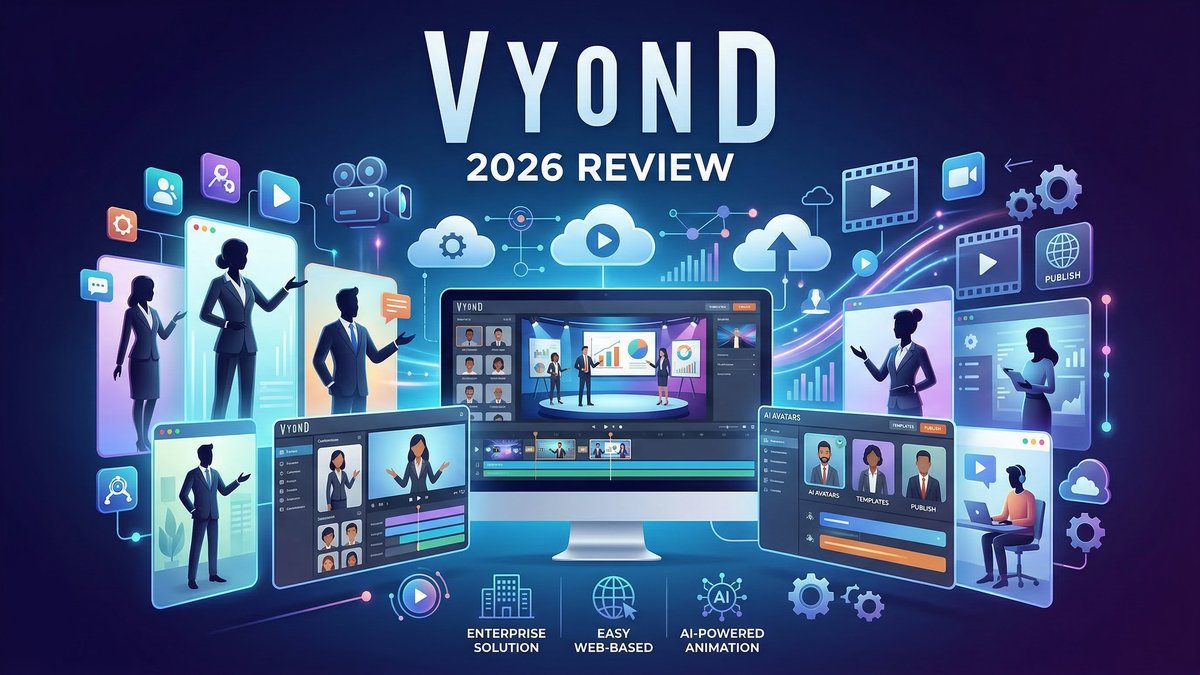
When it comes to is vyond worth, business video content has exploded in 2026, with companies racing to produce training modules, marketing campaigns, and internal communications that actually capture attention. But creating professional animation traditionally meant hiring expensive studios or mastering complex software like After Effects.Vyondchanged that equation—offering enterprise-grade animation tools wrapped in a surprisingly accessible cloud platform.
In this deep-dive review, we’ll explore Vyond’s AI-powered features, analyze its pricing tiers, compare it against competitors, and help you decide if it’s the right investment for your business in 2026.
What is Vyond?
Vyond is a cloud-based animation and video creation platform designed specifically for business use. Founded in 2007 as GoAnimate, it has evolved into an all-in-one solution that combines traditional drag-and-drop animation with cutting-edge AI capabilities like instant video generation, AI avatars, and automatic translation into 70+ languages.
Unlike consumer-focused tools, Vyond targets enterprises, L&D departments, marketing teams, and agencies. Over 65% of Fortune 500 companies use Vyond, and the platform has generated more than 40 million videos since launch. It’s particularly strong in creating training videos, explainer content, and sales presentations at scale.
Core Features Deep-Dive
1. Vyond Go: AI-Powered Instant Video Creation
Vyond’s biggest innovation in 2025-2026 is Vyond Go, an AI engine that turns text prompts into finished videos in under 60 seconds. You can type a prompt like “HR onboarding training for remote employees” and the AI generates a complete storyboard with script, narration, scenes, and characters—all ready to publish or edit further.
You can also upload documents (.doc, .pdf, .ppt) or provide URLs, and Vyond Go will extract key points and build a video automatically. This feature alone can reduce video production time by up to 75%.
2. Vyond Studio: Full-Featured Cloud Editor
For users who want granular control, Vyond Studio provides a comprehensive timeline editor with over 40,000 assets including characters, props, backgrounds, and templates. You can customize every element—adjust character clothing, facial features, skin tones, and even add your company logo to character shirts.
The platform supports multiple visual styles: animated (Contemporary, Business Friendly, Whiteboard), photorealistic (with Shutterstock integration), and mixed media (combining live footage with animation).
3. AI Avatars with Text-to-Speech
Choose from 1,100+ high-quality AI avatars or create custom avatars that look and sound like real people. The platform includes 650+ high-quality text-to-speech voices (Professional plan) and 130+ ultra-high-quality voices (Enterprise plan) across 80+ languages. This is why is vyond worth stands out in the market.
You can even create custom avatars from photos and clone voices (requires Professional plan or higher with add-on purchase).
4. Instant Translation into 70+ Languages
One of Vyond’s most powerful enterprise features is automatic translation. Create a video in English, then instantly generate versions in Spanish, French, Mandarin, or 70+ other languages—with all on-screen text, captions, and text-to-speech audio automatically translated. This feature costs credits but is invaluable for global organizations.
5. Brand Management Suite (Enterprise)
Enterprise customers get advanced brand controls including:
- Custom brand kits with logos, colors, and fonts
- Approval workflows for content governance
- Shared spaces for team collaboration
- Company watermarks
- Color shuffler for consistent branding
6. Screen and Webcam Recording
Capture your screen or webcam directly within Vyond, then combine it with animation. This is perfect for software demos, tutorials, or adding a personal touch with a talking-head video overlaid on animated content.
7. Mobile App for On-the-Go Creation
Vyond’s mobile app (iOS and Android) enables video capture, asset gathering, and even basic editing from phones or tablets. This is ideal for distributed teams that need to contribute content remotely.
Vyond Pricing Breakdown 2026
Vyond’s pricing reflects its enterprise positioning. All prices shown are for annual billing (monthly billing costs significantly more):
| Plan | Price | AI Credits/Month | Key Features |
|---|---|---|---|
| Starter | $58/month ($699/year) | 10,000 | AI avatars, 650+ TTS voices, screen recording, 25-min max video length |
| Professional | $100/month ($1,199/year) | 20,000 | Team collaboration, 4M+ Shutterstock assets, instant translation, 40-min videos |
| Enterprise | $137/month ($1,649/year) | Virtually unlimited | 130+ ultra-high-quality voices, Brand Management Suite, SSO, advanced security, 90-min videos |
| Agency | $167/month ($1,999/year) | 400,000 | Unlimited rights transfers for client work, all Professional features |
Note on Credits: AI features like avatars, text-to-speech, translation, and Vyond Go consume credits. For example, generating a video with Vyond Go costs 400 credits, while translating uses 80 credits per minute of video.
Pros and Cons Based on Real User Reviews
✅ Pros:
- Fastest path from idea to finished video: Vyond Go can generate complete videos in under 60 seconds
- Enterprise-grade security: GDPR-compliant, HIPAA support via BAA, SSO integration
- Massive template and asset library: 40,000+ professionally designed assets
- Rich team collaboration: Shared spaces, approval workflows, role-based permissions
- Instant translation: Create once, deploy globally in 70+ languages
- Mobile flexibility: Edit and capture content on iOS and Android
- High production quality: Export up to 1080p with professional polish
- Trusted by Fortune 500: Used by American Express, Whole Foods, Indeed, Cargill
❌ Cons:
- Premium pricing: Significantly more expensive than consumer tools like Animaker ($20/mo) or Powtoon ($40/mo)
- Requires annual commitment: Enterprise features only available with yearly billing
- Credit system can be confusing: Tracking AI feature usage requires planning
- Cloud-only: No offline editing capability (requires internet connection)
- Learning curve for advanced features: While basic creation is easy, mastering all features takes time
- Some AI features still in beta: Not all automation features are fully mature as of early 2026
Competitor Comparison: Vyond vs. Alternatives
| Feature | Vyond | Animaker | Powtoon |
|---|---|---|---|
| Starting Price | $58/month | $20/month | $40/month |
| AI Video Generation | ✅ Vyond Go (advanced) | ✅ Basic | ✅ Basic |
| Character Animation | ✅ Advanced (actions, expressions) | ✅ Good | ⚠️ Limited |
| Enterprise Features | ✅ Brand suite, SSO, approvals | ⚠️ Basic team tools | ⚠️ Basic collaboration |
| Instant Translation | ✅ 70+ languages | ❌ No | ❌ No |
| Mobile App | ✅ Full-featured | ⚠️ Limited | ❌ No |
Verdict:Vyond is the premium choice for enterprises needing advanced features, security, and scale. Animaker and Powtoon are more budget-friendly for individuals and small teams but lack enterprise-grade controls and AI capabilities. This is why is vyond worth stands out in the market. For more insights, see our Waymark AI Video Tool Review 2026: Script-to-TV-Ad in Minutes.
Use Case Scenarios: When to Use Vyond
Scenario 1: Global Employee Training Rollout
Goal: Create compliance training for 5,000 employees across 12 countries.
Process: Use Vyond Go to generate initial training script from company policy document → Review and edit in Vyond Studio → Add branded characters wearing company logo → Export English master → Use instant translation to create versions in Spanish, French, German, Mandarin, Japanese, and Portuguese → Deploy via LMS.
Time Saved: 85% reduction vs. traditional video production (estimated 4 hours total vs. 26+ hours).
Scenario 2: Sales Demo Video Series
Goal: Create 10 product demo videos for SaaS sales team.
Process: Record screen demos of software features → Import into Vyond Studio → Add animated character host to introduce each feature → Include text callouts and transitions → Export 1080p videos for embedding on sales pages and email campaigns.
Time Required: 30 minutes per video after initial setup.
Scenario 3: Marketing Campaign for Social Media
Goal: Produce 15-second vertical videos for Instagram and TikTok.
Process: Use Vyond Go with prompt “Create 15-second product explainer for social media” → Select Contemporary character style → Add brand colors via Brand Kit → Generate variations for A/B testing → Export in vertical 9:16 format.
Time Required: 10-15 minutes for 3 variations.
Expert Tips for Maximizing Vyond
- Start with Vyond Go, refine in Studio: Use AI to draft and storyboard videos quickly, then polish in the full editor for perfect results.
- Build a brand kit first: Upload logos, colors, and fonts at the start so all future videos maintain consistency.
- Monitor your credit usage: Track AI feature consumption to avoid running out mid-project. Enterprise plans offer virtually unlimited credits.
- Leverage Shutterstock integration: Professional plan unlocks 4M+ stock images and video clips—use them to enhance production quality.
- Create video templates: Build reusable templates for recurring content types (weekly updates, product launches) to maintain efficiency.
Final Verdict: Is Vyond Worth It in 2026?
Rating: ⭐⭐⭐⭐½ (4.5/5 Stars)
Vyond stands at the intersection of instant AI video creation and deep business-grade editing, empowering organizations to produce engaging video content up to 10x faster than traditional methods. Its enterprise security, collaboration features, and futureproof AI roadmap make it a standout choice heading into 2026.
Who should buy Vyond:
- Enterprise L&D and training departments
- Marketing teams producing high-volume video content
- Global companies needing multi-language support
- Agencies creating client-facing videos (Agency plan)
- Organizations requiring brand governance and approval workflows
- Companies with security/compliance requirements (HIPAA, GDPR)
Who should skip it: For more insights, see our Best AI Video Tools for Product Demos in 2026: Showcase, Convert & Sell More.
- Individual creators on tight budgets (consider Animaker or Powtoon)
- Users needing only basic whiteboard animation (Doodly is cheaper)
- Teams requiring offline editing (Vyond is cloud-only)
- Hobbyists creating personal projects (overkill for casual use)
Bottom line: Vyond’s premium pricing is justified by its premium feature set. For businesses serious about video content at scale, the investment pays for itself through time savings, professional quality, and enterprise capabilities. The 14-day free trial through Voomly Cloud makes it low-risk to test. If video is a strategic priority for your organization, Vyond is one of the best investments you can make in 2026.







