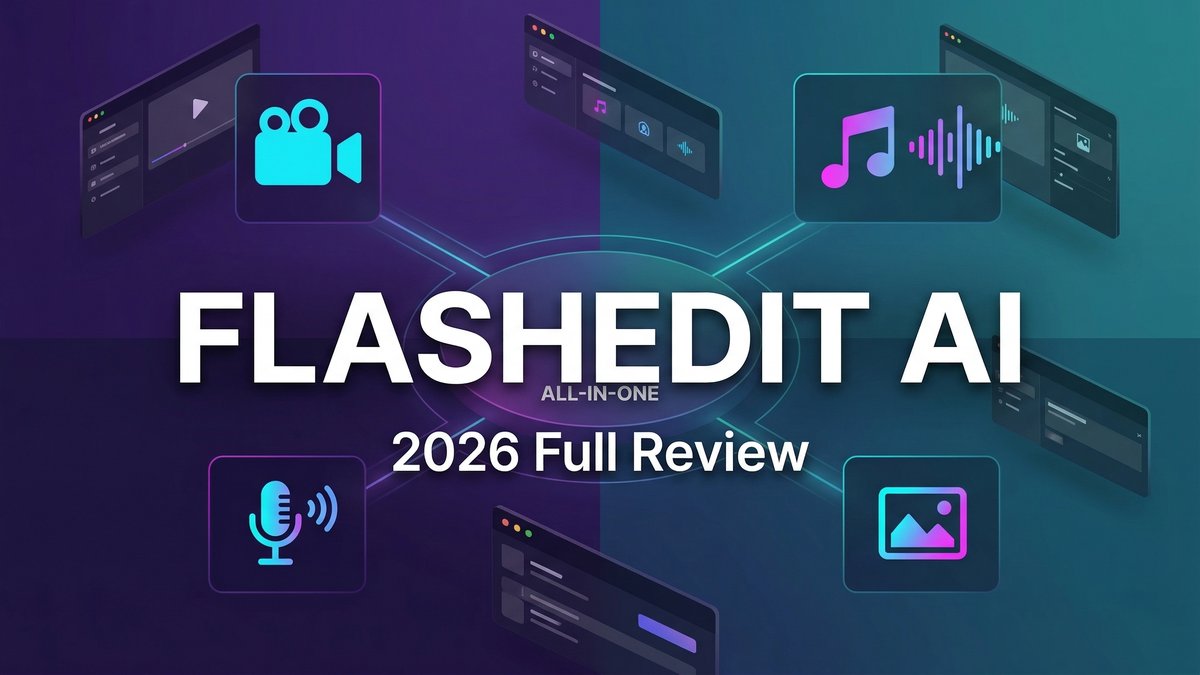
When it comes to FlashEdit AI Review 2026 pricing, most AI video generators force you to jump between separate tools for video, images, music, and voice. FlashEdit AI takes a different approach: it’s an all-in-one multimodal studio that unifies the entire content production workflow—from initial concept to platform-ready export—in a single workspace.
After comprehensive research and analysis of user feedback, this FlashEdit AI review reveals whether the unified workflow approach delivers genuine productivity gains, and more importantly, whether it’s worth your investment in 2026.
What Is FlashEdit AI?
FlashEdit AI is an all-in-one multimodal studio designed to create and ship release-ready content without jumping between tools. Unlike single-purpose AI video generators, FlashEdit unifies video generation, image creation, music composition, and voice narration in one cohesive workflow engine.
The platform integrates multiple leading AI models spanning video (Veo 3.1, Kling 3.0, Sora 2, Runway, Luma, Pika), image (Nano Banana 2 & Pro, Seedream 5.0, Z-Image Turbo), music (original composition from text/lyrics), and voice (text-to-speech in 50+ languages with diverse accents).
What distinguishes FlashEdit from competitors is its workflow engine philosophy. Rather than treating each generation as a one-off task, FlashEdit keeps every asset and iteration for a project in one place. Visuals, audio, and edit directions can be reused, swapped, and kept cohesive without constant exporting and reassembling across tools.
Core Features: What Makes FlashEdit Stand Out
Unified Multimodal Workflow
FlashEdit’s flagship capability is its four-step unified workflow:
1. Input: Start with a prompt or upload an image. FlashEdit helps you pick the right model and settings based on your project goals.
2. Generate: Create videos and matching visuals. Preview variations and iterate without rewriting your entire brief. Generate multiple takes to find the best version.
3. Enhance: Add voiceover, background music, and captions. Use quick tools to upscale, unblur, remove backgrounds, or extend shots—all in the same workspace.
4. Publish: Export for TikTok, Reels, Shorts, or ads in the correct aspect ratios and resolutions. Download complete assets and reuse them from your library.
This eliminates the traditional workflow of generating video in one tool, creating images in another, composing music in a third, recording voiceover in a fourth, and assembling everything in a video editor.
AI Video Generator: Multiple Models, One Interface
FlashEdit provides access to leading AI video models including Veo 3.1, Kling 3.0, Sora 2, Runway, Luma AI, and Pika. You choose the model that fits your creative goal—cinematic motion, UGC realism, stylized looks, fast drafts, or high-fidelity renders—and switch as needed.
The platform supports text-to-video, image-to-video, and draw-to-video generation. First/last frame control allows you to specify exactly how your clip should begin and end. Multi-track audio overlay enables layering music, voiceover, and sound effects natively within the video tool.
AI Music Generator: Original Soundtracks from Scratch
Unlike most AI video platforms that require you to bring your own audio or use stock tracks, FlashEdit generates original music from text descriptions or your own lyrics. Write “upbeat lo-fi hip hop with soft piano” and receive a complete, royalty-free track in minutes.
Additional audio tools include Lyrics Maker (generates lyrics from themes), Vocal Remover (isolates instrumentals), Extend Song (creates longer versions), and MP3-to-WAV conversion. Commercial rights are included on Pro plans, eliminating licensing concerns.
AI Voice Generator: Natural Speech in 50+ Languages
FlashEdit’s AI Voice Maker converts written text into natural-sounding speech in 50+ languages with diverse accent and voice styles. Outputs generate in under one minute and integrate with the video generator for auto-synced voiceovers.
This is crucial for creators producing videos with custom narration. Without this feature, you’d need a separate subscription to ElevenLabs ($11-22/month) or similar voice tools. FlashEdit includes it natively, saving both money and workflow friction.
AI Image Generator: Multiple Models and Editing Tools
The image suite includes generation models (Nano Banana 2 & Pro, Seedream 5.0, Z-Image Turbo) plus transformation tools: cartoon-to-realistic conversion, caricature maker, photo restoration, photo colorization, and logo placement on product mockups. This is why FlashEdit AI Review 2026 pricing stands out in the market.
Upscaling and enhancement tools restore detail to existing images. Background removal creates clean compositions. These tools integrate directly with the video workflow—generate an image, refine it, animate it, and add to your video without leaving the platform.
Effects Library: Ready-to-Use Transformations
FlashEdit includes a library of video and image effects optimized for different content types. Apply effects to jump from cinematic motion to UGC realism or clean commercial looks. Spin variations and export release-ready assets formatted for every platform.
Post-generation tools include upscale (sharper detail), unblur (restore clarity), remove background (cleaner compositions), and extend shots (smooth timing). Keep everything in one workflow so outputs look polished and ready to export.
Pricing: What You’ll Actually Pay in 2026
FlashEdit uses a credit-based model with three tiers:
Starter Plan – $0/month
- 10 free AI design credits with login
- Up to 2 videos
- Up to 5 images
- Up to 1 song
- Up to 1 voice track
- Watermarked outputs
- Standard generation speed
PRO Plan – $29.90/month (Most Popular)
- 1,000 AI design credits per month
- Up to 200 videos
- Up to 500 images
- Up to 66 songs
- Up to 100 voice tracks
- HD, watermark-free downloads
- Priority support
- Faster generation speed
- Private generation
- Credits rollover and never expire
Ultra Plan – $99.90/month
- 5,000 AI design credits per month
- Up to 1,000 videos
- Up to 2,500 images
- Up to 330 songs
- Up to 500 voice tracks
- Everything in Pro
- Ideal for agencies and high-volume creators
Credit Economics: Credits come from a single shared pool covering video, image, music, and voice generation. You allocate them based on project needs. This flexibility is valuable—if one month requires more videos and less music, you adjust allocation without waste.
Key Advantage: Credits rollover and never expire on paid plans. This eliminates the “use it or lose it” pressure common with competitors whose monthly credits expire at billing reset.
Pros and Cons: The Honest Breakdown
What Works Exceptionally Well
True All-in-One Workflow: Video, image, music, and voice in one platform eliminates tool-switching friction. You can coordinate multi-step production (script → visuals → voiceover → music → export) without leaving FlashEdit.
Original Music Generation: Unlike competitors that require bringing your own audio, FlashEdit creates royalty-free original music from text descriptions. This alone saves $10-20/month in music subscription costs.
Native Voice Generation: AI voice in 50+ languages with auto-sync to video means no separate ElevenLabs subscription needed (saving another $11-22/month).
Credits Never Expire: Rollover credits on paid plans remove pressure to use credits before monthly reset. Unused credits accumulate for larger projects.
Unified Asset Library: Every generated asset stays organized in one project workspace. Reuse, swap, and iterate without hunting through downloads folders.
Platform-Ready Exports: Export in correct aspect ratios and resolutions for Shorts, Reels, TikTok, or ads without manual conversion.
Areas for Improvement
Higher Entry Price: At $29.90/month, FlashEdit costs more than single-purpose tools. However, it replaces 3-4 separate subscriptions, so total cost may still be lower.
Free Tier Limitations: The Starter plan’s 10 credits only cover 2 videos, making it more of a trial than a usable free tier.
Learning Curve for Full Workflow: While individual tools are intuitive, mastering the complete multimodal workflow takes time. Creators used to single-purpose tools need adjustment.
Newer Platform: Compared to established competitors, FlashEdit has a smaller community and fewer user-generated templates and tutorials.
No Public API:Developers and teams wanting programmatic access or custom integrations don’t have API access currently. This is why FlashEdit AI Review 2026 pricing stands out in the market. For more insights, see our Waymark AI Video Tool Review 2026: Script-to-TV-Ad in Minutes.
Competitor Comparison: FlashEdit vs. Alternatives
FlashEdit vs. Pollo AI
Pollo AI focuses primarily on video and image generation with access to multiple models. It does NOT generate original music or voiceovers—you must bring your own audio or use its audio-to-video feature with existing files. Pollo AI costs $15-29/month for video/image only. To add voice and music capabilities, you’d need ElevenLabs ($11/month) and Suno ($10/month), totaling $36-50/month. FlashEdit includes all four modalities for $29.90/month. If you need complete production capability, FlashEdit offers better total value.
FlashEdit vs. InVideo AI
InVideo AI specializes in template-based video creation with extensive editing controls, ideal for long-form YouTube content. It doesn’t generate original music or voice natively. InVideo Business costs $20/month for 60 exports, but you still need separate tools for music and voice. FlashEdit’s strength is the unified workflow across all content types. Choose InVideo for template-heavy editing; choose FlashEdit for end-to-end multimodal production.
FlashEdit vs. Runway ML
Runway excels at precision video editing with advanced controls like multi-motion brush and timeline editing. It’s video-focused with limited music/voice capabilities. Runway Standard costs $35/month. FlashEdit includes Runway as one of its video models plus music, voice, and image generation for $29.90/month. Runway wins on video precision; FlashEdit wins on workflow completeness and value.
Real-World Use Cases: Who Should Use FlashEdit
Content Creators Producing Complete Videos
YouTube creators, podcast video producers, and educators who need complete videos with voiceover and music benefit from FlashEdit’s unified workflow. No more coordinating between video editor, voice tool, and music platform.
Marketing Teams and Growth Marketers
Ad creative teams testing multiple variations with different visuals, voiceovers, and music can iterate faster within one workspace. Export platform-ready ads without manual format conversion.
Social Media Managers
Daily content production for TikTok, Reels, and Shorts becomes more efficient. Generate video, add captions, layer music, record voiceover, and export—all in one tool.
Agencies and High-Volume Creators
The Ultra plan at $99.90/month with 5,000 credits supports agency-scale production. Serve multiple clients from one unified platform with organized asset libraries per project.
Creators Who Hate Tool-Switching
If you’re frustrated by the traditional workflow of generating assets in 4-5 different tools then assembling in an editor, FlashEdit’s unified approach eliminates that friction entirely.
NOT Ideal For:
Creators who only need occasional video generation (single-purpose free tools may suffice), those who already have music/voice workflows they’re happy with and don’t need replacement, or users requiring public API access for custom integrations.
User Experience: What Creators Are Saying
FlashEdit is newer to market than established competitors, so user review volume is smaller. However, early adopter feedback highlights several consistent themes:
Creators consistently praise the workflow efficiency gains from having video, music, and voice in one place. The time savings from not exporting/importing between tools adds up significantly over multiple projects.
The music generation quality receives positive feedback—outputs sound like real compositions rather than generic loops. The ability to generate music from lyrics is particularly valued by creators with specific lyrical content needs.
Voice quality is noted as natural-sounding with good language/accent variety, competitive with standalone voice tools like ElevenLabs at lower tiers.
Common requests include more community templates, expanded tutorial library, and API access for developer integrations. Some users note the learning curve for mastering the complete workflow, though individual tools remain intuitive.
Expert Tips for Maximizing FlashEdit Value
Plan Full Projects Upfront: FlashEdit shines when you use multiple modalities together. Plan video concepts that include custom music and voiceover to maximize value.
Leverage Credit Rollover: Unlike competitors where credits expire, FlashEdit credits accumulate. Save credits in low-production months for larger projects later.
Build Reusable Asset Libraries: Organize generated music tracks, voice clips, and images into project-specific libraries. Reuse assets across similar content to reduce regeneration.
Master One Modality First: Start with just video or just music generation to learn the interface. Gradually integrate other modalities as you gain confidence.
Use Platform-Ready Export: Take advantage of preset export formats for TikTok, Reels, and Shorts to save post-production conversion time.
Test Voice Styles Early: With 50+ language options and multiple voice styles, test several to find your brand voice before producing volume content.
Total Cost of Ownership: FlashEdit vs. Multi-Tool Stack
To truly evaluate FlashEdit’s value, compare it against the multi-tool stack it replaces:
Traditional Multi-Tool Approach:
- AI Video Tool (Runway, Pika): $15-35/month
- Voice Generation (ElevenLabs): $11-22/month
- Music Generation (Suno, Soundraw): $10-20/month
- Image Generation (Midjourney, DALL-E): $10-30/month
- Total: $46-107/month
FlashEdit All-in-One:
- Video, Voice, Music, Image: $29.90/month (Pro)
- Savings: $16.10-77.10/month
For creators who genuinely need all four capabilities, FlashEdit delivers substantial cost savings. Even if you only need three of the four modalities, you’re still likely saving money compared to separate subscriptions.
Final Verdict: Is FlashEdit Worth It in 2026?
Rating: 4.3 out of 5 stars
FlashEdit AI delivers on its core promise: a true all-in-one multimodal studio that unifies video, image, music, and voice generation in one cohesive workflow. For creators who need complete content production capability, the value proposition is compelling.
The ability to coordinate video generation, music composition, and voice narration in one workspace eliminates the friction of tool-switching and asset management across multiple platforms. The workflow efficiency gains are genuine and measurable.
At $29.90/month for the Pro plan, FlashEdit replaces 3-4 separate subscriptions totaling $46-107/month. The math is clear: if you need multiple content modalities, FlashEdit is more economical than a multi-tool stack. Credits that rollover and never expire add flexibility that competitors don’t offer.
However, creators who only need occasional basic video generation may find the price higher than necessary. Single-purpose tools with lower entry points exist for those with simpler needs.
You should choose FlashEdit if:
- You produce complete videos requiring voiceover and music
- You’re frustrated by coordinating multiple content creation tools
- You need flexibility to allocate credits across video/image/music/voice based on project needs
- You value workflow efficiency and organized asset management
- You want credits that accumulate rather than expire monthly
Look elsewhere if:
- You only need occasional video generation without audio
- You already have music/voice workflows you’re satisfied with
- You require public API access for custom integrations
- You prefer specialized single-purpose tools over integrated platforms
For content creators, marketing teams, and agencies producing release-ready content at volume, FlashEdit represents one of the strongest workflow efficiency and cost value propositions in the 2026 AI content creation landscape. The unified multimodal approach isn’t just a convenience—it’s a fundamental rethinking of how AI-powered content production should work. For more insights, see our Best AI Video Tools for Product Demos in 2026: Showcase, Convert & Sell More.
If you’re tired of juggling subscriptions and switching between tools, FlashEdit deserves serious consideration. The Pro plan at $29.90/month delivers comprehensive production capability that would cost 2-3x more through separate subscriptions.







