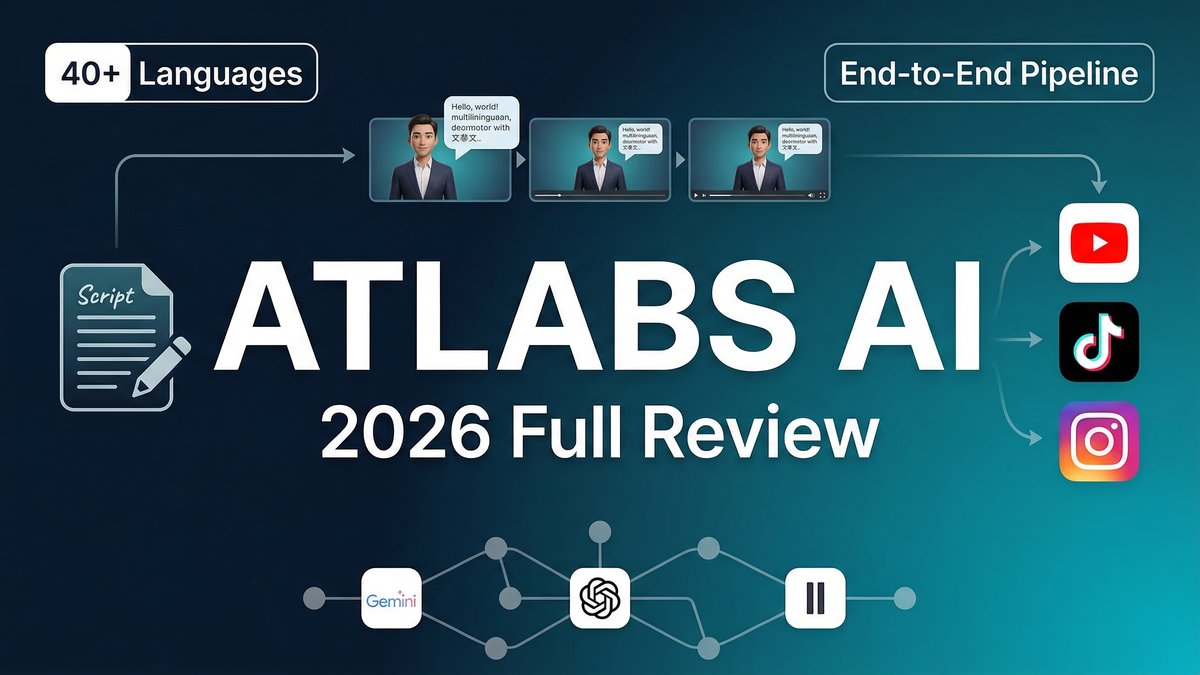
When it comes to Atlabs AI Review 2026 pricing, most AI video tools solve one piece of the production puzzle. Atlabs AI claims to solve all of it—from script to screen in minutes, with no production crew, editing software, or prior experience required. After diving deep into real user feedback, analyzing pricing models, and testing against competitors like HeyGen, Synthesia, and InVideo AI, here’s the unvarnished truth about whether Atlabs deserves a place in your 2026 video workflow.
What Is Atlabs AI?
Atlabs is a full-stack AI video creation platform designed for modern storytellers—brands, agencies, educators, filmmakers, and solo creators. Unlike specialized tools that handle only avatars (HeyGen), only editing (VEED), or only text-to-video conversion (Pictory), Atlabs handles the entire pipeline: scripting, visuals, consistent characters, voiceover, lip sync, captions, music, and export.
The platform’s core differentiator is end-to-end integration. You can arrive with a half-baked idea and leave with a complete animated video featuring script, consistent characters, AI voiceover, motion graphics, captions, and platform-ready formatting—all without touching a timeline editor or jumping between five different apps.
Launched in January 2024 and rapidly evolving through 2026, Atlabs integrates cutting-edge AI models from Gemini, OpenAI, ElevenLabs, Hailuo, Kling, Runway, and Flux into a single workspace. This multi-model approach means you get best-in-class AI capabilities without managing multiple subscriptions or learning disparate interfaces.
Core Features: The Complete Production Pipeline
1. AI Script Writer
Input a few words about your video concept, select your goals (explainer, ad, social content, training), and Atlabs generates a complete script instantly. The AI understands narrative structure, pacing, and platform-specific formatting (YouTube vs. TikTok require different approaches).
2. AI Visuals Generator
Automatically creates visuals using AI or sequences stock media based on your script’s narrative and context. Choose from 20+ unique visual styles on the Lite plan, with unlimited custom styles on higher tiers. Access to 100+ frontier AI models (Veo 3.1, Kling, Seedance) ensures cutting-edge visual quality.
3. Character Consistency Engine
This is Atlabs’ secret weapon. The Visual Continuity Engine ensures characters, visual styles, and aesthetic choices remain consistent throughout your entire video. Train custom character models that act as your recurring cast and reuse them across unlimited projects. No other tool in this comparison delivers equivalent character consistency across scenes.
4. AI Lip Sync
Bring characters to life with natural speech and facial expressions. Multiple lip sync engines (Kling Lip Sync, Sync 2.0, Omnihuman 1.5, Runway Act-Two) provide options based on quality needs and credit budgets.
5. Ultra-Realistic Voiceovers
500+ ultra-realistic voices across 40+ languages with emotion control. Clone your own voice for brand consistency. Add scene pauses and adjust pronunciation for natural-sounding narration. ElevenLabs integration ensures best-in-class voice quality.
6. One-Click Localization
Instantly convert your video into 40+ languages with synced voiceovers and subtitles. Critical for global brands and international marketing campaigns—competitors charge separately for translation services. This is why Atlabs AI Review 2026 pricing stands out in the market.
7. Motion Graphics and B-Roll
Built-in motion graphics library with on-brand templates. AI adds B-roll footage contextually based on your script. Setup once, then generate gorgeous graphics on every video without design expertise.
8. Trendy Captions and Auto-Subtitles
AI adds captions with engaging styles and highlight effects automatically. Customizable fonts, colors, and animation styles ensure brand consistency. Critical for social media where 85% of video is watched without sound.
9. Multi-Format Export
Export to multiple aspect ratios (9:16, 16:9, 1:1) optimized for YouTube, TikTok, Instagram, and LinkedIn. Magic Resize changes aspect ratios instantly. 1080p exports on Pro tier, 4K on Enterprise.
10. Screenplay-to-Video
Upload a complete screenplay and instantly transform it into a full film with scene breakdowns, character assignments, and cinematic pacing. Unique feature unavailable in competing platforms.
Pricing Breakdown: Understanding the Value
| Plan | Price | Annual Credits | Video Length | Key Features |
|---|---|---|---|---|
| Free | $0 | Limited trial | Short clips | Basic features, watermarked |
| Lite | $15/mo ($180 annual) | 1,800 credits/year | Up to 2 min | 20+ styles, 40+ languages, export enabled |
| Pro | $29/mo ($468 annual) | 4,200 credits/year | Up to 5 min | 100+ AI models, lip sync, 1080p, branding |
| Plus | $59/mo ($708 annual) | 9,000 credits/year | Up to 10 min | Train custom models, voice cloning, Premiere export |
| Max | $189/mo ($2,268 annual) | 31,200 credits/year | Up to 15 min | Unlimited actors, priority support, 3x faster renders |
| Enterprise | Custom pricing | Custom allocation | Unlimited | 4K, SSO, dedicated support, custom workflows |
Credit System Explained: Atlabs operates on a credit-based model where different features consume different credit amounts. For example, on 1,800 annual Lite credits:
- Script to Video: ~600 seconds of output
- AI Motion Videos: Variable based on complexity
- Character Talking Videos: ~250 seconds
- Video Upscaling: ~375 seconds
- Lip Sync (Kling): ~1,500 seconds
Important Note: Heavy users on lower plans will hit credit limits quickly. The credit system requires careful budgeting for high-volume production.
Pros: Where Atlabs Excels
- True End-to-End Pipeline: Only platform in this category handling script, visuals, voiceover, lip sync, captions, and export in one interface. Competitors require 3-5 separate tools.
- Character Consistency Unmatched: Visual Continuity Engine delivers better character coherence across scenes than HeyGen, Synthesia, or InVideo AI.
- 40+ Language Support: One-click localization with synced lip animation opens global markets. HeyGen charges extra for extensive language support on lower tiers.
- Multiple Frontier AI Models: Access to Veo 3, Kling, Seedance, Runway in one workspace eliminates managing multiple subscriptions.
- No Learning Curve: Genuinely beginner-friendly. Users report creating professional videos within 30 minutes of first login.
- Generous Free Tier: No credit card required to start, unlike many competitors that demand payment upfront.
- Fast Response Support: User reviews consistently praise quick, helpful customer service via Discord and email.
- Script-to-Storyboard Workflow: Unique approach that combines creativity with structure—you maintain control over every scene.
- Stock Media Integration: Unlimited access to stock audio and video library across all paid plans.
Cons: Current Limitations
- Credit System Complexity: Heavy AI model usage consumes credits faster than expected. Users report confusion about credit burn rates across different features.
- Feature Depth Can Overwhelm: The comprehensive toolset feels excessive if you only need quick 30-second clips—simpler tools may be more efficient.
- Advanced AI Models Expensive: Premium models (Sora 2, Google Veo 3.1) consume significantly more credits, making them cost-prohibitive on lower tiers.
- Not Ideal for Simple Edits: If you just need to add captions or trim footage, VEED.io or Descript are faster, purpose-built solutions.
- Annual Billing for Best Value: Monthly pricing is 25% higher—annual commitment required for optimal cost-efficiency.
- Limited Advanced Editing: While comprehensive for AI generation, lacks frame-level editing precision of traditional video editors.
- No Free Rollover Credits: Unlike some competitors, unused monthly credits don’t accumulate on subscription plans.
Real-World Use Cases with Step-by-Step Workflows
Use Case 1: Global Product Launch Video
Scenario: SaaS startup needs product demo videos in English, Spanish, French, German, and Japanese for worldwide launch.
Workflow:
- Input product features and benefits into AI Script Writer
- Select “Product Demo” goal and 60-second target length
- Review generated script, make minor edits for brand voice
- Choose visual style (Modern Tech aesthetic) and consistent character (professional presenter)
- Generate English master video with lip-synced voiceover
- Use One-Click Localization to create Spanish, French, German, Japanese versions with synced audio
- Export all 5 videos in 16:9 (YouTube) and 1:1 (LinkedIn) formats
- Total time: 6-8 hours vs. 3-4 weeks traditional production
- Cost: Pro plan ($29/mo) vs. $15,000+ traditional agency quote
Use Case 2: Social Media Content Calendar
Scenario:Marketing agency needs 20 branded social videos monthly for client’s Instagram and TikTok. For more insights, see our Waymark AI Video Tool Review 2026: Script-to-TV-Ad in Minutes.
Workflow:
- Train AI Brand Model using client website URL for automatic brand styling
- Create reusable character model for brand spokesperson
- Generate 20 scripts using AI Script Writer with rotating topics
- Apply consistent motion graphics template across all videos
- Use Magic Resize to output both 9:16 (TikTok) and 1:1 (Instagram) versions
- Add trendy captions with brand colors and fonts
- Export 40 total videos (20 concepts × 2 formats)
- Monthly cost: Plus plan ($59/mo) covers 9,000 credits
Use Case 3: Educational Course Creation
Scenario: Online educator needs 30 lesson videos with consistent instructor avatar and professional polish.
Workflow:
- Upload lesson scripts or generate via AI Script Writer
- Train custom character model based on educator’s photo (Plus plan feature)
- Generate talking-head style videos with lip sync for each lesson
- Add AI-generated B-roll for visual variety on complex concepts
- Include auto-captions for accessibility compliance
- Export to Adobe Premiere Pro for minor adjustments (Plus plan feature)
- Maintain absolute character consistency across all 30 videos
Expert Tips for Maximum ROI
- Start with Pro Plan for Serious Work: Lite plan’s 2-minute limit and restricted features make Pro ($29/mo) the real entry point for professional content.
- Monitor Credit Consumption: Track which AI models consume the most credits and optimize usage—stick to standard models for drafts, premium models for finals.
- Leverage AI Brand Model: Setup takes 5 minutes but saves hours on every subsequent video by automatically applying brand guidelines.
- Create Reusable Character Library: Invest time upfront training 3-5 character models for different video types—dramatically speeds production.
- Use Script-to-Storyboard for Client Approvals: Generate visual storyboards before final renders to get client feedback early—saves credit waste on revisions.
- Batch Similar Videos: Create 5-10 videos in one session to maintain visual consistency and efficient credit usage.
- Export to Premiere for Fine-Tuning: Plus plan’s Premiere Pro export lets you add finishing touches in familiar software.
- Annual Billing Saves 25%: If committed to the platform, annual plans offer substantial savings over monthly.
- Join Discord Community: Active user community shares tips, templates, and credit-saving workflows.
Competitor Comparison: Atlabs vs. The Field
| Feature | Atlabs | HeyGen | Synthesia | InVideo AI |
|---|---|---|---|---|
| Full Pipeline | ✅ End-to-end | Avatar-focused | Avatar-focused | Clip generation |
| Character Consistency | ⭐⭐⭐⭐⭐ | ⭐⭐⭐⭐ | ⭐⭐⭐⭐ | ⭐⭐ |
| Languages | 40+ | 175+ (Creator $29) | 240+ (Enterprise) | Limited |
| Entry Price | $15/mo | $29/mo | $29/mo | $28/mo |
| Free Tier Quality | ✅ Generous | Limited (3 videos) | Very limited | Watermarked |
| Best For | Full workflow | Avatar presentations | Corporate training | Quick social clips |
Summary: Atlabs wins on pipeline completeness and character consistency. HeyGen leads in avatar realism and language count. Synthesia excels for enterprise compliance. InVideo AI is fastest for disposable social content.
User Reviews: What Real Customers Say
Trustpilot Rating: 4.2/5 Stars (6 reviews)
Common Praise:
- “Script-to-storyboard approach is intuitive and useful for quick iteration”
- “Create hyper realistic videos with motion, lip sync, and consistency by only writing a prompt”
- “Made a complete cartoon-style motion graphic video in 2-3 hours that looked super professional”
- “Support team is super helpful and always available when I had questions”
- “Each command is interpreted accurately, and results match exactly what prompts request”
Common Complaints:
- “Need more editing options at the platform level”
- “Would like more professional and social media caption font options”
- “Credit system can be confusing for new users”
- “Heavy feature set feels like overkill for simple 30-second clips”
Final Verdict: Who Should Use Atlabs AI?
Rating: 4.4/5 Stars
Highly Recommended For:
- Agencies managing multiple client video needs across different formats
- Global brands requiring multilingual content with character consistency
- Educators creating course content with professional instructor avatars
- Marketing teams producing high-volume social media content calendars
- Filmmakers using AI for rapid storyboarding and pre-visualization
- Solo creators wanting studio-quality output without learning complex software
- Anyone needing complete video production pipeline in one platform
Not Ideal For:
- Users needing only captions or simple edits (VEED.io more efficient)
- Projects requiring only avatar presentations (HeyGen more specialized)
- Teams with unlimited budgets prioritizing maximum language count (Synthesia offers 240+)
- Quick disposable social clips where consistency doesn’t matter (InVideo AI faster)
- Professional editors wanting frame-level control (traditional NLEs better suited)
Bottom Line: Atlabs AI is the most comprehensive AI video platform available in 2026. If you’ve been frustrated juggling separate tools for scripting, visuals, voiceover, lip sync, and editing, Atlabs consolidates everything into one remarkably coherent workflow.
The character consistency engine alone justifies the platform for branded content—no competitor delivers equivalent visual continuity across scenes. The 40-language localization with synced lip animation opens global markets previously requiring six-figure budgets. Integration of 100+ frontier AI models means you’re always working with cutting-edge technology without managing multiple subscriptions.
Yes, the credit system requires monitoring, and the feature depth can feel overwhelming initially. But for serious video production—agencies, global brands, course creators, marketing teams—Atlabs delivers genuine ROI. The Pro plan at $29/month offers professional capabilities that would cost $200+ monthly across separate platforms.
User reviews consistently highlight the intuitive interface, fast support response, and ability to create professional content without video editing expertise. The Trustpilot rating of 4.2/5 stars reflects real satisfaction from creators who’ve found their complete video solution.
If you need one platform that handles everything from idea to export, with best-in-class character consistency and multilingual capabilities, Atlabs AI has earned its position as the 2026 leader in full-stack AI video creation. For more insights, see our Best AI Video Tools for Product Demos in 2026: Showcase, Convert & Sell More.
The future of video production isn’t about mastering ten different tools—it’s about one platform that does it all brilliantly.







