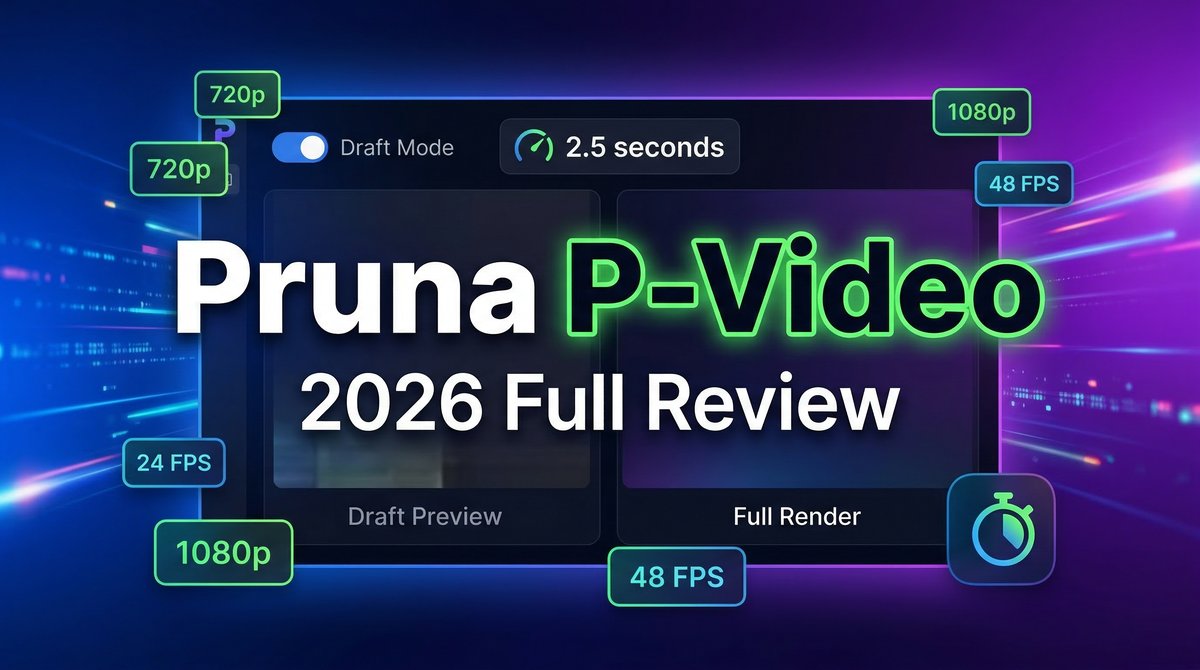
When it comes to Pruna P-Video Review 2026 pricing, in the fast-paced world of AI video generation, speed often comes at the cost of quality—or vice versa. But what if you could generate professional-grade videos in just 10 seconds while maintaining creative control? That’s exactly what Pruna AI promises with P-Video, their flagship video generation model that’s turning heads in 2026 for one revolutionary feature: a draft mode that’s 4× faster than full renders.
Launched in early 2026 by Pruna AI, P-Video isn’t trying to compete with cinematic giants like Sora 2 or Runway Gen-4. Instead, it carves out a unique niche by solving the most painful part of AI video creation—the iteration loop. While competitors force you to wait 40-90 seconds per generation, P-Video delivers draft previews in just 2.5 seconds, letting you validate your concept before committing to a full render.
For creators producing high volumes of short-form content, product animations, or talking-head videos, this speed advantage isn’t just convenient—it’s transformative. But does P-Video’s efficiency come with trade-offs? Let’s dive deep into the features, pricing, real-world performance, and honest limitations of this speed-focused AI video tool.
Core Features: Built for Speed and Iteration
P-Video operates on a fundamentally different philosophy than most AI video generators. Rather than perfecting a single workflow, it offers a two-tier system designed for how creators actually work: rough sketch first, polish later.
Draft Mode: The Game-Changing Preview System
The standout feature is Draft Mode, which generates low-fidelity but compositionally accurate previews in approximately 2.5 seconds for 720p and 4.9 seconds for 1080p. According to testing documented on Replicate’s platform, this preview shows you the motion, framing, subject placement, and overall vibe without burning time or budget on a full render.
Think of it as the thumbnail sketch phase of traditional video production, but automated. You can see whether your prompt delivers the right result before committing to the full 10-second generation cycle. For creators testing multiple concepts, this reduces both wait time and costs by approximately 4-5×.
Multimodal Input Support
P-Video isn’t limited to text-to-video generation. It supports three distinct input modes through a unified endpoint:
- Text-to-Video: Standard prompt-based generation with automatic prompt enhancement (upsampling) enabled by default
- Image-to-Video: Animate static images while maintaining subject consistency—particularly strong for product animations and avatar generation
- Audio-to-Video: Provide audio input and generate synchronized video, excellent for talking head content with lip sync
The image-to-video mode is where P-Video particularly shines according to community feedback on LinkedIn and RunPod forums. Users report strong subject fidelity when animating reference frames, making it ideal for e-commerce product videos and avatar-based content.
Native Audio Generation
Unlike many competitors that require separate audio post-production, P-Video includes built-in audio generation supporting dialogue, sound effects, and background music. You can also import custom audio tracks and sync them to generated visuals, eliminating the need for a separate audio pipeline. This is why Pruna P-Video Review 2026 pricing stands out in the market.
According to Pruna AI’s documentation, the audio quality is sufficient for social media content, tutorials, and promotional videos, though it doesn’t reach the premium fidelity of dedicated audio providers for complex sound design.
Technical Specifications
- Resolution: Up to 1080p output
- Frame Rates: 24 or 48 FPS
- Aspect Ratios: 16:9, 9:16, 4:3, 3:4, 3:2, 2:3, 1:1
- Duration: 1-10 seconds per generation (default: 5 seconds)
- Reproducibility: Seed parameter for consistent regeneration
Pricing: Pay Per Second of Output
P-Video uses a straightforward per-second pricing model available through platforms like Replicate and RunPod. Here’s the complete breakdown:
| Mode | 720p Price | 1080p Price |
|---|---|---|
| Draft Mode (Preview) | $0.005/second | $0.01/second |
| Full Render | $0.02/second | $0.04/second |
Real-World Cost Examples
Let’s break down what this means for typical workflows:
Single 5-second video (720p):
- Draft preview: $0.025
- Full render: $0.10
- Total: $0.125
Iterative workflow (4 concepts tested):
- 3 draft previews: $0.075
- 1 full render: $0.10
- Total: $0.175 (vs. $0.80 with traditional models)
As documented in a February 2026 analysis on LinkedIn, this represents approximately a 4.5× cost reduction and 8× speed improvement for realistic creative workflows compared to models like Kling or Runway that charge $0.20+ per generation with 60-second wait times.
Pros and Cons: What Real Users Say
Strengths (Based on User Reviews)
- Blazing fast iteration: The 2.5-second draft mode fundamentally changes the creative process, allowing 20+ concept tests in the time competitors need for 3-4 generations
- Excellent lip sync and talking heads: Multiple reviewers on G2 and ProductHunt cite this as P-Video’s “sweet spot”—strong input-image consistency with reliable lip synchronization
- Product animation strength: Users report particularly good results animating static product shots with smooth motion and maintained subject fidelity
- Cost-effective at scale: For high-volume creators producing 50+ videos monthly, the per-second pricing and draft workflow deliver 60-80% cost savings
- Simple API integration: Clean implementation through Replicate makes it easy for developers to integrate into existing workflows
Limitations (Acknowledged by Users and Documentation)
- No extreme camera motion: Not designed for sweeping drone shots, complex camera paths, or rapid scene transitions
- Single-scene only: Each generation is one continuous clip—no multi-scene storytelling or narrative arcs within a single prompt
- Audio limitations: Speaker attribution can drift with 2+ speakers; sound effects performance is limited compared to dedicated audio providers
- No native 4K: Maxes out at 1080p, which may not meet requirements for high-end production workflows
- Draft quality gap: While drafts show composition accurately, the quality jump to full render is substantial—drafts aren’t suitable for final delivery
Competitor Comparison: How P-Video Stacks Up
| Feature | Pruna P-Video | Sora 2 | Runway Gen-4 | Kling 2.6 |
|---|---|---|---|---|
| Generation Speed | 10 seconds (full) / 2.5s (draft) | 45-120 seconds | 30-60 seconds | 20-40 seconds |
| Max Resolution | 1080p @ 48fps | 1080p | 720p+ | 1080p |
| Max Duration | 10 seconds | 20 seconds | 10 seconds | 10 seconds |
| Pricing Model | $0.02/sec (720p) | $0.10/sec+ | $0.12/month sub | $0.15/sec |
| Audio Generation | Basic (built-in) | Premium (native) | No | Yes |
| Best For | High-volume iteration | Cinematic quality | Film production | Budget-friendly social |
Sources: Replicate documentation, Synthesia.io comparison (January 2026), Artificial Analysis benchmarks
Use Case Scenarios: When to Choose P-Video
Scenario 1: E-Commerce Product Animation
Challenge:An online store needs to create 50 product animations from static images for a seasonal campaign, with a 3-day deadline and limited budget. This is why Pruna P-Video Review 2026 pricing stands out in the market.
P-Video Solution: For more insights, see our Waymark AI Video Tool Review 2026: Script-to-TV-Ad in Minutes.
- Upload product images (one per SKU)
- Generate 2-3 draft variations per product (motion angles: rotate, zoom, tilt) in Draft Mode—total time: ~15 minutes for 150 drafts
- Select best draft for each product
- Generate 50 full renders at 5 seconds each—total time: ~8 minutes generation + processing
- Export and integrate into product pages
Result: Campaign completed in under 2 hours at approximately $5 total cost ($0.10 × 50 videos), versus $2,500 for traditional video production or 12+ hours with slower AI tools.
Scenario 2: Social Media Content Creator
Challenge: A TikTok creator produces 5 talking-head videos weekly, needs quick turnaround, and wants to test multiple hooks per video.
P-Video Solution:
- Record audio script with 3 different opening hooks
- Upload reference selfie image
- Generate draft previews for all 3 hooks in Audio-to-Video mode—review in ~10 seconds total
- Select winning hook based on draft preview
- Generate final 1080p @ 48fps video with lip sync—ready in ~18 seconds
Result: Testing workflow that takes 2 minutes instead of 15 minutes, allowing 3× more content experimentation per week at 70% lower cost than Sora 2.
Scenario 3: Marketing Agency Rapid Prototyping
Challenge: Agency needs to pitch 5 different ad concepts to a client within 24 hours, each showing a different creative approach.
P-Video Solution:
- Draft 5 distinct prompt concepts (problem-first, solution-first, testimonial-style, product-demo, lifestyle)
- Generate drafts for all 5 in parallel—completed in ~15 seconds
- Review with team, select top 3
- Generate full renders of finalists—ready in ~30 seconds
- Present to client same day
Result: Client sees multiple concepts within hours instead of days, agency closes deal faster, and can iterate based on feedback without budget overruns.
Expert Tips: Getting the Best Results
Based on documentation from Replicate and community insights from RunPod forums:
- Start with Draft Mode always: Even if you’re confident in your prompt, draft mode catches issues like framing problems or motion artifacts in seconds instead of after a full render
- Optimize for vertical formats at 1080p 48fps: Users report better quality for 9:16 aspect ratio content when using higher resolution and frame rate settings
- Use prompt upsampling for better results: The automatic prompt enhancement is enabled by default—keep it on unless you need precise control over exact wording
- Leverage seeds for consistency: When creating a series, use the same seed value to maintain visual consistency across multiple generations
- Test different resolution/FPS combinations: Output quality varies based on your specific use case—vertical social content often performs better at 1080p 48fps
- For talking heads, prioritize audio quality: The lip sync is strong, but input audio quality directly impacts the believability of the final output
Final Verdict: 4.2/5 Stars
Overall Rating: 4.2 out of 5
Pruna P-Video earns high marks for solving a real problem that plagued AI video creators in 2025: the painful wait between iterations. By introducing a draft-first workflow, P-Video transforms video generation from a slow, expensive process into something closer to real-time creative exploration.
Who should choose P-Video:
- High-volume content creators producing 20+ videos weekly
- E-commerce brands needing product animation at scale
- Social media creators working with tight deadlines
- Agencies running rapid creative testing and A/B experiments
- Anyone prioritizing iteration speed over cinematic perfection
Who should look elsewhere:
- Filmmakers needing complex camera movements and multi-scene narratives
- Brands requiring native 4K output for premium campaigns
- Projects demanding Hollywood-grade audio design and sound effects
- Long-form content creators needing 20+ second continuous shots
The 0.8-point deduction from a perfect score reflects real limitations: no 4K support, single-scene constraint, and basic audio compared to premium alternatives like Sora 2. However, for its intended use case—fast, affordable, high-volume short-form video generation—P-Video delivers exceptional value.
In the AI video generation landscape of 2026, P-Video occupies a unique position. It’s not trying to be the most cinematic or the highest quality. Instead, it’s the fastest and most cost-effective tool for creators who understand that speed of iteration often matters more than perfection on the first try.
Bottom Line:If your workflow involves testing multiple concepts before finding winners, or if you’re producing dozens of short videos monthly, P-Video’s draft mode and per-second pricing will transform your productivity and budget. Just know the creative boundaries going in, and you’ll find it’s one of the most practical AI video tools launched in 2026. For more insights, see our Best AI Video Tools for Product Demos in 2026: Showcase, Convert & Sell More.
Sources: Replicate (P-Video documentation), RunPod Blog (February 2026), LinkedIn analysis by flux-ai.co (February 2026), RepublicLabs.ai (February-March 2026), Synthesia.io tool comparison (January 2026)







