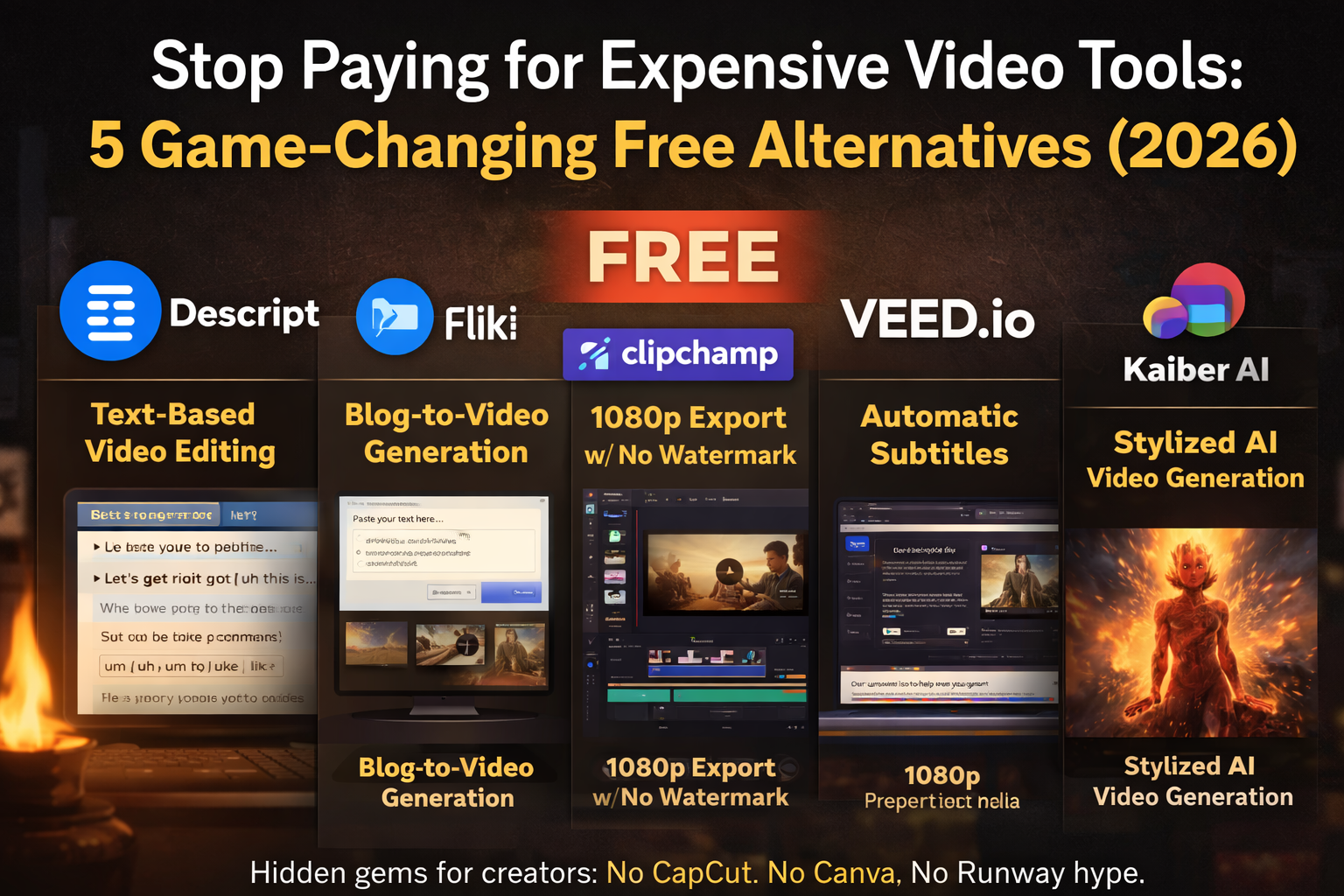
If you’re still throwing money at expensive video tools when free alternatives exist, you’re leaving cash on the table. The AI video landscape in 2026 has matured to the point where free tiers now rival what premium tools offered just two years ago. Discover the Free AI Video Tools You’re Sleeping On: 2026 Hidden Gems that can enhance your workflow.
In the world of content creation, knowing about the Free AI Video Tools You’re Sleeping On: 2026 Hidden Gems can give you a competitive edge.
We found five hidden gems that most creators overlook. No CapCut. No Canva. No Runway hype. These are the practical, powerful tools you can start using today without spending a dime.
1. Descript – The Revolutionary Text-Based Video Editor
What it does: Descript flips video editing on its head. Instead of scrubbing through timelines, you edit video by editing the transcript. Delete a sentence from the text, and the corresponding video disappears. It’s like using Google Docs, but for video.
Free tier includes:
- 1 hour of transcription per month
- Text-based editing (revolutionary approach)
- Studio Sound AI (professional noise removal)
- Auto filler word removal (“um,” “uh,” “like”)
- 720p export with watermark
- 100 lifetime AI credits
Best use case: Podcast editing and interview content. If you record conversations, interviews, or talking-head videos, Descript is a game-changer. Highlight the bad takes in the transcript, hit delete, and they’re gone from the video instantly.
Free tier limits: 60 minutes of media processing per month, watermark on exports, limited AI tool access. The 1-hour monthly limit means you can edit about one long podcast episode or 3-4 short videos per month.
Our verdict: Descript’s text-based editing is so intuitive that going back to traditional timeline editors feels archaic. The free tier is perfect for podcasters and YouTubers just starting out. Once you need more than 1 hour/month, the paid plans ($16/month annual) are worth it.
Visit https://descript.com to get started.
2. Fliki – Turn Blog Posts Into Narrated Videos Instantly
What it does: Fliki specializes in text-to-video with AI voiceover. Paste in your blog post or script, select a voice and style, and Fliki generates a narrated video with stock footage, music, and transitions automatically.
Free tier includes:
- 5 minutes of video content per month
- 300 AI voices in 80+ languages
- Access to stock media library
- Basic text-to-video generation
- 720p export with watermark
Best use case: Quick social media explainer videos and repurposing blog content. If you write articles and want to turn them into short videos for LinkedIn, Instagram, or TikTok, Fliki handles it in minutes.
Free tier limits: Only 5 minutes of video per month, watermark on exports, no commercial license on free tier. This translates to roughly 3-5 short social videos monthly.
Our verdict: Fliki is the fastest way to turn written content into video without recording yourself. The AI voices are surprisingly natural (especially the premium ones in paid tiers), and the auto-matching of stock footage to your script saves hours of manual searching. The 5-minute free limit is tight, but at $8/month annual for 120 minutes, the Basic plan is a steal.
Visit https://fliki.ai to get started.
3. Clipchamp – Microsoft’s Generous 1080p Gift
What it does: Microsoft-owned Clipchamp is a full-featured browser-based video editor with AI tools baked in. It’s like having a simplified Adobe Premiere in your browser, but completely free for the essentials.
Free tier includes:
- Unlimited projects and exports
- 1080p HD export with NO watermark (rare!)
- AI subtitle generator in 80+ languages
- AI voiceover and text-to-speech
- Screen, camera, and voice recorder
- Full timeline editing suite
- Basic stock media library
Best use case: Professional-looking social media content and tutorials without spending anything. Clipchamp’s free tier is shockingly generous – unlimited 1080p exports with no watermark makes it viable for client work and monetized content.
Free tier limits: 4K export requires Microsoft 365 subscription, premium stock media locked behind paywall, brand kit not available on free tier.
Our verdict: Clipchamp has the most generous free tier in 2026. No watermark on 1080p exports is practically unheard of among free video tools. The AI subtitle generator alone would justify a paid subscription elsewhere, but here it’s free. If you’re creating content for YouTube, Instagram, or TikTok and don’t need 4K, Clipchamp should be your default editor.
Visit https://clipchamp.com to get started.
4. VEED.io – The Subtitle Specialist You Need
What it does: VEED is a browser-based video editor with the best auto-subtitle system we’ve tested. It excels at adding captions, removing background noise, and polishing talking-head videos.
Free tier includes:
- Unlimited video projects
- Auto-subtitles in 125+ languages (30 min/month)
- Magic Tools: filler word removal, noise removal, silence cutting
- Video length up to 10 minutes
- 720p export with watermark
- 1GB cloud storage
Best use case: Adding professional captions to talking-head videos, interviews, and short-form content. VEED’s auto-subtitle accuracy is consistently higher than competitors, with better speaker detection and word-level timing.
Free tier limits: 10-minute video length cap, 30 minutes of subtitle generation per month, watermark on exports, only 1GB storage (fills up fast with video files).
Our verdict: If captions are your priority, VEED’s free tier delivers. The 30-minute subtitle allocation per month means you can caption about 3 ten-minute videos monthly. The Magic Tools (one-click filler word and silence removal) are genuinely useful and save hours of manual editing. At $18/month for the Basic plan, it’s competitive once you outgrow the free tier.
Visit https://veed.io to get started.
5. Kaiber – Artistic Video Generation on a Budget
What it does: Kaiber takes a different approach – it’s an AI video generator focused on artistic, stylized animations. Turn images or text prompts into music visualizers, animated concept art, and trippy video loops.
Free tier includes:
- Pay-as-you-go credit system
- Text-to-video and image-to-video generation
- Beat Sync (motion synced to music beats)
- Artistic style presets (anime, concept art, impressionism)
- Limited access to AI models
- 2 persistent canvases
Best use case: Creating artistic music visualizers, animated social content, and experimental video art. Kaiber shines when you want stylized, non-photorealistic output – think Spotify Canvas animations or abstract Instagram Reels.
Free tier limits: Very limited free credits (burns through quickly), no commercial use rights, watermark on exports, restricted to basic models, only 2 canvas workspaces.
Our verdict: Kaiber’s free tier is more of a trial than a sustainable free tool – the credits run out fast. But for experimental creators who want to test AI video generation with artistic flair, it’s a unique option. The Beat Sync feature (motion automatically matching music tempo) is genuinely impressive. If you’re serious about this style, the Creator plan ($29/month) unlocks commercial use and enough credits for regular production.
Visit https://kaiber.ai to get started.
The Verdict: Which Free Tool Should You Use?
Here’s the honest breakdown based on your content type:
- Podcasters and interview creators: Descript – text-based editing is revolutionary for spoken content
- Blog-to-video repurposers: Fliki – fastest script-to-narrated-video workflow
- General content creators: Clipchamp – unlimited 1080p with no watermark is unbeatable
- Caption-heavy creators: VEED.io – best auto-subtitle accuracy and styling
- Artistic/experimental creators: Kaiber – unique stylized animations and music sync
Pro Tips for Maximizing Free Tiers
1. Stack tools instead of upgrading one. Use Clipchamp for editing, VEED for captions, and Fliki for voiceovers. The combined free tiers often cover more than one paid tool.
2. Plan your monthly usage. Descript’s 1-hour limit and VEED’s 30-minute subtitle cap reset monthly. Batch your work at the start of each month to maximize value.
3. Export at the highest free resolution. Clipchamp’s watermark-free 1080p is perfect for final exports. Use other tools for editing steps, then finish in Clipchamp for clean output.
4. Test before you commit. Every tool here offers free trials or tiers. Test your actual workflow before paying for any subscription.
Final Thoughts
The free AI video tool landscape in 2026 is shockingly good. Tools that would have cost $50/month two years ago are now free with reasonable limits. Clipchamp’s watermark-free 1080p exports alone make it possible to run a professional YouTube channel or social media presence without spending a cent on video software.
The trick is knowing which tool to use for which job. Descript for podcasts. Fliki for quick narrated videos. Clipchamp for general editing. VEED for captions. Kaiber for artistic flair. Master these five free tools, and you’ll outproduce creators spending hundreds monthly on subscriptions.
Stop sleeping on these hidden gems. Start creating.







