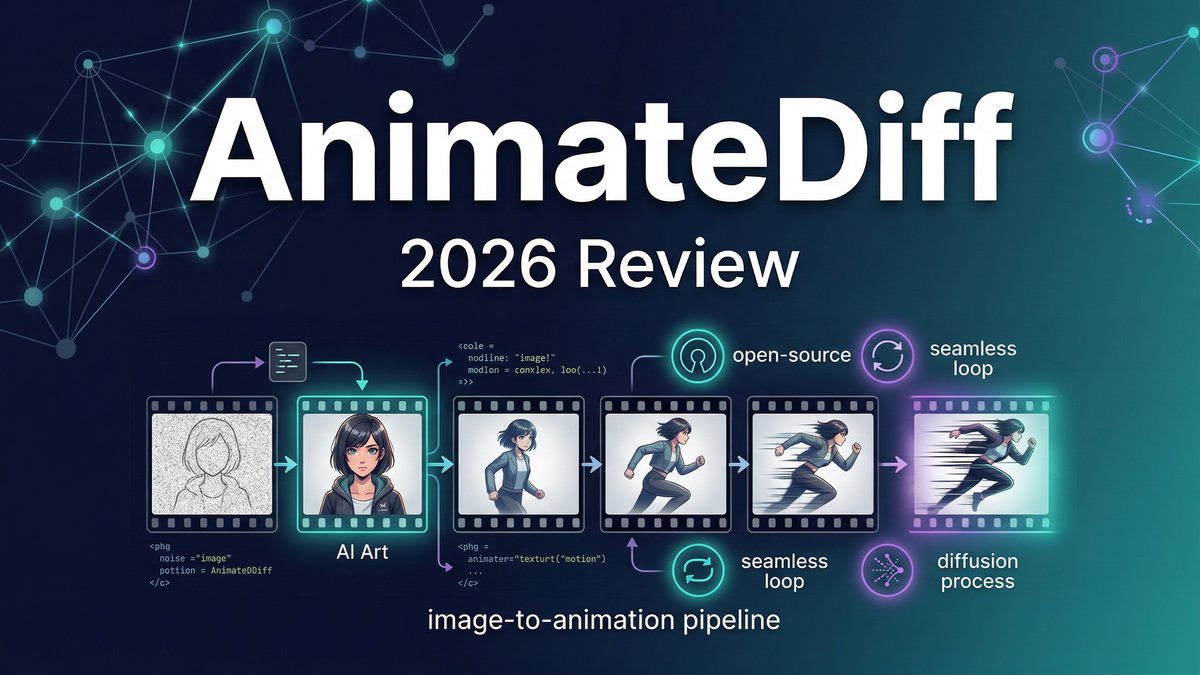
The AI video revolution has brought us incredible tools—but most come with hefty subscription fees, restrictive credit systems, and closed platforms that lock you into monthly payments. What if you could generate stunning animated videos with the same AI technology used by Hollywood studios, completely free, running on your own hardware with no usage limits or watermarks?
AnimateDiff is exactly that: an open-source AI animation tool built on Stable Diffusion that transforms static images and text prompts into fluid, looping video animations. After spending weeks testing AnimateDiff across cartoon animations, realistic motion clips, and video-to-video transformations, I’m convinced this is one of the most underrated tools in the AI video space—if you’re willing to overcome the technical learning curve.
What is AnimateDiff?
AnimateDiff is an open-source motion module extension for Stable Diffusion that adds temporal consistency to AI-generated images, effectively turning still images into smooth animated videos. Unlike commercial AI video platforms that charge per generation, AnimateDiff is completely free and runs locally on your computer.
Visit https://github.com/guoyww/AnimateDiff to access the project.
Built on the foundation of Stable Diffusion’s image generation capabilities, AnimateDiff adds a specialized “motion module” that predicts how images should evolve frame-by-frame. This creates short video clips (typically 2-5 seconds) with remarkably smooth motion and temporal consistency—solving one of AI video’s biggest challenges: maintaining visual coherence across frames.
The tool works with popular Stable Diffusion interfaces like AUTOMATIC1111 WebUI and ComfyUI, integrating seamlessly into existing AI art workflows. While it requires more technical setup than click-and-go platforms like Runway or Pika, AnimateDiff offers unmatched creative control, zero ongoing costs, and complete ownership of your outputs.
Core Features: What Makes AnimateDiff Unique
1. Seamless Looping Animations
AnimateDiff excels at creating perfectly looping animations—the kind you see as mesmerizing backgrounds or social media GIFs. The “Close Loop” feature ensures the last frame connects smoothly to the first, enabling infinite playback without jarring transitions.
2. Multiple Stable Diffusion Model Compatibility
Unlike proprietary platforms locked to a single AI model, AnimateDiff works with any Stable Diffusion 1.5 model—ToonYou for cartoons, Realistic Vision for photorealism, or thousands of community-created models for specific art styles. This versatility is unmatched in commercial tools.
3. Image-to-Video with Natural Motion
Upload a static photo and AnimateDiff animates it with realistic motion patterns learned from training on real-world videos. A portrait’s hair might sway gently, tree branches move in wind, or water ripples naturally—all from a single still image.
4. Text-to-Video Generation
Generate video clips from text prompts using Stable Diffusion’s power. Describe a scene like “a cat chasing a laser pointer across a room” and AnimateDiff creates a short animated clip bringing your words to life.
5. Video-to-Video Transformation with ControlNet
The video2video feature with ControlNet integration allows you to transform existing footage by describing changes. Upload a dance video and add a prompt like “glowing aura around the dancer” to apply effects while maintaining the original motion.
6. Advanced Motion Controls
Fine-tune motion intensity, frame interpolation for smoother playback, context batch sizes for temporal consistency, and Motion LoRA for camera effects like pans, zooms, and tracking shots.
7. Frame Interpolation
Enhance smoothness by generating intermediate frames between AI-generated keyframes, creating higher frame rates and more fluid motion than the base generation provides.
8. Complete Creative Freedom
As an open-source tool, AnimateDiff imposes no content restrictions (beyond legal requirements), no usage limits, no watermarks, and complete commercial rights to your creations—you own everything you make.
AnimateDiff Pricing: The Cost of Freedom
| Option | Cost | Requirements | Best For |
|---|---|---|---|
| Free Online (Hugging Face) | $0 | Web browser, patience for queue times | Testing and experimentation |
| Local Installation (GPU) | $0 (software) + GPU hardware | Nvidia GPU 8GB+ VRAM, 16GB+ RAM, 1TB storage | Serious creators, unlimited usage |
| Google Colab (Cloud) | Free tier or $10/month (Colab Pro) | Google account, session time limits | Users without powerful PCs |
Hardware Reality Check: While the software is free, AnimateDiff performs best with dedicated GPU hardware. Recommended specs include an Nvidia GPU with at least 8GB VRAM (10GB+ for video-to-video), 16GB system RAM minimum, and at least 1TB storage for models and outputs.
The True Cost: AnimateDiff’s “free” status comes with the investment of either purchasing GPU hardware ($500-2000 for suitable graphics cards) or using cloud services like Google Colab Pro ($10/month). However, compared to ongoing $50-100/month subscriptions for commercial AI video tools, the hardware investment pays for itself within months for regular users.
Pros & Cons: The Unfiltered Reality
Pros
- Completely Free and Open Source: Zero subscription fees, no credits, no usage limits—unlimited generations forever
- Perfect for Looping Animations: Best-in-class seamless loops for backgrounds, GIFs, and social media content
- Model Flexibility: Works with thousands of Stable Diffusion models for any art style imaginable
- Full Commercial Rights: Own everything you create with no licensing restrictions
- Advanced Motion Control: Fine-tune every aspect of motion, timing, and interpolation
- Active Community: Large user base means abundant tutorials, model sharing, and troubleshooting support
- No Cloud Dependency: Run locally with complete privacy—your prompts and creations never leave your computer
Cons
- Steep Learning Curve: Requires technical setup, understanding of Stable Diffusion, and patience to master
- Hardware Requirements: Needs powerful GPU; underpowered systems will struggle or fail
- Slow Online Processing: Free Hugging Face version has long queue times (like waiting for a bus in the rain)
- Short Clip Lengths: Generates 2-5 second clips typically—longer animations require stitching multiple clips
- Motion Artifacts with Complexity: Complex prompts with multiple characters often produce janky, inconsistent motion
- Limited to SD 1.5 Models: Currently only compatible with Stable Diffusion v1.5; newer SDXL models not supported
- Generic Movement Tendencies: Motion can feel formulaic based on training data patterns rather than prompt-specific
AnimateDiff vs Competitors: Free vs Paid Showdown
| Feature | AnimateDiff | Runway Gen-3 | Pika 2.0 |
|---|---|---|---|
| Cost | Free (hardware required) | $12-95/month | $8-58/month |
| Ease of Use | Technical (requires setup) | Very easy (web-based) | Easy (web-based) |
| Video Quality | Good (depends on model) | Excellent | Very Good |
| Looping Capability | Excellent | Limited | Good |
| Usage Limits | Unlimited | Credit-based limits | Credit-based limits |
| Best For | Tech-savvy creators, looping GIFs | Professional video production | Quick social media clips |
Who Should Use AnimateDiff?
Perfect For: . This is why animatediff stands out in the market. For more insights, see our Waymark AI Video Tool Review 2026: Script-to-TV-Ad in Minutes.
- Digital Artists & Animators: Create animated portfolio pieces, motion graphics backgrounds, and experimental art without subscription costs
- Game Developers: Prototype character animations, generate environmental effects, or create cutscene concepts rapidly
- Social Media Content Creators: Generate eye-catching looping GIFs and short animated clips for Instagram, TikTok, and Twitter
- VFX Artists: Experiment with motion concepts, create animatics, or generate placeholder animations for pre-visualization
- Budget-Conscious Creators: Anyone who creates animation regularly and wants to eliminate ongoing subscription costs
- Privacy-Focused Users: Creators who need complete data privacy and don’t want to upload content to cloud services
Not Ideal For:
- Non-technical users who need instant results without setup hassle (use Runway or Pika instead)
- Creators without powerful GPU hardware and unwilling to use cloud services
- Projects requiring long-form video (AnimateDiff is best for short clips)
- Users needing photorealistic humans or complex multi-character scenes (artifacts common)
- Time-sensitive commercial projects where reliability matters more than cost
Expert Tips: Mastering AnimateDiff
1. Start Simple with Single Subjects
AnimateDiff handles simple scenes far better than complex compositions. Begin with single characters or objects rather than multi-character scenes. As you learn how motion patterns work, gradually increase complexity. A single dancing character will look great; three characters interacting will likely produce artifacts.
2. Experiment with Different Motion Models
The community has created various motion modules optimized for different use cases—mm-p_0.5 for stability, mm_sd_v15_v2 for balanced motion, TemporalDiff for high-resolution work. Test different modules with the same prompt to find which produces the best results for your specific content type.
3. Leverage the Looping Feature for Maximum Impact
AnimateDiff’s seamless looping is its killer feature. Create mesmerizing backgrounds, hypnotic social media content, or UI animation elements that loop perfectly. This capability alone justifies learning the tool—no commercial platform does loops this well.
4. Use Image-to-Video for More Control
Real-world testing shows image-to-video is more reliable than pure text-to-video. Start with a carefully crafted Stable Diffusion image, then animate it. This two-step approach gives superior control over composition and reduces unwanted variations.
5. Combine with ControlNet for Video Editing Magic
The video2video feature with ControlNet opens creative possibilities unavailable in most commercial tools. Upload reference footage, describe the transformation you want, and AnimateDiff applies effects while preserving motion structure. This is incredibly powerful for stylized video creation.
Final Verdict: Is AnimateDiff Worth the Effort?
Rating: 4.0/5 Stars
AnimateDiff represents a different philosophy in AI video generation: freedom and control over convenience. While commercial platforms like Runway and Pika offer easier onboarding and more consistent quality, AnimateDiff delivers unlimited creative potential with zero ongoing costs—if you’re willing to climb the learning curve.
The tool genuinely excels at what it does best: creating seamless looping animations, providing complete model flexibility, and enabling experimentation without credit anxiety. For digital artists, game developers, and social media creators who generate animation regularly, the hardware investment pays for itself quickly compared to monthly subscriptions that can run $50-100+.
However, the technical barriers are real. Setup requires comfort with command-line tools, understanding of Stable Diffusion workflows, and troubleshooting skills when things don’t work. The free online version’s slow processing makes it suitable only for testing, not production. And complex scenes with multiple characters often produce disappointing results with motion artifacts.
AnimateDiff’s greatest strength—its open-source nature—is also its challenge. You’re joining a community-driven ecosystem rather than a polished commercial product. Expect to read documentation, watch tutorials, and experiment extensively before producing consistent results.
Bottom Line: If you’re technically inclined, create animation regularly, and value ownership over convenience, AnimateDiff is absolutely worth mastering. Start with the free Hugging Face version to test, then invest in Google Colab Pro ($10/month) or GPU hardware if you commit to serious use.
For creators needing immediate results with minimal learning curve, commercial platforms remain the better choice. But for those willing to invest time upfront, AnimateDiff offers unmatched freedom, unlimited usage, and creative possibilities that closed platforms can’t match—all without monthly fees draining your budget. For more insights, see ourBest AI Video Tools for Product Demos in 2026: Showcase, Convert & Sell More. For more insights, see our Best AI Video Tools for Product Demos in 2026: Showcase, Convert & Sell More.
The future of AI video might be commercial platforms, but AnimateDiff proves the power of open-source alternatives—and that’s worth celebrating.







