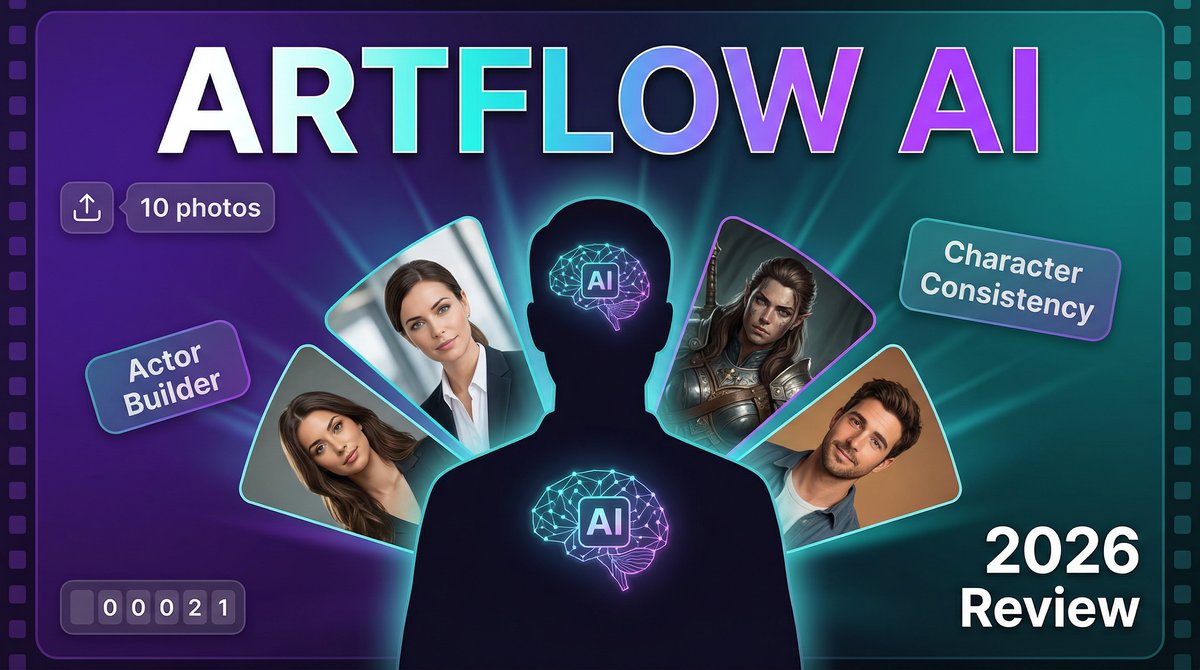
Imagine starring in your own movie trailer, professional headshots, or marketing videos — without ever stepping in front of a camera. In 2026, Artflow AI makes this possible by letting you train custom AI actors from just 10 photos of yourself (or anyone with permission). The result? A digital clone that can appear in unlimited images and videos across any scenario, outfit, or location you can imagine.
Visit https://app.artflow.ai to create your first AI actor and start generating character-consistent content today.
What sets Artflow apart from generic AI image generators? While tools like Midjourney or DALL-E create one-off images, Artflow’s Actor Builder creates a persistent, trainable model of a specific person. Upload photos once, and that “actor” becomes reusable across thousands of images and videos with perfect facial consistency — impossible with prompt-based generators.
Core Features: More Than Just Image Generation
1. AI Actor Builder (Train Your Digital Clone)
Upload 10 clear photos of the same person and Artflow’s deep learning model trains a custom AI actor in 10-15 minutes. This actor captures facial features, expressions, and likeness with remarkable accuracy, allowing you to place yourself in any scene — from professional LinkedIn photos to fantasy worlds.
2. Image Studio with Pose Control
Generate unlimited images of your AI actors using text prompts like “professional business portrait in a modern office” or “hiking at sunset in the mountains.” Pose control lets you upload reference images to guide body position and composition.
3. Video Studio (Animated Talking Videos)
Transform generated images into animated videos where your AI actor speaks, moves, and lip-syncs to text or audio. Perfect for video ads, social media content, or personalized messages. Recent updates added “First & Last Frame” control for 5-10 second FullHD clips with smooth AI-interpolated transitions.
4. Story Studio (Multi-Scene Narratives)
Create complete animated stories with multiple characters, dialogue, scene transitions, and voiceovers. Ideal for comic-style content, explainer videos, or creative storytelling projects.
5. Edit & Remix Tools
Fine-tune generated images with instruct-based editing (“change background to sunset,” “add sunglasses”), background removal, upscaling to 4K, image expansion, and inpainting to modify specific regions. This is why artflow ai stands out in the market.
6. Commercial Rights (Paid Plans)
Pro and Enterprise plans include commercial use licenses, allowing you to sell AI-generated content, use it in advertising, or create client deliverables without attribution requirements.
Pricing Breakdown: What Each Plan Offers
Artflow AI offers four paid plans (billed annually), plus a free tier for testing:
| Plan | Annual Price | Credits/Month | Key Features |
|---|---|---|---|
| Free | $0 | 50 | 1 free AI actor training, basic image generation, watermarked outputs |
| Basic | $6.25/mo ($75/yr) | 150 | No watermarks, premium templates, video model access |
| Creator | $12.50/mo ($150/yr) | 500 | Everything in Basic + background removal, upscaling, bulk download |
| Pro | $29.17/mo ($350/yr) | 1,500 | Everything in Creator + 15% off extra credits, unlimited V2 |
| Ultra | $82.50/mo ($990/yr) | 5,000 | Everything in Pro + 25% off extra credits, for high-volume production |
Note: All prices shown are annual billing rates. Monthly billing is available at the full (non-discounted) rate.
AI Actor Training: $8.99 per actor (one-time fee per character). Your first actor is free, so you can fully test quality before committing.
Credits are consumed per generation based on resolution and features used — complex prompts or high-resolution outputs will draw down your monthly allotment faster than simple generations.
Note: Video minutes refer to Story Studio (narrative videos) vs. Video Studio (animated talking heads). Credits are consumed per generation based on resolution and features used.
Pros and Cons: The Unfiltered Truth
✅ What Artflow Nails
- Character consistency: Unlike prompt-based generators, your AI actor looks identical across thousands of images — game-changing for branding and storytelling
- First actor is free: Test the full training process and quality before paying $8.99 for additional characters
- Pose control precision: Upload reference images to control exact body positioning — far more reliable than text prompts alone
- Video capabilities included: Most AI image tools charge extra for video; Artflow includes animated talking videos in base plans
- Commercial licensing clarity: Pro plan explicitly allows commercial use without attribution — no legal gray area
❌ Where It Struggles
- Training requires 10 specific photos: Images must show clear facial features from multiple angles with good lighting — casual phone snapshots often fail
- Video quality limitations: 5-10 second clips only, and animations can look stiff compared to tools purpose-built for video (Runway, Pika)
- Credit consumption unpredictability: Complex prompts or high-res outputs drain credits faster than advertised, making budgeting difficult
- No team collaboration: Missing shared workspaces, approval workflows, or role-based permissions that agencies need
- Learning curve for quality results: Getting photorealistic outputs requires prompt engineering skills — beginners often get uncanny valley results
Artflow AI vs. Competitors
Artflow AI vs. Midjourney
Winner for character consistency: Artflow. Midjourney creates stunning one-off images but cannot maintain the same face across multiple generations. Artflow’s actor system solves this completely.
Artflow AI vs. HeyGen
Winner for avatar videos: HeyGen. While both create AI avatar videos, HeyGen focuses on professional presenters with better lip-sync and longer video support (up to 5 minutes). Artflow wins on creative flexibility and custom character training.
Artflow AI vs. Runway Gen-3
Winner for video quality: Runway. Runway’s Gen-3 produces cinematic AI video with complex motion. Artflow’s strength is character-consistent images first, with basic video animation as a bonus feature.
Real-World Use Cases
1. Professional LinkedIn Headshots
Train an AI actor from casual photos, then generate polished professional headshots in business attire against clean backgrounds — saving $200+ on photographer fees.
2. Product Marketing with Brand Ambassadors
E-commerce brands train AI actors to serve as consistent brand ambassadors across all product photos, social media posts, and ads without hiring models or coordinating photoshoots. This is why artflow ai stands out in the market.
3. Personalized Video Messages at Scale
Real estate agents create AI actors of themselves, then generate hundreds of personalized video greetings for clients — each featuring the agent in different locations with custom messages..
4. Comic and Storyboard Creation
Creators use Story Studio to produce comic panels or animated storyboards with consistent characters across scenes, accelerating pre-production for films or games.
5. Social Media Content Automation
Influencers generate daily social media content (Instagram posts, TikTok backgrounds, YouTube thumbnails) featuring themselves in exotic locations or scenarios — without leaving home.
Expert Tips for Pro-Level Results
1. Submit High-Quality Training Photos
Your AI actor is only as good as your training data. Use well-lit photos (natural light preferred), clear facial features, multiple angles (front, 3/4, side), neutral expressions, and minimal accessories. Avoid sunglasses, hats, or heavy makeup.
2. Use Negative Prompts Aggressively
Add unwanted elements to the “exclude from image” field: “deformed hands, blurry face, low quality, cartoon, 3D render.” This guides the AI away from common failure modes.
3. Start with Prompt Templates
Artflow provides pre-made templates for Professional, Lifestyle, Travel, Fantasy, and Romantic scenarios. Use these as starting points and modify rather than writing prompts from scratch.
4. Leverage Pose Control for Consistency
Upload a reference image showing the exact body position you want. This eliminates randomness and ensures your actor appears in the precise pose across multiple generations. This is why artflow ai stands out in the market.
5. Generate in Batches to Save Credits
Pro plan allows 10 concurrent generations — queue up multiple prompts at once to maximize credit efficiency and compare results side-by-side.
Final Verdict: Worth the Hype?
Rating: ⭐⭐⭐⭐☆ (4.3/5)
Artflow AI solves a genuine problem that generic AI art generators cannot: creating a persistent, reusable character that maintains perfect facial consistency across unlimited images and videos. For creators who need the same person appearing in hundreds of scenarios — marketing teams, content creators, comic artists — this is transformative.
Best for: Personal branding, social media creators, marketing teams building character-driven campaigns, comic and storyboard artists, anyone needing consistent AI-generated headshots.
Not ideal for: High-quality cinematic video production, users needing long-form video (5+ minutes), teams requiring collaboration features, or beginners uncomfortable with prompt engineering.
The free plan’s one free actor training is generous enough to fully evaluate quality with your own face. If the results meet your standards, the Starter plan at $6.42/month (annual) offers exceptional value for unlimited image generation. For more insights, see ourBest AI Video Tools for Product Demos in 2026: Showcase, Convert & Sell More. For more insights, see our Best AI Video Tools for Product Demos in 2026: Showcase, Convert & Sell More.
Bottom line: Artflow won’t replace professional photographers for flagship campaigns, but for daily content creation featuring consistent characters, it’s one of the most innovative AI tools in 2026. The actor training system is genuinely unique — no competitor offers this level of character persistence.







