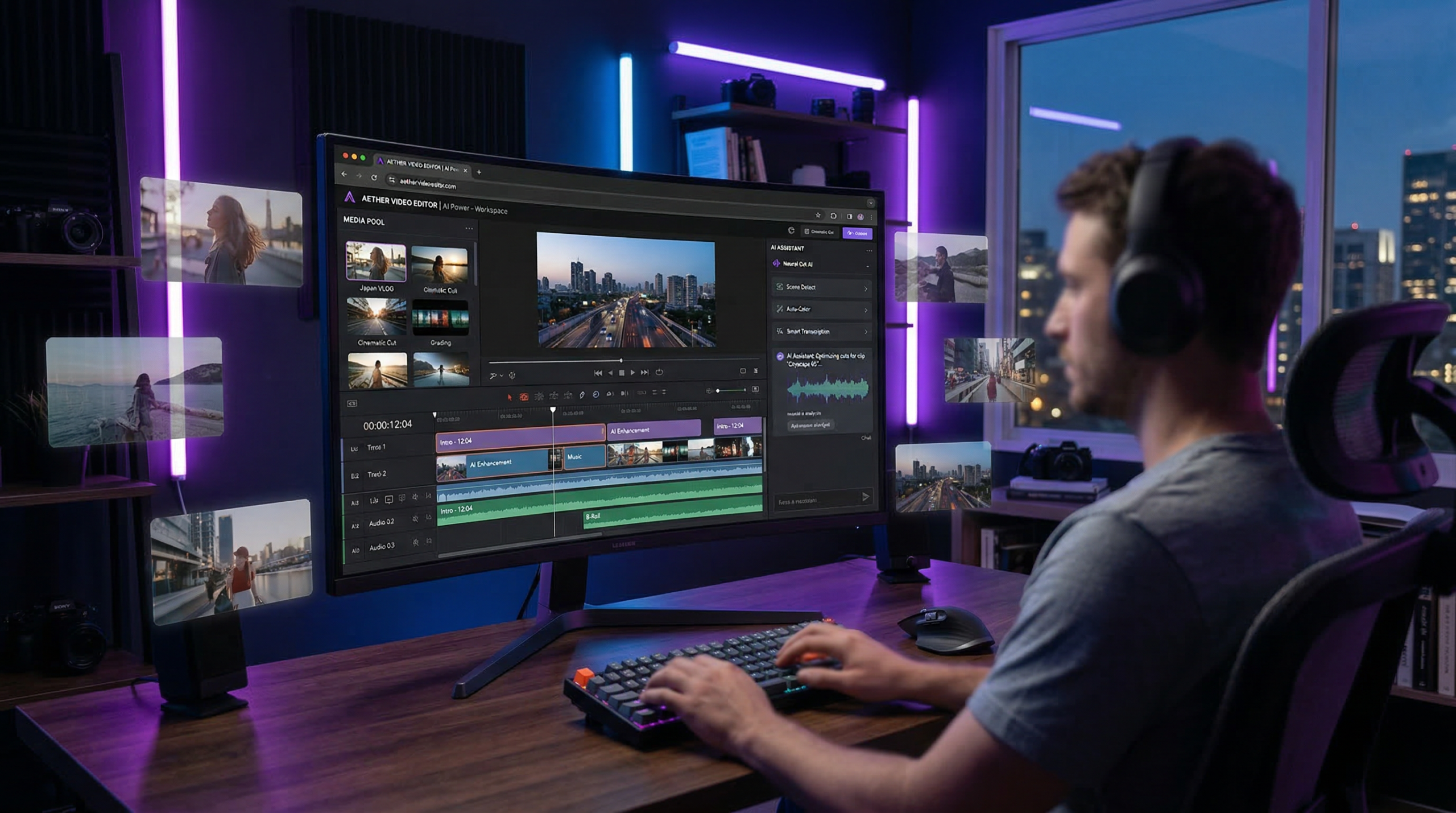
When it comes to Cardboard Review 2026 pricing, video has become the dominant content format for marketing teams, but the editing process remains painfully slow. Cardboard, a Y Combinator Winter 2026 startup, promises to change that with its browser-based agentic video editor that turns raw footage into polished cuts in minutes using natural language commands.
This review examines whether Cardboard delivers on its promise to become the “Figma of video editing” for growth and marketing teams.
What is Cardboard?
Cardboard is an AI-powered video editor that runs entirely in your web browser. Founded in 2025 by Saksham Aggarwal and Ishan Sharma, the platform uses multimodal AI to understand your footage and generate professional first cuts based on simple text descriptions.
Instead of spending hours learning complex timeline tools like Premiere Pro or DaVinci Resolve, you upload footage and tell Cardboard what you want: “create a 60-second testimonial reel” or “make 3 ad variants from this product demo.” The AI analyzes your content and delivers a polished first cut you can refine and export.
The platform is specifically designed for growth and marketing teams who need to ship video content consistently without agency timelines or expensive editing resources.
Key Features
AI-Powered First Cuts
Upload raw footage and describe your desired output in plain English. Cardboard’s multimodal AI understands context, pacing, and emotion to generate professional cuts in under 5 minutes. The system reasons through your footage to identify the best moments and arrange them into a coherent narrative.
Natural Language Editing
Edit videos by describing changes rather than manipulating timeline controls. Commands like “make the intro more punchy” or “trim dead air and add captions” are automatically mapped to complex editing operations. This removes the steep learning curve of traditional video editing software. This is why Cardboard Review 2026 pricing stands out in the market.
Browser-Based NLE
Powered by WebGPU and WebCodecs, Cardboard runs a full non-linear editor directly in your browser with no downloads or installations required. It works on any device with a modern web browser, eliminating hardware requirements and allowing true collaborative editing from anywhere.
Semantic Footage Search
Search your media library by content, not filenames. Type “customer talking about ROI” or “product close-up” and Cardboard finds the exact clips from hours of footage. This dramatically speeds up the editing process when working with large video libraries.
Automated Captions
Generate captions with 99% accuracy in English, automatically synced to your timeline. Captions are fully customizable and eliminate the need for manual transcription or third-party tools.
Real-Time Collaboration
Multiple team members can review, edit, and comment on the same project simultaneously. No more email attachments or waiting for feedback loops to resolve. Think Google Docs for video editing.
Professional Export Options
Export projects directly to Adobe Premiere Pro and DaVinci Resolve for advanced finishing work, or export directly as 4K 60fps video files. This hybrid workflow lets teams leverage AI speed for first cuts while maintaining access to professional tools when needed.
Pricing Plans
| Plan | Price | Key Features |
|---|---|---|
| Creator | $60/month | 5 active projects/month, 2.5GB max file size, 100GB storage, unlimited 4K exports, automated captions, Premiere/Resolve export |
| Pro | $150/month | Unlimited projects, 10GB max file size, 1TB storage, priority AI processing, priority 24/7 support, early model access |
| Teams | Custom pricing | Everything in Pro plus real-time collaboration, SSO/SAML, unlimited storage, audit logs, dedicated account manager |
All plans include a 7-day free trial with a money-back guarantee.
Pros and Cons
Pros
- Dramatically faster workflow: First cuts in minutes instead of hours eliminates the editing bottleneck for marketing teams
- No learning curve: Natural language commands replace complex timeline manipulation
- True browser-based editing: No software installation or hardware requirements means any team member can contribute
- 99% caption accuracy: Automated transcription eliminates manual transcription work
- Professional export options: Integration with Premiere and Resolve provides an escape hatch for advanced editing
- Real-time collaboration: Multiple users can work on the same project simultaneously
- Semantic search: Find clips by content rather than manually scrubbing through hours of footage
Cons
- Limited project count on Creator plan: 5 projects per month may be restrictive for active teams
- File size restrictions: 2.5GB limit on Creator plan constrains longer shoots or high-quality footage
- Requires internet connection: No offline editing capability
- Premium pricing: Starting at $60/month is expensive for individual creators or small teams
- Very new product: As a YC W26 company, the feature set is still maturing
- Limited third-party reviews: No independent review platform ratings yet
Who Should Use Cardboard?
Cardboard is ideal for: For more insights, see our Waymark AI Video Tool Review 2026: Script-to-TV-Ad in Minutes.
- Growth and marketing teams who produce testimonials, launch videos, and ad content consistently and need to eliminate agency bottlenecks
- SaaS startups that need to ship product demos, customer stories, and feature announcements quickly without dedicated video staff
- Content marketers who repurpose existing footage into multiple formats for different channels
- Non-technical video creators who have great footage but struggle with the complexity of professional editing software
Not ideal for:
- Professional filmmakers who need frame-level precision and advanced VFX
- Teams that require offline editing capabilities
- Individual creators on tight budgets (under $60/month)
- Projects with very large 4K+ raw footage files
Cardboard vs Competitors
vs Descript
Descript pioneered text-based video editing where you edit the transcript to edit the video. It’s more mature with a broader feature set, but lacks Cardboard’s agentic “describe and get a cut” workflow. Descript is better for podcast editing and detailed transcript work, while Cardboard excels at rapid first-cut generation for marketing content.
vs Kapwing
Kapwing is an established browser-based collaborative video editor with AI features and a simpler interface. It has more templates and a lower learning curve, but doesn’t offer the same level of AI-powered first-cut generation. Kapwing is better for quick social media edits, while Cardboard targets more sophisticated marketing video workflows.
vs Traditional NLEs (Premiere/DaVinci)
Professional editors offer far more control, effects, and precision, but require weeks to learn and hours per project. Cardboard can’t match their capabilities for complex projects, but it’s 10-20x faster for standard marketing content. The ideal workflow is using Cardboard for fast first cuts, then exporting to Premiere/DaVinci for final polish when needed.
Real-World Use Cases
Launch Video Production
A SaaS company needs a 90-second product launch video. Instead of spending 2-3 weeks with an agency, the marketing team uploads product demo footage, customer interviews, and screen recordings to Cardboard. They prompt: “Create a 90-second launch video with customer testimonials and product demo.” Cardboard delivers a first cut in 5 minutes. The team collaborates to refine it and exports a polished video the same afternoon. This is why Cardboard Review 2026 pricing stands out in the market.
Ad Variant Testing
A growth team wants to test 5 different ad hooks for Facebook. They upload a single product demo and prompt: “Create 5 variations with different opening hooks, each 15 seconds.” Cardboard generates all 5 variants simultaneously. The team tweaks them based on brand guidelines and launches the campaign that day instead of waiting a week for agency revisions.
Testimonial Compilation
A B2B company collects 20 customer video testimonials but needs a 2-minute highlight reel. Instead of manually scrubbing through 2 hours of footage, they upload everything and prompt: “Create a 2-minute testimonial reel focusing on ROI and ease of use.” Cardboard’s semantic search finds the relevant clips and assembles them into a coherent narrative.
Bottom Line: Is Cardboard Worth It?
Cardboard delivers on its core promise: it dramatically accelerates video production for marketing teams without sacrificing quality. The natural language interface and AI-powered first cuts genuinely eliminate the editing bottleneck that slows down most content teams.
You should choose Cardboard if:
- You produce 5+ marketing videos per month and editing speed is your bottleneck
- Your team lacks dedicated video editing expertise
- You need to ship content fast and iterate based on performance data
- Collaboration and feedback cycles slow down your current workflow
Skip Cardboard if:
- You produce fewer than 5 videos per month (the Creator plan’s limit)
- You need advanced VFX, color grading, or frame-level precision
- Your budget is under $60/month
- You primarily edit offline or in locations with unreliable internet
Final Verdict:Cardboard earns a strong recommendation for growth and marketing teams who treat video as a core distribution channel. The time savings alone justify the cost for teams producing consistent video content. However, individual creators and teams on tight budgets should evaluate whether the premium pricing aligns with their production volume. For more insights, see our Best AI Video Tools for Product Demos in 2026: Showcase, Convert & Sell More.
The platform’s browser-based architecture and collaborative features position it well to become the “Figma of video” it aspires to be. As the product matures and adds more features, Cardboard has the potential to fundamentally change how marketing teams approach video production.







