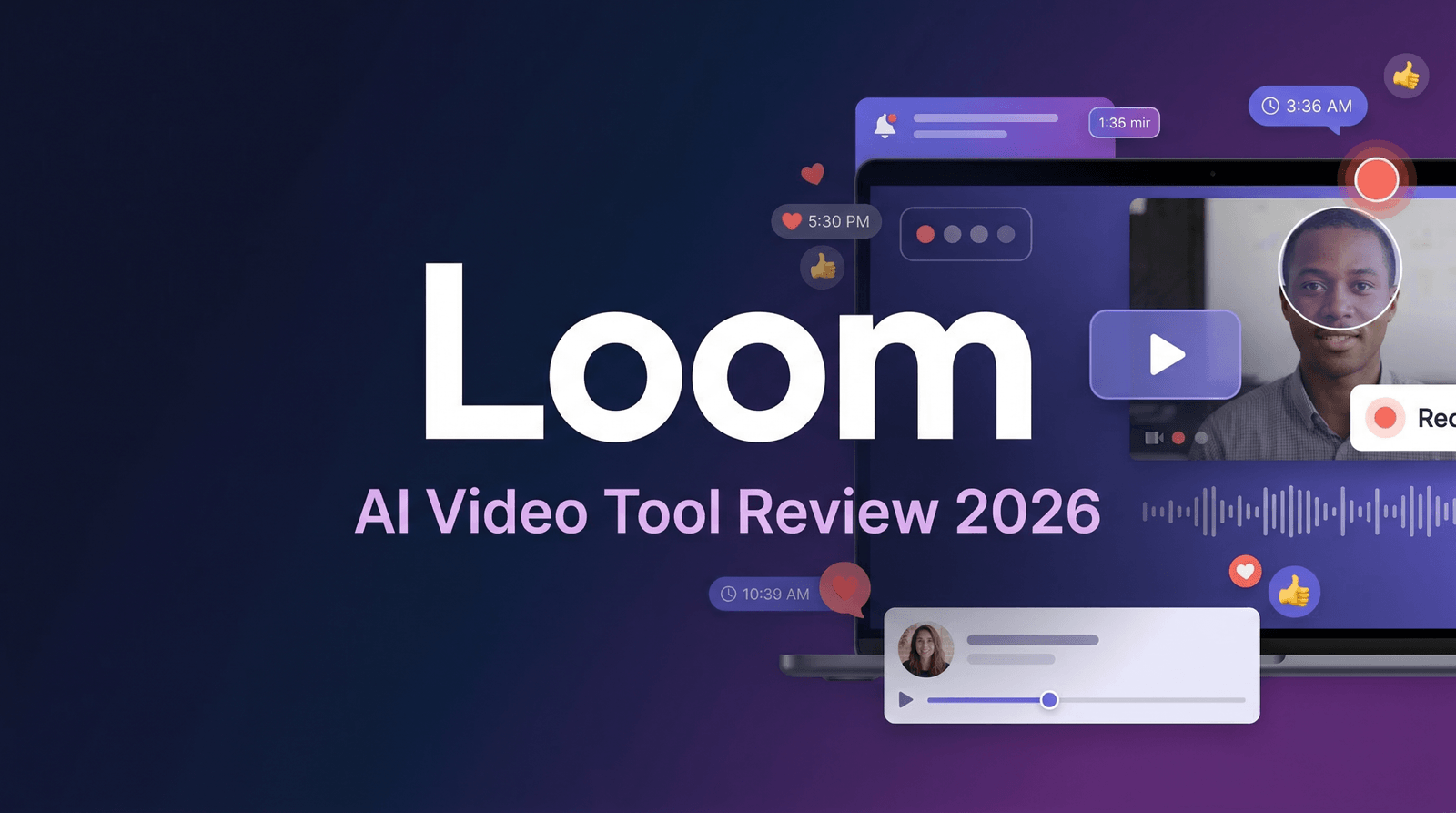
Loom has become synonymous with async video communication—the tool that promised to replace half your meetings with quick screen recordings. After Atlassian’s $975 million acquisition in late 2023, expectations were sky-high. Fast forward to 2026, and the platform has evolved significantly, adding AI features, enterprise capabilities, and a redesigned interface.
But here’s the real question: Is Loom still the best screen recording solution for teams, or has the post-acquisition bloat turned it into just another enterprise tool trying to do too much?
I’ve been using Loom almost daily for the past 18 months—for product demos, bug reports, team updates, and customer support videos. I’ve tested it against Supercut, Tella, and Screen Studio. I’ve pushed the AI features, collaborated with remote teams across time zones, and exported hundreds of videos.
This review cuts through the marketing hype to show you exactly what Loom delivers in 2026, what it costs, and whether it’s worth your monthly subscription.
What Is Loom? (And Why It Became Essential for Remote Teams)
Loom is a screen recording and video messaging platform designed specifically for asynchronous communication. Unlike traditional video conferencing tools (Zoom, Google Meet, Teams), Loom is built for recording and sharing—not live meetings.
The core workflow is elegantly simple: Click record → capture your screen, camera, or both → stop recording → instantly get a shareable link. No uploading, no waiting, no file management. The video is immediately hosted and viewable, with automatic transcription, viewer analytics, and commenting features built in.
Loom launched in 2015 with a laser focus on making async video as easy as sending an email. The platform found product-market fit with remote teams who needed to communicate complex information (code reviews, design feedback, product demos, customer support) without scheduling yet another Zoom call.
What makes Loom different from basic screen recorders like QuickTime or Windows Snip? Three things: instant cloud hosting, collaboration features (comments, reactions, CTAs), and viewer analytics that show who watched what and where they dropped off.
Core Features Deep-Dive: What You Get in 2026
1. Recording Modes (Screen, Camera, or Both)
Loom offers flexible capture options via the Chrome extension, desktop app (Mac/Windows), or mobile apps:
- Screen + Camera bubble: Record your full screen or specific window with a floating webcam overlay—perfect for product demos and tutorials
- Screen only: Pure screen recording for technical walkthroughs without the distraction of a talking head
- Camera only: Face-to-camera messages for personal updates or team announcements
- Tab capture: Record a single browser tab without exposing other windows—essential for customer-facing recordings
- System audio capture: Include computer sounds in your recording for demo videos
Quality tops out at 4K at 30 FPS on paid plans. The free Starter plan caps at 720p, which is acceptable for internal communication but low for client-facing content. The compression is efficient—files stream quickly without excessive buffering.
2. Instant Cloud Hosting and Sharing
This is Loom’s killer feature. The moment you click “stop,” your video is uploaded and ready to share. You get a unique URL that works across any device, no login required for viewers. No downloading massive files, no email attachment limits, no “what format do you need?” conversations.
The sharing experience is frictionless. Send the link via Slack, email, project management tools, or embed it directly into Notion, Confluence, or Google Docs. Viewers can watch, comment at specific timestamps, and react with emojis—turning one-way video into two-way conversation.
3. AI-Powered Features (Business + AI Plan)
Loom’s AI suite has matured significantly since launch. Here’s what actually works well:
- Auto-transcription: Highly accurate (95%+) transcripts in 50+ languages, generated within seconds of finishing recording
- Auto-titles and summaries: AI generates contextual titles and summary descriptions based on your video content—surprisingly accurate and useful
- Auto-chapters: Automatically identifies topic changes and creates timestamped chapters for easy navigation
- Auto-tasks: Detects action items mentioned in your video and suggests tasks for viewers to complete
- Filler word removal: Automatically identifies and removes “um,” “uh,” and awkward pauses for more polished delivery
- Auto-meeting recap emails: Generates summary emails with key points and action items after recording meetings
The standout is filler word removal. It genuinely improves the watchability of casual recordings without making you sound robotic. The auto-chapters feature is hit-or-miss—works great for structured content, struggles with freeform recordings.
4. Video Editing (Basic but Functional)
Loom’s editing is intentionally minimal—this isn’t Premiere Pro. You get:
- Trim: Cut from the beginning or end of your video
- Splice: Remove sections from the middle
- Waveform editing: Visual representation of audio makes it easy to find and remove sections
- Call-to-action buttons: Add clickable CTAs to drive viewers to links or resources
- Emoji reactions and comments: Collaborative features that make videos feel interactive
The philosophy is “one take, light cleanup” rather than extensive post-production. For most async communication, this is exactly right. If you need professional-grade editing, export to DaVinci Resolve or Premiere Pro.
5. Viewer Analytics (Who Watched and How Much)
Every Loom video includes viewer analytics showing who watched, how much they viewed, and where attention dropped off. This is invaluable for sales teams (did the prospect actually watch your demo?) and managers (did the team watch the training video?).
The heat map visualization shows exactly where viewers rewatched or skipped sections—powerful feedback for improving future videos. For customer success teams, this data informs follow-up timing and messaging.
6. Brand Customization and Privacy Controls
Business and Enterprise plans include branding options:
- Custom thumbnails for professional presentation
- Password protection for sensitive content
- Domain restrictions (only allow viewers from specific email domains)
- Expiration dates for time-limited content
- Custom video player colors to match brand identity
- Remove Loom branding from the player (Business+ plans)
7. Social Media Scheduler (Pro Feature)
Loom includes built-in social media scheduling for Instagram, Facebook, Twitter, LinkedIn, and Pinterest. Design your video, write captions, and schedule directly from Loom without exporting to a separate scheduling tool.
This integration is convenient but not as powerful as dedicated tools like Buffer or Hootsuite. For teams already using Loom heavily, it eliminates one more tool from the stack.
Loom Pricing 2026: What Each Plan Costs
| Plan | Price | Recording Limit | Max Length | Key Features | Best For |
|---|---|---|---|---|---|
| Starter (Free) | $0 | 25 videos total | 5 minutes | 720p, transcripts, comments, unlimited viewers | Testing, light use |
| Business | $12.50/user/mo (annual) | Unlimited | Unlimited | HD/4K, custom branding, advanced analytics, remove watermark | Teams, regular creators |
| Business + AI | $16.67/user/mo (annual) | Unlimited | Unlimited | Everything in Business + full AI suite, filler word removal, auto-chapters, auto-tasks | Power users, sales teams |
| Enterprise | Custom pricing | Unlimited | Unlimited | SSO, SCIM, custom data retention, 99.95% SLA, dedicated support | Large organizations |
Reality Check: The free plan is genuinely useful for occasional users—25 videos total is enough to test the workflow and determine if Loom fits your needs. The 5-minute limit is the real constraint; many use cases (demos, tutorials, updates) run 10-20 minutes.
For regular users, Business at $12.50/month (annual billing) represents solid value. The jump to Business + AI at $16.67/month is only $4/month more—worth it if you record frequently and want the polish of filler word removal and auto-chapters.
Pros and Cons: The Honest Assessment
Pros (What Loom Does Exceptionally Well)
- Instant sharing workflow: From record to shareable link in seconds—truly frictionless
- Viewer analytics: Know exactly who watched and where they dropped off
- Collaboration features: Comments, reactions, and CTAs turn passive videos into conversations
- Cross-platform consistency: Works identically on Mac, Windows, Chrome, mobile
- AI features that actually work: Filler word removal and auto-transcription are genuinely useful
- No file management: Everything lives in the cloud, searchable and organized
- Generous free plan: 25 videos is enough to evaluate thoroughly
Cons (The Frustrations You’ll Encounter)
- Post-acquisition bloat: Interface has become more complex since Atlassian acquisition
- Frequent crashes reported: Desktop app stability has declined (especially on Windows)
- Aggressive AI upselling: Constant prompts to upgrade to AI tier feel pushy
- Limited editing capabilities: Can’t add overlays, annotations, or transitions
- 5-minute free plan limit: Too restrictive for many real-world use cases
- Export requires upgrade: Can’t download your own videos on the free plan
- Storage counting confusion: Some users report videos counting against limits inconsistently
- Performance with large files: Browser-based editor can lag with long recordings
Competitor Comparison: Loom vs. The Alternatives
| Feature | Loom Business | Supercut | Tella | Screen Studio |
|---|---|---|---|---|
| Monthly Price | $15 | $12 | $19 | $89 one-time |
| Recording Quality | Up to 4K | Up to 4K | Up to 4K | Up to 4K |
| Instant Cloud Hosting | Yes | Yes | Yes | No (local files) |
| AI Features | Yes (+$4/mo) | Included | Limited | No |
| Viewer Analytics | Excellent | Good | Basic | None |
| Editing Capabilities | Basic | Advanced | Good | Excellent |
| Best For | Team collaboration | Modern alternative | Creators | Professional demos |
Use Case Scenarios: When Loom Shines
Scenario 1: Asynchronous Code Review
The Challenge: Engineering team spread across multiple time zones needs to review pull requests without scheduling synchronous meetings.
Loom Workflow:
- Developer records 8-minute screen recording walking through code changes
- Shares Loom link in GitHub pull request comments
- Reviewers watch on their own schedule, leave timestamped comments with questions
- Developer responds with additional Loom recordings addressing concerns
- Total time saved vs. scheduling meeting: 45 minutes per review
Result: Faster review cycles, better documentation of decisions, no scheduling coordination required. The async workflow respects everyone’s deep work time.
Scenario 2: Customer Support Video Responses
The Challenge: SaaS support team receives complex technical questions that are difficult to explain via email.
Loom Workflow:
- Support agent receives ticket about configuration issue
- Records 3-minute screen recording showing step-by-step solution
- Sends Loom link in ticket response with auto-generated transcript for reference
- Customer watches video, sees exact clicks and settings needed
- Ticket resolved in one exchange instead of 4-5 back-and-forth emails
Result: Higher first-contact resolution rates, happier customers, reduced support workload. Videos can be saved and reused for similar future questions.
Scenario 3: Sales Demo Follow-Up
The Challenge: Sales rep needs to send personalized product demo to prospect who couldn’t attend live call.
Loom Workflow:
- Record 12-minute personalized demo addressing prospect’s specific use case
- Add CTA button linking to booking calendar
- Send Loom link via email
- Monitor viewer analytics to see if prospect watched (and how much)
- Time follow-up based on viewing behavior
Result: Personalized demo at scale without scheduling coordination. Analytics inform follow-up timing—if prospect watched 100%, they’re highly engaged; if they dropped off at 2 minutes, adjust messaging.
Expert Tips: Getting Maximum Value from Loom
- Script your opening: First 15 seconds determine if people keep watching—have a clear hook
- Use chapters manually: Add your own chapter markers for important sections rather than relying on AI
- Leverage viewer analytics for follow-up timing: Reach out within 2 hours of someone watching your video while it’s fresh
- Create video templates: Build a library of intro/outro clips to maintain consistency
- Enable transcripts for accessibility: Makes content searchable and accessible to hearing-impaired viewers
- Use password protection for sensitive content: Don’t rely solely on link obscurity for confidential information
- Set expiration dates for time-sensitive content: Prevent outdated information from circulating indefinitely
- Batch record similar content: Create multiple videos in one session to maximize efficiency
Final Verdict: Is Loom Worth It in 2026?
★★★★☆ (4 out of 5 stars)
Choose Loom if:
- Your team works asynchronously across time zones
- You need viewer analytics to track engagement
- Instant cloud hosting and sharing are essential to your workflow
- You value collaboration features (comments, reactions, CTAs)
- You’re already in the Atlassian ecosystem (Jira, Confluence, Slack)
Consider alternatives if:
- You need advanced video editing capabilities
- The AI upselling and feature bloat frustrate you
- You prefer lightweight, fast tools over feature-rich platforms
- You primarily need local file exports rather than cloud hosting
- You’re looking for professional-grade screen recording for marketing content
The Bottom Line: Loom remains the gold standard for asynchronous team communication via video. The core workflow—record, share, collaborate—is still excellent. The viewer analytics, commenting, and instant hosting create genuine value that justifies the subscription cost for teams using it regularly.
However, the post-Atlassian acquisition has introduced complexity and stability issues that tarnish the experience. The aggressive AI tier upselling feels pushy, and competitors like Supercut are gaining ground with lighter, faster alternatives.
For established teams already invested in Loom, stick with it—the collaboration features and viewer analytics are worth the occasional crash. For new users evaluating options, try both Loom and Supercut side-by-side before committing. Start with Loom’s generous free plan (25 videos) to test the workflow, then upgrade to Business if it fits your communication style.
If async video becomes central to your team’s workflow, the Business + AI plan at $16.67/month delivers strong value through time savings and improved communication clarity. Just be prepared for occasional frustrations with interface bloat and performance hiccups.