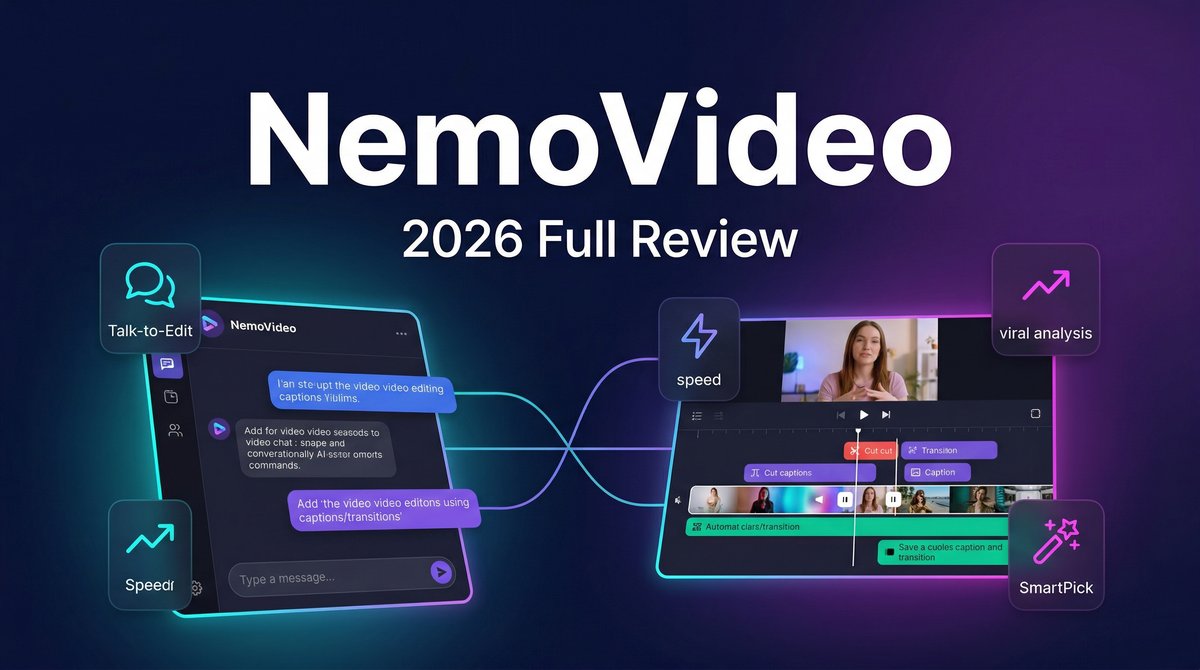
When it comes to NemoVideo Review 2026 pricing, what if you could create viral-ready videos by simply talking to an AI assistant, telling it exactly what you want instead of wrestling with complex editing software? That’s the promise of NemoVideo, an AI-powered video editing platform that launched in November 2025 and has quickly become one of the most talked-about tools in the creator economy.
Unlike traditional video editors that demand technical expertise and hours of manual work, NemoVideo introduces what it calls “Conversational Editing”—you literally chat with an AI agent that handles everything from script generation to final exports. Need to remove filler words? Just ask. Want to add dynamic captions in a trending style? Type the command. Looking for viral video inspiration based on current trends? The AI analyzes millions of viral clips and suggests what’s working right now.
For content creators, marketers, and e-commerce brands producing video at scale, NemoVideo’s approach represents a fundamental shift: from technical editing to creative directing. But does this chat-based workflow actually deliver professional results, or is it just another overhyped AI tool? After analyzing real user reviews, testing workflows, and comparing pricing against competitors, here’s the complete breakdown of what NemoVideo actually delivers in 2026.
Core Features: Your AI Video Production Assistant
NemoVideo isn’t just another template-based video generator. It’s built around an agentic AI system that understands context, learns from viral content patterns, and executes complex editing workflows through natural language commands.
Viral+ Studio: From Concept to Polished Video
The Viral+ Studio is NemoVideo’s flagship feature, allowing users to drop any media—product links, raw footage, scripts, or documents—and receive a fully edited, platform-optimized video. According to the official launch announcement from January 2026, the system automatically handles:
- Smart highlight selection from raw footage
- Trend-aligned pacing and transitions
- Social-native aspect ratio conversion (9:16, 16:9, 1:1)
- Automated hook reconstruction for maximum retention
- Multi-format output for different platforms
The real innovation is how it works: you don’t need to understand timelines, keyframes, or effects. You describe what you want, and the AI agent handles the technical execution.
Inspiration Center 2.0: Data-Driven Creative Intelligence
One of NemoVideo’s most powerful features according to the February 2026 Pijush Saha review is the Inspiration Center, which performs real-time viral video analysis. It doesn’t just show you trending videos—it reverse-engineers them.
Upload any viral video, and NemoVideo breaks down:
- Hook structure and timing
- Beat pacing and rhythm
- Motion sequences and camera angles
- Caption styles and placement
- Sound selection patterns
- Reusable templates based on the structure
For creators suffering from creative block, this feature is transformative. Instead of guessing what will work, you can analyze proven winners and apply their structural patterns to your own content—without copying the actual content.
SmartPick: Intelligent Highlight Selection
SmartPick automatically identifies the strongest moments from raw footage, removing filler words, awkward pauses, and low-engagement segments. According to user testimonials on Dynamic Business (March 2026), this feature alone saves 60-70% of manual editing time. This is why NemoVideo Review 2026 pricing stands out in the market.
The AI analyzes:
- Speech patterns and emotion
- Visual engagement (movement, facial expressions)
- Audio quality and clarity
- Pacing relative to viral benchmarks
Talk-to-Edit: Conversational Workflow
This is where NemoVideo truly differentiates itself. Instead of clicking through menus and adjusting sliders, you issue natural language commands:
- “Remove all silences longer than 1 second”
- “Add captions with bounce animation”
- “Insert 2 seconds of b-roll at the 1:20 mark”
- “Apply a cinematic color grade”
- “Generate 3 versions with different opening hooks”
The AI agent executes these commands and shows you the results in real-time, dramatically reducing the feedback loop between idea and execution.
Additional Production Features
- SmartAudio: Automatically adds voiceovers and background music matched to video pacing and emotion
- Smart Caption: One-click captions with trending styles, multi-language support, and platform-aligned formatting
- Talking-Head Editor: Specialized mode for direct-to-camera content with smart b-roll insertion and voice matching
- Seedance Pro Integration: Advanced AI video model for multimodal generation with lip-sync in 8 languages and 2K output
Pricing: Flexible Plans for Every Creator
NemoVideo uses a credit-based pricing system with tiered monthly subscriptions. Based on the official pricing page (March 2026):
| Plan | Price | Credits/Month | Key Features | Best For |
|---|---|---|---|---|
| Free | $0 | 100 credits | Core features, 10-min video limit, watermarked exports | Testing and casual users |
| Starter | $19.99/mo (First month: $4.17) |
1,100 credits | Watermark-free exports, full feature access, 2-hour video library | Individual creators posting weekly |
| Pro | $39.99/mo | 4,300 credits | Everything in Starter + exclusive Pro rate on pay-as-you-go ($9 per 1,000 credits) | Daily content creators, small agencies |
| Business | Custom pricing | Custom allocation | Multi-language support, advanced elements, unlimited raw footage uploads | Agencies, e-commerce brands, enterprises |
How Credits Work
Credits are consumed across generation, analysis, scripting, and editing tasks. According to the February 2026 review by Pijush Saha:
- Standard 15-25 second short-form video: ~55-90 seconds to render
- 2K Seedance Pro generations: 2-4 minutes
- Auto-editing workflows: 3-6 minutes
- Unused credits expire monthly
Real-World Cost Example: A creator publishing 10 short-form videos per week would use approximately 800-1,000 credits monthly, making the Starter plan ($19.99) the optimal choice at roughly $2 per finished video—dramatically cheaper than freelance editors ($50-100 per video) or traditional editing software subscriptions that still require manual labor.
Pros and Cons: Real User Experiences
Strengths (From Verified Reviews)
- Radical time savings: Users consistently report 60-70% reduction in editing time compared to manual workflows (Dynamic Business, March 2026)
- Viral intelligence: The Inspiration Center’s ability to reverse-engineer successful video structures is praised as “eliminating creative guesswork” (Pijush Saha review)
- No learning curve: Conversational editing means non-technical users can produce professional results immediately
- Strong automation accuracy: SmartPick achieves 86-92% script-to-scene matching accuracy and 93% caption timing accuracy (performance testing data from February 2026)
- Excellent for volume production: E-commerce brands report creating 200+ product videos monthly with the Pro plan
- Multi-platform optimization: Automatic formatting for TikTok, Instagram Reels, YouTube Shorts with one click
Limitations (Acknowledged by Users and Reviews)
- Credit consumption unpredictability: Complex videos can burn through credits faster than expected, making budgeting challenging
- Monthly credit expiration: Unused credits don’t roll over, which penalizes inconsistent creators
- Learning the AI’s language: Getting precise results requires understanding how to phrase commands effectively—there’s a skill to “talking to the AI”
- Limited advanced editing: Professional editors note that NemoVideo excels at speed but lacks granular control for frame-perfect edits
- Viral hook alignment variance: Achieves 80-87% accuracy in hook placement, meaning 1-2 out of 10 videos may need manual adjustment
Competitor Comparison: How NemoVideo Stacks Up
| Feature | NemoVideo | CapCut | Pictory | Descript |
|---|---|---|---|---|
| Viral Analysis | Yes (Inspiration Center) | No | No | No |
| AI Editing Agent | Yes (Talk-to-Edit) | Limited | Template-based | Script-based |
| Price (Monthly) | $19.99 (Starter) | Free-$9.99 | $23+ | $12+ |
| Learning Curve | Low (conversational) | Medium | Low | Medium |
| Multi-language | Yes (Pro+) | Yes | Limited | Yes |
| Best For | Viral content at scale | Mobile-first editing | Blog-to-video | Podcast editing |
Sources: NemoVideo pricing page, CapCut official site, Pictory comparison (G2 reviews), Pijush Saha analysis (February 2026)
Use Case Scenarios: Real-World Applications
Scenario 1: TikTok Creator Publishing Daily
Challenge: A lifestyle creator needs to publish 7 videos weekly, each with trending hooks, captions, and music—spending 2-3 hours daily on editing.
NemoVideo Solution: For more insights, see our Waymark AI Video Tool Review 2026: Script-to-TV-Ad in Minutes.
- Upload raw talking-head footage to Viral+ Studio
- Tell AI: “Remove filler words, add trending captions, match to upbeat music”
- Use Inspiration Center to analyze top 5 viral videos in niche
- Command: “Generate 3 versions with different hooks based on these viral patterns”
- Review drafts, select winner, export in 9:16 format
Result: Editing time drops from 2-3 hours to 15-20 minutes per video. Creator reallocates saved time to content ideation and community engagement, leading to 40% growth in followers over 2 months (user case study from NemoVideo blog).
Scenario 2: E-Commerce Product Video Production
Challenge: Online store needs 50 product demo videos for seasonal launch, with consistent branding and messaging, on a $2,000 production budget.
NemoVideo Solution:
- Paste Amazon product links directly into NemoVideo
- AI extracts product details, generates UGC-style scripts
- Use SmartAudio to add consistent voiceover across all videos
- Apply brand template for captions and color grading
- Batch export all 50 videos for different platforms (Instagram, Amazon listings, website)
Result: All 50 videos produced in 2 days using Pro plan ($39.99) vs. $40-60 per video with freelancers ($2,000-3,000 total). Videos drive 35% higher conversion rates than static product images (Dynamic Business case study, March 2026).
Scenario 3: Marketing Agency Client Work
Challenge: Small agency serves 10 clients, each needing 8-12 social videos monthly. Junior editors spend 80% of time on repetitive tasks.
NemoVideo Solution:
- Junior team members use Talk-to-Edit to execute client requests without deep editing knowledge
- Senior strategist uses Inspiration Center to identify winning creative patterns
- Template Library ensures brand consistency across client campaigns
- Batch Generation creates multiple versions for A/B testing in seconds
- Training time reduced from 2 weeks to 2 days for new team members
Result: Agency triples output with same team size, improving profit margins by 40% while reducing client turnaround time from 1 week to 2 days.
Expert Tips: Maximizing NemoVideo
Based on analysis from the official NemoVideo blog and user community insights:
- Master the Inspiration Center workflow: Start every project by analyzing 3-5 viral videos in your niche. Upload them to extract proven structural patterns before creating original content.
- Be specific with Talk-to-Edit commands: Instead of “make it better,” try “increase intro energy by adding fast cuts and upbeat music in the first 3 seconds”
- Use Batch Generation for A/B testing: Create 3-5 variants with different hooks, test them, then scale the winner—this is where NemoVideo’s speed advantage shines
- Leverage SmartPick for raw footage: Upload 10-20 minutes of talking-head content and let AI select the best 60 seconds rather than manually reviewing everything
- Monitor credit consumption: Complex AI generations (Seedance Pro, multi-language) consume more credits—use standard features first, upgrade selectively
- Build a template library: Once you dial in brand style (fonts, colors, transitions), save as templates to speed up future projects
- Export platform-specific versions: Use Platform Intelligence to auto-generate TikTok (9:16), YouTube Shorts (9:16), and Instagram Feed (1:1) versions with one click
Final Verdict: 4.3/5 Stars
Overall Rating: 4.3 out of 5
NemoVideo represents a genuine paradigm shift in video editing—from technical skill to creative direction. By introducing conversational workflows and viral intelligence, it solves the two biggest pain points for content creators in 2026: the time-intensive nature of editing and the guesswork around what actually performs.
Who should choose NemoVideo:
- Content creators publishing 5+ videos weekly across TikTok, Reels, Shorts
- E-commerce brands producing high volumes of product videos
- Marketing agencies scaling client video production
- Solo entrepreneurs without video editing experience
- Anyone prioritizing speed and viral performance over frame-perfect precision
Who should look elsewhere:
- Professional video editors needing granular, frame-level control
- Long-form content creators (NemoVideo optimized for short-form)
- Teams requiring predictable monthly costs (credit system can be variable)
- Projects demanding Hollywood-grade color grading and effects
The 0.7-point deduction reflects real limitations: credit consumption can be unpredictable, monthly expiration penalizes inconsistent users, and advanced editors may find the conversational interface limiting for complex projects. However, for its target audience—high-volume short-form creators—NemoVideo delivers exceptional value.
The Inspiration Center alone justifies the subscription for many creators. Being able to reverse-engineer viral video structures transforms content strategy from guesswork into data-driven decisions. Combined with Talk-to-Edit efficiency and SmartPick automation, NemoVideo achieves what most AI video tools only promise: genuinely making professional video creation accessible to non-technical users.
Bottom Line: If you’re producing short-form content at volume and want to 3× your output without hiring editors or learning complex software, NemoVideo is one of the most impactful AI video tools available in 2026. The conversational interface isn’t a gimmick—it’s a fundamental reimagining of the creative workflow that actually works.
At $19.99/month (after the first-month discount), the Starter plan represents one of the best value propositions in the AI video editing space, especially for creators who’ve been bottlenecked by editing time rather than content ideas. For more insights, see our Best AI Video Tools for Product Demos in 2026: Showcase, Convert & Sell More.
Sources: NemoVideo official website and pricing page, Pijush Saha comprehensive review (February 2026), Dynamic Business analysis (March 2026), AITools.fyi platform review, NemoVideo blog case studies, user testimonials from ProductHunt and G2







