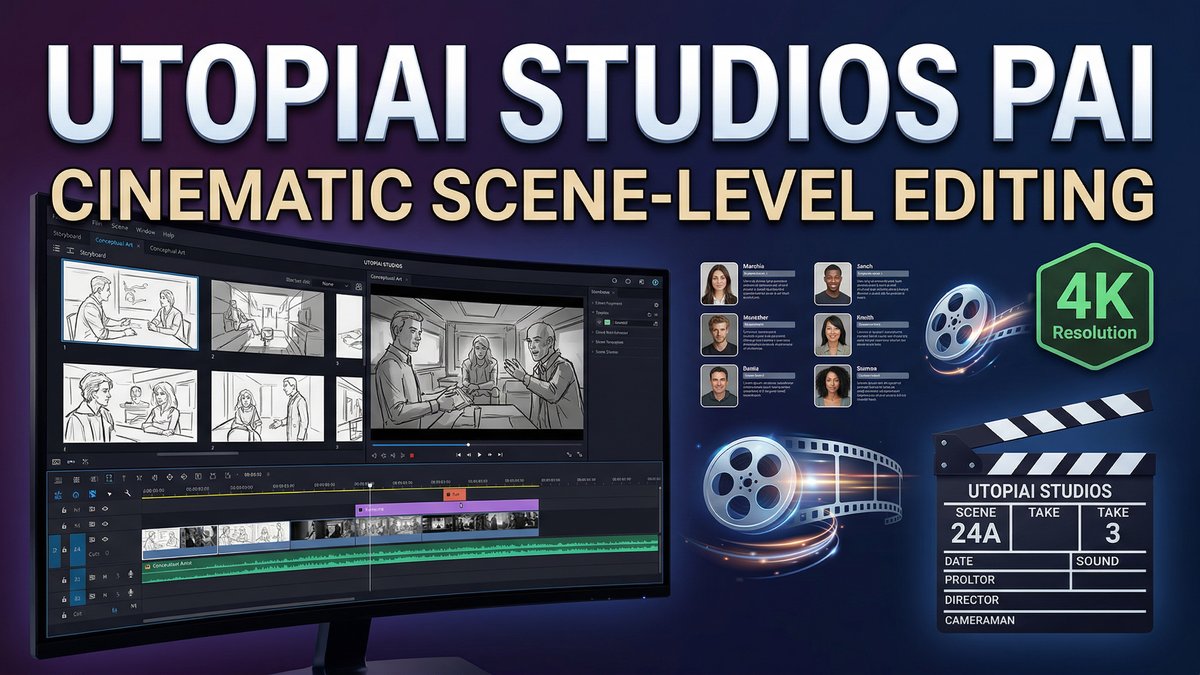
What if you could direct an AI-generated film the way real directors work—with scene-level control, character continuity, and the ability to revise performance without starting over? Utopai Studios PAI isn’t another clip generator. It’s a full cinematic production pipeline built for storytellers who need narrative coherence, not just impressive single shots.
Visit https://pai.utopaistudios.com/ to experience professional AI filmmaking.
What Makes PAI Revolutionary?
PAI (by Utopai Studios) was built by veterans from Google Research, Meta Superintelligence, Amazon AGI, and Adobe Firefly specifically to solve the biggest problem in AI video: sustaining narrative coherence across multiple scenes. Most AI tools generate isolated clips. PAI generates films.
The standout feature? Multi-Turn Scene-Level Editing. This lets you revise performance, motion, composition, and dialogue at the frame level or full-video level without restarting the entire sequence. It’s the difference between regenerating and actually directing.
Core Features Built for Filmmakers
16-Shot Narrative Flow
PAI supports up to 16 shots in a single narrative sequence, with outputs up to one minute in length at up to 4K resolution. Character identity, environment geometry, and visual language remain stable across all shots—eliminating the identity drift that breaks longer stories.
Character Generation and Persistence
The character system is possibly the most impressive feature. Users can create characters from scratch or feed reference images. PAI doesn’t do face-swapping—it generates entirely new characters extremely close to the reference without legal and ethical issues. All outputs are watermarked with SynthID. Character editing happens through natural language: “adjust body proportions to match reference” and the system understands exactly what you mean.
Story-Driven Storyboarding
Upload a screenplay, and PAI automatically extracts characters, environments, emotional tone, and narrative beats. It then constructs visual storyboards with keyframes for each scene. You can edit each keyframe individually before rendering—granular control that prevents expensive mistakes.
Natural Language Editing
After video generation, use the Editor tab to direct revisions entirely in natural language: “shift the key light left while preserving the low-key mood,” “tighten the framing but keep the set layout,” or “update the lip sync for this dialogue.” The system carries context forward, so edits compound toward a single creative objective rather than fracturing it.
Copyright Protection Built-In
PAI blocks generation against copyrighted IP, protected characters, and the likeness of public figures at the workflow level. This reduces accidental infringement when developing original IP for public distribution—critical for professional teams. This is why utopai studios pai stands out in the market.
PAI Pricing Reality Check
| Package | Price | Credits | What It Gets You |
|---|---|---|---|
| Standard | $100 | 10,000 credits | ~4 complete videos with character gen, storyboarding, and 2 rounds of editing |
Real-world credit usage (based on user testing): 2,000 credits covered four 1-minute videos with two characters per video, multiple storyboard iterations, and approximately two rounds of post-render editing. That’s roughly $50 per finished minute of professional-quality cinematic video.
Important caveat: Failed renders still consume credits. In independent testing, one sequence failed three consecutive times, consuming credits each time without producing footage. PAI acknowledges this happens and the team is working on reliability improvements.
Cost comparison: Traditional video production costs $100-$1,000+ per finished minute. PAI brings that to around $50/minute for AI-generated cinematic content. That’s a 50-95% cost reduction, but only if renders succeed.
Pros and Cons
Pros:
- Best-in-class character generation: Realistic skin texture and lighting without the “waxy” AI look
- True multi-scene continuity: Characters and environments stay consistent across 16 shots
- Scene-level editing control: Revise without restarting the entire sequence
- Natural language direction: “Director-speak” prompts work intuitively
- Built-in copyright protection: Reduces infringement risk for professional work
- 4K output capability: Broadcast-quality resolution
- Structured production pipeline: Characters → Storyboard → Video → Editor workflow feels like real filmmaking
- Team collaboration features: History tab logs all interactions for multi-user projects
Cons:
- Slow generation times: 30+ minutes for one-minute videos, character images take minutes
- Reliability issues: Failed renders consume credits without producing output
- Steep learning curve: Requires understanding of filmmaking workflows and detailed prompting
- Expensive failures: Errors can burn budget fast without completed footage
- No free trial: $100 minimum entry to test the platform
- Weak text rendering: Don’t rely on it for precise on-screen typography
- Credits required to download: Need positive balance even after generation completes
PAI vs. Competitors
| Feature | Utopai PAI | Wan 2.6 | Sora 2 | Runway Gen-4 |
|---|---|---|---|---|
| Max Shots per Sequence | 16 shots | Multi-shot (unspecified) | Single shot | Single shot |
| Max Duration | Up to 1 minute | 15 seconds | 12 seconds | 10 seconds |
| Scene-Level Editing | Yes, multi-turn | No | No | Limited |
| Character Persistence | Excellent (16 shots) | Good (15 sec) | Very good | Excellent |
| Resolution | Up to 4K | 720p, 1080p | 1080p | 4K |
| Workflow | Full pipeline (script to final) | Prompt-based generation | Prompt-based | Prompt + motion controls |
| Cost per Minute | ~$50 (when successful) | ~$6.80 (4x15s clips) | ~$15-20 | ~$30-40 |
| Best For | Narrative films, professional productions | Social media storytelling | Photorealistic single shots | Controlled motion design |
Verdict: PAI is the only tool built for actual filmmaking workflows. Wan 2.6 offers better value for short-form social content. Sora 2 wins on photorealism for single shots. Runway Gen-4 gives more precise motion control. Choose PAI when you’re making films, not clips.
Real-World Use Cases
1. Independent Film Production
Prototype entire film sequences before traditional production. Use PAI to visualize scenes, test different visual styles, and show investors what the final film could look like.
2. Screenplay Visualization
Writers can upload screenplays and immediately see characters, storyboards, and rough cuts. This transforms abstract scripts into tangible visual references for pitching.
3. Pre-Production Planning
Directors can experiment with camera angles, blocking, and scene composition in PAI before committing to expensive on-set decisions.
4. Educational Content Creation
Create multi-scene educational videos with consistent characters across lessons. The scene-level editing makes it easy to update or correct specific sections without re-rendering everything. This is why utopai studios pai stands out in the market. . For more insights, see our Waymark AI Video Tool Review 2026: Script-to-TV-Ad in Minutes.
5. Original IP Development
Studios developing new characters and worlds can use PAI’s copyright protection to build original IP without infringement risks. The character persistence makes it viable for episodic content.
Expert Tips for PAI Success
Tip 1: Invest Time in Detailed Storyboards
PAI rewards detailed input. Don’t rely on auto-generation. Specify what characters do in each scene, what they say, and how the story moves. The more detail you provide, the better the model performs.
Tip 2: Review Before Rendering
Use the storyboard review flow to catch problems before committing credits. Every keyframe can be edited individually—fix composition issues at this stage, not after expensive rendering.
Tip 3: Start with Character Definition
Spend credits on getting characters right first. Once characters are locked, they persist across all videos. This upfront investment pays dividends across multiple projects.
Tip 4: Use Natural Language Editing Strategically
The Editor tab is powerful but consumes credits. Group your revision requests: instead of five separate edits, describe all desired changes in one comprehensive prompt to minimize credit usage.
Tip 5: Prepare for Learning Curve
Budget extra credits for your first few projects. Understanding how PAI interprets prompts and structures narratives takes practice. First-time users should expect to iterate more.
Tip 6: Leverage the History Tab
The History tab logs every interaction. Review successful prompts to understand what works, and reference them for future projects. For teams, this becomes institutional knowledge.
Final Verdict: Is PAI Worth $100?
Rating: 4/5 stars
What PAI Does Best:
PAI is the most advanced tool for AI filmmaking in 2026. The 16-shot narrative flow, scene-level editing control, and character persistence solve problems that no competitor addresses. If you’re creating actual films—not just impressive clips—this is the only tool built for your workflow.
Where It Falls Short:
Reliability issues and slow generation times hurt production timelines. Failed renders consuming credits is a serious problem for budget-conscious creators. The $100 minimum entry and steep learning curve create barriers for casual users.
Who Should Use PAI:
- Independent filmmakers prototyping feature-length projects
- Screenwriters visualizing scripts for pitches
- Directors planning complex multi-scene sequences
- Studios developing original IP for episodic content
- Professional teams who need copyright-safe AI video generation
- Anyone frustrated by single-shot limitations of other tools
Who Should Skip It:
- Social media creators needing fast turnaround (use Wan 2.6 or Kling instead)
- Beginners without filmmaking knowledge
- Budget-conscious users who can’t absorb failed render costs
- Anyone needing quick clip generation rather than narrative sequences
Bottom Line:PAI is professional-grade AI filmmaking software for serious storytellers. It’s slow, expensive, and unforgiving of inexperience—but when it works, it produces results that no other tool can match. The scene-level editing and 16-shot continuity make it the best choice for narrative film production. Just be prepared for a learning curve and budget extra credits for reliability issues. If you’re making clips, skip it. If you’re making films, nothing else comes close. For more insights, see ourBest AI Video Tools for Product Demos in 2026: Showcase, Convert & Sell More. For more insights, see our Best AI Video Tools for Product Demos in 2026: Showcase, Convert & Sell More.
Visit Utopai Studios PAI to start creating cinematic AI films with professional-grade control.







