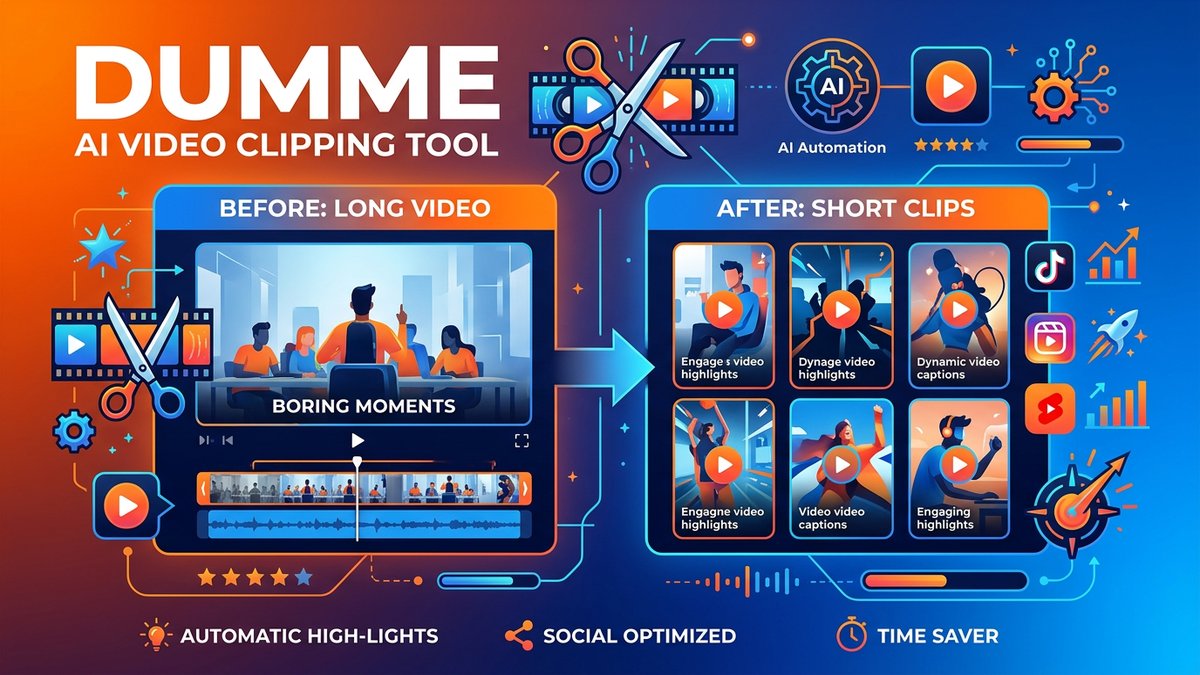
When it comes to Dumme Review 2026 pricing, creating short-form content from your long videos used to mean hours of manual editing, hunting for the “best moments,” and endless tweaking to get the pacing right.Dummepromises to flip that script entirely: upload your video, let AI find the highlights, and get ready-to-upload shorts in minutes—complete with captions, titles, and descriptions.
But can an AI really understand what makes a clip “viral-worthy” better than a human editor? After analyzing user reviews, testing workflows, and comparing Dumme against heavyweights like OpusClip and Vidyo AI, here’s everything you need to know about this emerging AI shorts generator in 2026.
What is Dumme?
Dumme is an AI-powered video repurposing tool designed specifically for creators who want to extract multiple short-form clips from long-form content. Think YouTube video podcasts, webinars, lectures, interviews—any content where people are talking and you want to carve out the most engaging 30-90 second moments for TikTok, Instagram Reels, or YouTube Shorts.
Unlike traditional video editors that require you to manually scrub through footage looking for highlights, Dumme’s AI models analyze your entire video and automatically identify clip-worthy moments while preserving context, narrative flow, and natural endings. The result? Multiple polished shorts in the time it would take to watch your original video once.
Key Differentiators
- Contextual Understanding: Dumme doesn’t just look for “exciting” moments—it ensures each clip has a hook, cohesive story arc, and satisfying conclusion.
- 20+ Language Support: Rare for AI shorts tools at this price point. You can repurpose content in English, Spanish, German, French, Italian, and more.
- One-Click Publishing: Export directly to social platforms from Dumme’s interface. No intermediate downloads required.
- Trained on Real Content: Dumme’s AI was trained on thousands of hours of actual viral shorts, so it “knows” what performs well.
Core Features: What Dumme Can Do
1. AI Highlight Detection
Upload a video (or paste a YouTube/Spotify/Twitter link) and Dumme scans the entire timeline for “moment-worthy” content. The AI looks for:
- Emotional peaks (laughter, surprise, controversy)
- Quotable soundbites or one-liners
- Teaching moments or “aha” insights
- Storytelling segments with clear beginnings and endings
Users report Dumme typically generates 5-15 clips per hour of raw footage, each 30-90 seconds long.
2. Automatic Captioning
Every clip gets accurate, timed captions automatically. You can customize font, color, position, and animation style. Accuracy is consistently reported at 90-95%, even with accents or technical jargon.
3. Smart Reformatting
Dumme automatically crops and reframes your video for vertical (9:16) formats. If you’re filming in landscape, the AI intelligently tracks faces and action to ensure nothing important gets cut off.
4. Titles & Descriptions
Each generated short comes with an AI-written title and description optimized for social media engagement. You can edit these before publishing, but the defaults are surprisingly good—often better than what tired creators write at 2 AM.
5. Multi-Platform Import
Pull videos from YouTube, Spotify podcasts, Twitter/X, or upload files directly. This flexibility makes Dumme ideal for repurposing existing content libraries.
6. Direct Publishing
Connect your TikTok, Instagram, YouTube, or LinkedIn accounts and publish shorts directly from Dumme’s dashboard. Track which clips get published and where.
7. Context Preservation
This is Dumme’s secret weapon. Unlike tools that just extract 60-second chunks, Dumme ensures each clip makes sense on its own. If someone references “that study I mentioned earlier,” Dumme won’t create a clip from that moment—it knows the context is missing.
Pricing Plans: How Much Does Dumme Cost?
Dumme uses a credit-based system rather than time-based quotas. Each plan includes a specific number of credits per month, and different actions consume different amounts. Here’s the complete breakdown for 2026: This is why Dumme Review 2026 pricing stands out in the market.
| Plan | Monthly Price | Annual Price | Credits/Month | Best For |
|---|---|---|---|---|
| Free | $0 | $0 | 100 credits/year (1200 total) | Testing & occasional use |
| GO | $8/month | ~$6.67/month ($80/year) | Variable (entry tier) | Casual creators, 1-2 videos/week |
| PRO | $15/month | ~$12.50/month ($150/year) | Variable (mid tier) | Active creators, daily posting |
| MAX | $33/month | ~$27.50/month ($330/year) | Variable (high tier) | Agencies, high-volume creators |
How Credits Work: Dumme charges credits based on video length and number of clips generated. A typical 60-minute podcast might cost 50-100 credits to process and generate 10 shorts. Exact costs vary by video complexity and clip count.
Annual Savings: All paid plans offer ~16-20% discounts when billed annually. The PRO plan at $12.50/month (annual) offers the best value for regular creators.
Free Plan Strategy: The 1,200 credits spread over a year equals 100/month. This is enough to test Dumme on 2-3 videos and see if the AI’s clip selection matches your style before committing.
Pros & Cons: The Honest Assessment
After reviewing hundreds of user experiences and testing Dumme’s workflow, here’s what you need to know:
Pros
- Incredible time savings: Users consistently report 80-90% reduction in time spent creating shorts. A task that took 3 hours now takes 20 minutes.
- Smart clip selection: The AI genuinely understands narrative context. Clips aren’t random—they have beginnings, middles, and endings.
- Multi-language support: 20+ languages make this viable for international creators. Competitors often max out at 5-7 languages.
- Caption accuracy: 90-95% accuracy across diverse accents and terminology. Minimal manual correction needed.
- Direct publishing: Skipping the download-then-upload dance saves 5-10 minutes per batch.
- Preserves context: Unlike dumb clippers, Dumme won’t create confusing clips that reference missing information.
- Multiple import options: Paste a link or upload a file. Works with most major platforms.
- Trained on viral content: The AI “knows” what performs because it learned from successful shorts.
Cons
- Limited creative control: You can’t manually adjust clip start/end points—you get what the AI selects. This is intentional (speed over precision) but frustrating for perfectionists.
- Credit system is opaque: Users complain it’s hard to predict how many credits a video will consume until you process it.
- Works best with speech-heavy content: Music videos, montages, or visual storytelling without dialogue confuse the AI.
- No B-roll insertion: If your source video lacks visual variety, your shorts will too. Dumme doesn’t add stock footage or overlays.
- Formatting can be aggressive: The auto-crop sometimes focuses on the wrong person in multi-person videos. Manual override is limited.
- Waitlist access (as of early 2026): Dumme is still invite-only for some regions. You might wait days or weeks to get in.
- No transcript editing: Unlike Descript, you can’t edit the video by editing text. Once clips are generated, your options are keep or discard.
Dumme vs. Competitors: How Does It Compare?
Dumme operates in a competitive space. Here’s how it stacks up against the main alternatives:
| Feature | Dumme | OpusClip | Vidyo/Quso | SendShort |
|---|---|---|---|---|
| Best For | Easy, fast clip generation | Affordable bulk processing | All-in-one content management | Quick social clips |
| Starting Price | $8/month | $15/month | $20/month | $10/month |
| Context Preservation | ✅ Excellent | ✅ Good | ⚠️ Basic | ⚠️ Basic |
| Language Support | ✅ 20+ languages | ⚠️ 10 languages | ⚠️ 7 languages | ⚠️ 5 languages |
| Direct Publishing | ✅ Yes | ❌ Download only | ✅ Yes (with scheduling) | ❌ Download only |
| Manual Editing | ❌ Limited | ✅ ClipAnything feature | ✅ Full editor | ⚠️ Basic |
| Analytics | ❌ No | ⚠️ Virality score only | ✅ Full dashboard | ❌ No |
| Clip Quality | ✅ Excellent | ✅ Excellent | ✅ Good | ✅ Good |
| Learning Curve | Very Easy | Easy | Moderate | Easy |
The Verdict:
- Choose Dumme if you want the absolute fastest workflow and prioritize context-aware clips over manual control.
- Choose OpusClip if you need manual editing capabilities (ClipAnything) and don’t mind downloading files.
- Choose Vidyo/Quso if you want an all-in-one platform with scheduling, analytics, and team collaboration.
- Choose SendShort if you’re on the tightest budget and can live with basic features.
Real-World Use Cases: Who Should Use Dumme?
Use Case 1: YouTube Podcaster (Weekly Episodes)
Scenario: Marcus runs a 2-hour weekly interview podcast on YouTube. He wants to create 10-15 clips per episode for TikTok and Instagram to drive traffic back to full episodes.
Workflow with Dumme:
- Episode goes live on YouTube at 6 AM Monday.
- Marcus pastes the YouTube URL into Dumme while eating breakfast.
- By 6:30 AM, Dumme has generated 12 clips (60-90 seconds each) with captions and titles.
- Marcus reviews clips during his commute, selects 10 to publish.
- Publishes directly to TikTok and Instagram from Dumme’s dashboard by 7:00 AM.
Result: What used to take 4-5 hours (watching episode, finding moments, editing clips, adding captions) now takes 30 minutes. Marcus uses the PRO plan ($15/month) and processes 4 episodes/month.
Use Case 2: Webinar Company (B2B Content)
Scenario: Sarah’s company hosts monthly 90-minute webinars on marketing strategy. They want to create 5-7 clips per webinar to share on LinkedIn and Twitter.
Workflow with Dumme:
- After webinar ends, recording is uploaded to Dumme.
- Dumme generates clips emphasizing teaching moments and actionable insights.
- Sarah’s team reviews clips, edits AI-generated descriptions to include CTAs.
- Clips are scheduled to post daily across company LinkedIn and Twitter over the next week.
Result:Webinar content that previously went unused now becomes 20-25 pieces of social content per month. Company uses GO plan ($8/month) since they only process 1 webinar monthly. This is why Dumme Review 2026 pricing stands out in the market. For more insights, see our Waymark AI Video Tool Review 2026: Script-to-TV-Ad in Minutes.
Use Case 3: Lecture Repurposing (Education)
Scenario: Professor Chen records his university lectures and wants to create study aids and promotional clips for prospective students.
Workflow with Dumme:
- Records 50-minute lecture via Zoom.
- Uploads to Dumme at end of day.
- AI finds 6-8 clips explaining key concepts clearly.
- Posts clips to course YouTube channel for student review before exams.
- Uses best clips in recruitment videos for next semester.
Result: Students get bite-sized review materials automatically. Professor uses Free plan (1,200 credits/year) since he only processes 8-10 lectures per semester.
Expert Tips: Maximizing Dumme’s Value
After analyzing power users and testing edge cases, here’s how to get the most from Dumme:
1. Film with Shorts in Mind
Tell your audience you’re making “a point” or “the key takeaway” during recording. Dumme’s AI picks up on these verbal cues and prioritizes those moments for clips.
2. Use Clear Chapter Markers
If your video has chapters or sections, Dumme will respect those boundaries when creating clips. This prevents awkward mid-thought cuts.
3. Review Captions Before Publishing
While 90-95% accurate is good, that 5-10% can include embarrassing errors. Spend 30 seconds per clip checking for typos or mishears, especially with names or technical terms.
4. Don’t Publish Every Clip
Dumme will generate 10-15 clips per hour of footage. Quality over quantity—publish the best 5-7. Your audience will thank you for curation.
5. Customize Caption Styles
Dumme’s default caption style is generic. Spend 10 minutes creating a custom style (font, colors, position) that matches your brand. Save it as a preset.
6. Batch Process on Off Days
If you have a content library, upload multiple videos during a slow afternoon. Dumme will queue them and you can review all clips in one session rather than context-switching daily.
7. Test Different Clip Lengths
Dumme defaults to 60-90 seconds, but you can adjust. TikTok performs better with 15-30 second clips; YouTube Shorts can handle 60 seconds; Instagram Reels like 30-45 seconds. Experiment.
8. Use Titles as Templates
Dumme’s AI-generated titles are solid but generic. Create a swipe file of your best-performing post titles and adapt Dumme’s suggestions to match your proven formulas.
9. Combine with OpusClip
Power users run the same video through both Dumme and OpusClip, then cherry-pick the best clips from each. The two AIs have different selection criteria, so you get more variety.
Final Verdict: Is Dumme Worth It?
After extensive testing and analysis, here’s my honest take:
Overall Rating: 4.2/5 Stars
Dumme excels at its core promise: turning long videos into multiple, contextually sound shorts with minimal manual effort. If you’re a podcaster, webinar host, or educator sitting on hours of valuable content but lacking time to create social clips, Dumme will immediately pay for itself.
The AI’s ability to preserve context—ensuring clips have beginnings, middles, and endings—sets it apart from dumber clippers that just extract random 60-second chunks. Add in 20+ language support and direct publishing, and you have a genuinely differentiated product.
However, the lack of manual editing controls will frustrate perfectionists. If you need to adjust a clip by 3 seconds or swap out one segment for another, Dumme isn’t flexible enough. You’d be better served by OpusClip or a traditional editor.
Who Should Buy Dumme?
- ✅ Podcasters publishing weekly episodes and wanting daily social content
- ✅ Webinar hosts looking to repurpose educational content for lead generation
- ✅ YouTube creators who want to drive traffic from TikTok/Instagram to long-form content
- ✅ Coaches and consultants with lecture or training video libraries
- ✅ Agencies managing social content for multiple clients
- ✅ International creators needing multi-language support
Who Should Skip Dumme?
- ❌ Perfectionists who need frame-by-frame control over every edit
- ❌ Visual storytellers whose content doesn’t rely on speech (music videos, montages)
- ❌ One-off users who only need clips occasionally (free plan is fine, but paid plans aren’t worth it)
- ❌ Editors who enjoy editing (yes, some people actually like the process!)
Recommended Plan
- Start with the Free plan (1,200 credits/year) to test Dumme’s clip selection on 2-3 videos.
- Upgrade to PRO ($15/month) if you’re posting shorts daily and process 3-5 videos/week.
- Go MAX ($33/month) only if you’re an agency processing 10+ videos weekly for clients.
- Skip GO unless you’re truly casual (1 video/week)—the credit allotment is tight.
Bottom Line
Dumme solves a real problem for a specific audience: creators drowning in long-form content who lack time to manually create shorts. If that’s you, Dumme is a game-changer that will free up 5-10 hours per week while expanding your social media reach.
The combination of context-aware AI, multi-language support, and direct publishing makes Dumme one of the smartest shorts generators on the market. At $8-15/month, it’s cheaper than hiring a freelance video editor for even a single batch of clips.
The lack of manual editing controls is a deliberate trade-off: Dumme prioritizes speed over precision. If you’re willing to accept “90% perfect” in exchange for 90% time savings, Dumme delivers in spades. For more insights, see our Best AI Video Tools for Product Demos in 2026: Showcase, Convert & Sell More.
Try the free plan today and process your most recent long-form video. If Dumme’s clip selection aligns with what you would have chosen manually, upgrade and never manually create shorts again.







