What Is OpusClip? (And Why Content Creators Are Obsessed)
When it comes to OpusClip Review 2026 pricing, let’s be real—turning a 45-minute podcast or YouTube video into bite-sized clips for TikTok, Instagram, and YouTube Shorts is a pain. You’ve got to watch the whole thing, find the good bits, figure out where to cut, add captions, resize everything… and then do it all over again for the next platform.
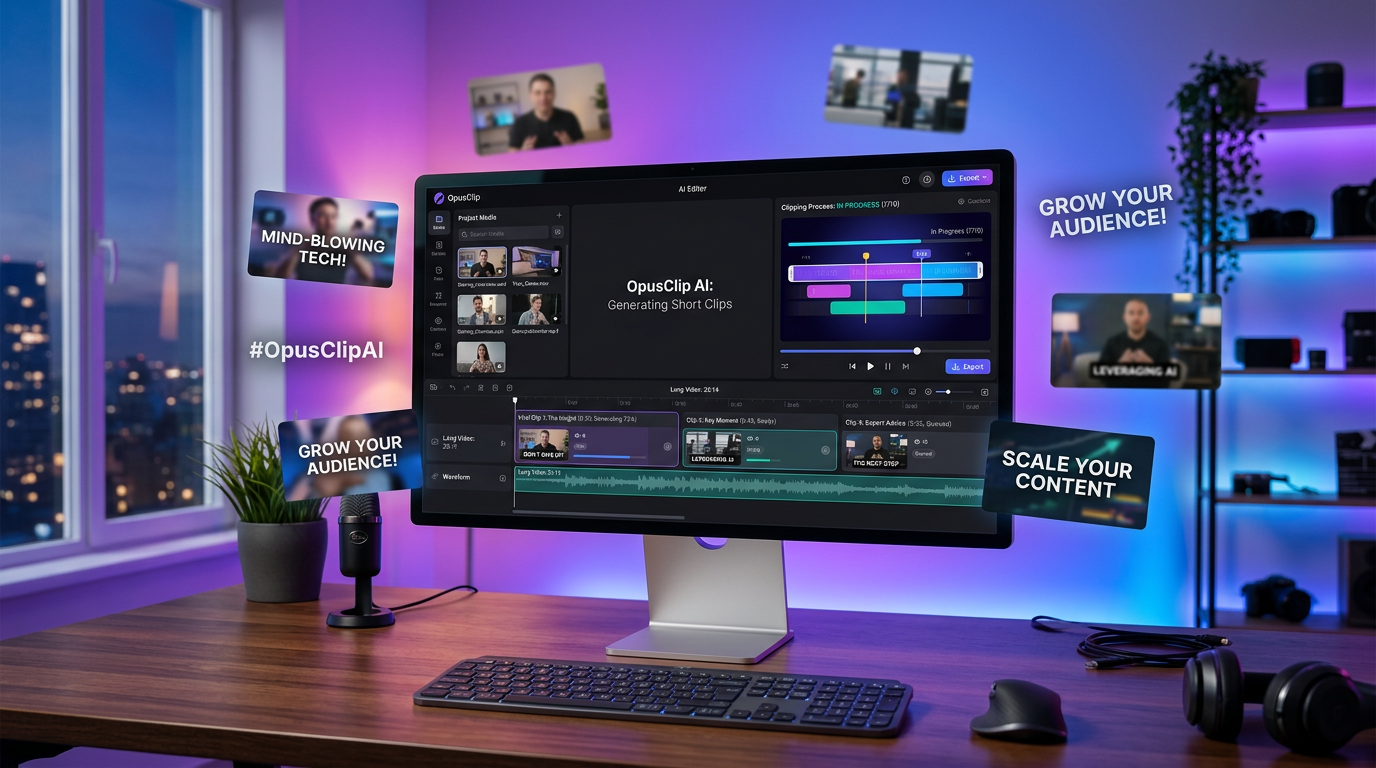
That’s the exact headache OpusClip solves. It’s an AI-powered video clipping tool that automatically finds the best moments in your long-form videos and transforms them into ready-to-post short clips. Think of it as having a video editor who never sleeps, never complains, and works for way less than a freelancer on Fiverr.
The tool launched to specifically help YouTubers, podcasters, and content creators who need to repurpose their content across multiple platforms without spending hours in editing software. Instead of manual editing, you upload your video, and OpusClip’s AI analyzes it, identifies viral-worthy moments, adds captions, and even gives each clip a “virality score” to help you pick winners.
If you’re drowning in content and need to squeeze more juice out of every video you create, keep reading. This might be the productivity hack you’ve been looking for.
Core Features: What Makes OpusClip Actually Useful
AI-Powered Clip Detection
This is where OpusClip really shines. Upload a long video (podcast episode, webinar, YouTube video, whatever), and the AI scans through it looking for moments with high engagement potential. It’s looking for things like emotional hooks, compelling statements, natural story arcs—basically anything that would make someone stop scrolling.
The algorithm isn’t perfect (more on that in the cons section), but it’s surprisingly good at finding segments that actually work as standalone clips. You’ll usually get 10-15 clip suggestions from a 30-minute video, and in my testing, about 70% of them were genuinely usable without major tweaking.
Virality Score (Your New Best Friend or Worst Enemy)
Each generated clip gets a score from 0-100 predicting how likely it is to perform well on social media. High score? Post it. Low score? Maybe skip it or edit it manually.
Is this score scientifically accurate? Probably not. But it’s a helpful filter when you’re staring at 15 clips and don’t know which ones to publish. I’ve found clips with 75+ scores tend to perform better, though there are always exceptions.
Auto-Captioning and Customization
OpusClip automatically adds captions to every clip—and not just plain text. You can choose from different caption styles (highlighted words, animated text, various fonts and colors) to match your brand or the platform you’re posting to.
Captions are essential for social media videos (most people watch with sound off), and OpusClip handles this automatically. The accuracy is solid, though you’ll want to proofread for technical terms or unusual names.
Multi-Platform Formatting
The tool automatically reformats clips for different aspect ratios: 16:9 for YouTube, 9:16 for TikTok and Instagram Reels, 1:1 for feed posts. It intelligently reframes your video to keep the speaker in view, which actually works better than I expected. This is why OpusClip Review 2026 pricing stands out in the market.
No more manually resizing and repositioning—OpusClip handles it in one click.
Brand Kit and Customization
You can upload your logo, set brand colors, and create templates so all your clips have a consistent look. This is clutch if you’re managing content for a business or personal brand and want everything to look professional.
B-Roll Integration (Pro Feature)
Higher-tier plans let you add stock B-roll footage automatically based on what’s being said in the clip. If you’re talking about “travel,” it might overlay beach footage. It’s a nice touch for making clips more visually interesting, though the AI doesn’t always pick relevant footage.
Schedule and Publish (Though It’s Buggy)
You can schedule clips to post directly to YouTube, TikTok, and other platforms from within OpusClip. In theory, this is awesome. In practice, several users (including reviews on Trustpilot) report that scheduling is unreliable—posts sometimes don’t go out as planned. Your mileage may vary, but I’d recommend exporting and using a dedicated scheduling tool like Buffer or Later for mission-critical posts.
Pricing: What You’ll Actually Pay
OpusClip uses a credit-based system. One minute of video processing = one credit. Here’s the breakdown as of March 2026:
| Plan | Price | Credits/Month | Video Processing | Best For |
|---|---|---|---|---|
| Free | $0 | 60 credits | 60 minutes of video | Testing the platform, light users |
| Starter | $15/month | 150 credits | 150 minutes (2.5 hours) | Solo creators, 1-2 videos/week |
| Pro | $29/month | 3,600 credits | 3,600 minutes (60 hours) | Serious creators, agencies, teams |
The free plan is generous enough to test the tool properly—you can process an hour of content and see if it fits your workflow. The Starter plan works for casual creators, but if you’re serious about content repurposing, the Pro plan is where it’s at. 60 hours of processing per month is a lot, and at $29/month, it’s cheaper than hiring a VA for even a few hours.
One thing to note: unlike some competitors, OpusClip doesn’t hit you with watermarks on the free plan, which is a nice touch.
Pros & Cons: The Honest Breakdown
What OpusClip Does Really Well
- Massive time saver: Turning a 30-minute video into 10 clips manually takes 2-3 hours. OpusClip does it in 5 minutes. That’s the whole value prop right there.
- Surprisingly accurate AI: The clip detection isn’t perfect, but it’s good enough that you’ll use 60-70% of what it generates. That beats starting from scratch.
- Auto-captions that actually work: Captioning is accurate and customizable. You’re not stuck with ugly default text.
- Affordable for what it does: At $15-29/month, it’s way cheaper than paying an editor or spending hours doing it yourself.
- Virality scoring is helpful: Even if it’s not perfectly scientific, it gives you a starting point for deciding what to post.
- Clean, intuitive interface: You don’t need a manual. Upload video, wait a few minutes, review clips, export. Simple.
Where OpusClip Falls Short
- It’s a first-draft tool, not a finished product: Most clips need at least minor tweaking—trimming a few seconds, adjusting captions, fixing framing. Don’t expect to just export and post without reviewing.
- AI sometimes misses context: A clip might be technically engaging but make no sense without the setup from earlier in the video. You’ll need to spot-check for coherence.
- Scheduling feature is unreliable: Multiple user reviews mention posts not going live as scheduled. Use a dedicated scheduling tool if timing matters.
- B-roll can be hit-or-miss: The AI doesn’t always pick relevant stock footage. Sometimes it’s great, sometimes it’s random.
- Limited editing within the app: If you want to combine clips, add complex transitions, or do heavy editing, you’ll need to export and use another tool.
- Credit system can feel limiting: If you have a ton of long videos, you’ll burn through credits fast on the lower plans.
Competitor Comparison: OpusClip vs. the Alternatives
| Feature | OpusClip | Quso (Vidyo.ai) | Klap |
|---|---|---|---|
| Pricing (Starter) | $15/month (150 min) | $19/month (120 min) | $29/month (500 min) |
| AI Clip Quality | Excellent (70%+ usable) | Very Good | Good |
| Virality Score | Yes | No | Yes |
| Auto-Captions | Yes (customizable) | Yes (highly customizable) | Yes |
| Scheduling | Yes (buggy) | Yes (more reliable) | No |
| Best For | Solo YouTubers, podcasters | Teams, all-in-one workflow | High-volume creators |
The verdict: OpusClip wins on price and clip quality. If you just need fast, accurate clip generation and don’t care about bells and whistles, it’s the best value. Quso is better if you want an all-in-one content management system with scheduling and analytics built in. Klap is the move if you’re processing tons of content and need the best price-per-minute ratio.
Use Case Scenarios: Who Should Use OpusClip?
Scenario 1: The Weekly Podcaster
You publish a 45-minute podcast every week. You want to create 5-10 short clips for TikTok, Instagram, and YouTube Shorts to promote each episode.
How OpusClip helps:Upload your episode → OpusClip generates 10-15 clips → You review and pick the best 5-7 → Export with captions and branding → Post to social media. Total time: 20 minutes instead of 3 hours. This is why OpusClip Review 2026 pricing stands out in the market.
Best plan:Starter ($15/month) gives you 150 minutes—enough for 3-4 weekly episodes. For more insights, see our Waymark AI Video Tool Review 2026: Script-to-TV-Ad in Minutes.
Scenario 2: The YouTube Creator Expanding to Short-Form
You’ve been making 15-20 minute YouTube videos for years, but you’re not on TikTok or Reels yet. You want to repurpose your existing content library to grow on short-form platforms.
How OpusClip helps: Batch-process your top-performing YouTube videos → Pull out the best moments → Resize for 9:16 → Build a backlog of 50+ Reels and TikToks in a weekend.
Best plan: Pro ($29/month) so you can process multiple videos quickly without running out of credits.
Scenario 3: The Agency Managing Multiple Clients
You manage social media for 5 clients who all create video content. You need to repurpose their webinars, interviews, and promotional videos into short clips for their channels.
How OpusClip helps: Process client videos in batches → Use brand kits to maintain each client’s visual identity → Export and schedule (though use a separate tool for reliability) → Bill clients for content repurposing services.
Best plan: Pro ($29/month), possibly multiple accounts if you’re processing huge volumes.
Expert Tips: How to Get the Most Out of OpusClip
1. Feed It Good Raw Material
Garbage in, garbage out. OpusClip works best with videos that already have clear, engaging moments. If your source video is rambling or monotone, the AI will struggle to find clips worth posting. Record with energy and clear points if you know you’ll be clipping later.
2. Always Review the Clips
Don’t just export everything with a high virality score and auto-post. Watch each clip to make sure it makes sense out of context. A 30-second segment might be engaging but incomprehensible without the previous 2 minutes of setup.
3. Adjust Captions Before Exporting
The AI captions are 90% accurate, but that 10% can make you look sloppy. Check for misspellings, missed words, or awkward line breaks. Takes 30 seconds per clip and makes a huge difference.
4. Use Custom Templates for Consistency
Set up your brand kit once—logo placement, colors, caption style—and save it as a template. This way, all your clips look cohesive and professional without manual tweaking each time.
5. Test Different Clip Lengths
OpusClip defaults to 30-60 second clips, but you can manually adjust the length. Experiment with shorter (15-30 sec) and longer (60-90 sec) clips to see what your audience engages with most. Shorter usually wins on TikTok; longer can work on YouTube Shorts.
6. Don’t Rely on Built-In Scheduling
Use OpusClip to create and export your clips, then schedule them with a dedicated tool like Buffer, Hootsuite, or Later. This avoids the reported scheduling bugs and gives you more control over posting times.
7. Batch Process for Efficiency
If you have multiple videos to process, upload them all at once. OpusClip will work through the queue, and you can review all the clips in one sitting rather than context-switching between videos.
Final Verdict: Is OpusClip Worth It in 2026?
Here’s the bottom line: OpusClip is absolutely worth it if you create long-form video content and want to expand to short-form platforms without spending hours editing.
It’s not perfect. You’ll still need to review and tweak clips. The scheduling feature is unreliable. And if your source videos are low-quality or lack clear hooks, the AI won’t magically fix them.
But for the core use case—turning podcasts, YouTube videos, webinars, and interviews into social media clips fast—it’s one of the best tools on the market. The combination of accurate clip detection, solid auto-captions, and affordable pricing makes it a no-brainer for solo creators and small teams.
My rating: 4.2 out of 5 stars
Who it’s best for:
- YouTubers and podcasters who need to repurpose content
- Content creators expanding to TikTok, Instagram Reels, and YouTube Shorts
- Solopreneurs and small teams who can’t afford a full-time video editor
- Anyone who values time over perfection and is okay with AI-assisted editing
Who should skip it: For more insights, see our Best AI Video Tools for Product Demos in 2026: Showcase, Convert & Sell More.
- People who need pixel-perfect, heavily customized clips (hire a human editor)
- Creators who only make short-form content from scratch (no long videos to repurpose)
- Anyone expecting 100% hands-off automation (you still need to review clips)
If you’re on the fence, start with the free plan. 60 minutes of processing is enough to see if OpusClip fits your workflow. Chances are, you’ll upgrade within a week.







