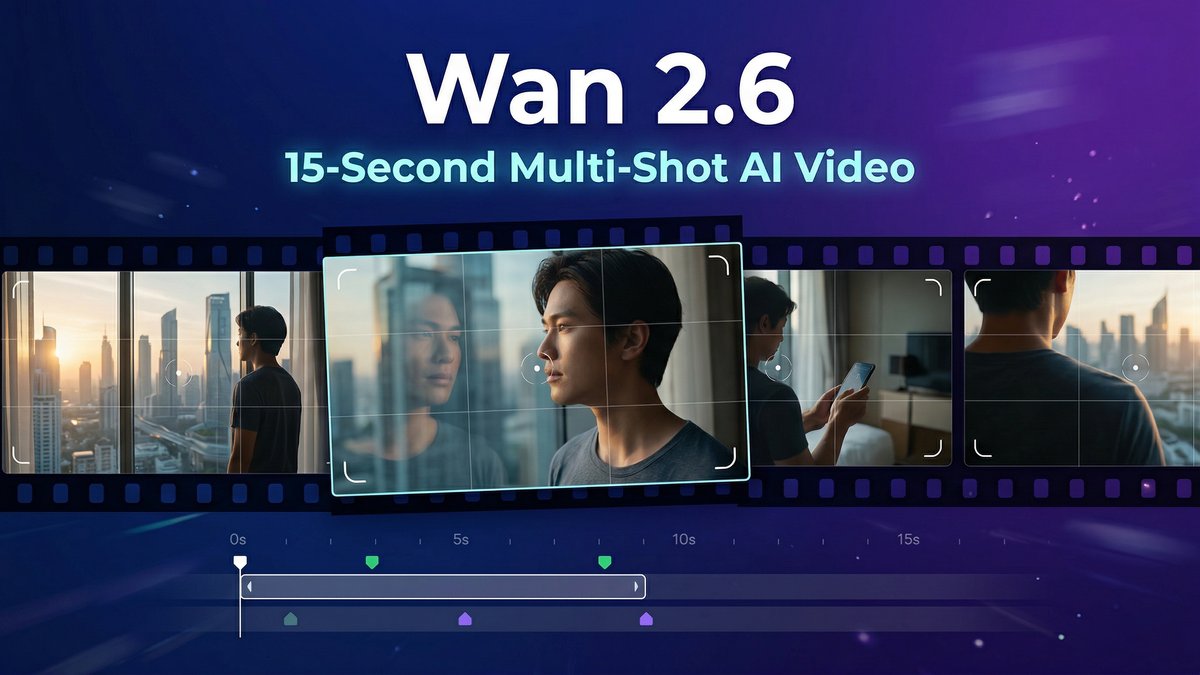
Most AI video tools give you 5-second clips. Wan 2.6 gives you 15 seconds of cinematic narrative with intelligent shot scheduling that actually understands your story. If you’ve been stitching together short clips to tell longer stories, this changes the game completely.
Visit https://www.wan2-6.com/ to experience the future of AI video storytelling.
What Makes Wan 2.6 Different?
Wan 2.6 isn’t just another incremental update. Developed by Alibaba’s Tongyi Lab, this multimodal AI platform represents a fundamental shift in how AI handles video generation. While competitors struggle with 5-10 second clips, Wan 2.6 delivers up to 15 seconds of coherent, multi-shot video that maintains character consistency and narrative flow.
The standout feature? Intelligent Multi-Shot Scheduling. This isn’t just longer videos—it’s the ability to understand both natural language and professional shot breakdown prompts, then automatically create a multi-shot narrative within a single video while maintaining consistency across all shots.
Core Features That Matter
15-Second Long Video Generation
The 15-second capability allows for complete narrative arcs without stitching multiple clips. This is crucial for social media formats like YouTube Shorts and TikTok, where you can tell a complete story in one generation rather than piecing together fragments.
Multimodal Reference Generation
Following text, images, and audio support, Wan 2.6 now includes video reference generation. Upload a 5-second reference video, and the system can replicate any character, animal, or object as the protagonist. It doesn’t just copy appearance—it replicates voice characteristics and supports both single-person and two-person performances with synchronized audio-visual output.
Enhanced Audio-Visual Synchronization
Wan 2.6 supports complete narrative audio-visual sync with stable multi-person dialogue generation. The system produces authentic natural human voice expressions with enhanced sound quality and improved music effects. Lip-sync is precise, making characters feel genuinely alive.
Multiple Resolution Options
Generate videos in 720p or 1080p at 24fps. Multiple aspect ratios (16:9, 9:16, 1:1, 4:3, 3:4) ensure compatibility with every platform. All outputs come with full commercial rights included. This is why wan 2.6 stands out in the market.
Wan 2.6 Pricing Breakdown
| Plan | Price | Credits | Cost per Credit | Best For |
|---|---|---|---|---|
| Starter | $9.90 one-time | 100 credits | $0.099 | Testing and experimentation |
| Basic | $29.90 one-time | 330 credits | $0.091 | Hobbyists exploring AI video |
| Plus | $49.90 one-time | 600 credits | $0.083 | Serious video creators (Most Popular) |
| Basic Yearly | $108/year ($9/mo) | 4,800 credits/year | $0.023 | Regular content creators |
| Standard Yearly | $210/year ($17.50/mo) | 14,400 credits/year | $0.015 | Professional creators |
| Pro Yearly | $499/year ($41.60/mo) | 39,600 credits/year | $0.013 | Agencies and power users |
Credit Usage: On most platforms, Wan 2.6 costs approximately 300 credits per video generation. At 720p, expect around $0.075 per second. At 1080p, around $0.113 per second. A 15-second 1080p video costs roughly $1.70.
Pro tip: Draft in 720p (costs ~40% less), finalize structure and pacing, then only regenerate final approved versions in 1080p. This workflow can cut costs by 40-48% according to real creator testing.
Pros and Cons
Pros:
- Industry-leading duration: 15 seconds is 3x longer than most competitors
- Multi-shot narrative control: Intelligent shot scheduling maintains continuity
- Superior audio quality: Native audio-visual sync with realistic human voices
- Flexible reference generation: Video-to-video, text-to-video, image-to-video all supported
- Commercial rights included: No licensing headaches
- Multiple resolution options: 720p for drafts, 1080p for finals
- Character consistency: Maintains visual identity across shots
Cons:
- Credit costs stack fast: At 300 credits per video, budgets can burn quickly without smart workflows
- Regeneration loops expensive: Each retry costs full credits, even for small tweaks
- Learning curve for prompts: Professional shot breakdown prompts require practice
- Queue times during peak: Popular times can slow generation
- No free tier: Must purchase credits to test
Wan 2.6 vs. Competitors
| Feature | Wan 2.6 | Kling 2.6 | Sora 2 | Veo 3.1 |
|---|---|---|---|---|
| Max Duration | 15 seconds | 10 seconds | 12 seconds | 8 seconds |
| Multi-Shot | Yes, intelligent scheduling | Limited | No | No |
| Audio Sync | Native, multi-person dialogue | Basic | Advanced | Advanced |
| Character Consistency | High across shots | Excellent | Very good | Good |
| Resolution | 720p, 1080p | 1080p, 4K | 1080p | 1080p |
| Cost per 10s video | ~$1.13 (1080p) | ~$0.80 | ~$3.00 | Student free, otherwise paid |
| Best For | Multi-shot storytelling | Cinematic realism | Photorealism | Audio-visual sync |
Verdict: Wan 2.6 wins on duration and multi-shot narrative. Kling 2.6 offers better per-second pricing and higher resolution. Sora 2 delivers unmatched realism but costs 3x more. Choose Wan 2.6 when narrative flow matters more than single-shot perfection.
Real-World Use Cases
1. Social Media Storytelling
Create complete TikTok or YouTube Shorts in one generation. The 15-second duration perfectly fits platform requirements, and multi-shot scheduling lets you tell a beginning-middle-end story without stitching clips.
2. Product Demonstrations
Show multiple angles of a product in action within a single coherent video. The intelligent shot scheduling transitions smoothly between close-ups, wide shots, and usage demonstrations.
3. Educational Content
Break down complex concepts across multiple visual examples. Multi-person dialogue support makes it perfect for tutorial-style content with conversational explanations.
4. Marketing Campaigns
Generate localized video ads with multi-shot narratives. The commercial rights and multilingual support make it ideal for global campaigns. This is why wan 2.6 stands out in the market.
5. Music Video Creation
Pair the 15-second generation with the enhanced audio features to create music video snippets or lyric videos with synchronized visuals. . For more insights, see our Waymark AI Video Tool Review 2026: Script-to-TV-Ad in Minutes.
Expert Tips for Maximizing Wan 2.6
Tip 1: Draft in 720p, Finish in 1080p
Always test concepts at 720p first. It costs roughly 40% less and lets you validate pacing, framing, and motion before committing to expensive 1080p renders. Only upscale winners.
Tip 2: Master Shot Breakdown Prompts
Instead of vague prompts like “a cat running,” use professional language: “Wide shot: cyberpunk cat in neon alley. Cut to: Low angle tracking shot following cat toward camera. Cut to: Close-up cat face, rain droplets, cinematic lighting.” The system understands this and will create proper multi-shot sequences.
Tip 3: Use the “Good Enough Draft” Mindset
Don’t chase perfection in generation. Get a “good enough” structural draft at 720p in under 15 minutes, then polish timing and captions in an external editor. Perfectionism in the generation phase burns credits.
Tip 4: Leverage Video Reference for Character Consistency
If you need the same character across multiple videos, create one reference video and reuse it. The video-to-video mode will maintain that character’s appearance and voice across all future generations.
Tip 5: Set Duration to Exact Boundaries
Most providers round up to whole seconds. Setting prompts to exactly 6s, 10s, or 15s avoids weird rounding that wastes credits on partial seconds you didn’t request.
Tip 6: Limit Regeneration Attempts
Set a hard limit of 3 tries per concept. If it’s not working by attempt 3, the problem is your prompt, not the AI. Rethink your approach rather than burning more credits on the same broken idea. This is why wan 2.6 stands out in the market.
Final Verdict: Is Wan 2.6 Worth It?
Rating: 4.5/5 stars
What Wan 2.6 Does Best:
Wan 2.6 excels at multi-shot narrative storytelling. If your content requires showing progression, multiple angles, or conversational flow within a single video, this is the best tool available in 2026. The 15-second duration and intelligent shot scheduling are game-changers for creators who’ve been frustrated by the 5-second clip limitation of other tools.
Where It Falls Short:
Credit costs can spiral without disciplined workflows. The lack of a free trial tier means you’re buying credits before knowing if it fits your needs. Queue times during peak hours can slow production.
Who Should Use Wan 2.6:
- Content creators producing daily social media videos
- Marketing teams needing multi-angle product demos
- Educators creating tutorial content with multiple visual examples
- Filmmakers prototyping longer narrative sequences
- Anyone frustrated by the 5-second limitations of other AI video tools
Who Should Skip It:
- Beginners wanting to experiment without upfront costs (try Kling’s free tier instead)
- Single-shot perfectionists who don’t need multi-shot capabilities
- Budget-conscious creators who can’t implement smart drafting workflows
Bottom Line:Wan 2.6 is the best AI video tool for multi-shot storytelling in 2026. The 15-second duration and intelligent shot scheduling solve real problems that no competitor addresses as well. Yes, it’s expensive if you’re careless with credits—but with smart workflows (720p drafting, limited regenerations), it becomes cost-effective for serious creators. If your content needs narrative flow across multiple shots, Wan 2.6 is worth every credit. For more insights, see ourBest AI Video Tools for Product Demos in 2026: Showcase, Convert & Sell More. For more insights, see our Best AI Video Tools for Product Demos in 2026: Showcase, Convert & Sell More.
Visit Wan 2.6 to start creating longer, more coherent AI videos today.







